Do you forget your Friendi number or USSD codes when needed? If yes, you are not alone. A lot of Friendi customers are usually in the same situation when they instantly need to verify their Number, Account Balance, Data Accounted For, or activate services, but are not able to remember the appropriate code.
Friendi has made it easy for users to manage everything, right from the dial pad of their mobile phones without internet or visiting any shop, with simple USSD codes. It takes only a few seconds to dial a certain few numbers to check your Friendi number, view your remaining balance, move credit, and even explore internet packages.
You will find here all Friendi codes explained in an understandable and step-by-step format, in this full and updated 2026 Guide.
How to Check Friendi Number Code
Step 1: Go to dialer
Tape to open up the dial pad on the mobile phone
Step 2: Enter code
*110#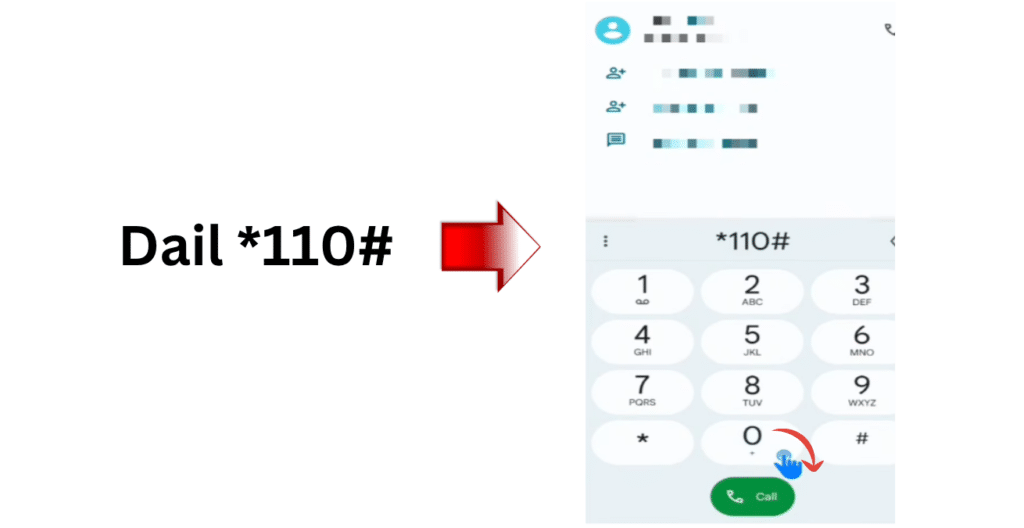
Step 3: Press the call button
Tap the call button to continue.
Step 4: Wait for the result
Wait for several seconds for the system response.
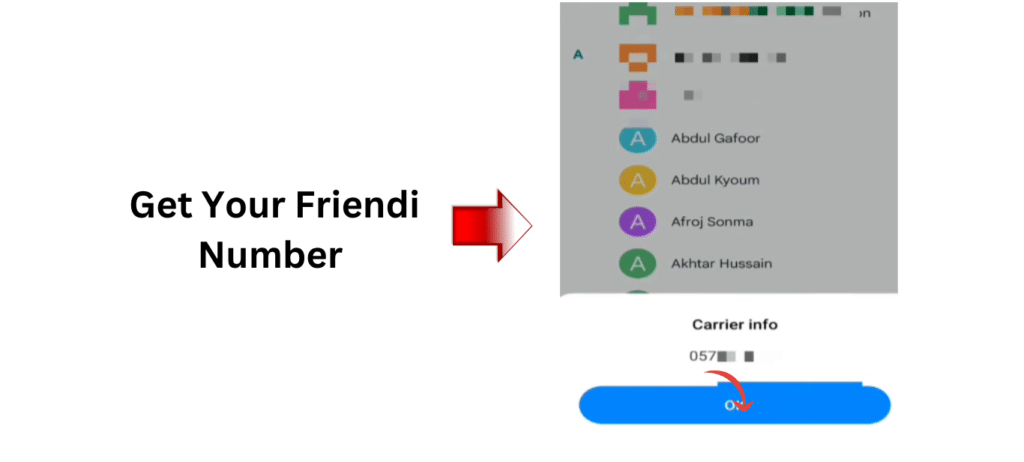
Step 5: View number
Your Friendi SIM number will be displayed on the screen.
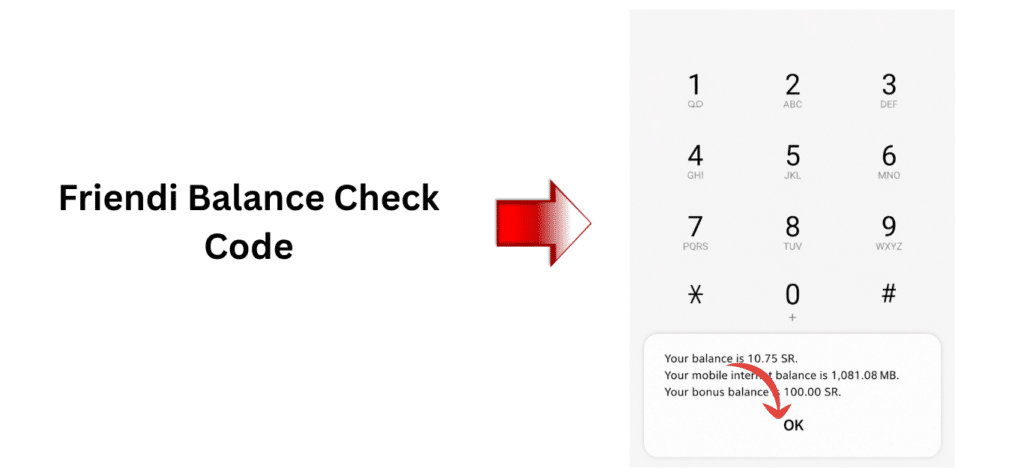
Friendi Balance Check Code
Step 1: Go to dialer
Go to the dial pad of your mobile phone.
Step 2: Enter code
*102#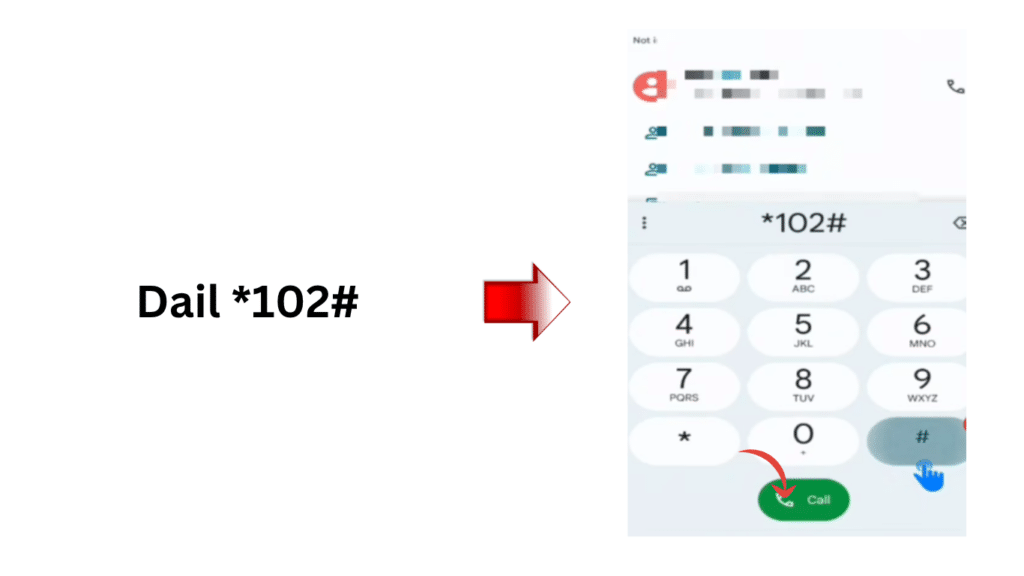
Step 3: Press the call button
Tap the call button to play on.
Step 4: View balance
The screen will then show you your balance that you didn’t pay out.
Friendi Data Check Code
Step 1: Go to dialer
Start calling using your smart mobile.
Step 2: Enter code
*108#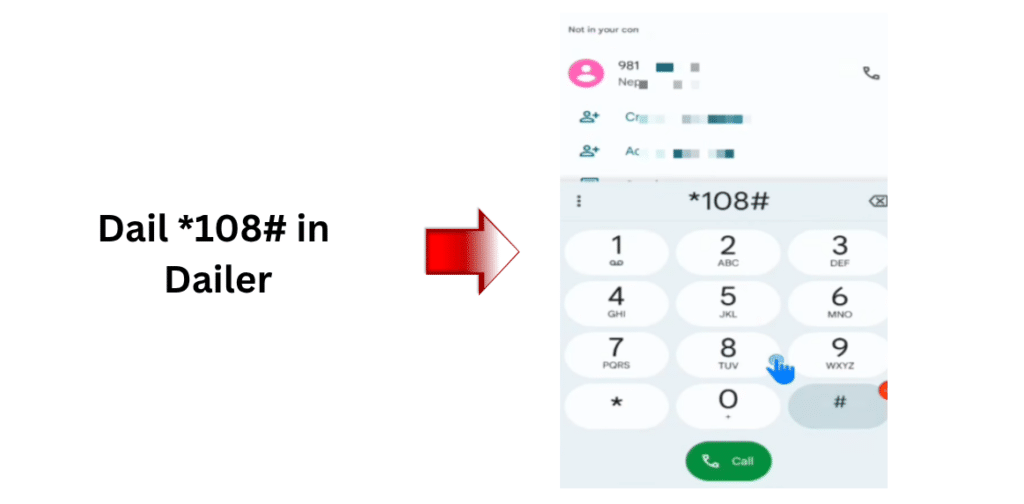
Step 3: Press the call button
Press the call button to continue.
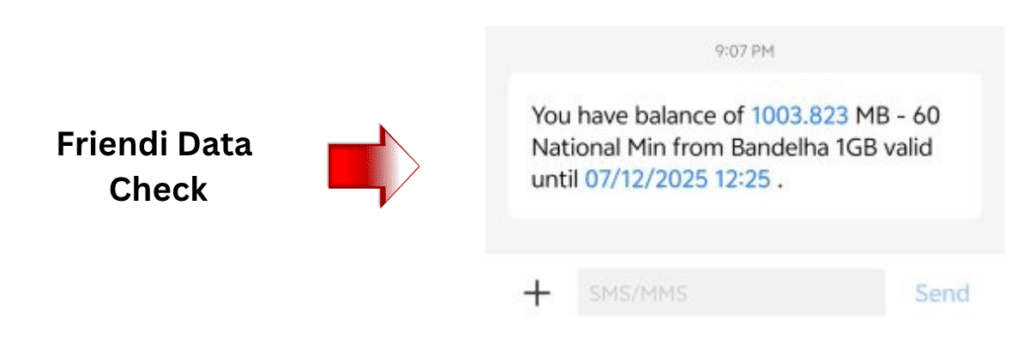
Step 4: View data
Remaining Internet data will be displayed.
Friendi Recharge Code
Step 1: Go to dialer
Open your mobile phone dial pad.
Step 2: Enter recharge code
*101*Friendi-Voucher-No#Step 3: Press the call button
Tap the call button to submit.
Step 4: Wait for confirmation
Wait until the recharge message is received to prove successful recharging.
Friendi Credit Transfer Code
Step 1: Go to dialer
Tap the phone dialer icon on your cell phone.
Step 2: Enter code
*103#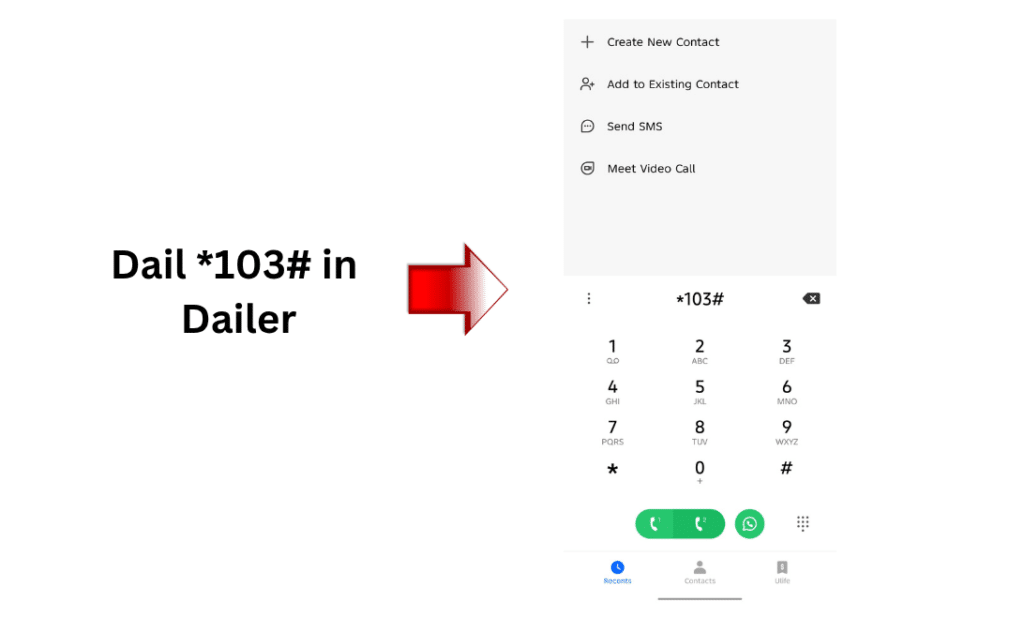
Step 3: Press the call button
Press the “Call” button to proceed.
Step 4: Select an option
Select “1” for Credit transfer.
Step 5: Enter details
Type in the amount and the recipient’s number.
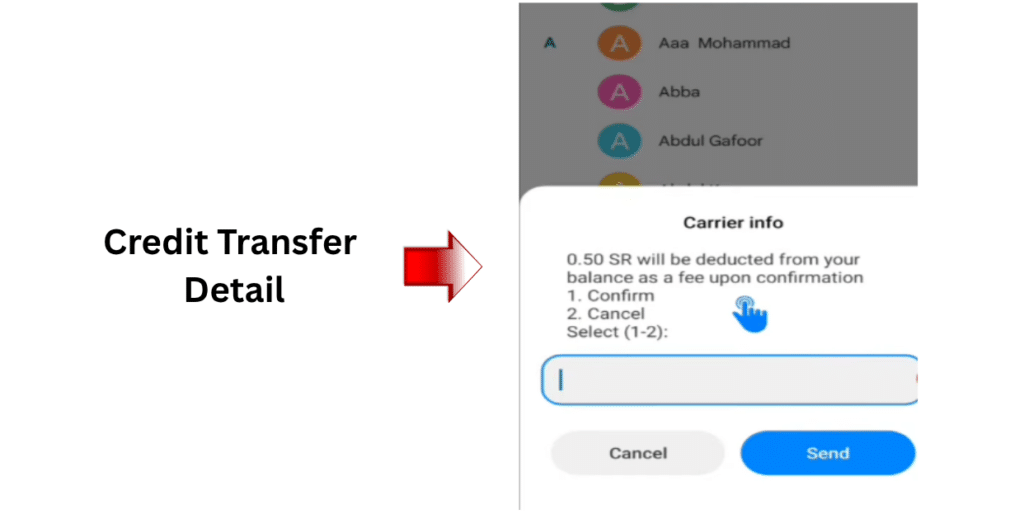
Step 6: Confirm transfer
Confirm to complete the transaction.
Friendi Loan Code
Step 1: Go to dialer
Go into your cell phone dial pad.
Step 2: Enter code
*107#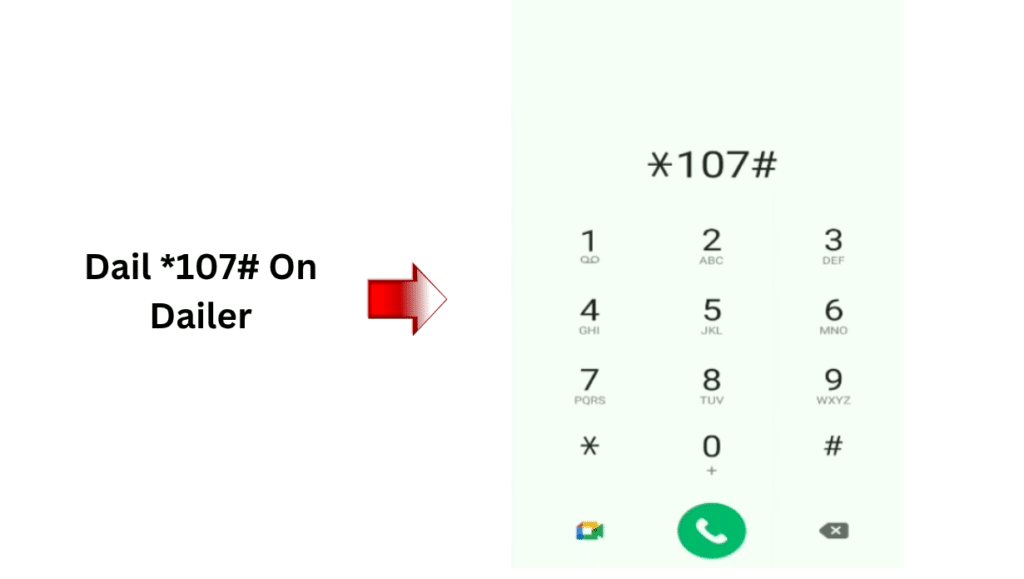
Step 3: Press the call button
When ready, press the call button.
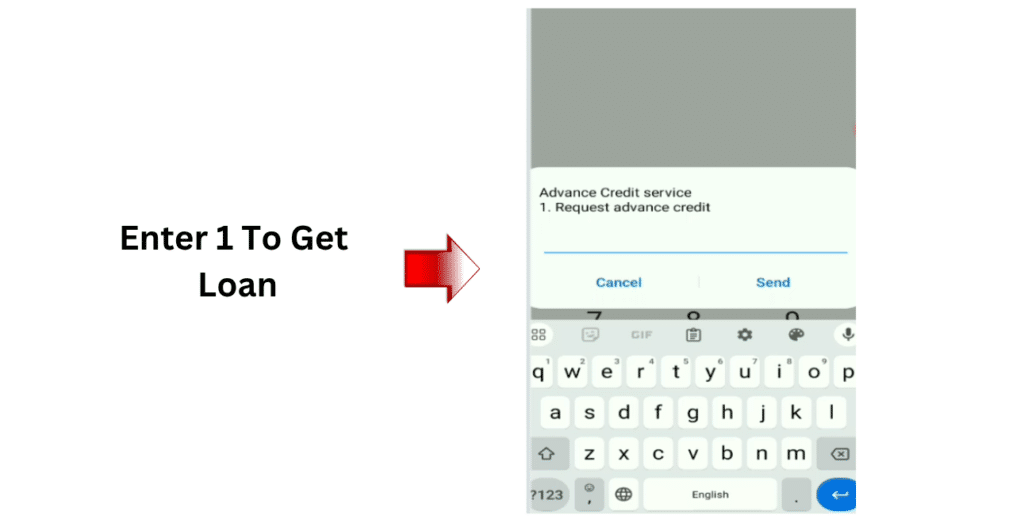
Step 4: Follow instructions
Perform on-screen steps to apply for a loan.
Friendi International Packages Code
Step 1: Go to dialer
Tap into the dial pad of your cell phone.
Step 2: Enter code
*100#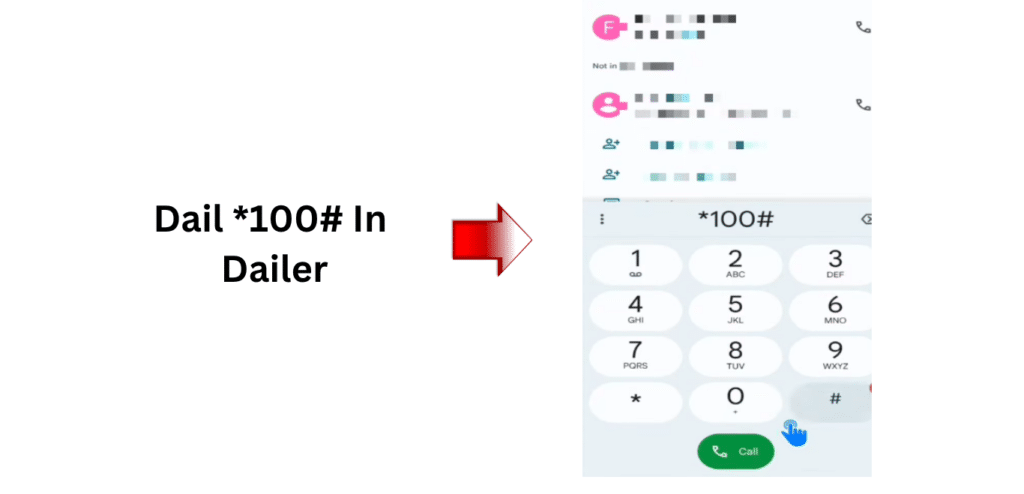
Step 3: Press the call button
Press the “call” button to display the menu.
Step 4: Browse packages
See if you can find an internet package you can afford.
Step 5: Select package
Select an Internet plan that suits your needs.
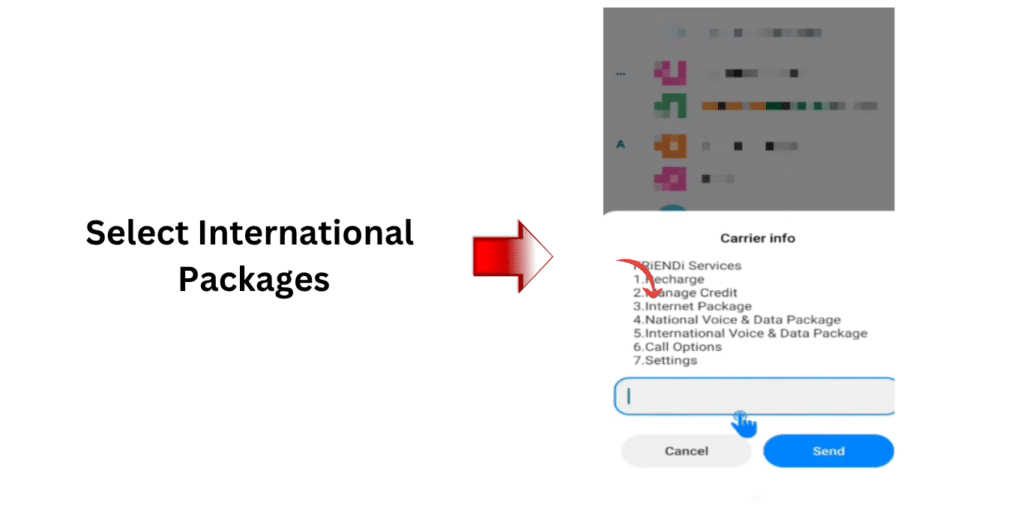
Step 6: Activate
To activate the package, confirm that the package is activated.
Common Problems & Solutions
Below are some of the most frequently occurring user complaints about using the Friendi USSD codes, and the simple and effective solutions to the issues.
Code Not Working
If the USSD code does not work when you dial it:
- Restart your mobile phone and try again
- Check if you have a proper network signal
- Make sure your Friendi SIM is active and properly inserted
No Response After Dialing
If nothing happens after entering the code:
- Wait a few minutes and try again
- Move to an area with better network coverage
- Remove and reinsert your SIM card, then retry
Incorrect Menu or Unexpected Result
Should you encounter an incorrect menu or uncommon selections:
- Double-check the USSD code you entered.
- Don’t make typos in the code.
- Attempt to dial the code in carefully again from the beginning.
Frequently Asked Questions (FAQs)
What is Friendi’s number check code?
The code to check if your SIM number is ‘friendi’’ is *110#.
Is Friendi USSD code-free?
Yes, most Friendi USSD codes are free of charge to utilise.
Is it possible to bring my Friendi number without leaving a balance?
Yes, for the number check code without a balance.
What is the Friendi’s divided-out check code?
You can check your balance by dialing *102#.
Read Also: Certificate of Employment Saudi Arabia (2026 Guide)
Final Thoughts
The Friendi USSD codes will simplify mobile management, which will be quick and efficient. With short dial codes, many different actions are possible within seconds: checking the number, recharging, transferring credit, or activating internet packages.
In this guide, you can find all the updated Friendi codes all in one place in order not to have to cross-check. Bookmark this page as a handy reference to use for any Friendi’s services.