- How to Check Lebara Balance in Saudi Arabia
- Check Through the Lebara App
- How to Check Lebara Mobile Data Balance
- What to Do If the Lebara Balance Check Code Is Not Working
- Can You Check Lebara Balance Without Internet?
- Why Should You Check Your Lebara Balance Regularly?
- Frequently Asked Questions (FAQs)
- Final Thoughts
To check your balance, dial *110# or *000# from your Lebara SIM and press Call. To access Lebara mobile data balance, dial *164# or *122#. These are USSD procedures through which you can check your account balance right from your phone, without the need for mobile web. Customers of Lebara can also use the Lebara application or call the Lebara helpline to check their account.
This guide will contain all available ways to check your Lebara balance, step-by-step checking steps for your main balance and mobile data, and possible solutions when a USSD code does not work.
How to Check Lebara Balance in Saudi Arabia
You can check how much credit you have on your Lebara account. The fastest is USSD codes, as they do not need internet connectivity and can be done straight from a mobile phone.
To check your main Lebara balance, use either *110# or *000#.
Method 1: Check Lebara Balance Using *000#
You can also dial *000# from your Lebara SIM. Lebara does change its codes from time to time, so if one fails, check the Lebara app.
To use this method:
- Open your phone’s dialer.
- Dial
*000#. - Press Call.
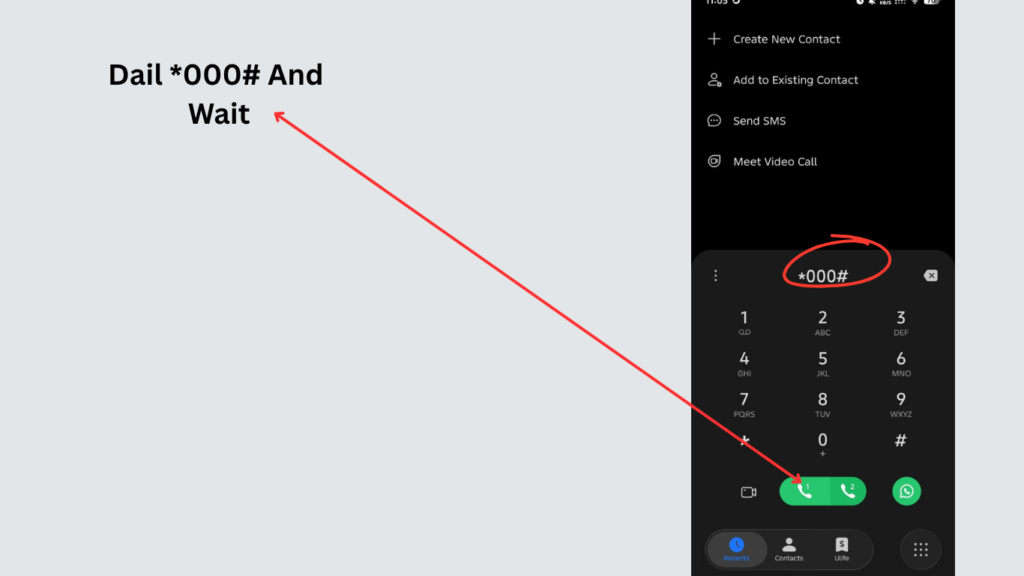
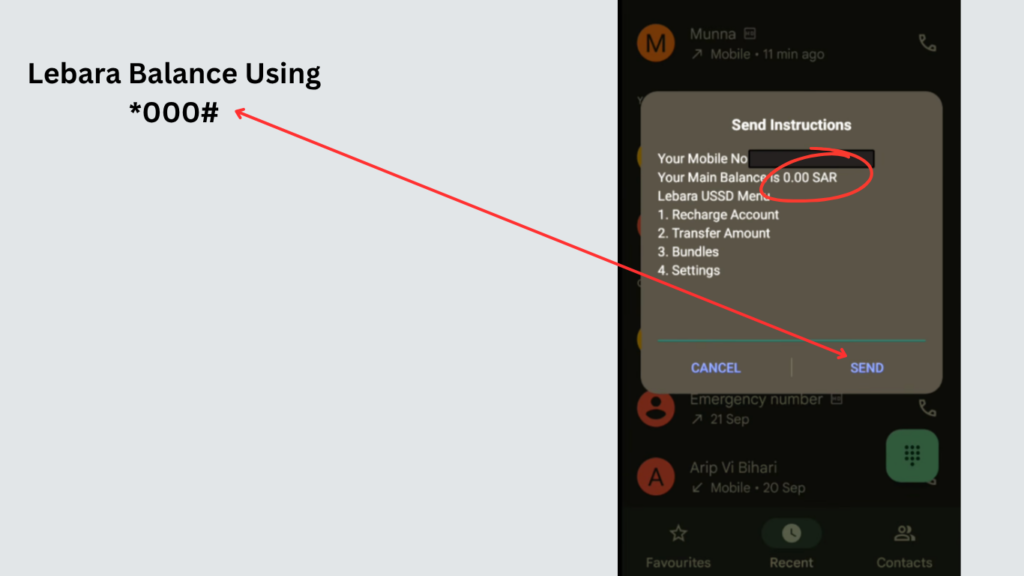
- Please wait for the USSD menu or the response.
- Click to view details about your balance instructions on the screen.
Method 2: Check Lebara Balance Using *110#
The easiest way to check your Lebara balance is with the USSD code *110#.
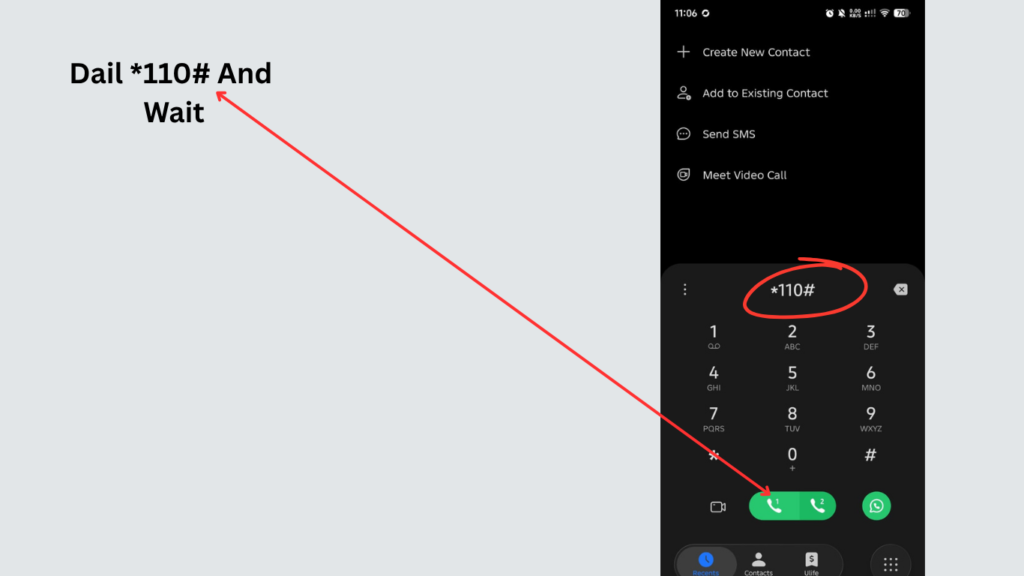
Follow these steps:
- Open the Phone or Dialer application on your mobile.
- Enter
*110#. - Use your Lebara SIM to press the Call button.
- Wait for the USSD response.
- On your screen, your available balance and/or account information will be shown.
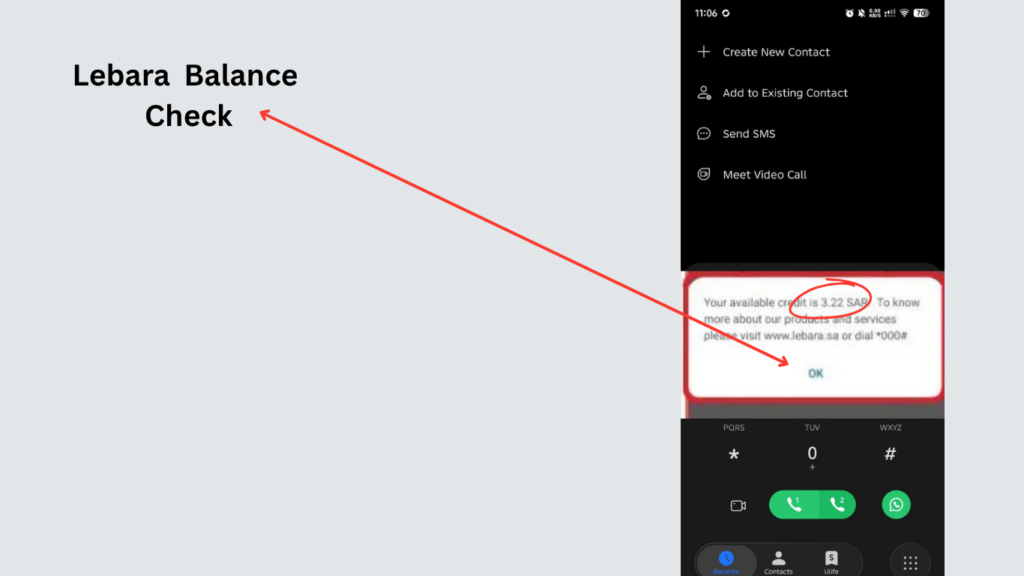
This approach offers the advantage of enabling users to send the USSD request without requiring the need to have Wi-Fi internet or mobile data in order to do so.
Check Through the Lebara App
The app is especially helpful when you need more information than what’s available with your prepaid credit.
Steps to Check Balance Using the Lebara App
- Open the Lebara application on your smartphone.
- Sign in to your Lebara account if required.
- Open your account or dashboard.
- Look for your balance, package, or account information.
- Review the available balance and other information displayed in the application.
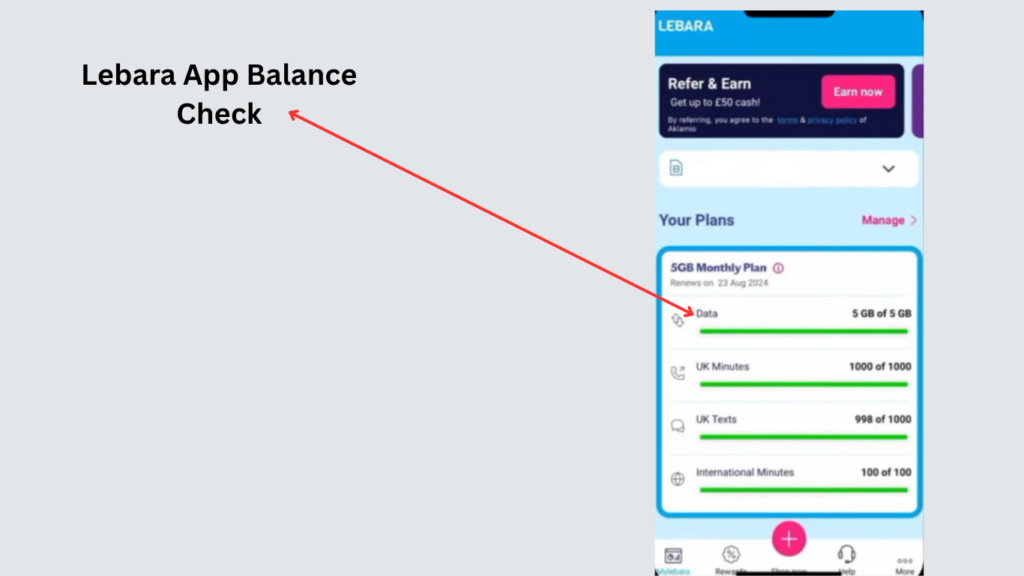
If you use your Lebara SIM finances on a regular basis, then the app could be a great option since it can give you access to account information, all in one spot.
How to Check Lebara Mobile Data Balance
Your main balance and your data allowance are tracked separately, so use a data code to see how much internet you have left.
You can check your data usage with the Lebara data-checking USSD codes:
*164#*122#
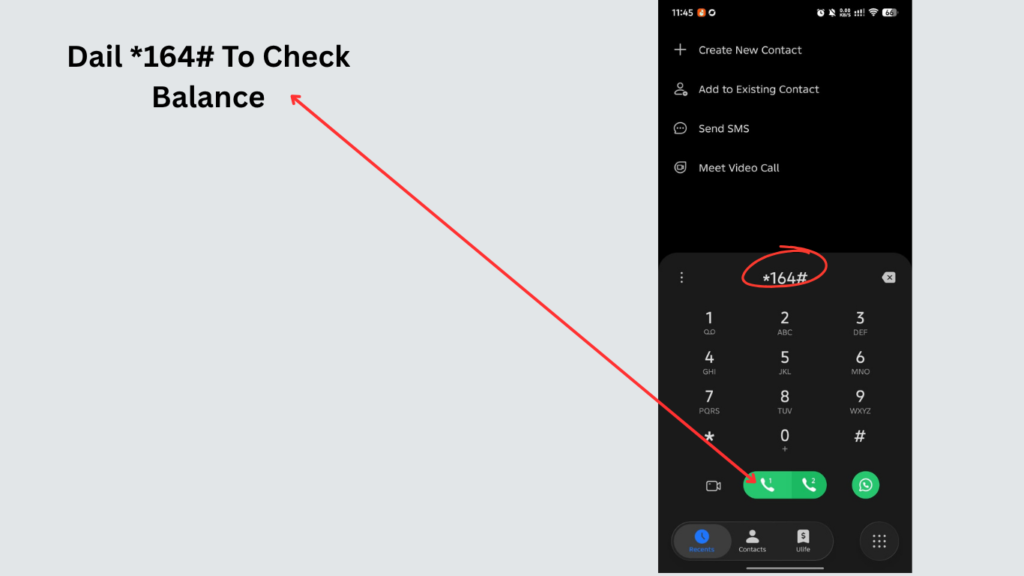
Method 1: Check Data Using *164#
To find out how much Lebara mobile data you have left:
- Open the phone dialer.
- Dial
*164#. - Press the Call button.
- Wait for the USSD response.
- Look at the other data information on your screen.
This can be helpful if you need to determine the amount of Internet data that’s left in your current plan.
Method 2: Check Data Using *122#
Or you can use the short code *122# to view your Lebara mobile data.
Just dial into the phone, type into the keypad*122# then press the call button. To access data information: Follow the instructions on your screen.
What to Do If the Lebara Balance Check Code Is Not Working
Sometimes a USSD code may fail to return balance information. This does not necessarily mean that your Lebara SIM is damaged.
Try the following solutions.
1. Check Your Network Signal
The USSD Requests are reliant on the mobile network you’re utilizing; as such, if you don’t have an appropriate cell network, you will not be able to conduct the request.
Go to a place where there is a stronger network signal and attempt the code again.
2. Enter the Code Correctly
Be sure that you have typed the entire code perfectly.
For example:
*110#
3. Use the Alternative Code
If one balance-checking code is not effective, try the other alternative code.
For the main balance, you can try:
*110# or *000#
For mobile data, you can try:
*164# or *122#
4. Make Sure You Are Using the Lebara SIM
If you have two SIM Cards, be sure it is your Lebara SIM you are sending the USSD code from.
When calling, press the call button on a dual-SIM phone and choose a Lebara SIM.
5. Restart Your Phone
Sometimes there are temporary network and/or SIM connection issues, which may prevent USSD services from working.
Can You Check Lebara Balance Without Internet?
Yes. You can check your Lebara balance using a USSD code without requiring a Wi-Fi connection or mobile internet.
For example, you can dial:
*110#
from your Lebara SIM and wait for the response.
This makes USSD particularly useful when your mobile data has already been exhausted.
For users who prefer digital account management, the Lebara application can provide another way to access account information, but the app normally requires an internet connection.
Why Should You Check Your Lebara Balance Regularly?
Checking your balance now and then means you won’t suddenly run out of credit or data.
It allows you to:
- Know how much prepaid credit remains.
- Monitor your mobile data usage.
- Determine when you need to recharge.
- Avoid running out of data unexpectedly.
- Keep track of your active package.
- Identify unusual or unexpected balance deductions.
This is great for users who need to access the internet a lot using a mobile data connection or for those who have calls and internet-enabled Lebara SIMs.
Frequently Asked Questions (FAQs)
What is the Lebara balance check code?
The main Lebara balance-check code is *110#. On your Lebara SIM, dial this code and press the call button to get a balance update.
How can I check my Lebara balance without the internet?
Use the Lebara SIM card and type in *110# and then wait for the response.
What is the alternate Lebara balance checking code?
The other way of checking the balance is by calling *000#. Give the code number on your Lebara SIM to call up and complete any instructions that appear on screen.
How to find out what my ‘Lebara’ data balance is?
Using your Lebara SIM, you can dial *164# to check your data or use an alternative code of *122#.
What is the Lebara data balance check code?
The codes for checking your Lebara data balance are *164# and *122#. Call up information on your remaining mobile data with either of the above codes.
Read Also: Friendi Mobile Codes Saudi Arabia 2026: Full USSD Guide
Also on Saudi networks: Friendi mobile codes, the Virgin recharge code, and Mobily data balance check.
Final Thoughts
To view your Lebara balance in Saudi Arabia is very easy, and the quickest of all the methods is by sending a USSD code directly from your Lebara SIM. To make your main balance call, the dial-in number is *110#. To see how much mobile data you have left, dial *164# or *122#.
If USSD codes and applications do not work, the Lebara helpline will be the best bet for account or SIM-related assistance.