- Method 1: Using the CST (Formerly CITC) Portal
- via Official Saudi National Portal
- Method 3: Using the “Argami” App
- Method 4: Using the CST Portal Without a Mobile Number
- Why It’s Important to Check Registered SIMs
- What If You Find Unwanted SIM Cards?
- My Experience: I Checked via the CST Portal
- Frequently Asked Question (FAQs)
- FINAL WORDS
Last updated: September 2026 – checked against CST’s official My Numbers (Arqami) service page.
Want to know the number of SIM cards associated with your Iqama? You are not the only one! Tracing your registered SIMs is not only sensible in Saudi Arabia but the only way to guarantee security, avoid surplus charges, and prevent theft of identity.
In this guide, I will take you through the official steps of checking all your mobile and data SIMs registered on your Iqama through trusted portals such as the CST portal (formerly CITC) and the Argami mobile app. You need to follow these official steps to know what is going on and to make yourself secure, whether you are registered with a mobile number or not.
In this guide, I will provide you with all the methods to check how many SIMs are in my iqama. Here, all the methods are given below:
- Using the CST
- Using the Saudi National Portal
- Argami App
Method 1: Using the CST (Formerly CITC) Portal
Step 1: Visit the Official CST Portal
In order to begin, you will have to go to the official CST (Communications, Space & Technology Commission) site.
- Go to this link: https://portalservices.cst.gov.sa/

Step 2: Choose the “My Numbers” Service
After you are on the site:
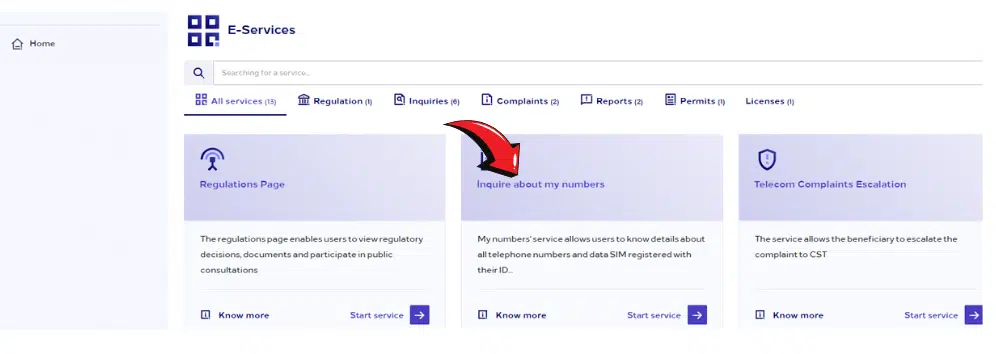
- Click on My Numbers (أرقامي). It is a special service that helps check all SIM cards that are connected to your Iqama.
Step 3: Enter Required Details
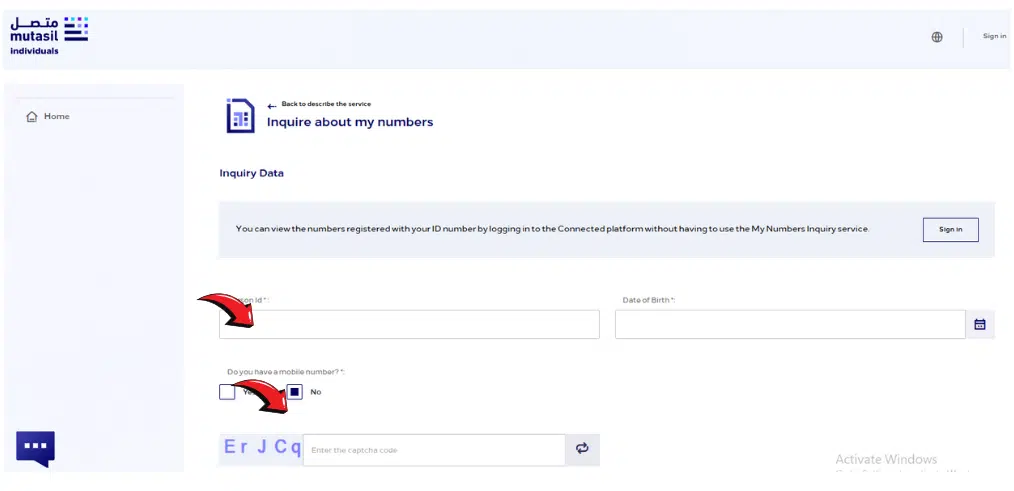
To continue further, you have to enter:
- Your Iqama Number
- Your Registered Mobile No.
- Fill in the captcha and click on submit carefully.
Step 4: Verify Using OTP
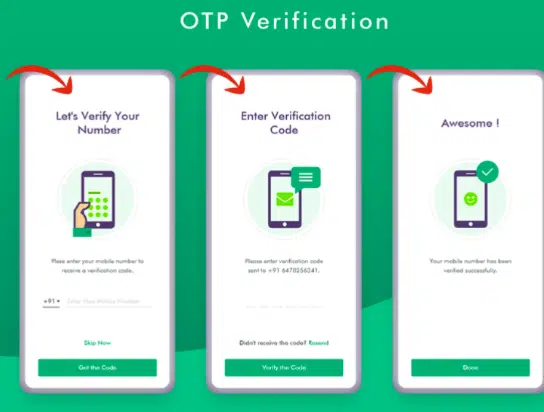
- OTP (One-Time Password) will be sent to your registered mobile number.
- Fill in the OTP to check your identity.
Step 5: View Your Registered SIMs List
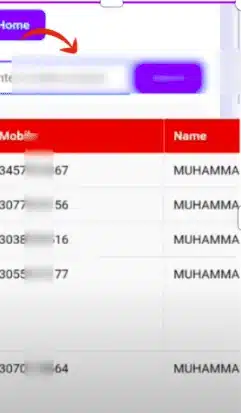
After successful verification:
- You can view all the mobile and data SIMs registered under your Iqama.
- This list covers SIMs from all telecom operators in Saudi Arabia (STC, Mobily, Zain, Virgin, Friendi, etc.).
Read Also: Dubai Visa for UK Citizens in 2026 – No Application Needed!
via Official Saudi National Portal
Step-by-Step Instructions
Follow these steps carefully:
Step 1: Visit the Official Saudi National Portal
- Go to the following link:
You’ll see the homepage of the Saudi National Portal for eGovernment Services.

Step 2: Click on the “E-Services” Tab
On the homepage’s top navigation bar, click “E-Services” (الخدمات الإلكترونية).
Step 3: Select “My Numbers” Service
- From the CITC services list, choose:
- “My Numbers” (خدمة أرقامي)
This service allows you to see all SIM cards registered under your Iqama number.
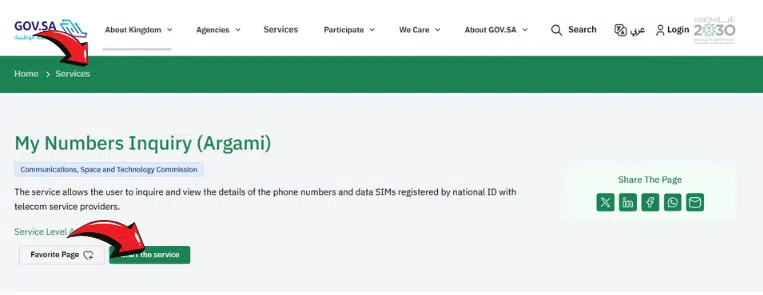
Step 4: View Registered Numbers
After logging in:
- You will see a list of all mobile numbers registered under your Iqama number
- It will show:
- The telecom provider
- The partially masked mobile numbers
- Only active, authenticated lines (inactive ones won’t appear)
This data is fetched directly from CITC’s My Numbers service, ensuring it’s accurate and secure.
Method 3: Using the “Argami” App
It was very convenient in my case when I used the Argami mobile application.
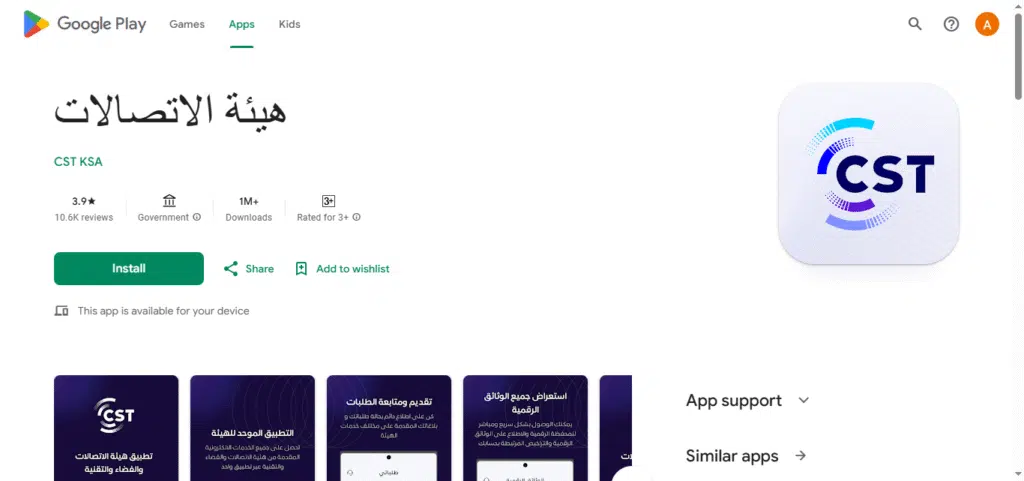
Step 1: Download the Argami App
- Visit the Google Play Store or Apple App Store.
- Install the app on your phone.
Step 2: Log in to the App
- Open the app.
- Fill in your Iqama number
- Pick your registered mobile number.
- Answer the captcha and hit submit.
Step 3: View Your SIM Cards
- After signing in, the app will now appear, containing all of the SIMs registered to your Iqama right on your screen
- . It is a very convenient method to use in case you prefer a smartphone..
Method 4: Using the CST Portal Without a Mobile Number
If you do not register your mobile number with your iqama, no problem. I got you..
Step 1: Visit the CST Portal
- Visit once more the official CST portal: https://portalservices.cst.gov.sa/
Step 2: Select “I Don’t Have a Mobile Number”
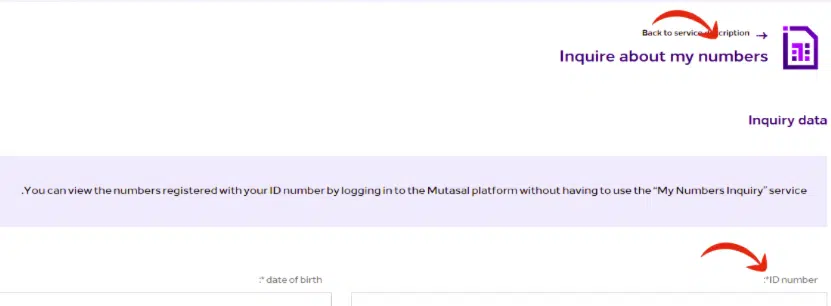
- Select ‘I do not have a mobile number‘.
Step 3: Provide Iqama Number and Captcha
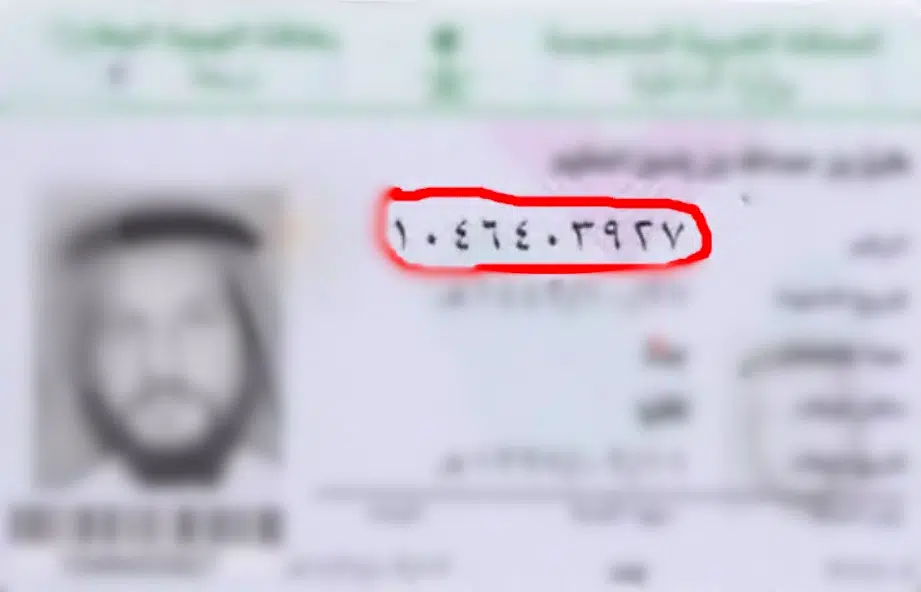
- Enter Iqama number.
- Enter the value of the captcha and submit.
Step 4: Identity Verification
- Step through the identity verification as offered by the portal.
Step 5: Check SIM List
- With a mobile number, you’ll see every line registered on your Iqama. Without one, you’ll usually only see which operators have lines under your ID.
Why It’s Important to Check Registered SIMs
I would recommend that you monitor your registered SIMs showing to some reasons:
- Stop Fraud: People can skulk unused SIMs.
- Avoid Surprise Bills: Spot lines you never asked for before charges build up – and the check itself is free.
- Ensure Privacy: It helps to protect your telecom identity
- Compliance: Saudi laws state that precise mobile records are necessary.
What If You Find Unwanted SIM Cards?
If the operator won’t cancel a number you never registered, escalate to CST: file a complaint through the CST website or app, or call 19966. Keep a screenshot of your My Numbers results and any reference number the operator gave you – it makes the complaint much quicker to resolve. The check and the complaint are both free.
In case you come across a SIM that is not yours:
- The next moment, contact the respective telecom provider (STC, Mobily, Zain, etc.). Application for blocking or deactivating the unknown SIM.
- Go to a telecom branch for verification.
My Experience: I Checked via the CST Portal
On a personal note, I checked my SIMs using the Arqami (My Numbers) service on the CST portal. It did not take me more than 5 minutes. I also liked the procedure of being so safe and open. I did, and so can you.
Frequently Asked Question (FAQs)
1. How can I check how many SIM cards are on my Iqama?
CST My Numbers portal and type in your Iqama number and your mobile number. Once OTP is verified, a list of all SIMs that are registered under your ID will be presented to you.
2. How do I find out how many SIMs are linked to my ID?
Access the service of My Numbers (Argami) through the CST site or the Argami application and enter your Iqama together with OTP to view all the active SIMs under your identity.
3. How to know how many SIMs are registered under my name in Saudi Arabia?
Visit the CST portal named Argami, enter your Iqama number, and enter one of the registered numbers, and confirm through OTP.
Read Also: Saudi Arabia Work Visa (2026): 3 Ways to Get Approved Fast
Related telecom guides for Saudi Arabia: check your STC SIM number, activate a Zain SIM, and check your Zain bill on Iqama.
FINAL WORDS
Curious to know the number of SIM cards registered on your Iqama? You are not the only one! As the author of this guide, and I will assist you in finding out in a short time and an easy way. And in Saudi Arabia, keeping a record of your registered SIMs is not only a smart move.
But also a mandatory activity to ensure your safety, prevent unexpected charges on the bills, as well as preserve your identity.