
Have you got problems turning on your Zain SIM in Saudi Arabia? Don’t worry—you’re not alone. This is one of the problems that many new people, tourists, expatriates, and residents have to experience immediately after purchasing their SIM. The news is good because, when you do things right, it is very fast and easy to activate your Zain SIM.
In this blog, I will take you through three easy ways of activating your Zain SIM in KSA:
- Via Zain Website
- Through the Zain KSA app
- By contacting customer care
Method 1: via the Zain Website
Step 1: Go to the Zain Website
- Go to the Zain website ” https://verify.sa.zain.com/en “
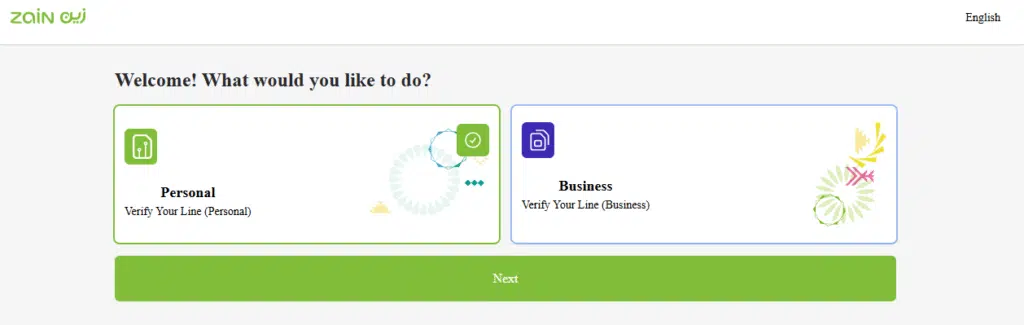
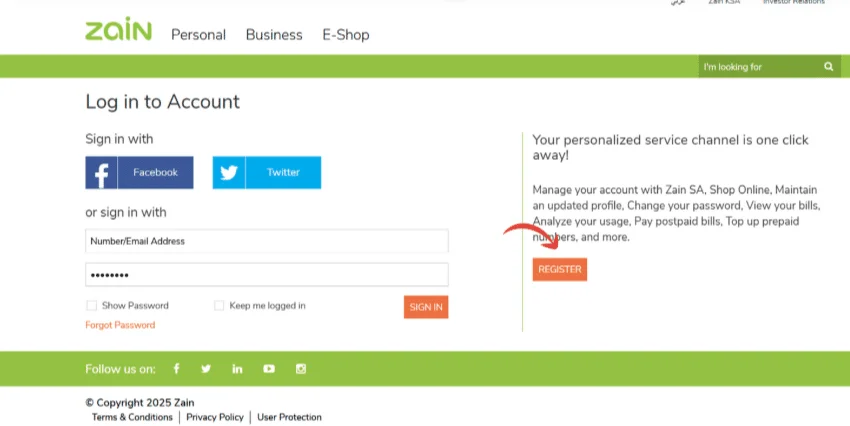
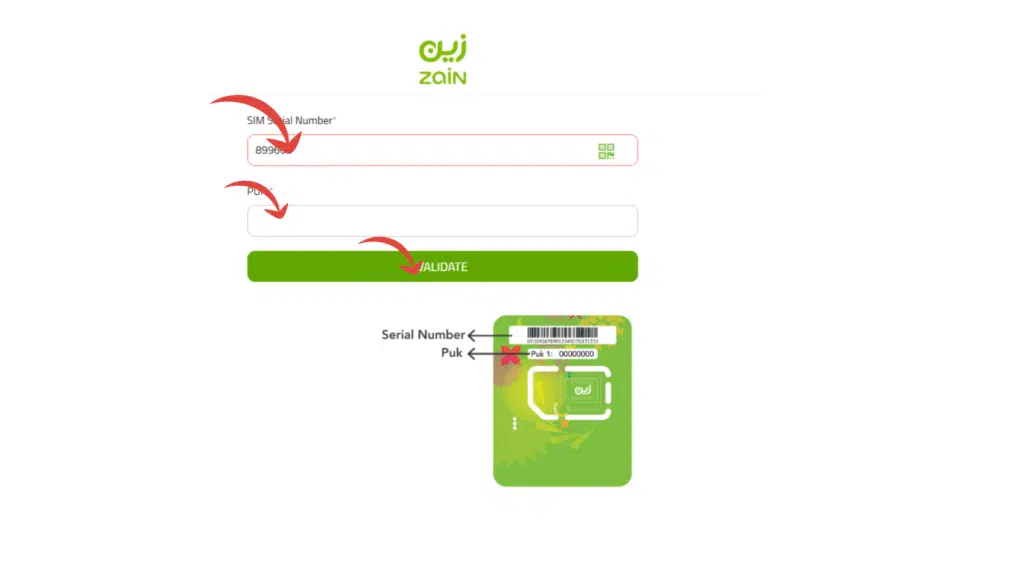
Step 2: Open the Website & Register
- Open the application and press Register.
- Enter your Zain mobile number.
- You can be sent a verification code through SMS.
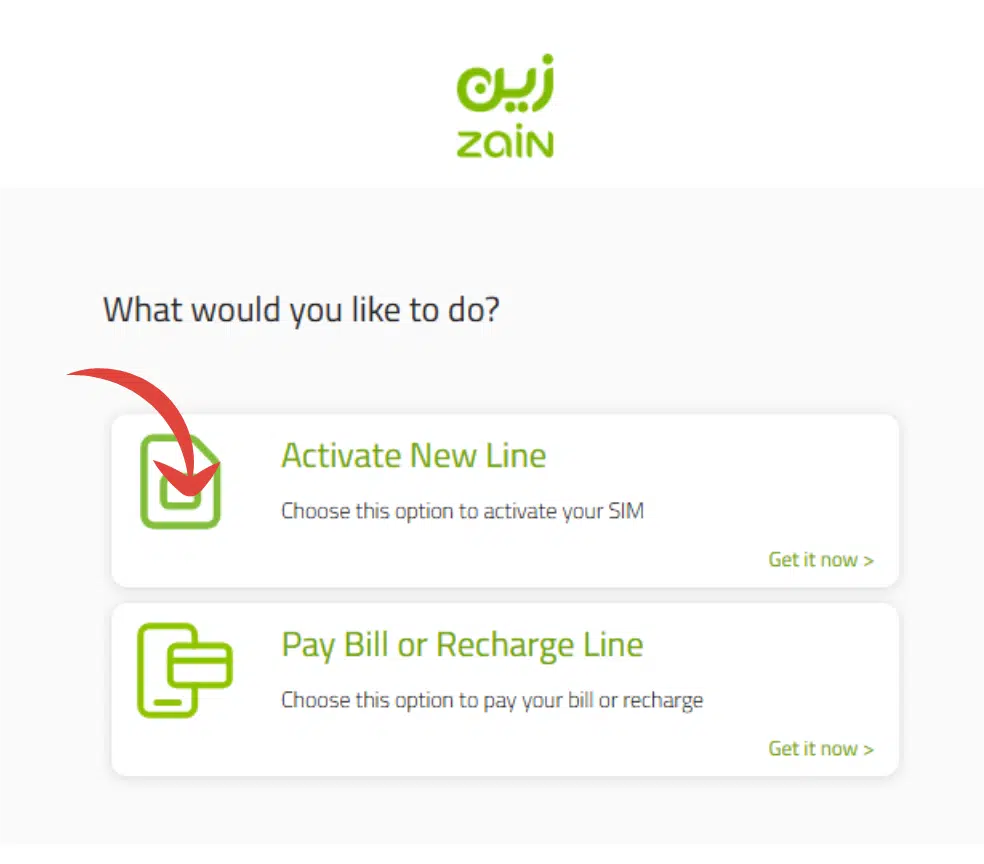
Step 3: Link Your Iqama Number
- Activate the SIM by entering your Iqama ID.
- Follow the on-screen instructions carefully.
Step 4: Confirm Activation
- Once the steps are done, you will receive a confirmation.
- Your SIM is activated.
The approach is quite handy when you are also interested in:
- Manage data packages.
- Check balance.
- Pay bills online.
- Recharge your SIM instantly.
Read Also: Check Zain Bill on Iqama in 2026: 3 Easy Methods
Method 2: through the Zain App
In case you would like to use a digital approach, you can go with the Zain KSA app.

Steps:
- Download the Zain KSA app from the App Store (iOS) or Google Play (Android).
- Install the application and register with your Zain number.
- Click on the SIM Activation page.
- Enter your Iqama/National ID details.
- Submit the request.
Method 3: via Customer Care
Step 1: Call Zain Customer Care
- Or call 0590000959 from another phone.
- Get the representative to assist you in activating your SIM.
Step 2: Provide Your Details
- You will need to have your Iqama ID and SIM card number.
- Your details will be checked by the agent.
Step 3: Visit a Zain Branch (if required)
- In case the telephone lapse does not work, you might just be required to come to the closest Zain office.
- Carry your original Iqama and SIM pack with you.
Step 4: Get Activation Confirmation
- Your Zain SIM is prepared to work now.
This is the best method if you:
- Face technical issues.
- Want personal assistance.
How Long Does Zain SIM Activation Take?
A Zain SIM usually comes on the Line within 5 to 30 minutes of completion of Identity verification. Otherwise, it may take up to 24 hours for the SIM to activate, but this may only happen during periods of high traffic or when further verification is needed.
Several factors can influence activation time:
- Incorrect Iqama or passport details.
- Network congestion.
- Pending identity verification.
- Technical maintenance.
- Incomplete registration.
Zain SIM Not Activating? Try These Solutions
In case your Zain SIM is not getting activated, you will be provided with the following troubleshooting tips that will help you resolve it.
Check Your Iqama or Passport Details
Make sure that the identification number that’s been entered during registration is read correctly and hasn’t expired. A slight error or oversight can negate activation.
Restart Your Phone
Once the SIM card is inserted, please restart your cellular device to refresh the network. It’s something simple that you can do to overcome this temporary activation delay.
Verify the SIM Card Is Inserted Correctly
Gently remove and re-insert the SIM card. Make sure that it is correctly installed in the SIM Tray and fits your device.
Wait for Verification to Complete
Requests to be activated take time—sometimes longer than anticipated—as a result of the traffic on the network.
Frequently Asked Questions (FAQs)
What’s the way to enable my SIM card in Saudi Arabia?
Add the SIM, text your Iqama number to 700123, or use the Zain KSA app, or a branch of Zain.
What is the way to switch on Zain international roaming?
Make a pre-travel call (959) or use the Zain application to enable international roaming.
How to unlock my SIM card?
Place the SIM into your cell phone, dial the ID/iqama number to the activation code, or use the operator’s app.
What do I do to check the Zain SIM on my Iqama?
Log in to the CITC Argami portal and type in your Iqama number, and it will display all the SIMs registered under it.
Read Also: Check SIMs on Your Iqama (2026) — With or Without Mobile
Final Words
Enabling a Zain SIM in Saudi Arabia is not complicated when you follow the right procedures. You can activate a SIM either through SMS or the Zain KSA mobile app, or by calling customer care or going to a Zain branch, all of which are proven and will guarantee you an easy experience.