
- What Is STC Kuwait?
- Method 1: via STC Official Website
- Method 2: Using the MySTC App
- Method 3: STC Balance Check Using USSD Code
- Method 4: STC Balance Check via Customer Care or WhatsApp
- Which STC Balance Check Method Should You Use?
- Common Issues While Checking STC Balance
- Frequently Asked Questions
- Final Thoughts
Last updated: September 2026 – balance codes corrected against stc Kuwait’s official help pages.
You want to know how to check your STC balance in Kuwait fast and without any inconvenience? The experience of the lack of mobile credit at any moment is annoying, more so when you need to make an urgent call, send an urgent message, or access mobile data. You can stay in control regardless of your STC prepaid or postpaid SIM because you are aware of the balance left to avoid cases where your service will be interrupted.
In this detailed guide, I’ll learn all working methods for STC check in Kuwait in this detail guide to ensure that you apply the best option that suits you.
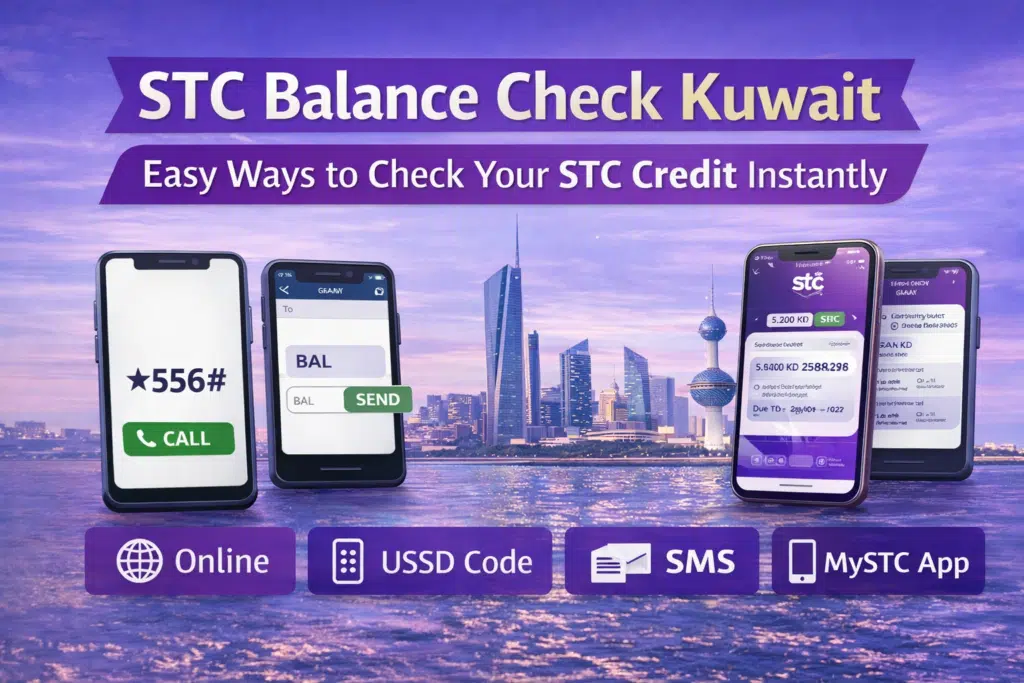
STC enables its users to monitor their balance through four key ways:
- STC official website
- USSD codes
- SMS service
- MySTC mobile app
All the methods are discussed below.
What Is STC Kuwait?
stc Kuwait (formerly VIVA, rebranded in 2019 and part of the Saudi-based stc Group) is one of the large telecommunication firms in the nation that offers mobile, internet, and digital services to both individuals and businesses. STC is a competitive operator with strong network coverage and packages, appealing to thousands of prepaid and postpaid customers in Kuwait.
STC Prepaid vs Postpaid Users
- Prepaid user should check their balance regularly so that they do not run out of credit to make telephone calls, SMS, and data.
- Postpaid users normally view the balance information to check usage, allowances remaining, or due bills.
Regardless of the nature of the SIM that you are using, STC offers convenient methods of staying up-to-date.
Method 1: via STC Official Website
It is also a good idea to check your STC balance on the official website; the option is particularly useful when youare on a laptop or desktop.
Steps to Check STC Balance Online
- Go to the official website of STC Kuwait using your web browser.

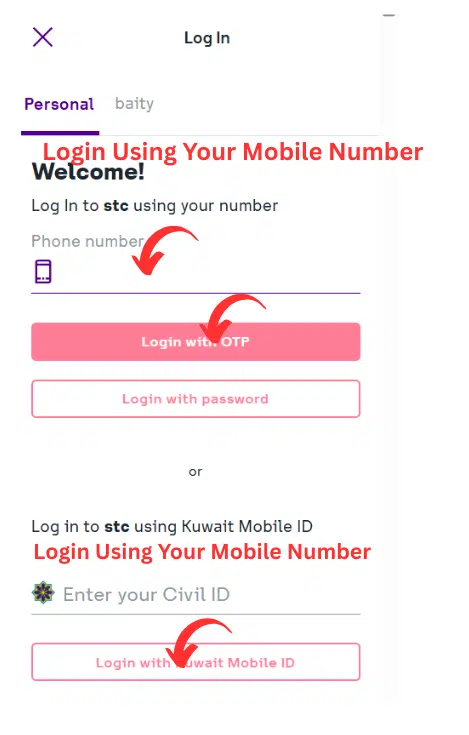
- Enter your STC account by clicking on your registered mobile number.
- Go to your account dashboard.
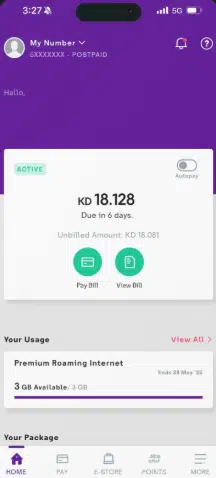
- The balance, usage, and credit left will be displayed on the screen.
Why Use This Method?
- Best for detailed account information
- Secure and official
- Both prepaid and postpaid users are acceptable.
Ensure that you are in the right STC account that is associated with your SIM number.
Method 2: Using the MySTC App
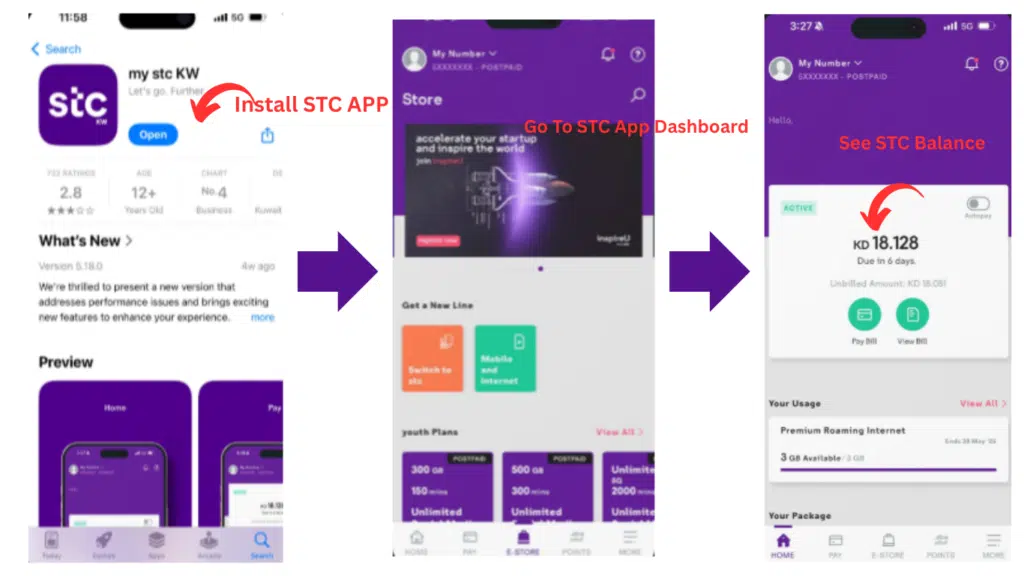
MySTC App is the most advanced one with the capability to check your balance and handle your account.
Steps to Check Balance Using the MySTC App
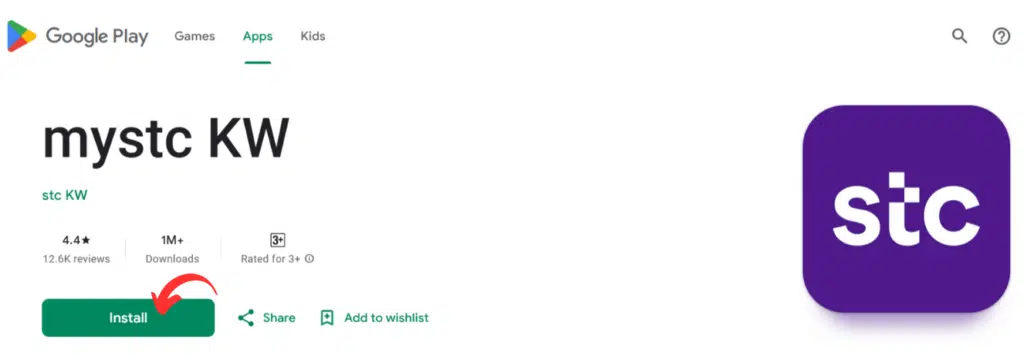
- Install the MySTC App at Google Play Store or the Apple App Store.
- Install and open the app
- Log in using your STC mobile number
- Verify your account using the OTP sent to your number
Why the MySTC App Is Highly Recommended
- Real-time balance updates
- Full control over your STC account
- Recharge and manage plans easily
- View data, calls, and SMS usage
It is advisable to update the app to use the newest features and eliminate errors.
Read Also: Fast Dubai Visa From Qatar Online – Step-by-Step Guide
Method 3: STC Balance Check Using USSD Code
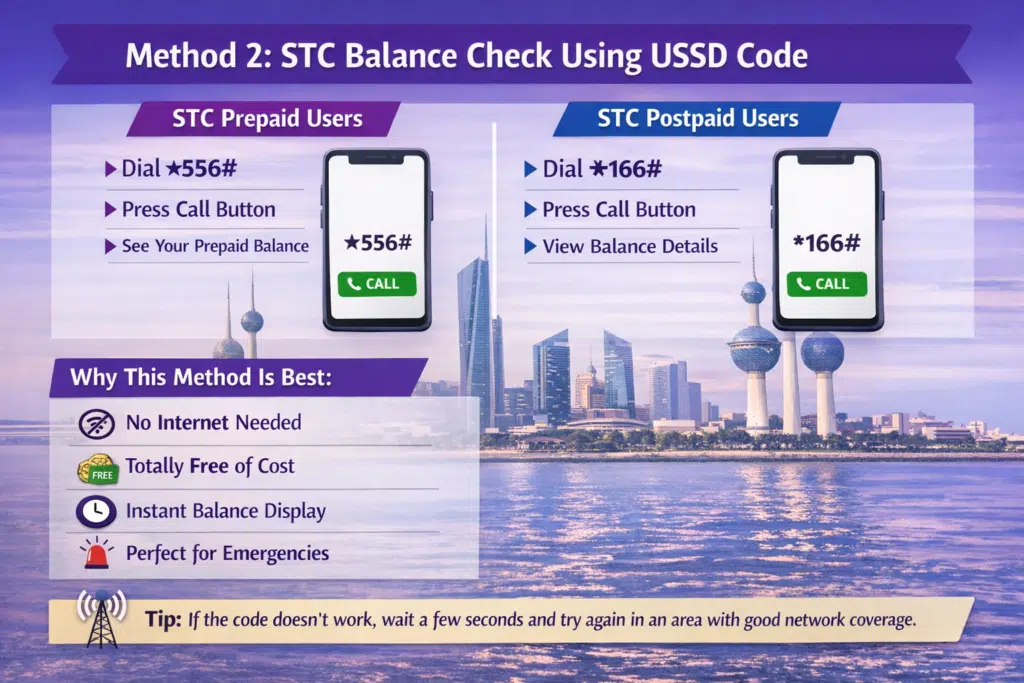
The most common and quickest method of checking the balance of the STC in Kuwait is by use of USSD. The technique is offline and gives immediate answers.
USSD Codes for STC Prepaid Users
- Dial *555# and press call to see your credit in KD and how long your line stays valid.
- Dial *556# to see the bundle benefits you have left, such as data or minutes.
- Running low? Top up by dialling *500* followed by your recharge card number and #.
STC Postpaid Users
stc Kuwait doesn’t publish a balance code for postpaid lines. Your bill, due date and remaining allowances are all in the my stc KW app or your account on the stc website, which are the most reliable places to check.
Why This Method Is Best
- Works without internet
- Free of charge
- Instant result on screen
- Handy when you urgently need to know your credit
If a code doesn’t respond, wait a few seconds and try again from a spot with better signal.
Method 4: STC Balance Check via Customer Care or WhatsApp
stc Kuwait doesn’t list an official SMS short code for balance checks, so skip the random numbers you’ll see shared online. If you’d rather ask a person, these channels work for both prepaid and postpaid lines:
- Call 102 from your stc line.
- WhatsApp 50055102 for bill amounts and account questions.
- From abroad, call +965 55102102.
Advantages of This Method
- A real person can explain unexpected charges
- Useful for postpaid bill questions
- Works on any phone
Which STC Balance Check Method Should You Use?
- Need your credit without internet? Dial *555#.
- Want to know your remaining data or minutes? Dial *556# or open the app.
- On postpaid? Use the my stc KW app or website.
- Have a billing question? Call 102 or message on WhatsApp.
Common Issues While Checking STC Balance
Balance Not Showing
- Make sure that you entered the right USSD code.
- Check the network signal
- Restart your phone and try again
Code Not Working
- Check you’ve typed an asterisk (*) and not a star symbol
- Make sure your line is active and not suspended
- Try again after a few minutes
App Not Working
- Update the MySTC app
- Clear cache
- Reinstall if necessary
New to Kuwait? These guides cover the admin you’ll likely need next: the complete Kuwait Civil ID guide, how to check traffic fines in Kuwait, and the PACI Kuwait timings if you need to visit a branch.
Frequently Asked Questions
What is the method of checking my STC balance in Kuwait?
You can check your stc balance with USSD codes (*555# or *556# for prepaid), the my stc KW app, the stc website, or customer care on 102.
Is the STC balance check free?
Yes – USSD balance checks and the app are free to use.
Is the check of the USSD balance offline?
USSD codes are internet-free.
Is it possible to check the data balance of STC separately?
Yes, the MySTC app displays the detailed data usage and remaining balance.
What is the most appropriate strategy with prepaid users?
For prepaid users, the quickest option is dialling *555#.
Read Also: Kuwait Civil ID Inquiry: Check Validity Online in Minutes
Also in Kuwait: how to check your Ooredoo number with a quick code.
Final Thoughts
The procedure of checking a balance in the STC in Kuwait is easy, fast, and open to all. Whether you dial a code, open the app or log in on the website, keeping an eye on your credit and usage takes seconds.
With the above-mentioned methods, you will be able to prevent the inconvenience of receiving unexpected service interruptions and take control of your STC account with a sense of security.