- What Is a Hafilat Card?
- Methods to Recharge a Hafilat Card
- Method 1: Recharge Hafilat Card Online
- Method 2: Recharge Using the Darb Mobile App
- Method 3: Recharge Using Ticket Vending Machines
- Method 4: Recharge at Authorized Service Centers
- Safety Tips When Recharging
- Why Use a Hafilat Card?
- Frequently Asked Questions
- Final Words
Do you think that your balance in your Hafilat bus card is running out, and you need to know how to add funds very fast? Abu Dhabi has a well-developed public transportation system that is actively used by the population, labourers, and tourists. The government has also come up with the Hafilat card, a smart card that one uses to pay bus fare electronically to make traveling in the bus easier.
In this guide, you will learn how to recharge a Hafilat card online, through the mobile application, at the ticket machines, and at authorized shops.
What Is a Hafilat Card?
Hafilat Card is an intelligent transport card that is used to travel by bus in Abu Dhabi. It enables passengers to pay their fare on the bus without cash. The card is compatible with the Hafilat Website-managed public transport system.
Key features of the Hafilat Card
- Cashless bus fare payment
- Easy recharge options
- Applicable on city Busses and regional buses.
- Supports weekly and monthly passes
Minimum balance requirement
Before a bus is boarded, passengers should have no less than AED 10 balance on the card.
Methods to Recharge a Hafilat Card
Purchasers have a chance to replenish their Hafilat Card with the help of various opportunities. These recharge mechanisms would appeal to various categories of customers, who may choose online payments, mobile applications, or face-to-face suggestions.
The most popular way to top up your card is through:
- Online recharge through the official website
- Recharge using the Darb App
- Refunding of tickets by vending machines.
- Refill in authorized service centres and retail stores.
Each method has been explained in detail below.
Method 1: Recharge Hafilat Card Online
One of the quickest and simplest methods of adding balance to your card is by recharging it online. It enables the passengers to refill their cards at any time without having to go to a physical place.
Step 1: Visit the Official Hafilat Website
You need to open your web browser and visit the official transport portal that is operated by the Hafilat Website.
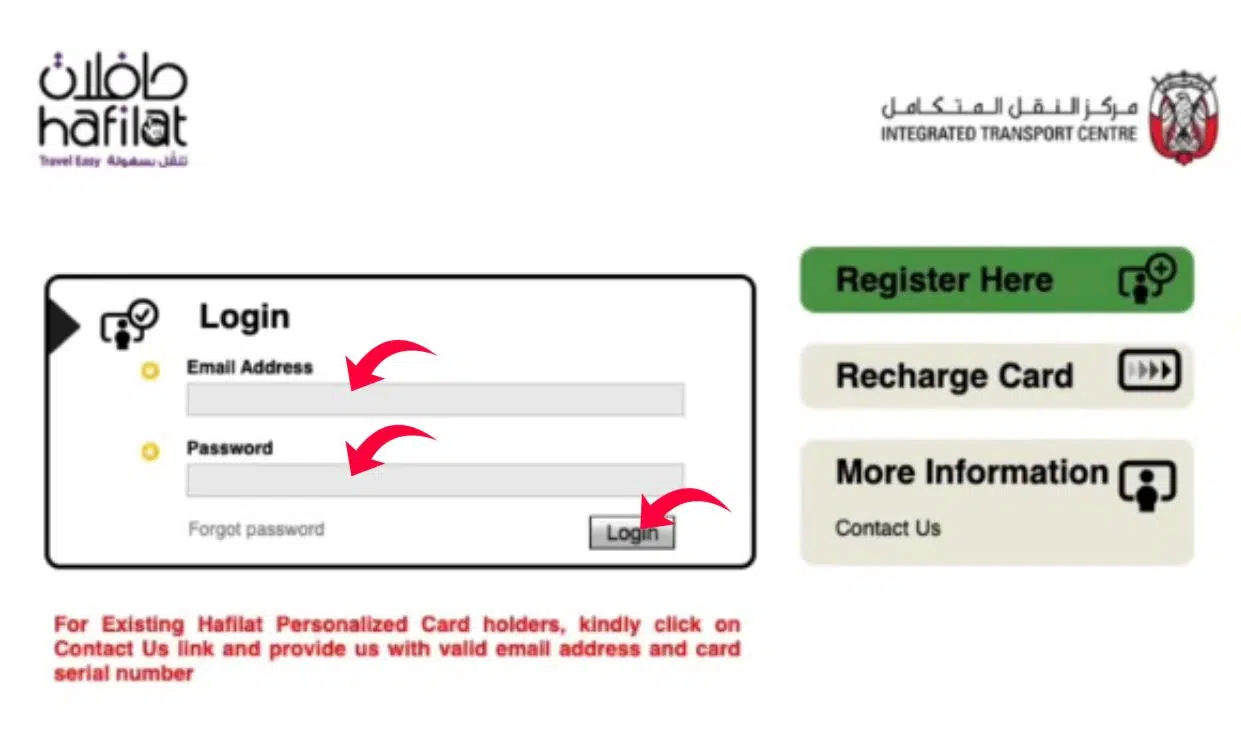
Through this site, customers can recharge their cards, check their balance, and access transport services.
Step 2: Enter Your Hafilat Card Serial Number
In the recharging page, you will be required to type in your Hafilat card serial number.
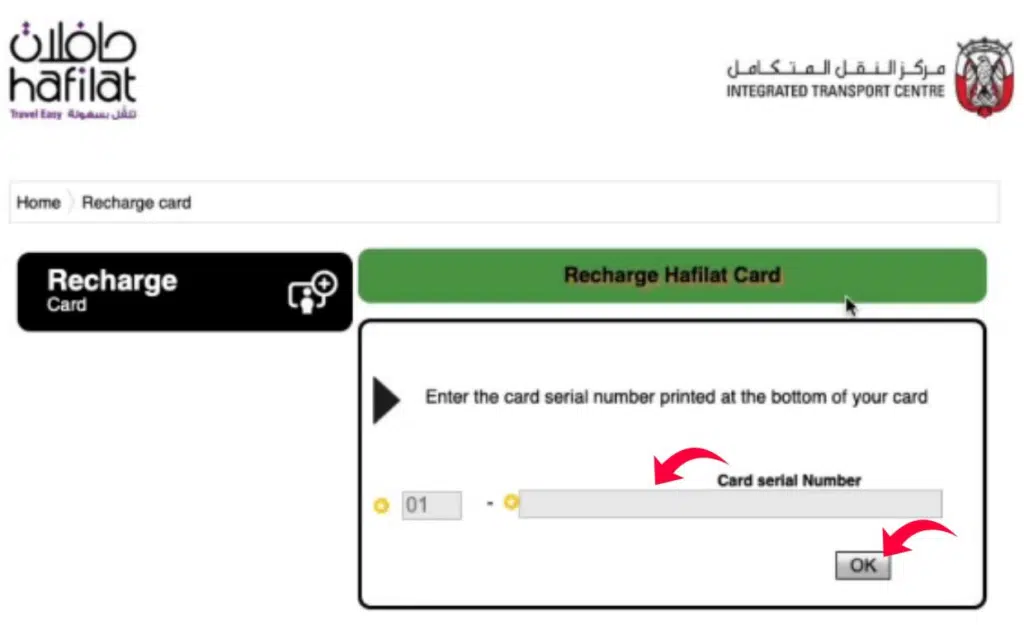
This number will be printed on the back of your card.
Step 3: Select the Recharge Amount
Once the card number is entered, select the amount that you desire to add to your card balance.
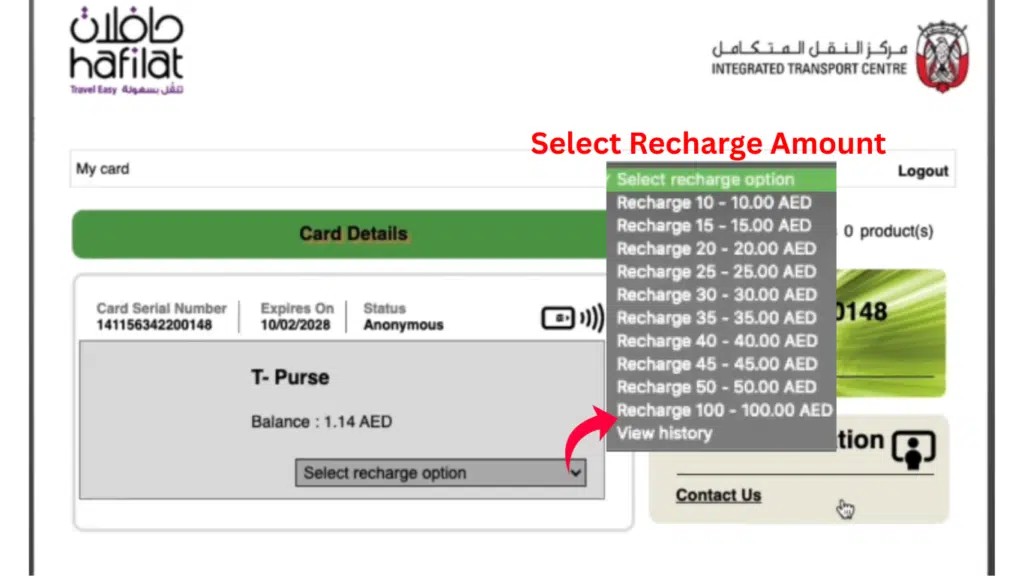
Depending on their travel needs, passengers can normally choose among various recharging possibilities.
Step 4: Choose a Payment Method
The next thing is to choose your favourite methods of payment. Most online portals accept:
- Debit cards
- Credit cards
- Online payment gateways
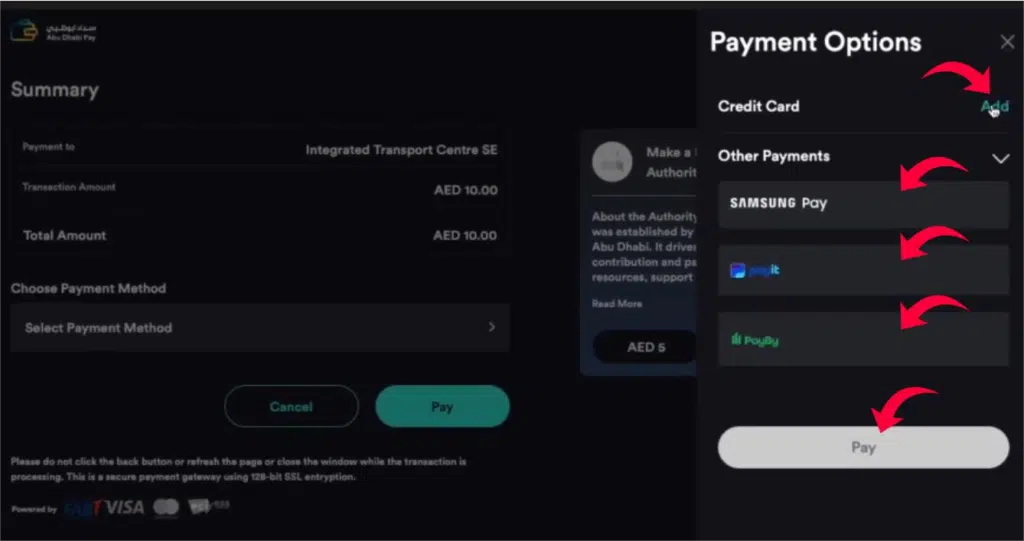
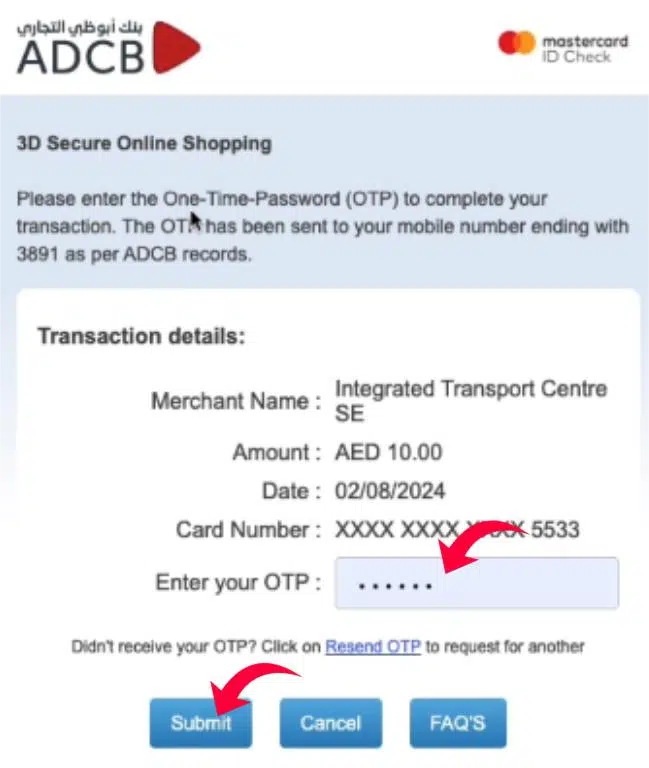
Step 5: Complete the Payment
Enter your card details and confirm the transaction. After the payment has been successful, the recharge request will be presented.
Method 2: Recharge Using the Darb Mobile App
Darb App can be considered one of the most convenient tools to use when managing public transport services in Abu Dhabi.
The app allows passengers to:
- Recharge their Hafilat cards
- Check card balance
- Manage transport services
- Access travel information
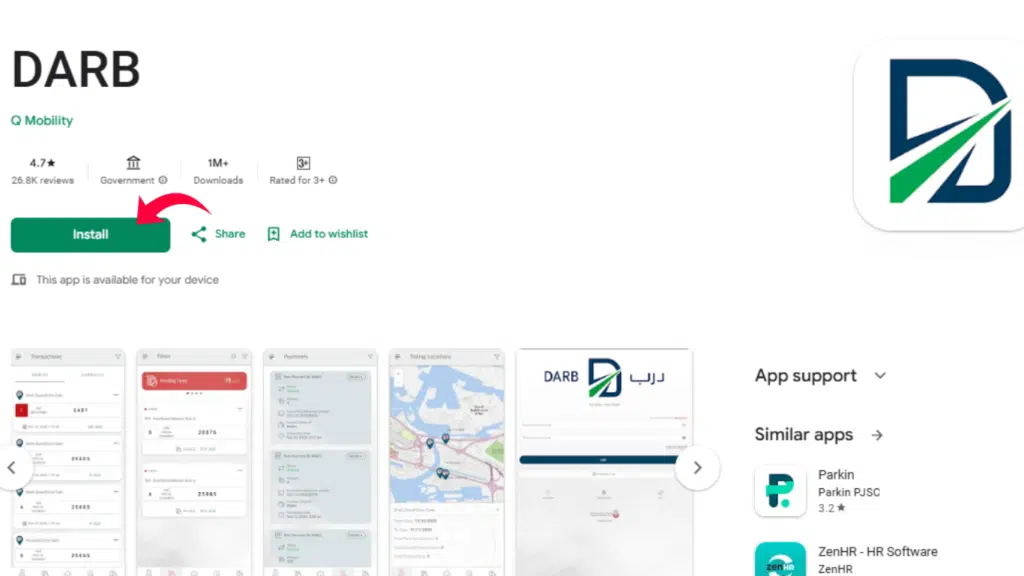
Step 1: Download the Darb App
- Go to the Google Play Store or the Apple App Store on the internet and search for the Darb App.
- Install it on your smartphone by downloading an application.
Step 2: Create an Account or Log In
- Once the app is installed, open it and provide a new account if it is the first time.
- In the case you already have an account, then simply log in with your account.
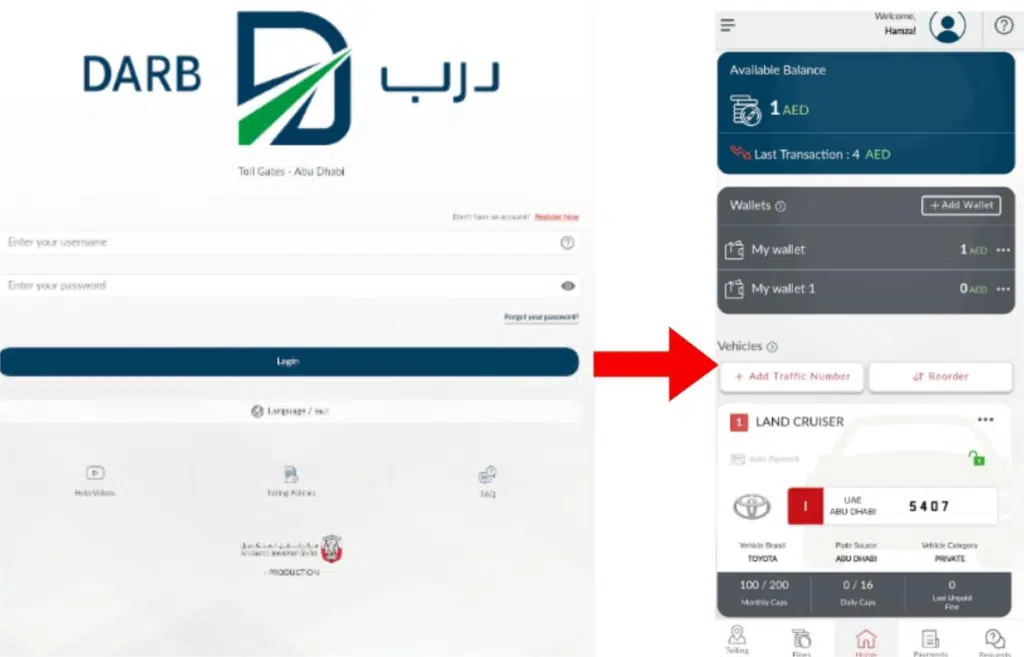
Step 3: Add Your Hafilat Card
- On the application dashboard, choose the option of adding a new card.
- You have to enter your Hafilat card serial number in order to have the app connect the card to your account.
Step 4: Select the Recharge Option
- Once your card is added, choose the recharge or top-up option from the menu.
Step 5: Choose the Recharge Amount
- Choose how much you wish to add to your card account.
- Larger amounts are selected by many passengers because they do not want to get charged frequently.
Step 6: Make the Payment
- Use your debit or credit card to make your payment with the help of the secure payment gateway inside the app.
- Once the transaction is made, the charge will be made, and your balance will be updated.
Read Also: Etisalat Loan Code 108#: Instant Emergency Credit
Method 3: Recharge Using Ticket Vending Machines
There are numerous bus stations and other places that sell tickets in Abu Dhabi via a ticket vending machine. This is the most suitable one for passengers who would prefer to have instant cash or a card-based recharge.
Step 1: Locate a Ticket Vending Machine
- Visit a nearby transport centre or bus station and place ticket vending machines in this place.
- These are the machines that are readily self-serviceable.
Step 2: Select the Recharge Option
- After the screen, find the option that will enable you to recharge or top up your Hafilat card.
Step 3: Tap or Place Your Card on the Reader
- Insert your Hafilat Card in the card reader and have the machine read it.
Step 4: Choose the Recharge Amount
- Choose how much you wish to add to your card account.
Step 5: Insert Payment
You can pay using:
- Cash
- Debit card
- Credit card
Put the payment into the machine and move to the next stage.
Step 6: Confirm the Transaction
- Check the recharge in the machine screen.
- Your card will earn the balance as soon as the transaction is done.
Method 4: Recharge at Authorized Service Centers
Passengers who do not use mobile apps or online services can recharge their cards at authorized retailers and transport service centers. These locations provide manual recharge services.
Step 1: Visit an Authorized Retailer or Service Center
- Visit a transport or shop customer service facility that provides Hafilat services for recharging.
- Such places are usually located around the bus stations and high-traffic zones.
Step 2: Provide Your Hafilat Card
- Give your Hafilat Card to the cashier or service representative.
Step 3: Tell the Staff the Recharge Amount
- Inform the staff member how much balance you want to add to your card.
- They will run the recharge within their system.
Step 4: Make the Payment
Pay the recharge amount using either:
- Cash
- Debit card
- Credit card
Step 5: Receive the Updated Card
- Once payment is done, the staff will change the balance in your card and hand back the card.
- This approach can be applied especially to individuals who would choose face-to-face help over online help.
Safety Tips When Recharging
To avoid fraud or payment issues, follow these safety tips.
- Always recharge through official platforms.
- Do not provide your card information on unrecognised websites.
- Always keep your card number to yourself.
- Use secure payment methods.
Why Use a Hafilat Card?
The Hafilat Card has numerous advantages for the users of public transport.
Advantages
- Faster bus boarding
- Cashless payments
- Easy recharge options
- Affordable travel passes
- Convenient travel management
Frequently Asked Questions
What I would like to know is how to reload my Hafilat card online?
To recharge it online, all you have to do is fill in your card number on the official transport site and make a payment using a debit or credit card.
This is what the minimum balance should be?
The passengers are required to have at least AED 10 as a balance to board a bus.
How long does a recharge take?
The recharge of online usually takes a couple of minutes, but sometimes it is displayed once the card is swiped on a validator.
Do the tourists accept the Hafilat card?
Indeed, visitors to Abu Dhabi will be able to buy and reload Hafilat cards to ride the bus.
Is it possible to pay using cash to charge the card?
Yes, cash payment is accepted by the ticket machines and stores.
What will I do in case of loss of my card?
You are also expected to make a call to a transport customer service center.
Read Also: Check Etisalat Number Instantly Using USSD Code
Final Words
It is easy to recharge your Hafilat Card, and it can be done in a number of ways. In the event that you are fond of online payments, mobile applications, ticketing machines, or even physical shops, this system has convenient solutions suitable for each user.
You can be able to ride anywhere in the bus system of Abu Dhabi without any hassles as long as you have your card topped up and your balance checked frequently.