Looking for the easiest way to pay your du bill in the UAE?
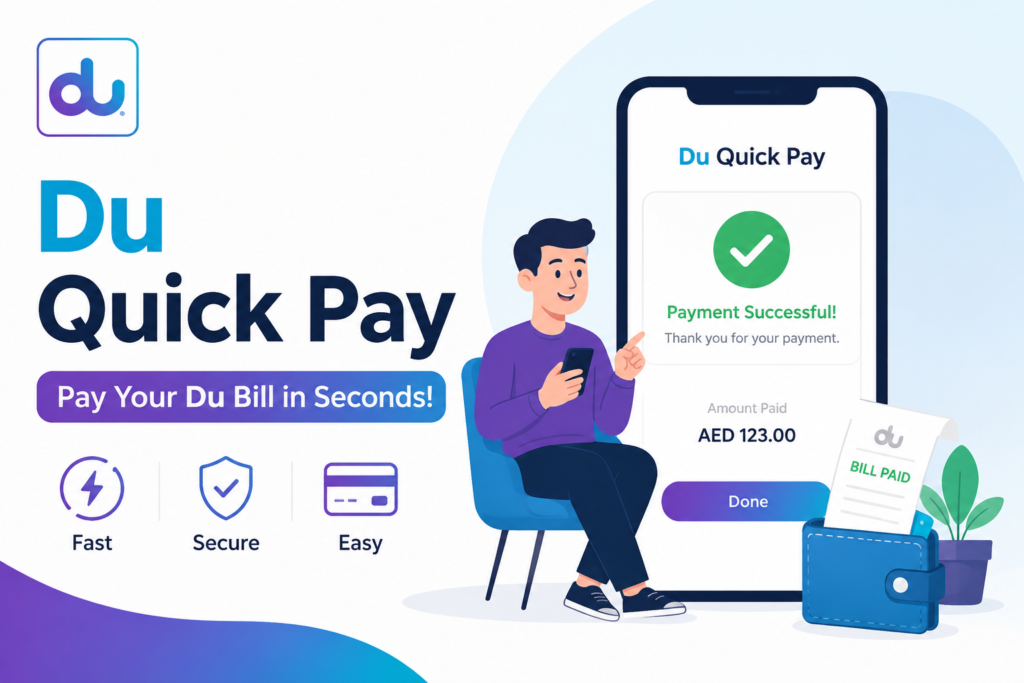
Du Quick Pay is one of the fastest and easiest services that enables du customers to securely pay for their mobile and prepaid, postpaid phone, and home internet bills in just a few minutes. Du’s website, du mobile app, SMS services, and USSD codes provide several convenient payment methods to meet all your needs.
This comprehensive guide will show you all about Du Quick Pay, including how to pay your bills via various means:
- Du website
- Du app
- By SMS ( Type Bill and send it to 1233 )
- By USSD Code
The benefits of each option, and helpful tips to ensure your payments are completed quickly and securely.
What is Du Quick Pay?
Du Quick Pay is an online bill payment facility for du customers to make quick and secure payments to their bills. The service is intended to be used by individuals who wish to make a payment without having to physically visit a store or stand in line to collect a payment.
It may be employed with different du services such as:
- Mobile bill payments.
- Postpaid bill payments.
- Prepaid account services.
- Home internet bill payments.
- Recharge services.
- Other eligible du services.
Its user-friendly platform offers round-the-clock access, making it an extremely convenient option to control your du account.
| Feature | Details |
|---|---|
| Service Name | Du Quick Pay |
| Available For | Prepaid and Postpaid Users |
| Payment Methods | Website, Mobile App, SMS, and USSD |
| Login Required | Depends on the payment method |
| Available | 24/7 |
How to Pay Your du Bill Through the Du Website
Follow the steps below to pay your du bill through the official du website:
Step 1: Visit the Official du Website
Go to the DU website, which you can access through your preferred web browser, from your tablet, smartphone, or computer.
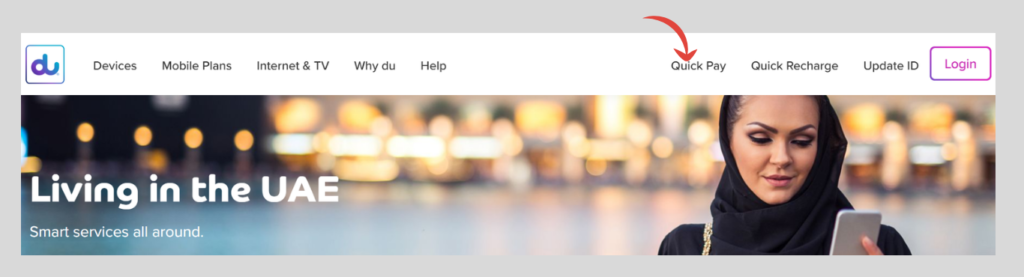
Step 2: Navigate to the Quick Pay Section
You should be on the homepage: find the “Quick Pay” or “Pay Bill” section. This section will enable the customer to pay quickly and securely.
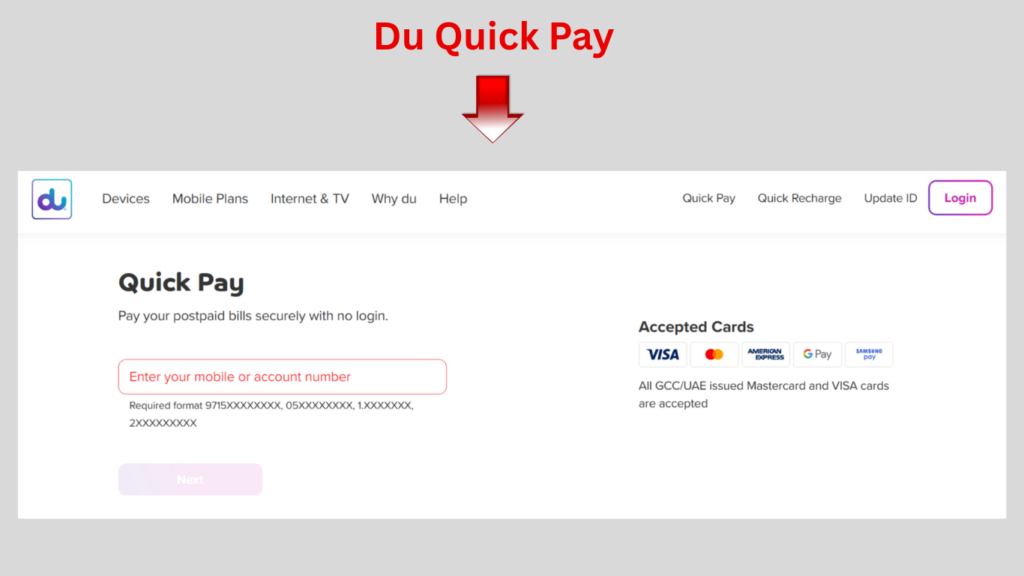
Step 3: Enter Your du Account Details
Carefully enter your registered du mobile number or account number to proceed with the payment process.
Step 4: Choose the Payment Amount
Select the amount you wish to pay. It could be possible to either pay the bill in full or if there’s room, pay a portion of the bill at the same time.
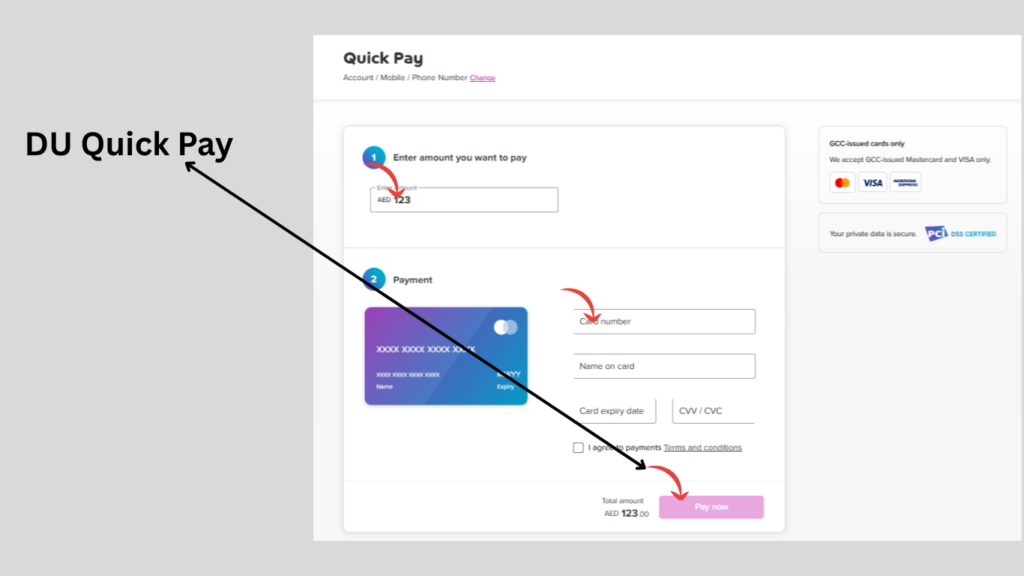
Step 5: Select Your Preferred Payment Method
Select any of the payment methods (debit card or credit card) to proceed with the payment.
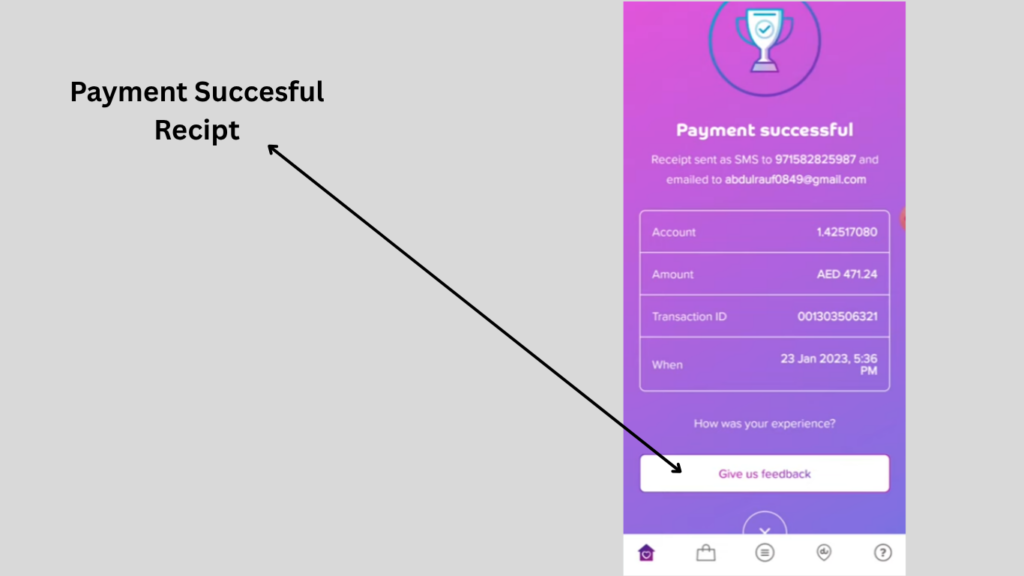
Step 6: Confirm and Complete the Payment
Take time to double check all payment information and double check it! On successful payment, you get a payment confirmation message or receipt.
Benefits of Using the du Website
- Available 24 hours a day.
- Safe and secure payment process.
- Easy bill management.
- Quick and hassle-free transactions.
- Suitable for both prepaid and postpaid customers.
How to Pay Your du Bill Using the du App
The official du mobile app provides a hassle-free, easy-to-use interface to interact with your du services and pay your bills anywhere, anytime in the UAE.
To pay your bill with the du App, follow the steps below:
Step 1: Download the Official du App
Install Du official app.
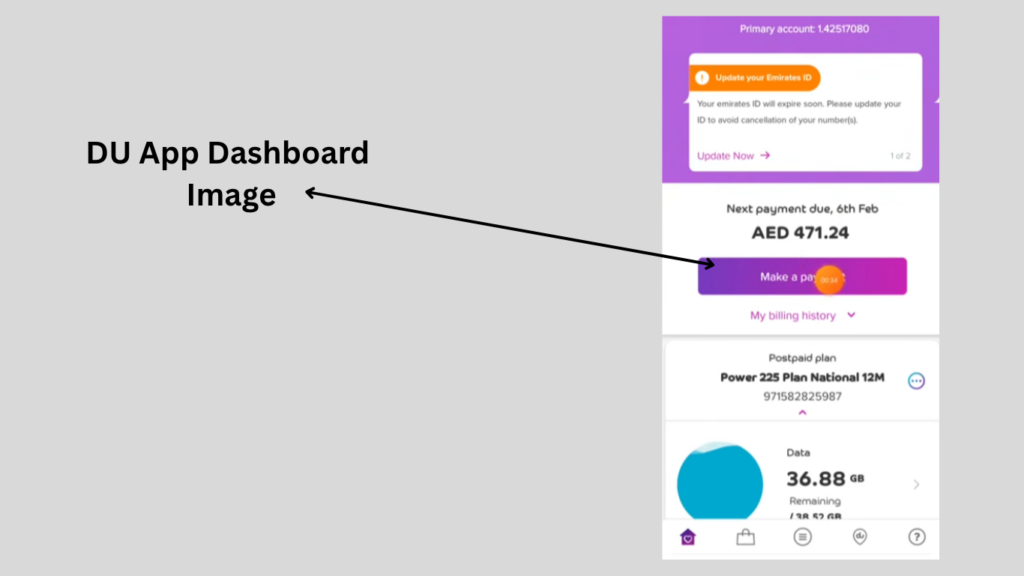
Step 2: Access the Bill Payment Section
On the Application Dashboard.
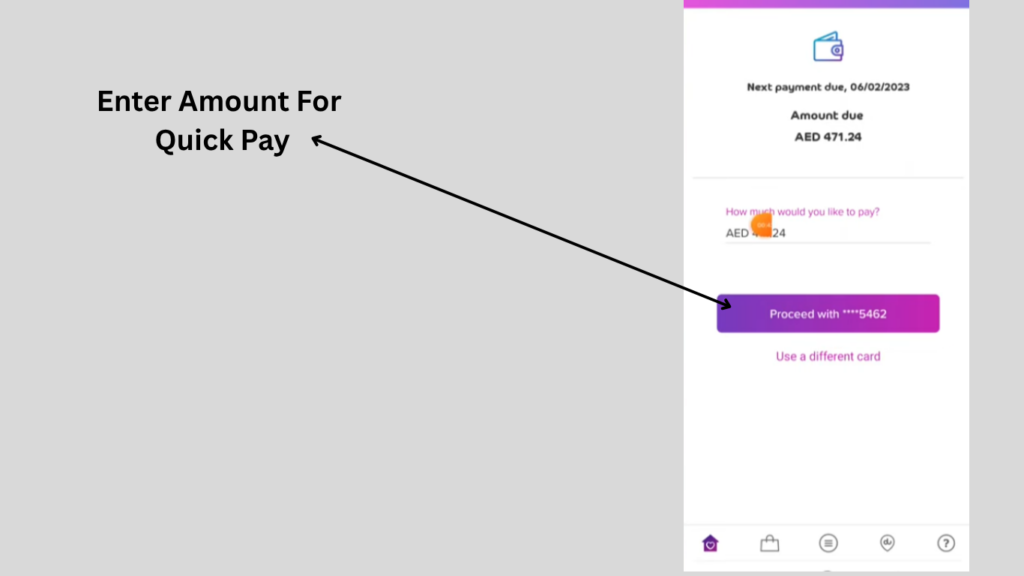
Step 3: Select the Amount You Want to Pay
Pay the whole bill or if applicable, pay for a fixed amount.
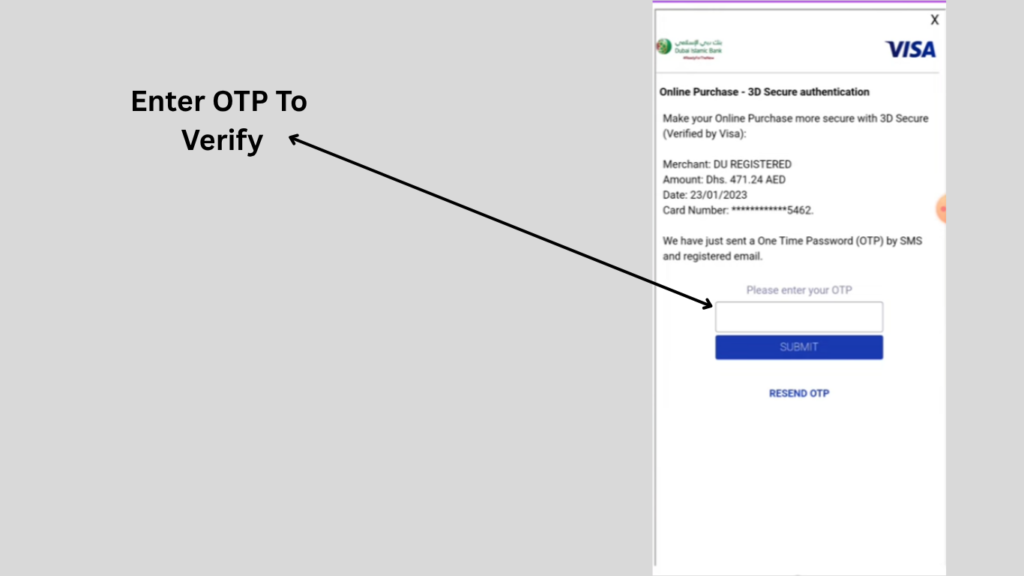
Step 4: Enter Your OTP
Enter your OTP and verifty this payment.
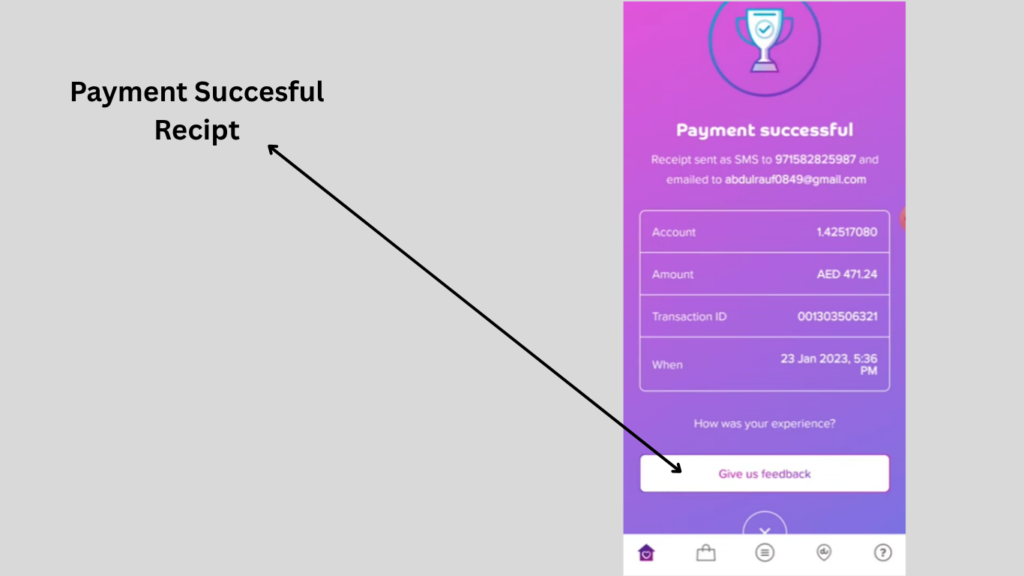
Upon successful payment, you’ll get a payment confirmation right after you.
Advantages of Using the du App
- Convenient and easy to use.
- Secure online payments.
- Instant payment confirmations.
- Manage multiple du services from one application.
- Accessible anytime and anywhere.
How to Pay Your du Bill by SMS
Du offers an SMS service, where the information on the bill comes directly to customers’ mobiles without Internet.
SMS Details
- Type: BILL
- Send To: 1233
The SMS service can be used following the instructions below:
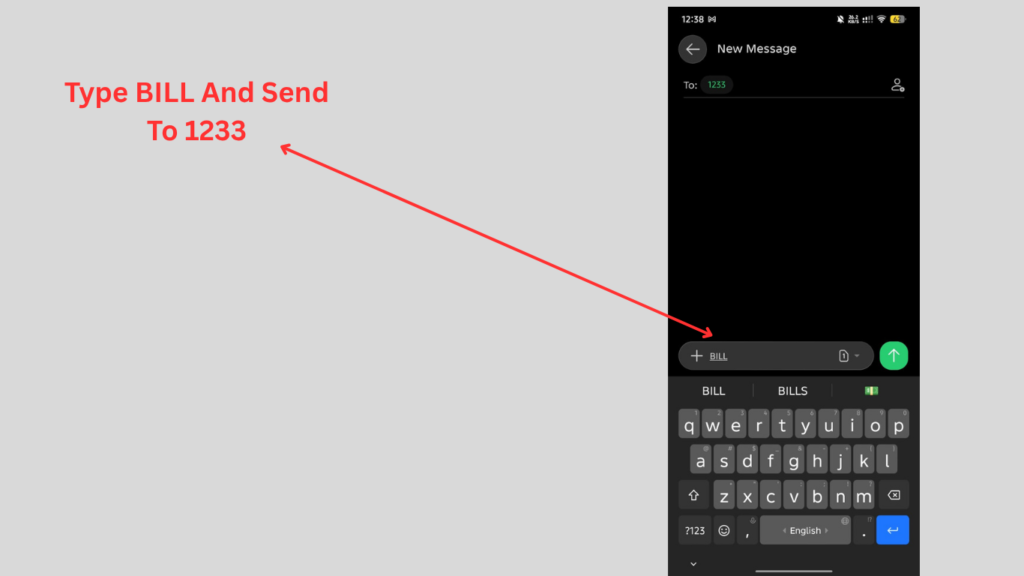
Step 1: Open the Messaging Application
Unlock your mobile phone and start SMS or Messages app.
Step 2: Type the Required Keyword
Enter the word:
BILL
Make sure that it is typed correctly without any spelling mistakes.
Step 3: Enter the Recipient Number
Type the recipient number:
1233
Make sure that you have typed the right number before you send.
Step 4: Send the SMS
Tap the send button to submit your request to du’s SMS service.
Benefits of Using the SMS Service
- No internet connection is required.
- Fast and easy to use.
- Suitable for all mobile phones.
- Available whenever you need billing information.
- Convenient for users who prefer SMS services.
How to Pay Your du Bill Using USSD Codes
One of the swiftest ways to utilize a du account service directly from a cell phone is via USSD codes. They have no internet connection requirements, and can be used at any time.
For Postpaid Customers
- Dial:
- *131#
Follow the steps below:
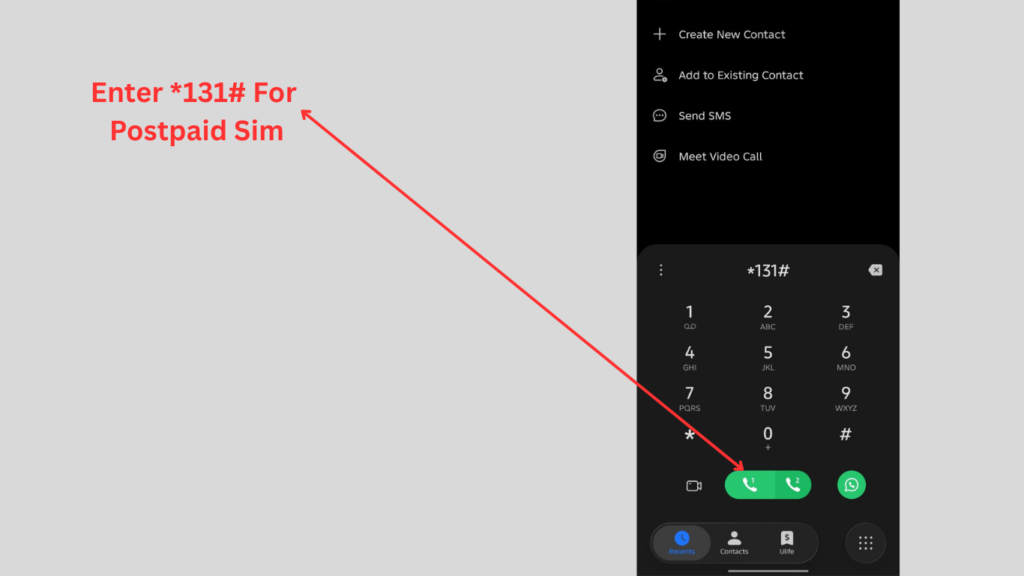
Step 1: Open Your Phone’s Dial Pad
Launch the Phone application on your smartphone or mobile device.
Step 2: Enter the USSD Code
Dial the following code carefully:
*131#
Step 3: Press the Call Button
Tap the call button to submit the USSD request.
Step 5: Select the Appropriate Option
Read the directions on screen and answer the appropriate question with regard to your bill or account.
Step 6: Confirm Your Request
Proceed with the instructions and confirm your selected option if required.
For Prepaid Customers
- Dial:
- *135#
Follow the steps below:
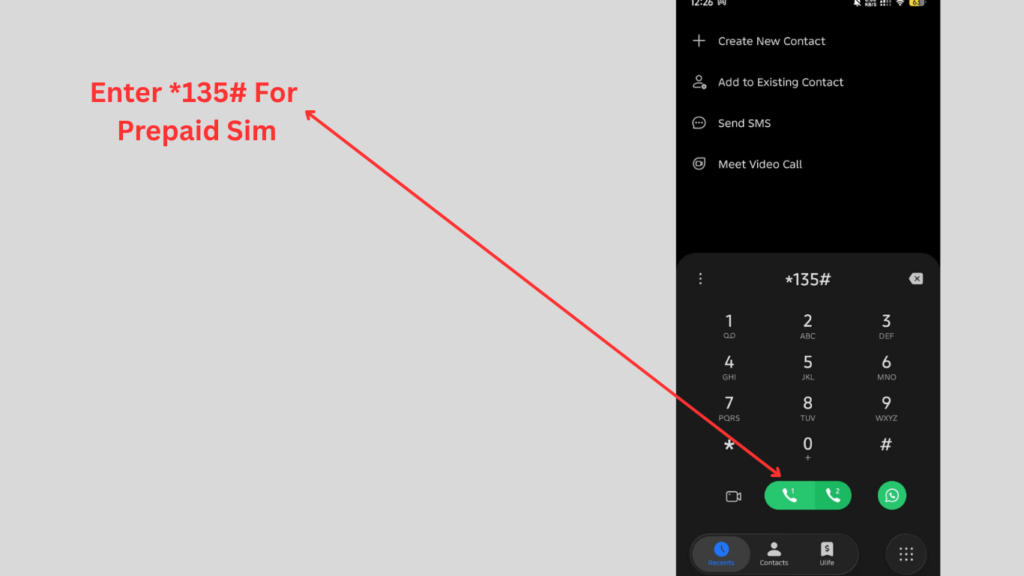
Step 1: Open the Phone Dialer
Unlock your phone and open the phone app.
Step 2: Dial the USSD Code
Enter the following code:
- *135#
Step 3: Submit the Request
Press the call button for prepaid services.
Is Du Quick Pay Safe?
Yes. Du employs safe payment systems to ensure customer information and payment transactions are protected. In case you are paying via the website or the mobile application, your payment data is processed via safe strategies.
For maximum security, always ensure that:
- You use official du platforms.
- Your account’s information is verified before payment.
- The payment confirmation codes are stored on your desktop.
- You avoid making payments through unofficial websites.
Common Payment Issues and Their Solutions
Payment Failed
- Check your internet connection.
- Verify your payment details.
- Ensure your card is active.
Payment Not Reflected
- Wait a few minutes for processing.
- Check your SMS or email confirmation.
- Contact customer support if required.
Incorrect Mobile Number
- Verify the number before confirming the payment.
Frequently Asked Questions
Is the du app free to use?
Yes, you can download the official du application without having to pay anything.
Can I use Du Quick Pay at any time?
The services of Du Quick Pay are available on a 7/7 basis, yes.
Which messages with bill info should I send?
Type BILL and send it to 1233.
What USSD code use for a postpaid user?
Postpaid customers can dial *131#.
What is the USSD code for prepaid?
Prepaid customers can dial *135#.
Read Also: Kuwait Civil ID Payment Online: PACI Fee Guide 2026
Final Thoughts
An easy method to pay for du bills in the UAE is with the assistance of Du Quick Pay. du has a myriad of simple, secure, and efficient ways to pay, including via their official website, their serene du mobile application, SMS service, or via USSD codes, depending on individual choice.
You can save time, avoid unnecessary delays, and enjoy uninterrupted du service by choosing the best method of payment for you.