
When you are either residing or working in the UAE, you must have come across the term UAE visa file number, but what is it? An identification number is known as a visa file number that is given to your visa application. It is utilized by the UAE government to monitor visa procedures, immigration history, and Emirates ID requests. – Consider it to be the tracking ID of your visa.
It is without it that you might encounter some trouble in renewing visas, obtaining an Emirates ID, or doing official business.
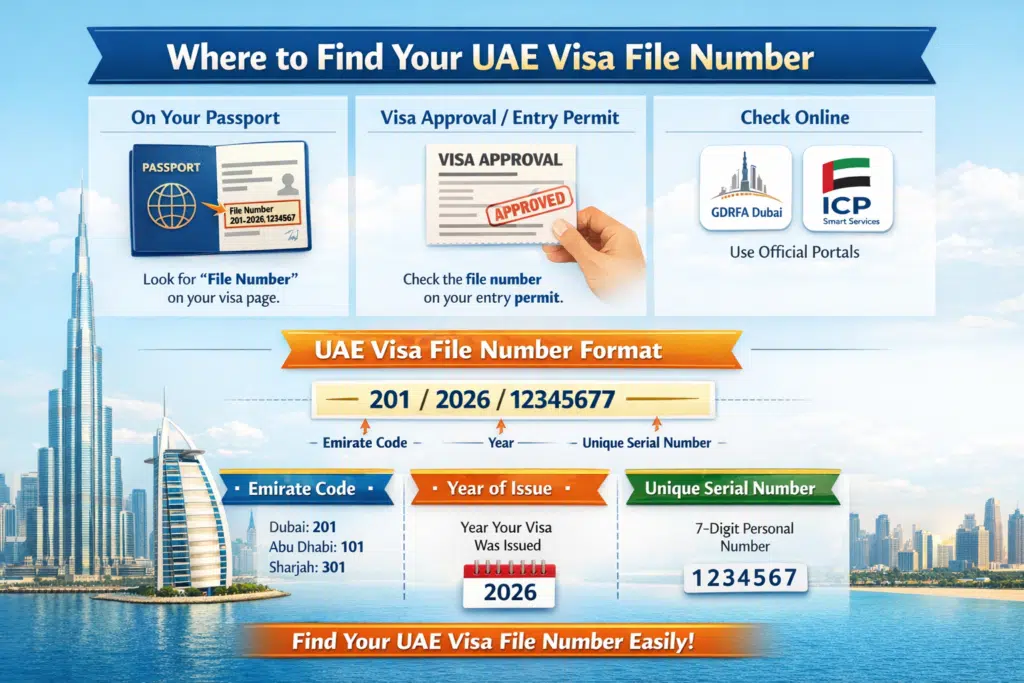
Where to Find Your UAE Visa File Number
Your visa file number can be found at several locations:
- On Your Passport
- Visa sticker with the UAE visa.
- Find a number that is identified as a file number or a visa file number.
- On Your Visa Approval or Entry Permit
- It is the piece of paper that you are issued when your visa is granted.
- This file number is normally in the top or the details area.
- Official Portals (Online)
- Dubai: GDRFA portal
- UAE: ICP Smart Services
UAE Visa File Number Format
The standard UAE visa file number is as shown:
Emirate Code / Year / Special Serial Number.
Example: 201/2026/1234567
- Emirate Code: The giving emirate (Dubai = 201, Abu Dhabi = 101, Sharjah = 301).
- Year: Year the visa was issued
- Serial Number: Unique 7-digit code
Why This Matters:
Knowing the format helps you identify genuine visa numbers and avoid mistakes during online checks or applications.
How to Check the UAE Visa File Number Online
A) For Dubai Residents Using the GDRFA Portal
Step 1: Visit the GDRFA Dubai Official Website
Visit the GDRFA Dubai official portal to get the visa inquiry services safely. Always ensure that you are on the original government site to prevent fraud.

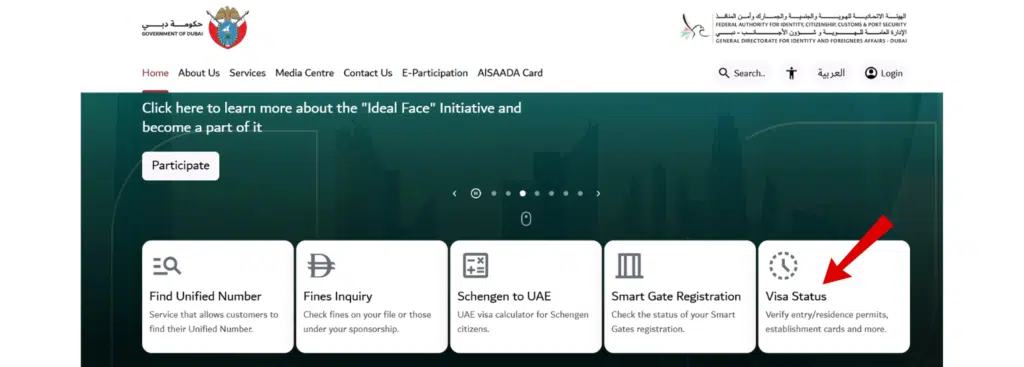
Step 2: Navigate to “Visa Status Check”
You can do it starting with the homepage, clicking on Inquiries, and then on Visa Status Check. It is in this section that you are able to verify visa details associated with your passport.
Step 3: Enter Your Passport Number and Date of Birth
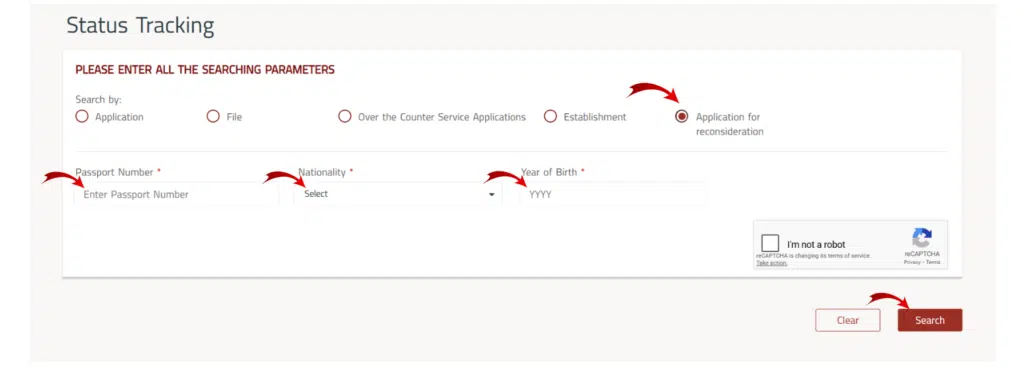
You have to give your passport number (it must be in the typewritten form in which it appears on your passport) and leave your date of birth in its required form. Precision is essential to ensure that the system will not fail to locate the correct visa information.
Step 4: Click “Submit”
When the information has been typed in, press the button Submit, and the query will be processed. Your visa record will be retrieved by the system.
Step 5: View Your Visa File Number and Details
As soon as the page loads, you will be given your visa file number and all the visa details, including its type, expiry date, and issue details.
For Residents of Other Emirates Using ICP Smart Services
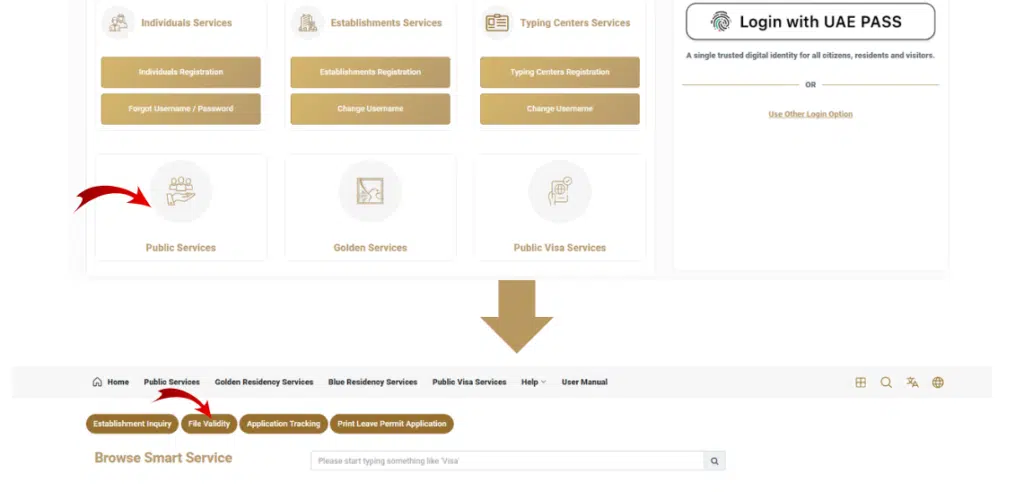
Step 1: Visit the ICP Smart Services Portal
- Go to the ICP UAE Smart Services webpage.
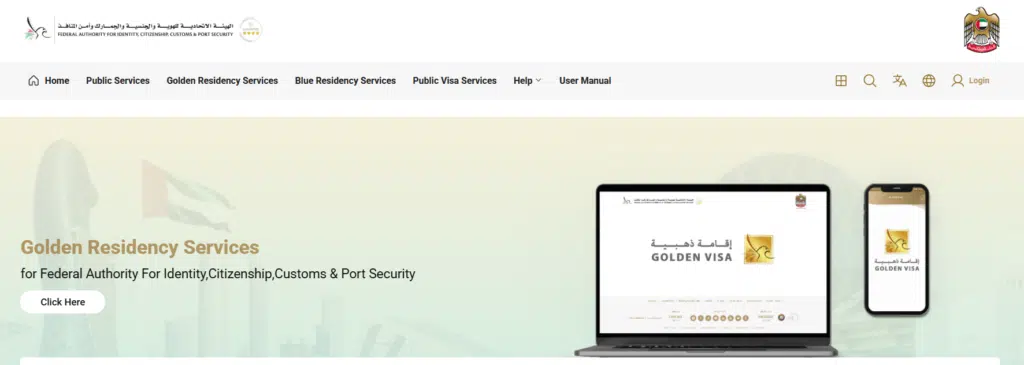
- Make federal visa and residency inquiries using the platform.
Read Also: Check Lulu Balance Instantly Online, App, SMS & ATM
Step 2: Select “Visa Inquiry / Status Check”
Visa Inquiry / Status Check is selected on the portal. This is where the people in Abu Dhabi, Sharjah, and other emirates will be able to check their visa online.
Step 3: Enter Required Details
Fill in the following:
- Passport Number- as it is printed in your passport
- Visa Type- choose the kind of visa that is given to you.
- Passport Expiry Date- fill in the Passport Expiry Date.
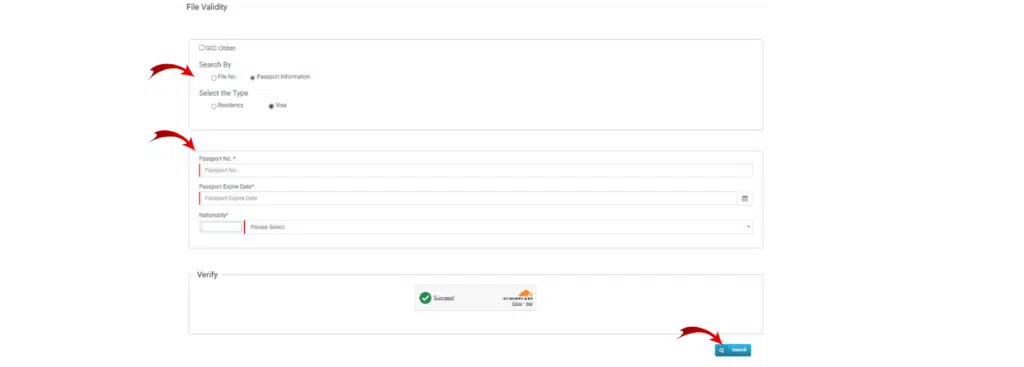
The accuracy is also important so that the system can find the appropriate visa information.
Step 4: Click “Check Status”
Click on Check Status to fill in your information. Your request will be processed by the portal, and the visa information will be displayed.
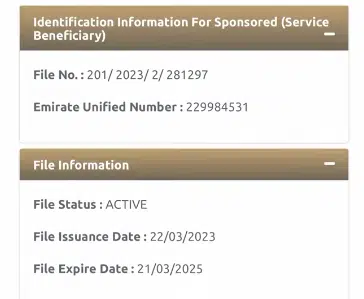
Step 5: View Your Visa File Number and Information
The UAE visa file number will be displayed with other significant information, such as the visa type, period, and the expiry date.
Visa File Number vs UID Number – What’s the Difference?
| Feature | Visa File Number | UID Number |
|---|---|---|
| Issued per visa | ✅ | ❌ |
| Permanent identity | ❌ | ✅ |
| Used for Emirates ID | Part of the process | Main reference |
| Format | 201/2026/1234567 | 784-xxxx-xxxx-xxxx |
Uses of the UAE Visa File Number
The visa file number is not a mere reference because it is necessary to:
- Visa renewal or extension
- Emirates ID application
- Verification of visa and immigration status on the internet.
- Opening bank accounts in the UAE
- Introduction to business and visa sponsorship.
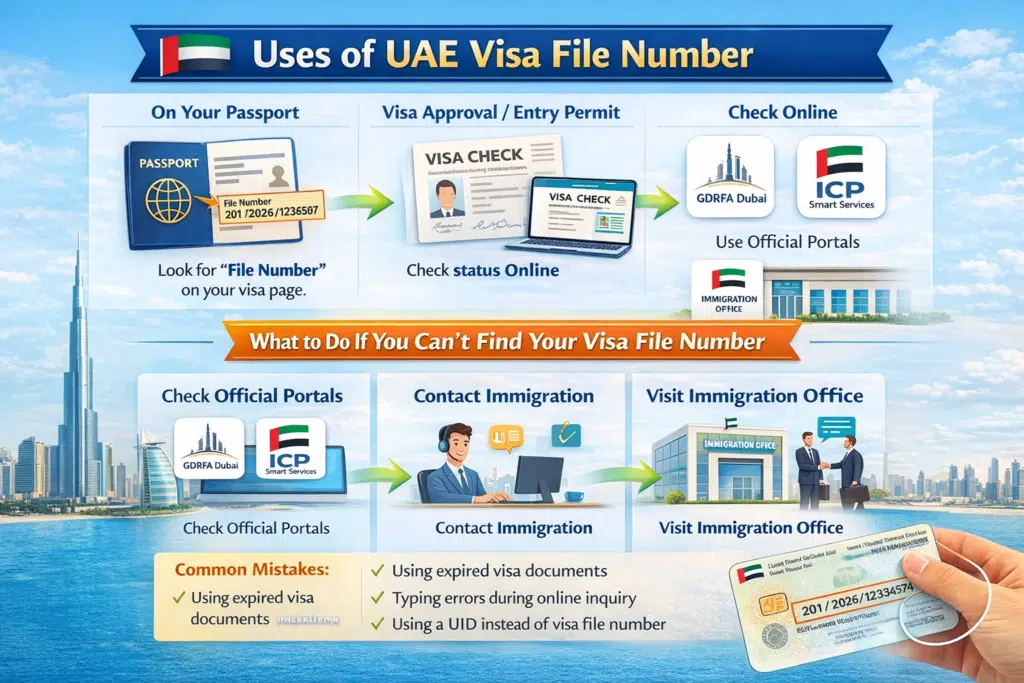
What to Do If You Can’t Find Your Visa File Number
In case you are missing your visa file number or are having difficulties:
- Check Officials’ Portals: Use GDRFA (Dubai) or ICP (other Emirates).
- Contact Immigration: Call GDRFA or ICA support for guidance
- Go to the Immigration Office: Present the information about your passport and visa.
- Common Mistakes:
- Delivery of outdated visa documents.
- Error typing in the course of online inquiry.
- Replacement of visa file number with UID.
FAQs About UAE Visa File Number
What is the number of digits on a UAE visa file number?
The serial part usually consists of 7 digits with the emirate codes and the year in front.
Is it possible to check the file number online without a passport?
No, your passport number is required to access official portals.
What do I do in case I have an invalid visa file number?
Contact GDRFA or ICP support immediately to verify details.
Does it have a visa file number that is equal to the Emirates ID?
No. The UID number belongs to Emirates ID; the visa file number associated with your visa.
Read Also: Overstay Fine in UAE: Things You Must Know Now
Final Words
You can use the knowledge of your UAE visa file number to make every resident in the country understand that they need to know their visa file number to renew their visa, apply for the Emirates ID, use the bank services, and visit the office. Using the above step-by-step guide, you can easily check, find, and verify your visa file number online by using the GDRFA Dubai portal or ICP Smart Services.