
Want to top up Salik, check your credit, or get Dubai toll fees? Salik is the technology Dubai has adopted for electronic toll collection at toll plazas, which automatically charges the tariff of the vehicle that has passed through a toll gate, unless the vehicle is registered with a Salik account. The rate is based on toll rates, travel time, and applicable special regulations.
You will know how to recharge Salik Online, check Balances, understand the latest toll timings and fees, find Salik gates and common problems with the Salik accounts and resolve them all from this guide.
What Is Salik in Dubai?
Salik is an electronic road toll system used in Dubai by the Roads and Transport Authority (RTA) that was introduced in 2007. It features electronic highway toll collection cameras and toll-gate technology that automatically scans the registration number of motorized vehicles and deducts the toll accordingly.
The system is designed to detect the tag of the vehicle as it enters and exits the toll gate and to charge the toll.
How Does Salik Work?
The basic process is straightforward:
- Purchase a Salik tag through an authorised channel.
- Register and activate the tag using the official Salik service.
- Attach the tag to the vehicle’s windshield according to the installation instructions.
- Recharge the associated Salik account.
- Pass through toll gates as needed.
- Review your balance and trip history periodically.
Do not assume that although you have been registered and received a new tag, your account is ready for traveling; double-check registration and make sure to check vehicle and account information.
How to Recharge Salik Online in 2026
Follow the steps below to credit your account and ensure that your payment was successful.
Method 1: Through the Official Website
Step 1: Visit the Salik Website
Open the official Salik website to access its online services.

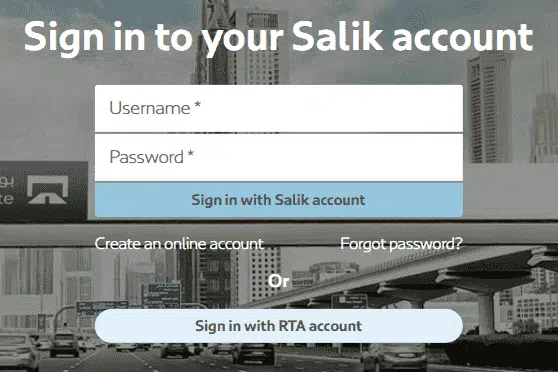
Step 2: Sign In to Your Account
Sign in to your Salik account or follow the website’s instructions to access the relevant services.
Step 3: Select the Recharge Option
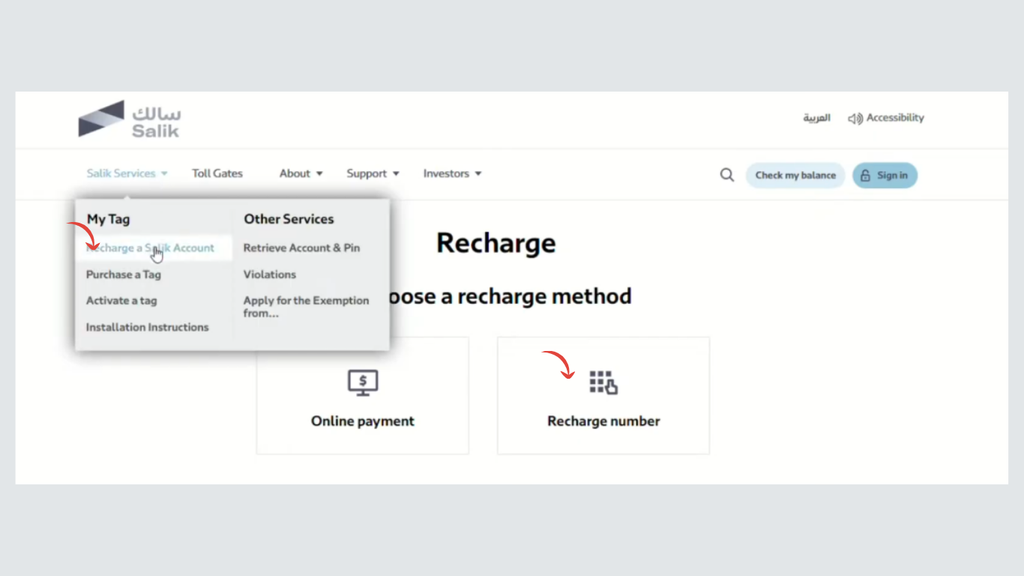
Open the recharge/service and fill in the account number as asked by the website for recharge.
Step 4: Enter the Amount and Pay
Choose an available recharge amount, select a supported payment method, and follow the on-screen instructions to complete the transaction.
Step 5: Confirm Your Recharge
Verify success of the credit added by verifying the payment confirmation and checking the Salik balance.

Method 2: Recharge Salik Using the Official Mobile App
Step 1: Download the Official App
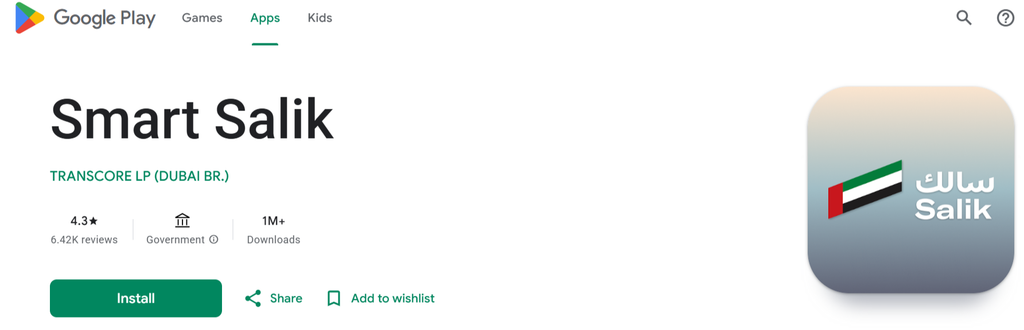
Download the official Salik mobile app – go to the Play Store.
Step 2: Open the App and Sign In
Install and open the app, then sign in to your account or follow the registration instructions.
Step 3: Choose the Recharge Service
If prompted, find and click the recharge or top-up option, then click the Salik account you want to recharge.
Step 4: Enter the Amount and Complete Payment
Select an available amount, choose the payment method that is supported, and then follow the instructions to complete your payment.

Step 5: Check Your Updated Balance
Check your account statement and the transaction confirmation to ensure that you have the correct account balance following the recharge.

How to Check Your Salik Balance
The official Salik application provides you with the ability to check your balance from time to time, and the Salik website also offers account services.
Method 1: Check Your Salik Balance Online
- Visit salik.ae.
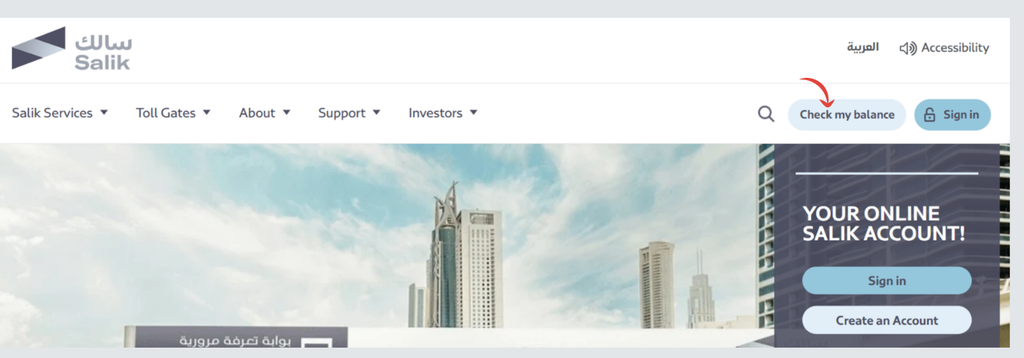
- Access your Salik account using the available login method.
- Open the account overview or balance inquiry service.

- Review the available balance.
- If you need to comprehend a deduction, review recent transactions.
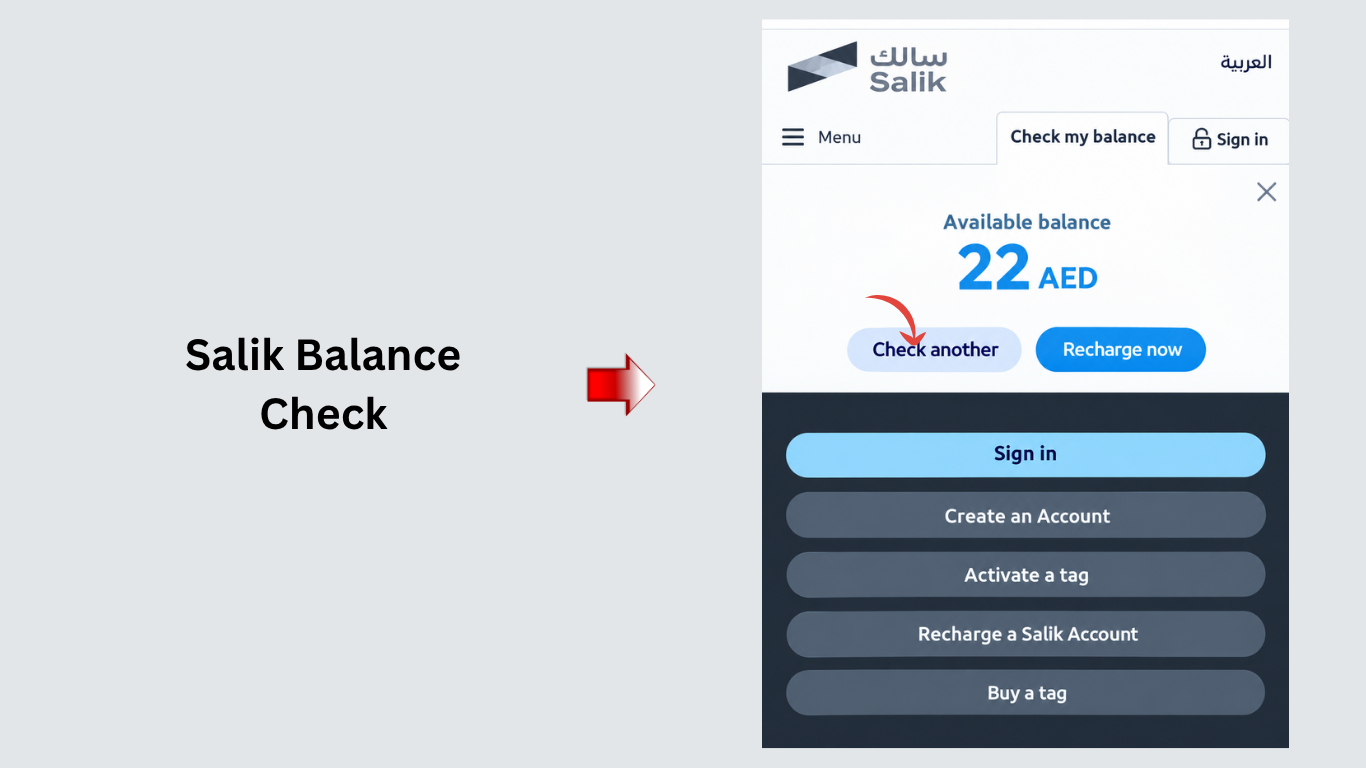
If you manage multiple vehicles or accounts, verify the account number before making decisions based on the displayed balance.
Method 2: Check Your Balance Through the Salik App
- Open the official Salik application.

- Sign in using your registered account details.
- Find the tab for “bank account information” or “balance inquiry.
- Review the current balance.
- Open recent trips or statements for a transaction breakdown.

You cannot overlook its usefulness as a balance checker before embarking on a trip as well as at the tollgate.
Where to Buy a Salik Tag in Dubai
You can buy a Salik tag directly through the official Salik website. The online service enables you to input the particulars of your motor vehicle, enter your details, pay for the tag, and schedule the delivery to your address.
Step 1: Visit the Official Salik Website
Access the Salik website and go to Salik Services. Click the “Order a Salik tag” link to start your application.

Step 2: Enter Your Vehicle Registration Details
Fill out the vehicle information details on the online application. These can be your traffic file number, plate registration emirate, plate category, plate code, and plate number.

Step 3: Provide Your Contact Information
Fill out a phone number and your email address as per the requirements. If asked, complete the mobile verification process by utilizing the one-time password (OTP).
Step 4: Enter Your Delivery Address and Make Payment
Enter your delivery address and check order information. Payment must be made with an acceptable payment method, and a copy of the transaction confirmation is required to keep for your records.

Step 5: Receive Your Salik Tag and Confirm Activation
Use the instructions on the tag and the confirmation tag message to confirm the tag is activated before driving through the Salik toll gate.

Salik Gates in Dubai
Salik Gate Locations and Roads
| Salik gate | General location or road |
|---|---|
| Al Barsha | Sheikh Zayed Road |
| Al Garhoud | Al Garhoud Bridge area |
| Al Mamzar North | Al Ittihad Road corridor |
| Al Mamzar South | Al Ittihad Road corridor |
| Al Safa | Sheikh Zayed Road |
| Al Safa South | Sheikh Zayed Road |
| Jebel Ali | Sheikh Zayed Road |
| Airport Tunnel | Airport Tunnel |
| Al Maktoum Bridge | Al Maktoum Bridge |
| Business Bay Crossing | Al Khail Road |
Use the official Salik website and current mapping services for accuracy. The road descriptions above are designed to help you recognise the general area.
1. Al Barsha Salik Gate
Al Barsha is situated on Sheikh Zayed Road where cars move along the city among the biggest roads.
People planning to use Sheikh Zayed Road should verify the streets they will be driving to see whether they will cross this gate.
2. Al Garhoud Salik Gate
The area of Al Garhoud Bridge is related to the Al Garhoud gate. There is a road network surrounding it that links to key areas of Dubai such as Dubai International Airport or Deira.
Don’t ignore the specific route; not all trips close to the bridge will go through the toll plaza.
3. Al Mamzar North Salik Gate
Al Mamzar North is situated in the corridor of Al Ittihad Road.
When using this area, drivers are advised to make sure their track-in and track-out passes at the north gate and/or whether any Salik gate is applicable to their track-in and track-out.
4. Al Mamzar South Salik Gate
Another site for a toll gate along the Al Ittihad Road corridor is Al Mamzar South.
Drivers must be aware of the applicable rules of charging on Al Mamzar North or South or surmise they will be charged twice or at all.
5. Al Safa Salik Gate
Al Safa is situated on Sheikh Zayed Road. It provides services to the traffic on one of the main road lines in Dubai.
In fact, one of its charging relationships, with Al Safa South, is especially significant as a one-hour rule exists for eligible crossings.
6. Al Safa South Salik Gate
Al Safa South started operations in November 2024 and also lies on Sheikh Zayed Road.
Salik’s published data states that Al Safa North and Al Safa South are both charged by simply passing through in the same direction within one hour. This rule is for those eligible crossings only and should not automatically be applied to other gates.
7. Jebel Ali Salik Gate
The Jebel Ali gate is on Sheikh Zayed Road – Jebel Ali.
Any driver coming towards or going through the area in Dubai must check the route as well as the toll timing they will be following when they approach or go through the toll gate.
8. Airport Tunnel Salik Gate
The Airport Tunnel gate refers to the road tunnel that is close to Dubai International Airport.
This toll will be applicable to travellers arriving at the airport, and a route check should be made for this toll. The exact charge for the toll depends upon the tariff and crossing time.
9. Al Maktoum Bridge Salik Gate
The Al Maktoum Bridge gate is used for vehicles to pass across the Dubai Creek bridge.
The trip between connected areas should be determined if the crossing on the route chosen is tolled.
10. Business Bay Crossing Salik Gate
Business Bay Crossing is the first of the two crossovers and is situated on Al Khail Road; it opened for service in November 2024.
Common Salik Problems and Their Solutions
My Salik Balance Has Not Updated After Recharge
Review pending payments, bank balance, and payment history. If payment is still not detected, it is important to keep the payment reference and contact official credit support
Try to never pay twice when not sure if the initial payment is pending or done.
My Salik Tag Is Not Working
Ensure that the tag is registered, energized, and properly attached. Check your account and car information, and if it still doesn’t work, reach out to Salik.
Do not assume that a physical tag is ready for use merely because it has been delivered.
I Was Charged More Than Expected
Check out trips, crossing durations, and tariffs. There may be several toll crossings, which can mean several fees, as well as different rates at different times of day.
Ensure that charging rules are adhered to to check that a charge is appropriate before concluding it is incorrect.
I Received a Salik Fine After Recharging
Verify the violation date, account balance as of the date of the violation, and transaction confirmation. The validity of the crossing being settled within the period does not necessarily imply that this transaction was settled after a recharge.
I Changed My Vehicle or Registration Plate
Keep Salik updated and proceed with the official course to change cars and tags. Never rely on the old registration, tag, or account number to be the same on the new car.
How to Recover Your Salik Account in 2026
Follow these five steps to recover your Salik account information.
Step 1: Visit the Official Salik Website
Log in to the Salik Website and go to Salik Services. Click on Retrieve Account and PIN in the services offered.
Step 2: Select Retrieve Account and PIN
Select the account recovery service to start the account recovery procedure to get your lost Salik account information.

Step 3: Enter Your Registered Mobile Number
Please ensure that you are using the registered number to ensure Salik can identify your account.
Step 4: Enter Your Vehicle Registration Details
Enter your required vehicle information, including plate number, plate code, and registration details. Please read the information carefully before requesting.
Step 5: Receive Your Account Details by SMS
Please fill out the request and follow the instructions on the website. Once verified, an SMS will be sent to you on your registered mobile number with your Salik account number and PIN.
Read More: FAB Ratibi Balance Check Online: 3 Easy Methods
Frequently Asked Questions (FAQs)
1. What can I do to do my Salik renewal online?
Use the official Salik website or official Salik app. Tap the Log In button on your screen to access your account, choose the Recharge option.
2. How do I check my Salik balance?
The official Salik website or mobile application can be used to verify your balance. Go into your account and enter the balance inquiry or account overview window.
3. What are the Salik timings in Dubai in 2026?
Under the regular schedule, peak hours are 6:00 AM–10:00 AM and 4:00 PM–8:00 PM, Monday to Saturday. Off-peak hours are 10:00 AM–4:00 PM and 8:00 PM–1:00 AM.
4. How much does Salik cost per crossing?
Standard crossing fees are AED 6 for crossing during peak hours and AED 4 at other times of the day. There is no charge for crossings during the regular free period (from 1:00 AM to 6:00 AM).
Final Thoughts
Driving in Dubai is a crucial aspect, but it can be made less complicated to handle Salik. Ensure that the account is always maintained, check the balance regularly, review the current toll schedule, and verify tag and vehicle information.
When driving new or unfamiliar roads, check the locations of the route and toll gates beforehand. If a payment or a violation appears incorrect, verify a payment account statement and/or reach out to the official customer service.