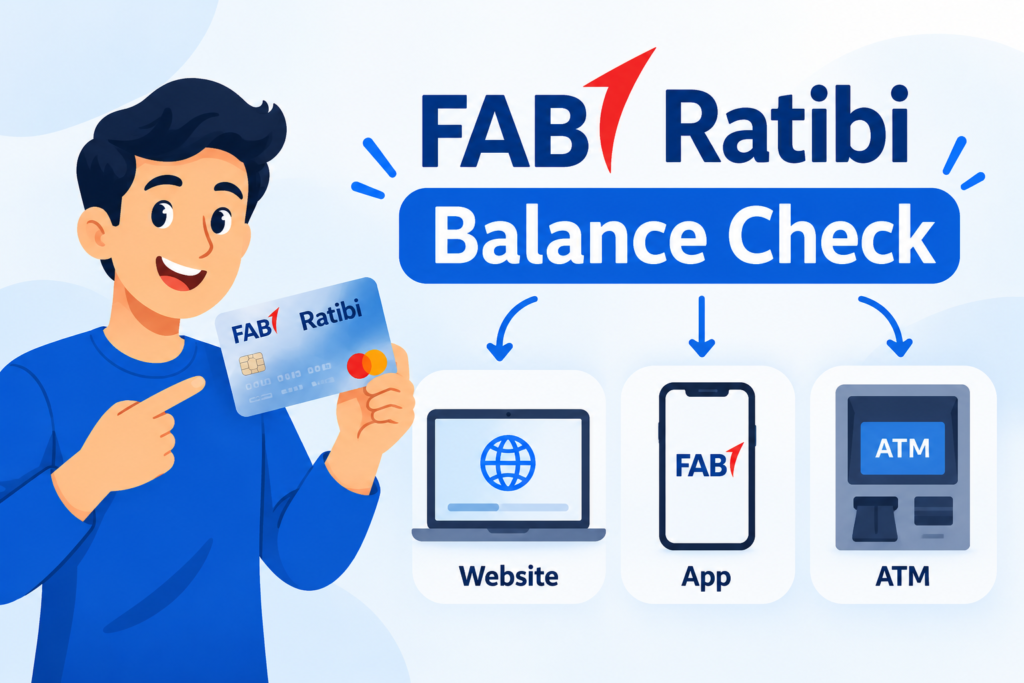
Want to check your FAB Ratibi balance online in the UAE? The official Ratibi Bank Prepaid Card Balance Enquiry portal is the simplest option to get started, and eligible cardholders can check their prepaid card balance online. Additionally, you have the option of enquiring about your ATM balance or whether your Ratibi card is accepted using the FAB Mobile app.
In this guide, you’ll learn how to enquire about your FAB Ratibi balance step by step in the following ways: Website, mobile app, and ATM.
What Is the FAB Ratibi Salary Card?
A prepaid payroll card for eligible employees in the UAE, the FAB Ratibi card is a way to get paid when you don’t have a regular bank account. FAB defines Ratibi as a payroll card for those who earn up to AED 5,000 per month.
One can use this card for eligible purchases and cash withdrawals from the supported ATM networks. Among FAB’s features on Ratibi, there’s no minimum balance on cards, no monthly charges, and free SMS credit alerts for salary, ATM access, and other features.
Method 1: Through FAB Website
Follow these steps to submit your balance enquiry.
Step 1: Open the Official Ratibi Balance Check Website
Go to the official Ratibi balance enquiry portal.
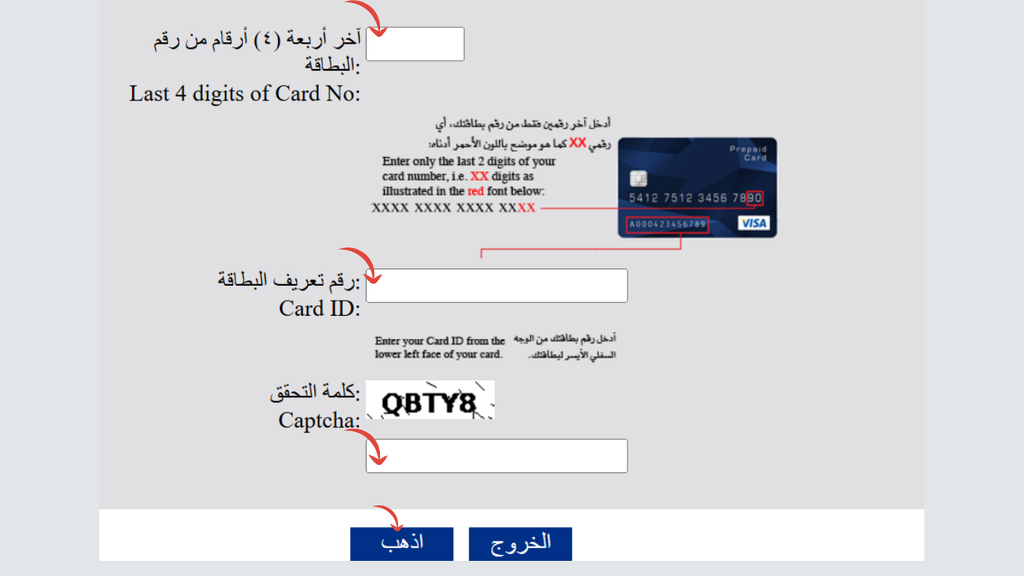
Step 2: Enter the Last Four Digits of Your Card Number
Find the box marked Last 4 digits of Card No and enter the last 4 digits of your Ratibi card number. Be extra careful when checking this to ensure that the digits are correct.
Step 3: Enter Your Ratibi Card ID
Fill in the Card ID in the box provided.
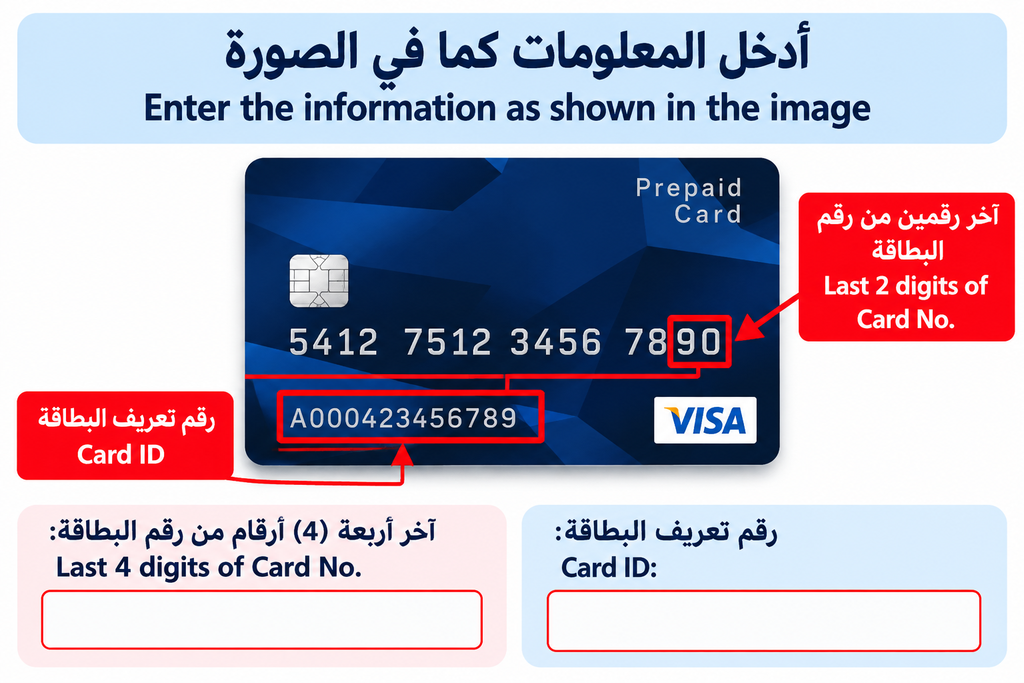
If you don’t have your Card ID, review the card documentation included with your card or contact FAB via any formal means of support.
Step 4: Complete the CAPTCHA
Enter the characters shown in the CAPTCHA image. This verification step helps the website distinguish genuine enquiries from automated requests. If the characters are unclear, refresh the CAPTCHA if the option is available.
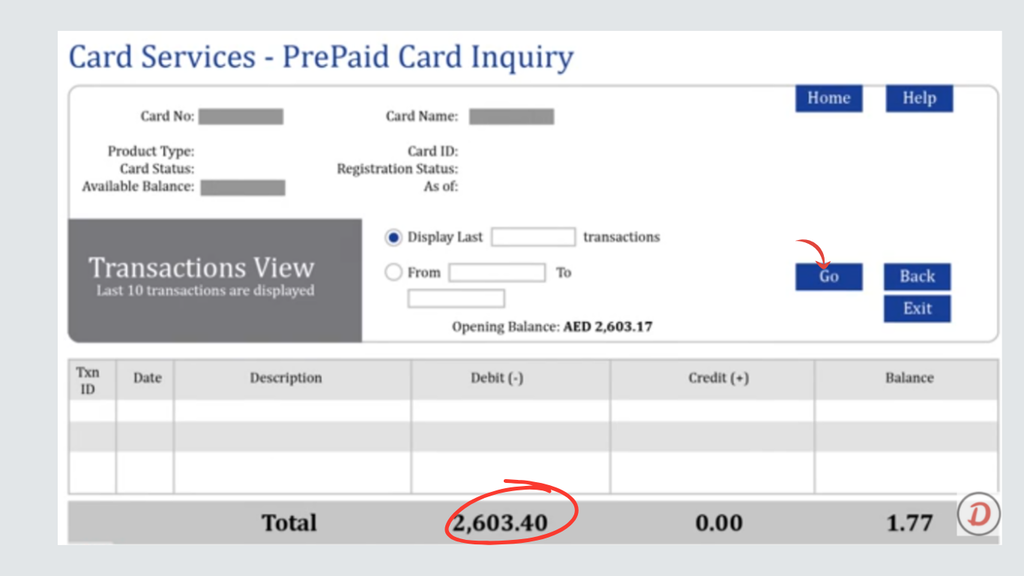
Step 5: Submit Your Balance Enquiry
Fill in the necessary information and press Go. If your enquiry is successful, follow the portal instructions and check the outcome.
Method 2: Through the FAB Mobile App
If your Ratibi card is supported, you can check if there is any balance on the card by following our steps below.
Step 1: Open the Official FAB Mobile App
Download or open the FAB Mobile banking app on your device from the official FAB Mobile banking page.
Step 2: Sign In to Your Account
Enter the registered username and password. If the application requires anything for security reasons, fill it.
If you don’t have your FAB Mobile, use the official registration procedure provided by the bank or the account recovery procedure.
Step 3: Open the Cards or Balance Section
After logging in, check the section for available cards, the account overview, or the balance.
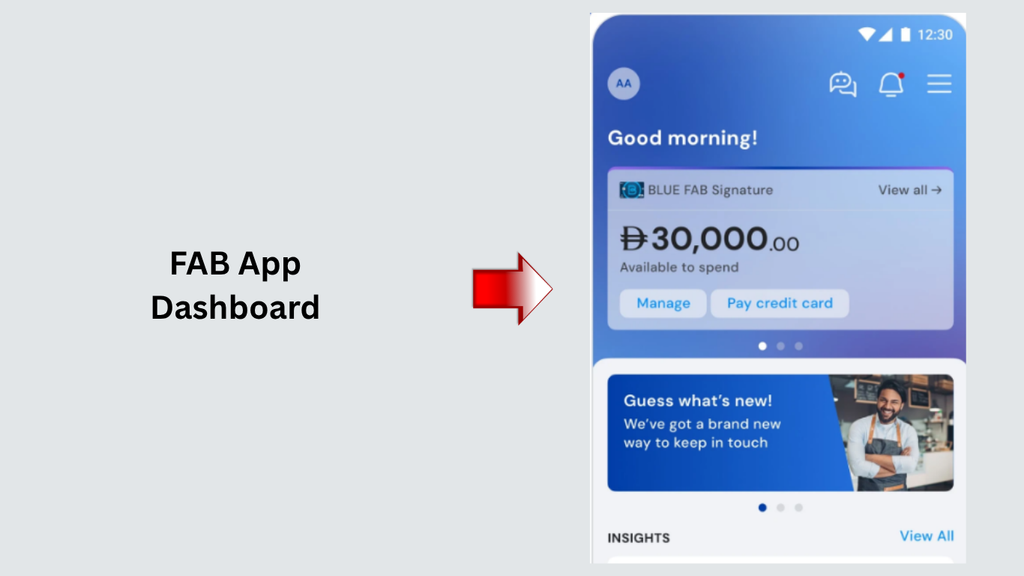
Step 4: Check Whether Your Ratibi Card Appears
If you have a card that is supported and you see it in the app, look at the card details in the app and review the balance shown.
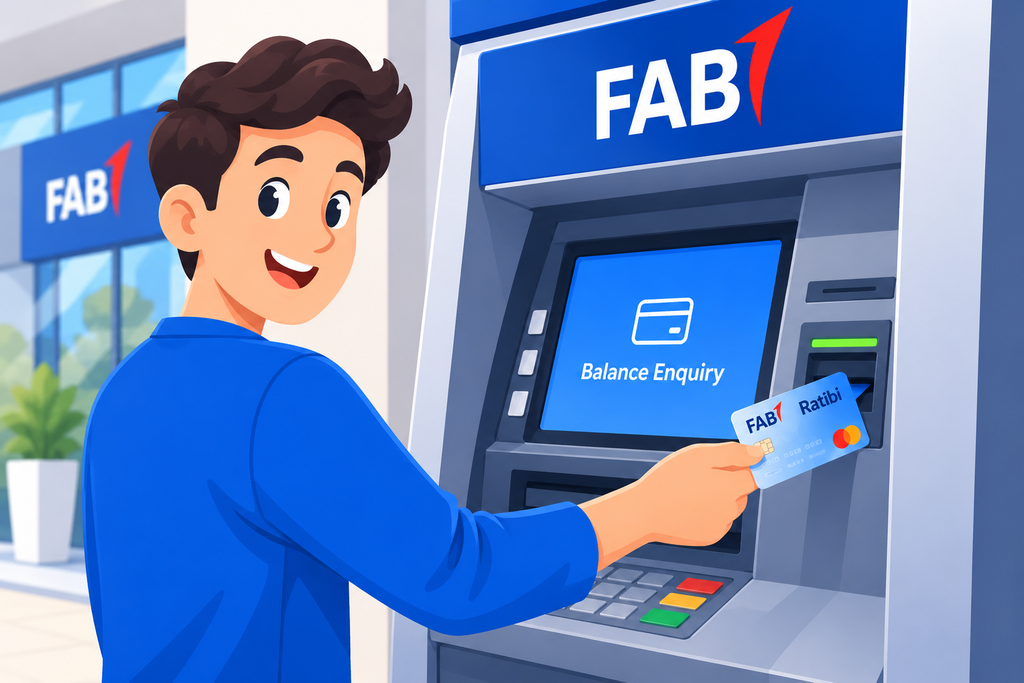
Method 3: Through FAB ATM
FAB defines access to ATM as part of its Ratibi card service. You can have various options on a single machine
Step 1: Find a Compatible ATM
Go to a FAB ATM or any other ATM that supports your Ratibi card. A FAB ATM is a good first step to use when balancing and checking transactions.
Step 2: Insert Your Ratibi Card
Put your card in the ATM, and follow the instructions on the ATM screen.
Step 3: Enter Your ATM PIN
Use the keypad to enter your PIN. Cover the keypad as you type in the PIN and avoid giving it to anyone claiming they are trying to help you.
Step 4: Select the Balance Enquiry Option
In the menu of the ATM, search for Balance Inquiry, Balance Enquiry, or something similar. Depending on the machine, the words will differ.
Step 5: View Your Available Balance
Press the button on the screen to see your balance.
Step 6: Complete the Transaction
In case of an error or if it keeps the card, adhere to the warning shown on the machine and reach the concerned bank via the official communication route.
Which FAB Ratibi Balance Check Method Is Best?
This will depend on the information that is available and how you like to check your balance.
| Method | What you need | Best suited for |
|---|---|---|
| Official website | Last four card digits, Card ID, and CAPTCHA | Online balance enquiries |
| FAB Mobile app | Registered app access and a supported Ratibi card | Checking through the app when the card is available |
| ATM | Ratibi card and PIN | Checking your balance at a compatible ATM |
For checking your balance online, first go to the official site of Magnati that is available from the FAB Ratibi page. If you are unable to use the portal, a compatible ATM is the next alternative.
What to Do If Your FAB Ratibi Balance Is Not Showing
There is a possibility of a failed balance enquiry for several reasons. Here are the steps to take to diagnose the problem and make a determination about next steps:
The Balance-Enquiry Website Is Not Opening
Please verify internet connectivity and try to log in directly from the official Ratibi page on FAB.
If it still doesn’t work, please try again later. Do not key data on other sites that purport to provide the same service.
The Portal Rejects Your Card Details
Check that you entered the last four digits of your card correctly and used the correct Card ID.
Make sure the CAPTCHA is accurate and that the information has been entered into the appropriate fields.
My Ratibi Balance Is Zero
The zero balance only indicates the cause; they are not directly synonymous.
Verify that dollars were credited or that recent purchases or cash withdrawals cleared up the amount shown.
Please call FAB if it doesn’t add up with your transactions.
My Salary Has Not Been Credited
Please check with your employer’s payroll department to confirm if your salary payment has been made.
The ATM Has Retained My Card
Do not try to remove the card from the card processor.
Follow the instructions that the ATM displays, and call FAB or the specific ATM client. A card left by an ATM is destroyed by the receiving bank, and the employer needs to request a new card from them, according to FAB’s Ratibi guidance.
I Cannot Access the FAB Mobile App
In the case of the app not supporting your Ratibi card, rely on the dedicated website for prepaid-card enquiries.
Read More: Emirates ID Fine: Check It In Second
Frequently Asked Questions (FAQs)
1. How can I check my FAB Ratibi balance online?
Go to the official FAB Ratibi site and click on the link (‘FAB Ratibi Prepaid Card Balance Enquiry ‘)
2. How much information does it need to check the Ratibi balance?
The current online enquiry form asks for the last four digits of your card number, your Card ID, and CAPTCHA verification. Follow the process shown on the official website.
3. Is it possible to access Ratibi balance using the FAB Mobile app?
Access will be available based on whether certain cards and services are available through your digital banking profile
4. Can I use an ATM to view my Ratibi balance?
Checking account balance might be possible at an ATM equipped with the corresponding Ratibi card service.
5. Does Ratibi require a conventional bank account?
No. FAB is defined as a payroll prepaid card issued to qualified employees that pays out their paychecks but doesn’t require a typical bank account.
Final Words
FAB Ratibi assists employees in maintaining their salary balance and checks whether wages are received. The simplest way to make an enquiry online is to go to the FAB Ratibi website and click on the “Balance enquiry of prepaid cards” link.
Also, check if the required service is provided by the FAB Mobile or an ATM that accepts your Ratibi card. Follow the official instructions, be sure to check for any fees, and safeguard your PIN and other sensitive data.