
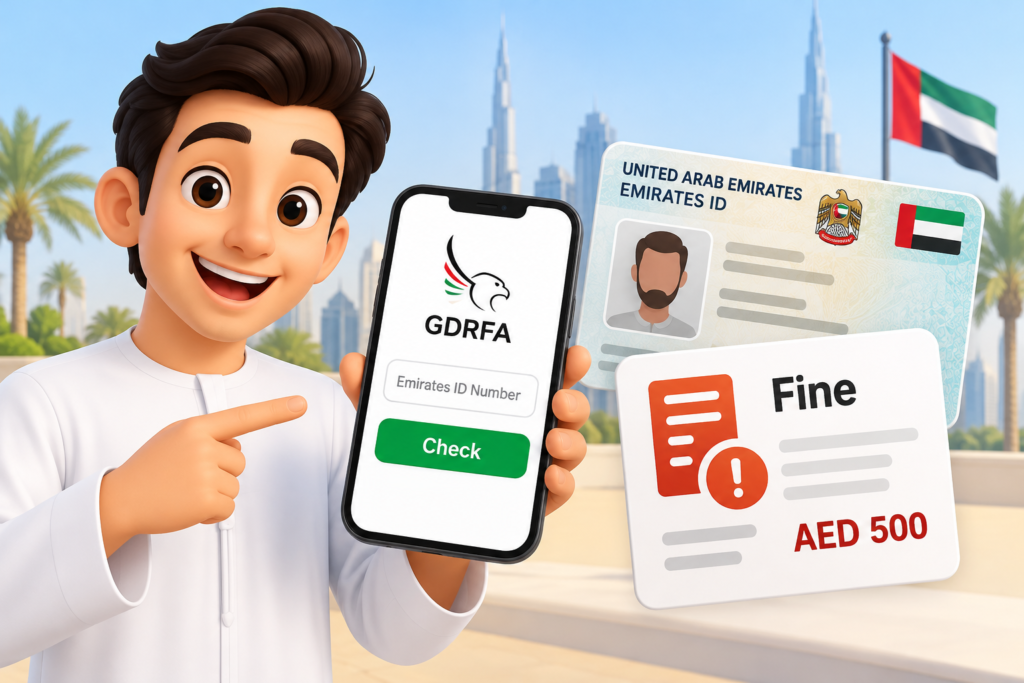
The GDRFA Dubai Fines Inquiry service enables citizens to enquire about applicable fines derived from courts, and the TAMM (Abu Dhabi) app provides access to government services in Abu Dhabi, including traffic violations. Consider the penalty for Emirates ID renewal with the pertinent service of the Federal Authority for Identity, Citizenship, Customs and Port Security (ICP).
Use the GDRFA website and the TAMM app to learn how to use them, what information you may need, how to find the right service, and what to do if you don’t see your fine.
What Is an Emirates ID Fine?
Emirates ID fines are financial penalties for breaking a specific regulation on Emirates IDs in the UAE with regard to UAE identity cards, immigration, residency, or any other act regulated by the state. The amount of the fine will be dependent upon the nature of the violation and the government agency that is charged with enforcing it.
Emirates ID is not renewed on time, its owner may face penalties as reported by the Federal Authority for Identity, Citizenship, Customs and Port Security (ICP); and if a person does not report changes to any personal or civil data within certain time limits, penalties will apply as well.
Method 1: Through the GDRFA Website
The General Directorate of Identity and Foreigners Affairs (GDRFA) Dubai offers an online system to verify paid valid immigration fines.
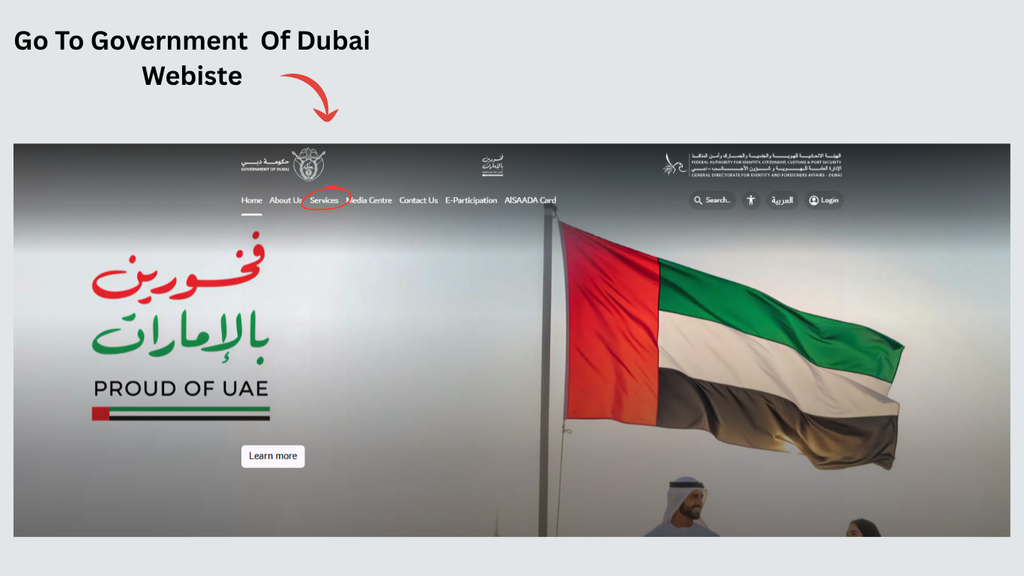
Step 1: Open the GDRFA Fines Inquiry Website
Go to the official GDRFA Dubai Fines Inquiry service page to fill out the online form.
Step 2: Select a Search Method
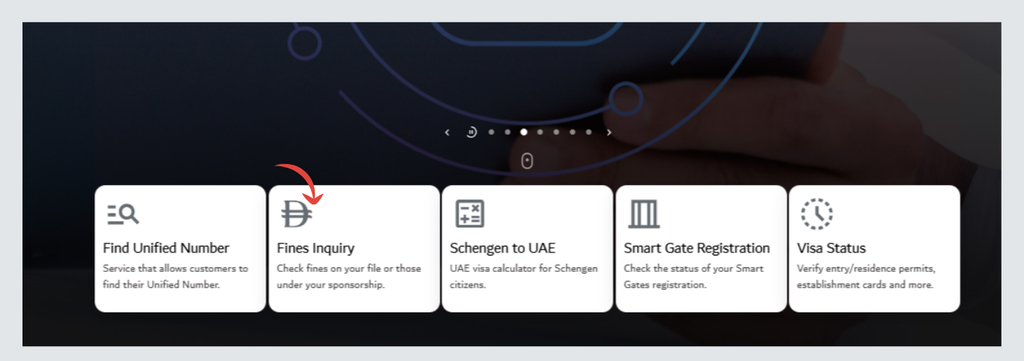
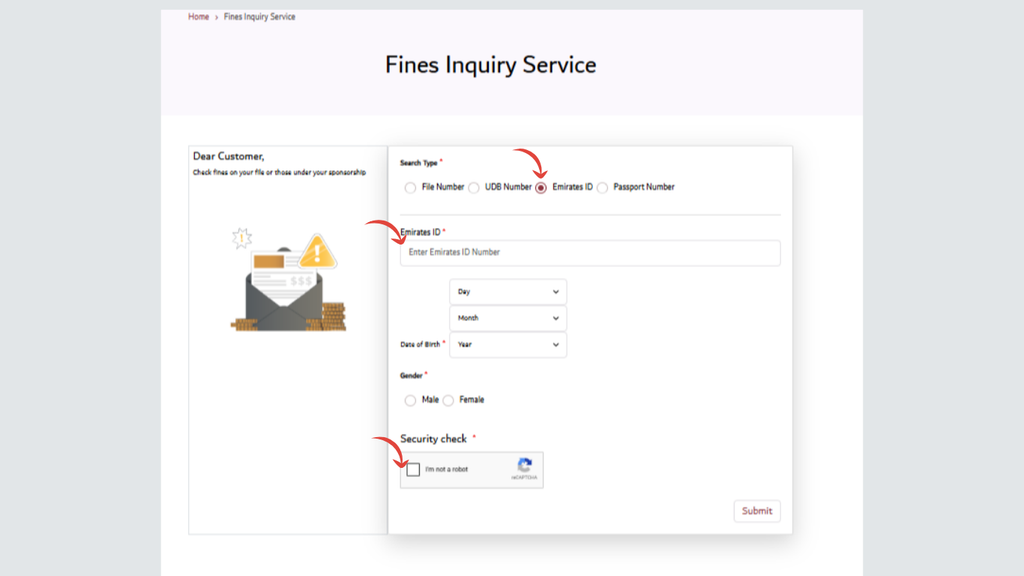
Choose one of the available search options, such as your Emirates ID number, passport number, Unified Number (UDB), or file number, depending on the options displayed.
Step 3: Enter the Required Details
Fill in requested data, such as your nationality, date of birth, file type, etc., in order to be able to identify yourself. Please review the information first.
Step 4: Complete the Security Check
Complete the verification displayed on the page. If it fails, follow the instructions and try again.
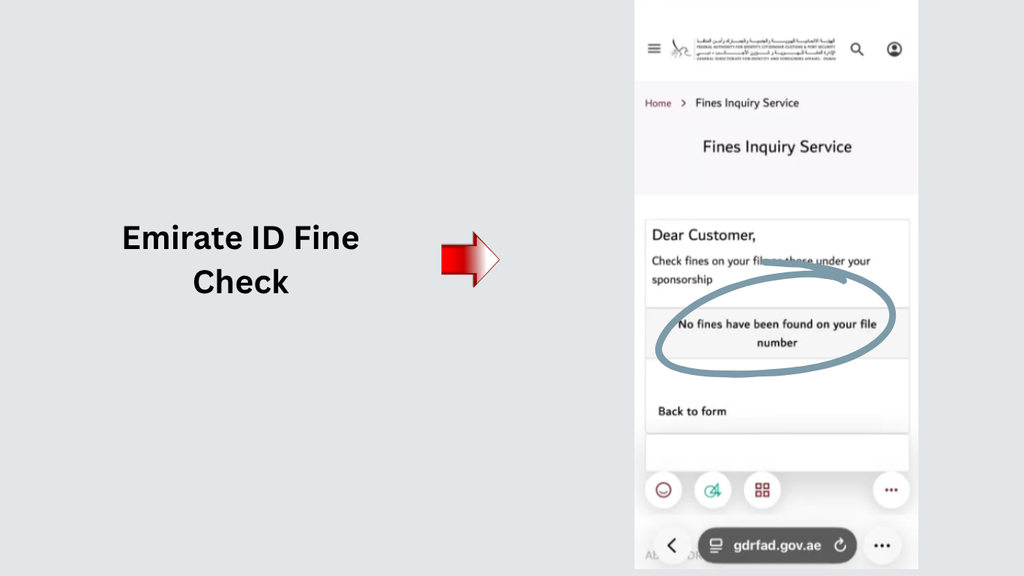
Step 5: Submit the Inquiry
Complete the form and check the outcome. If a fine is issued, review the information and comply with GDRFA’s instructions.
Step 6: Follow the Payment Instructions
If a payment is offered, please make payment as directed by the service. Save the receipt for payment as proof.
Method 2: Through the TAMM App
TAMM is the official Government services platform in Abu Dhabi. It offers access to several services, such as traffic ticket notices and payments.
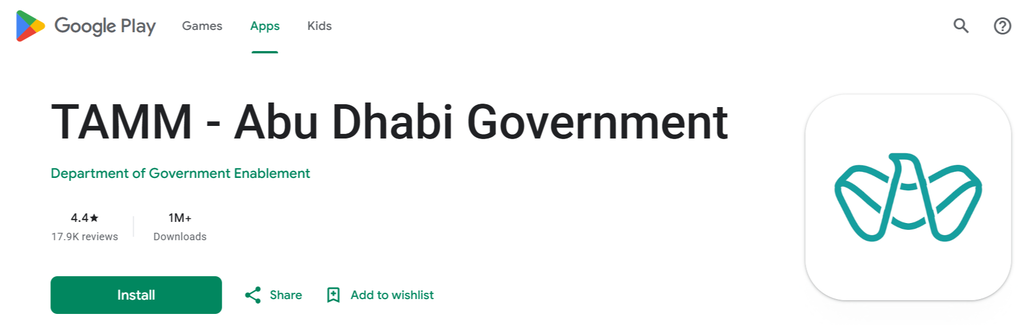
Step 1: Open the Official TAMM App
Install the TAMM app from an official app store or use the TAMM website.
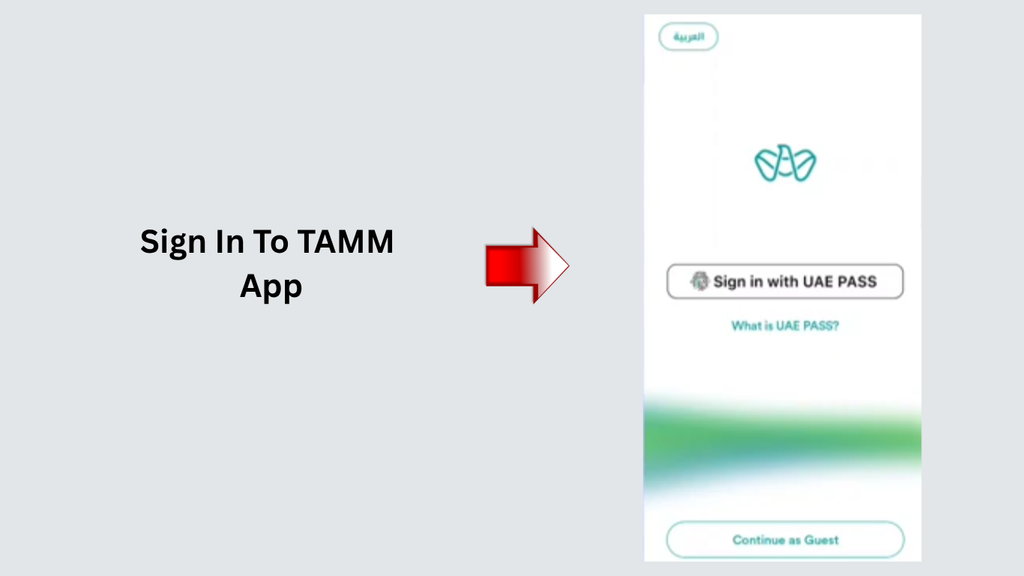
Step 2: Sign In to Your Account
Access the app and log in through the authentication process supplied. Passport vetted by UAE Pass is required for certain services.
Step 3: Find the Relevant Fine Service
Use the app’s search function to find the service related to your fine. If you are facing traffic citations, you can find the appropriate traffic fine inquiry service.
Step 4: Enter the Required Information
Fill in the information in the form the selected service asks for. This can be your Emirates ID number, information on the vehicle involved in the offence, traffic file information, or information of the fine reference number.
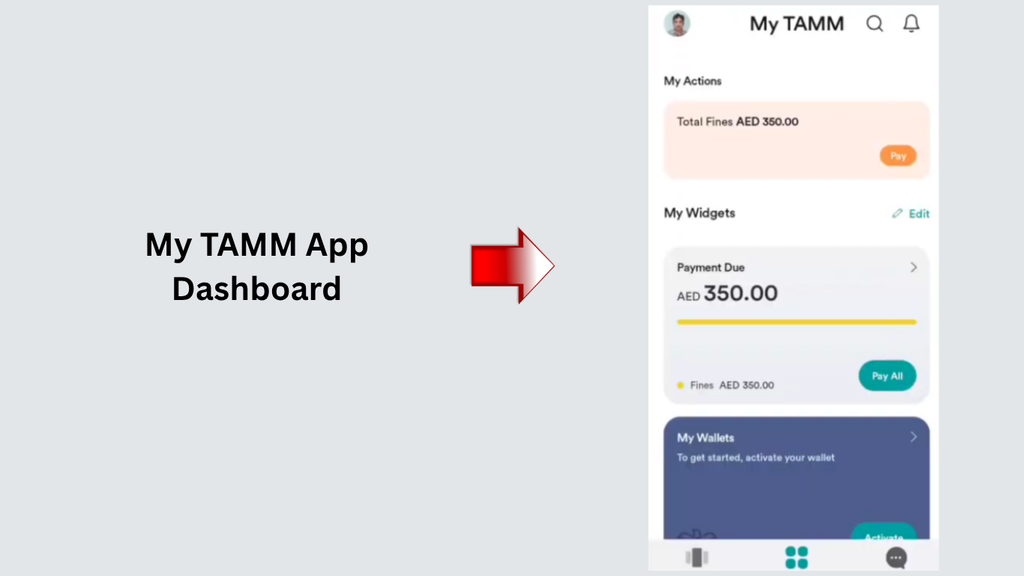
Step 5: Review the Fine Details
If a fine is issued, check the violation and the fine amount against the record and make sure that it is the right record and fine.
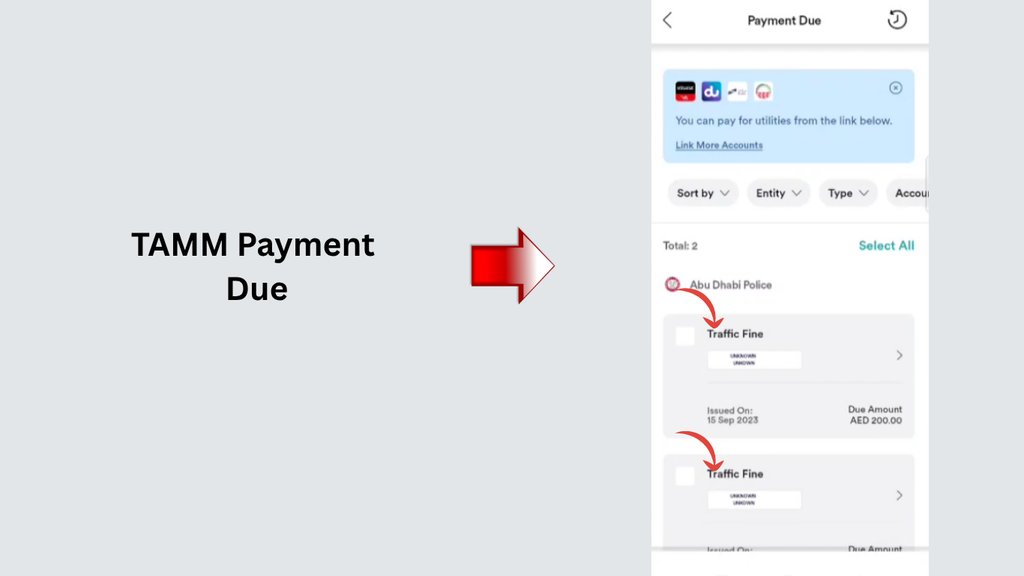
Step 6: Pay the Fine if Required
If there is an option for online payment, follow the instructions in the application and save the confirmation of the payment.
What Should You Do If Your Emirates ID Fine Does Not Appear?
Check Your Emirates ID Number Again
Check for typing errors in the number that you type.
Select the Correct Government Authority
For immigration file queries relevant to Dubai, apply through GDRFA, and for applicable services in Abu Dhabi, apply through TAMM.
Try Another Supported Search Method
If the inquiry service will accept other identifiers, such as your passport number or immigration file number, you may be able to use one of these.
Check the Fine Type
A traffic fine, an immigration overstay fine, and the penalty for late renewal of the Emirates ID are separate issues. Some may be designated to various government bodies, or different investigations may need to be performed.
Which Method Should You Use to Check Your Fine?
It will vary depending on which authority is responsible for the fine. Find an appropriate starting point in this comparison.
| Detail | GDRFA Dubai website | TAMM app |
|---|---|---|
| Main purpose | Inquiry into applicable Dubai immigration-file fines | Access to Abu Dhabi government services |
| Relevant fine types | Immigration and residency-related fines managed by GDRFA | Traffic and other fines covered by the relevant TAMM services |
| Emirates ID search | Explicitly available in the GDRFA inquiry form | Use Emirates ID only where the selected service supports it |
| Other search information | File number, UDB number, passport number | Depends on the selected service |
| Payment | Follow the payment instructions provided by the relevant authority | Use the applicable payment service |
| Official access | GDRFA Fines Inquiry | TAMM Fines and Violations |
What Information Do You Need to Check an Emirates ID Fine?
Before starting an inquiry, prepare the information that the selected service may request.
Emirates ID Number
If you are planning on using a service that allows for an Emirates ID search, then it is important that you make sure you have your Emirates ID with you.
Passport or Immigration File Details
Some services require an Emirates ID number while others are satisfied with a passport number, immigration file number, or a unified database number for immigration.
In case the service does not return the results using your Emirates ID, you can provide some other ID that may be useful.
Additional Personal Information
In some cases, they will request information, such as nationality, date of birth, file type, etc., to locate the appropriate record.
Frequently Asked Questions (FAQs)
1. Where is the easiest place to find my Emirates ID fine online?
All Dubai and UAE immigration fines and Abu Dhabi services, such as traffic fines, can be reported via the GDRFA Dubai Fines Inquiry Service and TAMM, respectively.
2. Can I check Dubai immigration fines through TAMM?
TAMM is not the service for Dubai immigration-related fines; instead, it is the gateway for government services in the Emirate of Abu Dhabi.
3. Can I check Abu Dhabi traffic fines through TAMM?
TAMM provides traffic fines for Abu Dhabi with details of payment, traffic fines history, and more. Use the information provided by the pertinent service to gain access to the information you can obtain.
Read More: ILOE Fine UAE – Pay In Seconds
Final Words
When you’re having an Emirates ID fine checked in the UAE, it’s best to begin with the appropriate government authority. On the GDRFA Dubai website, users can submit an online inquiry regarding the applicable immigration-file fines, while the TAMM app allows users to access various services in Abu Dhabi such as traffic-fine payment or any inquiries related to the fines.
If no result appears, verify the information, do not presume that there is no fine, and contact the authority with the greatest responsibility for the information.