

Last updated: September 2026 – steps clarified (you only need card details when paying).
Are you in search of finding an easy way to check Oman traffic fines online in just a few minutes? Checking traffic fines is vital for Oman’s responsible drivers, from being recently issued a ticket to staying updated on their driving history. The Royal Oman Police (ROP) website and app have made it easy and convenient to view outstanding fines, access what they are for, and pay them securely from anywhere.
In this complete guide, you’ll learn how to check Oman traffic fines through
- ROP website
- ROP app
At the end of this guide, you will be equipped to handle your traffic fines properly in Oman, safely, quickly, and with confidence.
What Is an Oman Traffic Fine?
An Oman traffic fine is a kind of monetary sanction established by the Royal Oman Police (ROP) against a driver who violates traffic rules and guidelines within Oman. These fines have been implemented in order to ensure the safety of roads, to encourage the practice of using them sensibly, and to avoid accidents in the Sultanate.
Some traffic fines can be imposed for the following offences:
- Exceeding the speed limit
- Using a mobile phone while driving
- Not wearing a seat belt
- Running a red traffic signal
- Illegal parking
- Driving without valid vehicle registration
Traffic violations are recorded electronically with traffic cameras and monitoring systems, or by traffic police officers during inspections and road patrols.
Check Through the ROP Website
It’s very simple to review your Oman traffic ticket online via the traffic fine site owned by the Royal Oman Police (ROP). Carry out these simple steps:
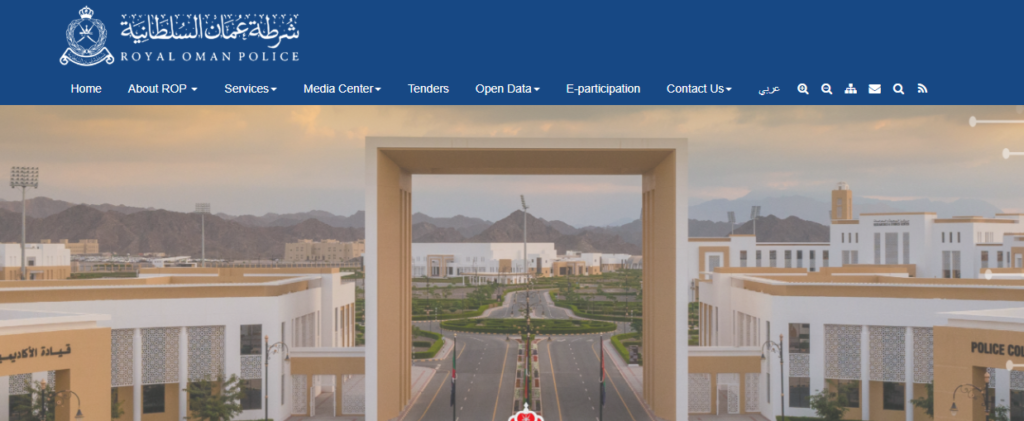
Step 1: Visit the Official ROP Website
Visit the Royal Oman Police (ROP) official website via your browser.
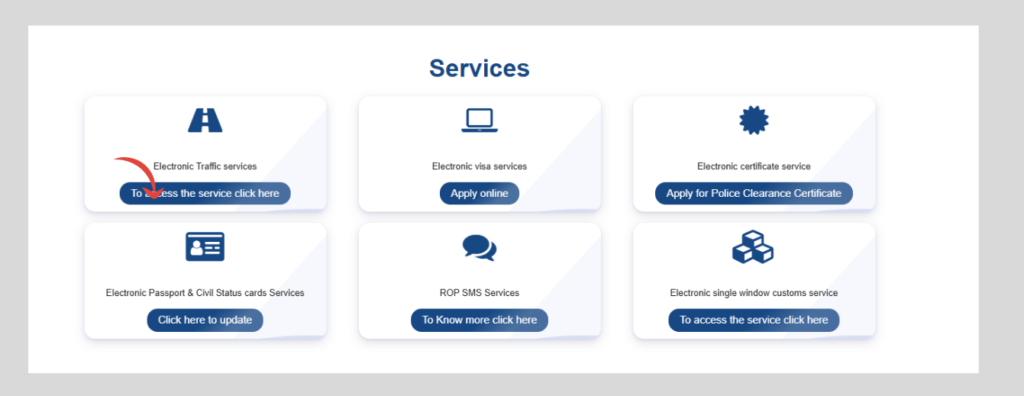
Step 2: Open Traffic Services
To get to traffic-related online services, click on Traffic Services.
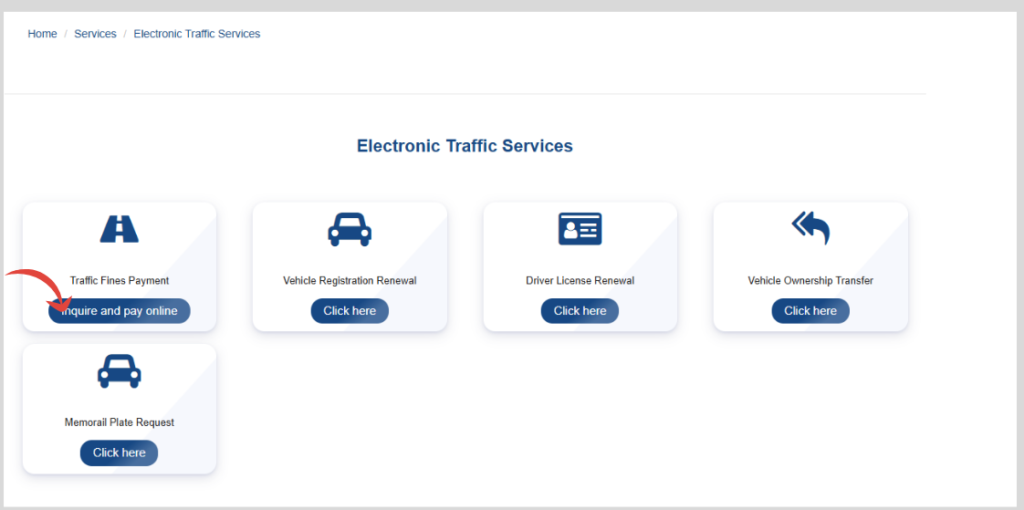
Step 3: Select Traffic Fine Inquiry
Choose Traffic Fine Inquiry (or Traffic Offence Inquiry) from the available options.
Step 4: Enter Your Details
Enter the details the form asks for – depending on the search type, usually one of the following:
- Vehicle registration number
- Vehicle plate number
- Civil ID
- Driving license number
Make sure all details are entered correctly.
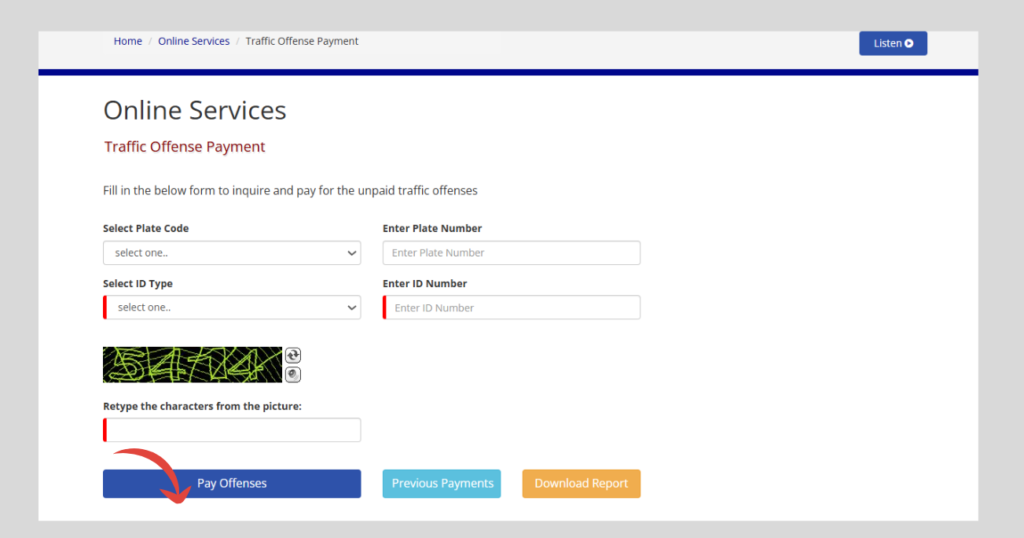
Step 5: Complete the Security Verification
Please enter the CAPTCHA (the word confirmed screen) or verification code shown to you on the web page to proceed.
Read Also: Oman Gratuity Calculation Guide 2026: Eligibility & Formula
Step 6: Click Search
Use the Search or Submit button to get traffic fines records.
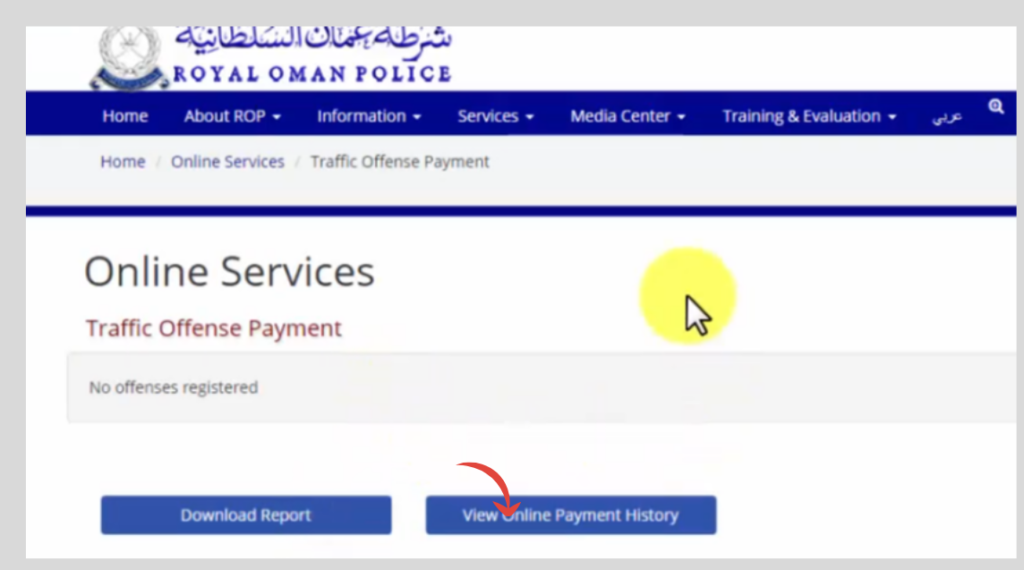
Step 7: Check fine history
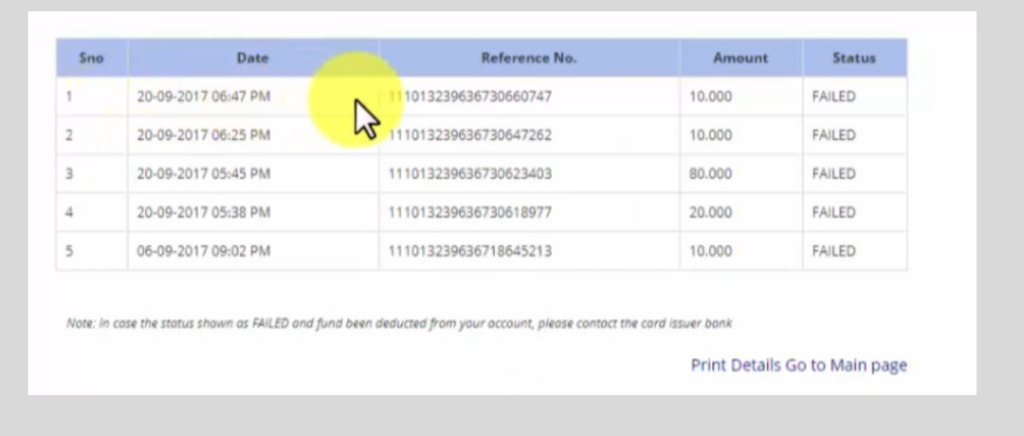
Your fines will show with the date, violation and amount due, and you can pay from there.
Check Using the ROP App
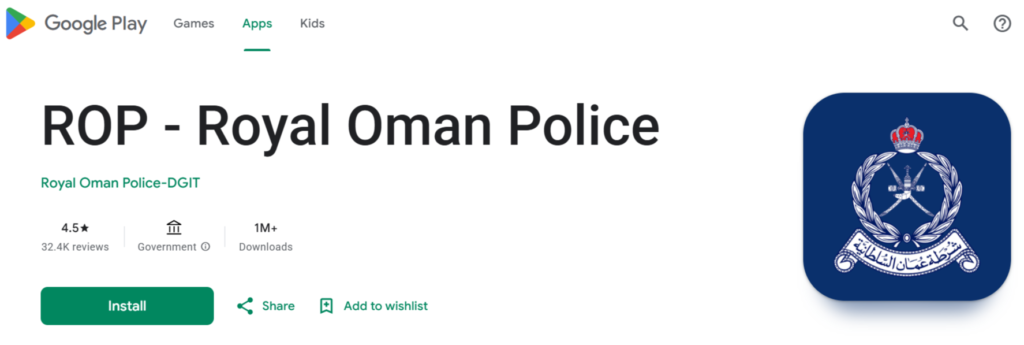
Step 1: Download and Install the ROP App
If you’re not already installed, download the ROP official application from your app store device.
Step 2: Log In or Continue as Required
Depending on the available services, you may need to:
- Log in using your account.
- Access the traffic inquiry service as instructed within the app.
Be sure to use the correct information for your search query, so that search results are accurate.
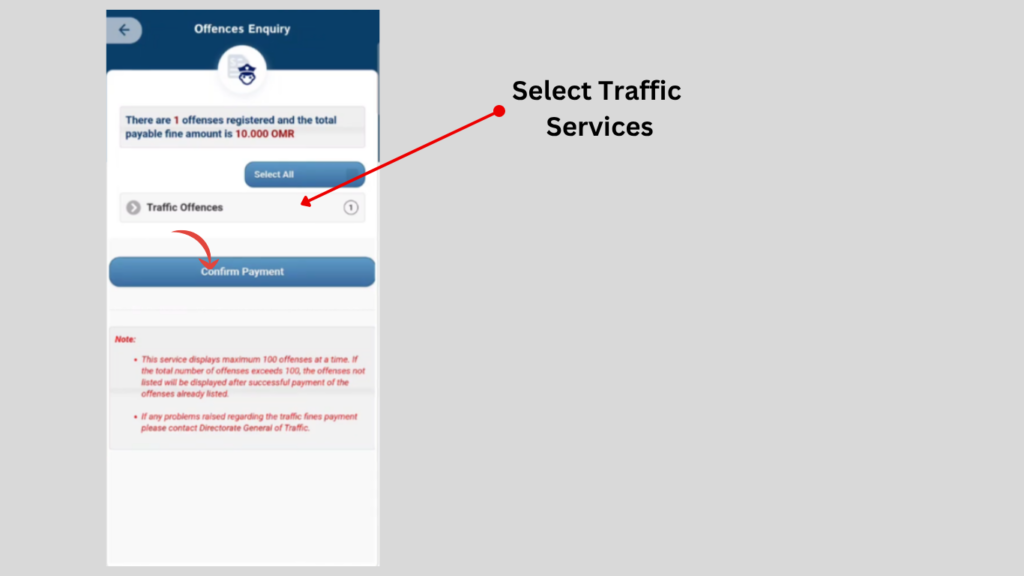
Step 3: Select Traffic Fine Inquiry
You have the option to select Traffic Fine Inquiry from the traffic services listed.
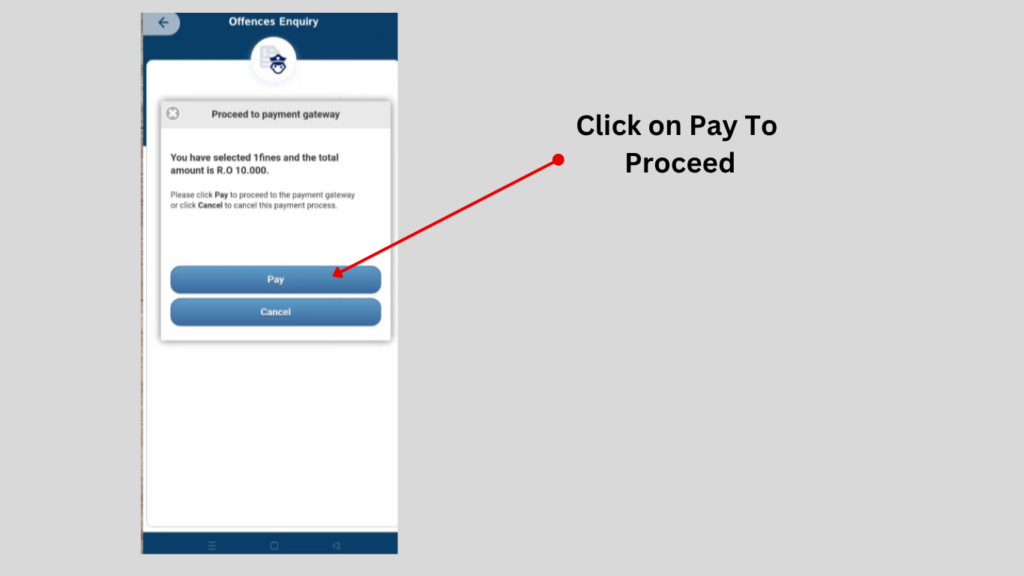
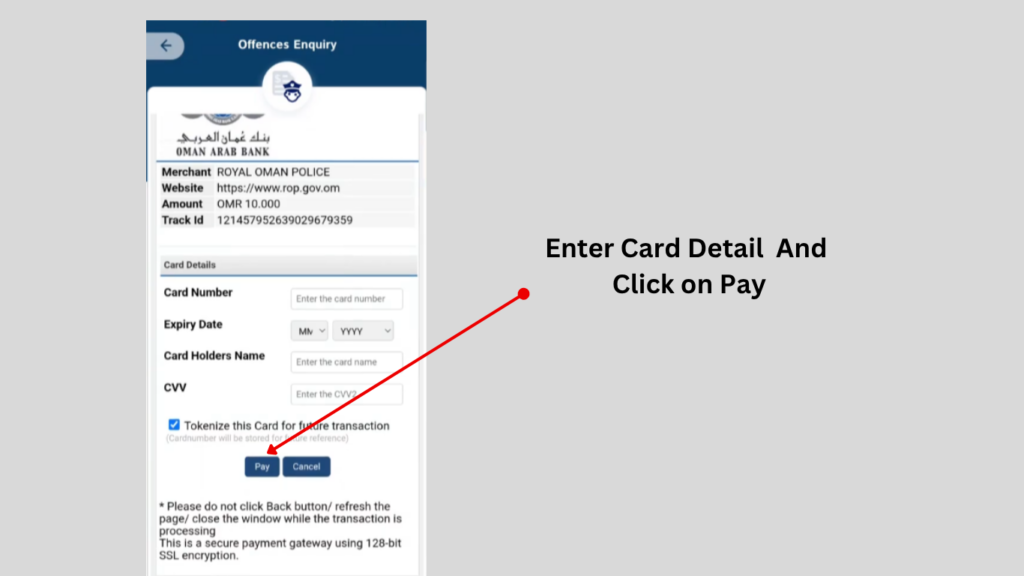
Step 4: Enter the Card Information
Enter your vehicle or licence details to see your fines. Card details are only needed if you choose to pay:
- Card Number
- Expiry Date
- Card Holder Name
- CVV
Check all information before going any further.
What to Do If Your Fine Is Not Showing?
The reason your fine doesn’t show may be one of several.
Try the following solutions:
1. Double-Check Your Information
Ensure you’ve entered:
- Vehicle registration number
- Plate number
- Civil ID
- Driving license number
exactly as shown on your official documents.
2. Wait for System Updates
Some traffic violations require time before they’re uploaded to the online system.
Check again after some time.
3. Refresh Your Search
If the app has been shut down, reopen it and search again to make sure to show the most current records.
4. Update the ROP App
If you use the mobile application, please install the latest version and then search again.
5. Try the ROP Website
If the fine isn’t showing up on your mobile app, please make the same request on the official ROP website.
Frequently Asked Questions (FAQs)
1. How can I check my Oman traffic fine online?
Go to the official ROP website or open the ROP app, choose the traffic fines inquiry and enter your details.
2. Can I check my Oman traffic fine using the ROP app?
Yes. Through the ROP app, you can obtain information about traffic fines, the details of traffic violations, and other traffic services.
3. Can I pay Oman traffic fines online?
Yes. Payments of traffic fines can be made on the official ROP website or the ROP mobile app – these are secure.
4. What details are required to check a traffic fine?
You may need your vehicle registration number, plate number, Civil ID, or driving license number.
5. Are traffic fines for expatriates in Oman possible to check?
Yes. Any citizen, expatriate, and qualifying vehicle owner may view their traffic tickets at the official ROP Online Traffic Tickets Services.
Read Also: Reissue Lost Driving License in Saudi Arabia (2026 Guide)
More for Oman drivers: check your Oman driving licence online, how government plates look in Oman, and our Oman resident card guide.
Final Words
The Royal Oman Police (ROP) now provides convenient internet services where you can check your traffic fines whilst in Oman – no one could ever have imagined how easy it would be. You can easily access the number of traffic citations you have, review the specifics of each ticket, and pay online without having to physically go to a traffic office, whether on the website or using the ROP mobile app. It also helps you to avoid late payments, have a good driving record, and undertake essential vehicle services.
Follow the steps above and you’ll stay on top of your fines and drive in Oman without surprises while adhering to the various traffic laws.