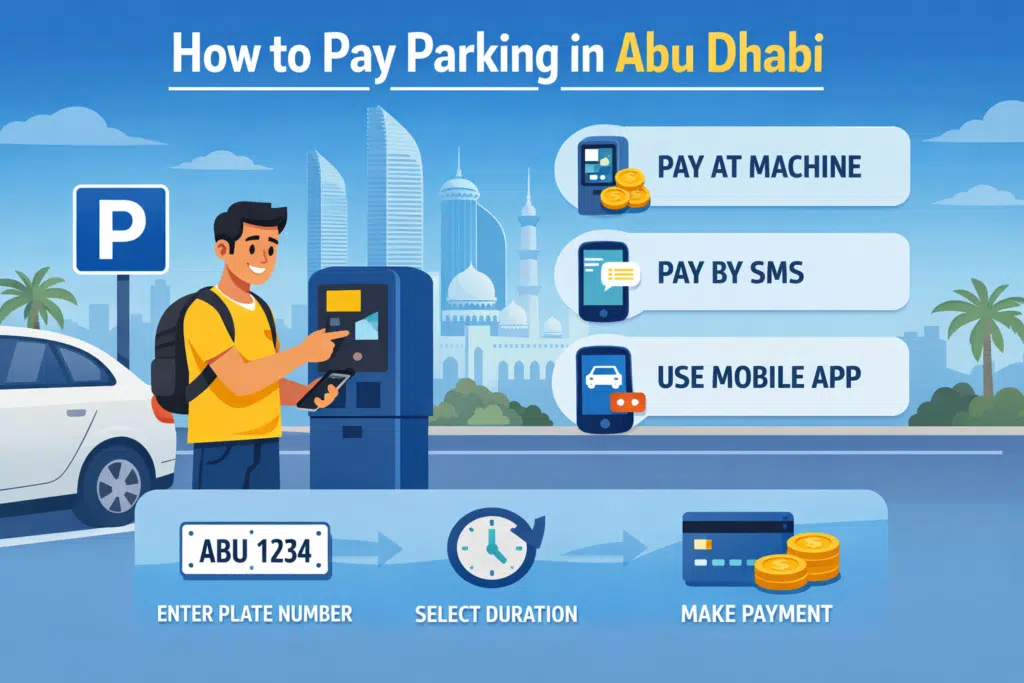
Have you questioned yourself on how to park in Abu Dhabi and avoid time wastage and fines? Abu Dhabi parking may not be a simple task without knowing the city and its areas, regulations and methods of payment. Due to the emergence of digital solutions, residents and visitors can currently pay for parking in several convenient ways, such as SMS payment, online portals, and mobile apps.

In this comprehensive guide, I will take you through each way of paying for parking in Abu Dhabi that will assist you in paying the parking fine:
- SMS (Text to 3009)
- Via the official TAMM Abu Dhabi website
- Mobile Apps
Give step-wise guidelines to follow, and clarify the various parking areas and charges.
Parking in Abu Dhabi
The Abu Dhabi City Municipality collaborates with the Department of Municipalities and Transport (DMT) in charge of parking in Abu Dhabi. The city is well organiszed with parking areas, and the system of payment is conveniently built in terms of being digitized and mobile.
Types of Parking Zones
The Abu Dhabi parking areas are divided into Standard and Premium:
| Parking Type | Cost per Hour | Description |
|---|---|---|
| Standard (S) | AED 2 | Regular city parking areas |
| Premium (P) | AED 3 | High-demand or central areas |
Important Rules:
- Always park in designated zones.
- Always ensure that you pay the right duration.
- Do not forget your vehicle registration number.
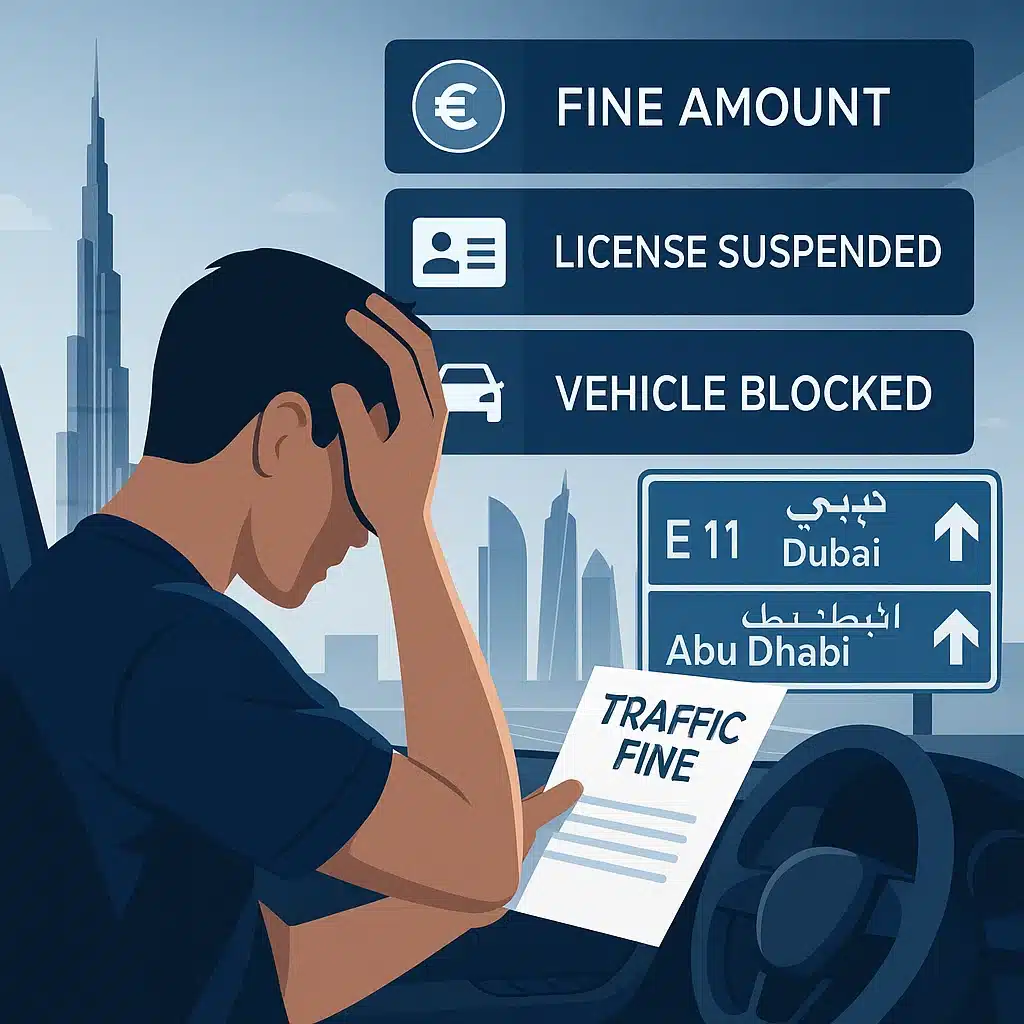
- The amount of fines associated with parking violations may be between AED 100 and AED 500.
How to pay for parking in Abu Dhabi
1. SMS Parking Payment (Text to 3009)
The SMS parking system is one of the most widely used. It is quick, trustworthy and compatible with any mobile phone.
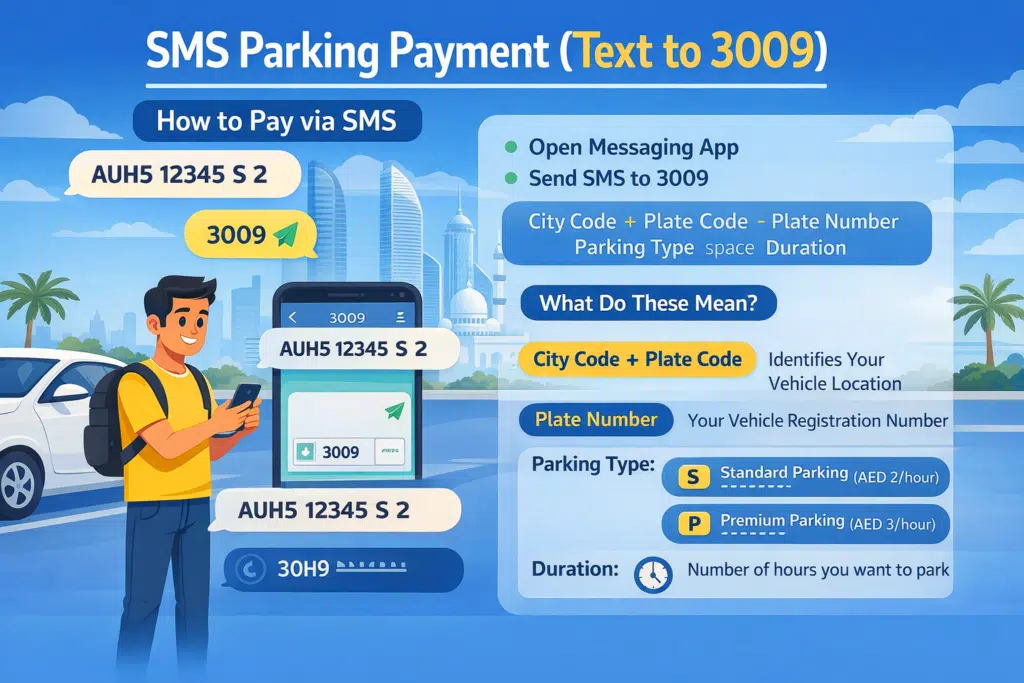
How to Pay via SMS
To pay for parking using SMS:
- Open your phone’s messaging app
- Send an SMS to 3009
- Use the following format:
City Code + Plate Code <space> Plate Number <space> Parking Type <space> Duration
Example SMS
- AUH5 12345 S 2
- DXB3 67890 P 1
What Do These Mean?
- City Code + Plate Code: Identifies your vehicle location
- Plate Number: Your vehicle registration number
- Parking Type:
- S = Standard Parking (AED 2/hour)
- P = Premium Parking (AED 3/hour)
- Duration: Number of hours you want to park
Important Tips
- Make sure that you have the right SMS format, or you will not be received.
- A confirmation will be sent to you on successful payment.
- The charges are taken off your mobile balance or an account that is attached.
This is the best way to go when the user is in need of a fast, no-app solution.
2. Mobile Apps for Parking Payment
Parking control in Abu Dhabi is going to be the most popular and convenient method of using mobile apps.
A. Parkin App
The other helpful alternative is the Parkin App.
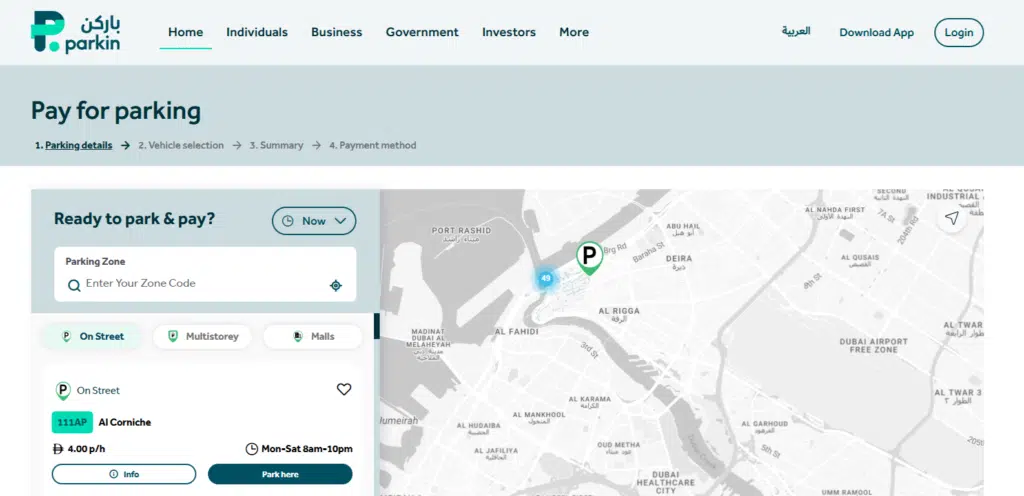
Features:
- Quick parking payments
- Manage multiple vehicles
- Easy-to-use interface
Why Use Apps?
- Saves time
- No need for SMS format
- Track and manage parking history
Read Also: Credit Card Rules in UAE: Things Banks Must Follow
B. Darb App
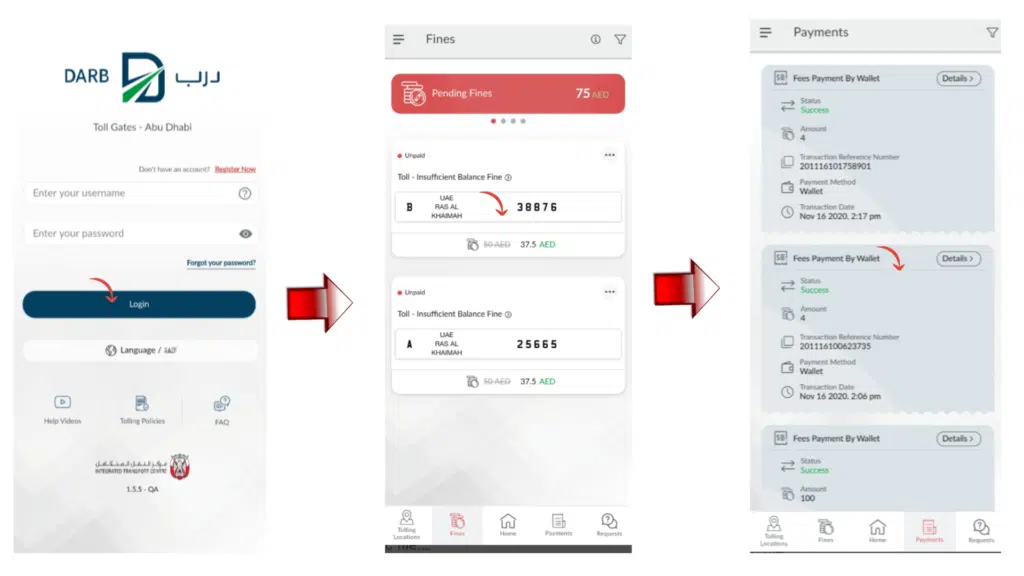
Darb App is an official transport application that is used to make the process of paying for parking and so on simpler.
Features:
- Pay for parking directly from your phone
- Track your vehicle and parking status
- Access real-time traffic updates
How to Use:
- Download the app
- Register your vehicle
- Select parking zone
- Choose duration
- Make payment
2. Pay Using MAWAQiF Parking Card
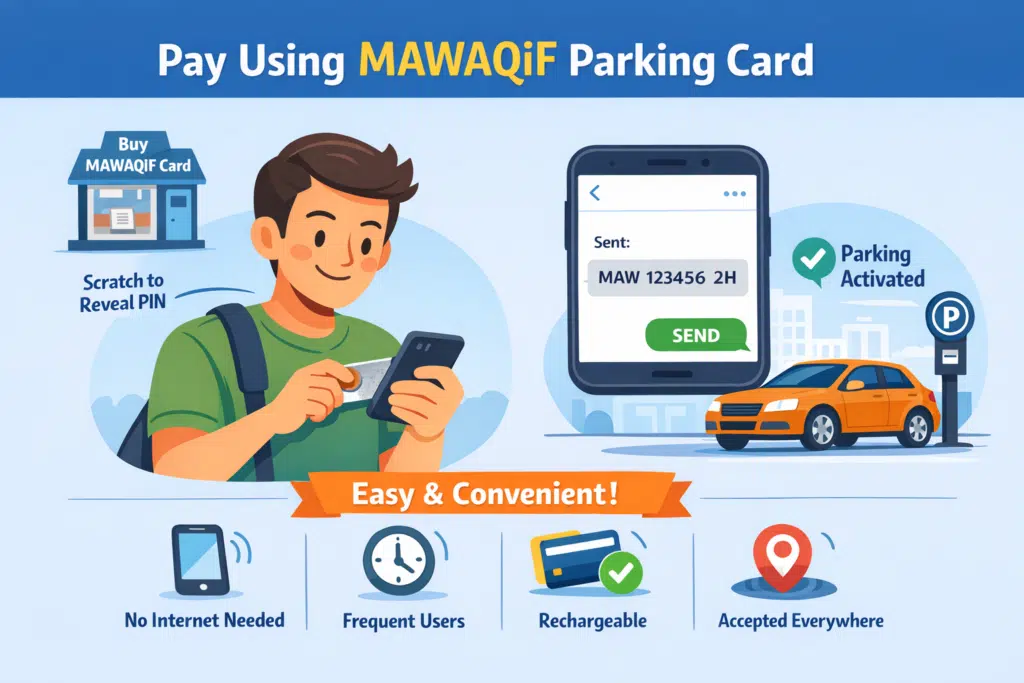
It is a prepaid parking card, which is provided by the system of MAWAQiF and which enables you to park in advance.
How to Use It:
- Purchase a MAWAQiF card from authorized vendors or kiosks
- Scratch the card to reveal the PIN
- Send SMS with the card details (instructions are provided on the card)
- Parking will be activated
Benefits of the MAWAQiF Card:
- Large-scale parking areas approve of it.
- Internet and mobile apps not required.
- Suitable for frequent users
- Easy to recharge and reuse
Parking Types and Charges in Abu Dhabi
Understanding parking categories helps you avoid confusion and fines.
Standard Parking (S)
- Cost: AED 2 per hour
- Suitable for general areas
- Most common parking type
Premium Parking (P)
- Cost: AED 3 per hour
- Located in high-demand areas
- Higher rate due to location convenience
Common Mistakes to Avoid
Error 1: Entering Incorrect SMS Format
- Problem:
- Most users use an SMS with incomplete information, improper spacing or formatting. This will result in the system rejecting the request.
- Solution:
- It must always be done in the exact format:
- City Code + Plate Code <space> Plate Number <space> Parking Type <space> Duration
- It must always be done in the exact format:
- Example:
- AUH5 12345 S 2
Remember to check all information before transferring it.
Error 2: Not Extending Parking Time
- Problem:
- Users are more likely to forget to extend their parking time, and once their time elapses, they will be charged.
- Solution:
- Always remember to have a reminder on your phone or some mobile application to remind you about the length of time you have parked. Park more than you are supposed to pay a fine.
Error 3: Ignoring Parking Signs and Instructions
- Problem:
- The parking space in Abu Dhabi is well marked in terms of time of day, charges and prohibitions. Violations can be caused by ignoring them.
- Solution:
- It is important to always ensure you read the parking sign before leaving your car. Pay attention to the rules, particularly to the free time and restricted areas.
Error 4: Insufficient Mobile Balance for SMS Payment
- Problem:
- On a low balance on your mobile, you might not be notified whether your SMS payment has been received or not.
- Solution:
- Ensure that you are in a position to afford a balance and then send the SMS. The message that you send should always be confirmed.
Frequently Asked Questions
Do tourists pay via SMS or applications when it comes to parking?
Yes, SMS, web portals and applications are at the disposal of the residents and the visitors.
Does it take cash to spend on parking?
No, there are no cash payments. Select either SMS, applications or an online portal.
What would happen to me in the event of over-parking?
The amount of the fines varies between AED 100 and AED 500 depending on the severity.
Does it have a monthly parking?
Yes, there are monthly parking passes on some apps and the online portal that one can purchase as a regular user.
Can I extend my parking without returning to my car?
Yes, you can add more time to your parking, with mobile applications such as Darb and Parkin.
Read Also: Activate Du 50 AED 28GB Package Instantly (1355#)
Final Thoughts
Parking in Abu Dhabi is not that difficult a process, as long as you know what options you have. Whether it be SMS, an online portal or a mobile app, all of this is done to make your experience as smooth and efficient as possible.
Using this guide, you will have no doubts about making payments when parking and will avoid additional fines and stay in full compliance with the laws in the area.