- Method 1 – by Dialing Code *150#
- Using the CST (Formerly CITC) Portal
- Method 3 – Check STC SIM Number by Calling 900
- Which Method Should You Use?
- Common Problems and Solutions
- Important Tips Before Checking Your STC Number
- Can I Check My STC Number Without Balance?
- Is This Method Safe?
- Common Questions About STC SIM Numbers
- Final Words
Lost your STC mobile number and are not able to find it fast? You have come to the right place if you are looking for how to check the STC SIM number. This problem is experienced by many users once they purchase a new SIM, change phones, or use a second number, which they may not use to make many calls. The bad news is that the process of checking your STC number is neither quick nor easy, and is not official in Saudi Arabia.
In this updated 2026 guide, I will walk you through the exact steps to check your STC SIM number in seconds.
Method 1 – by Dialing Code *150#
This is the quickest and most used method. It is instantaneous and does not need an internet connection or a balance in the majority of cases.
Step 1 – Open Your Mobile Dial Pad
Open your phone, and open the calling application (dialer where you usually type phone numbers).
Ensure that the SIM of STC is in your phone, and it is operational.
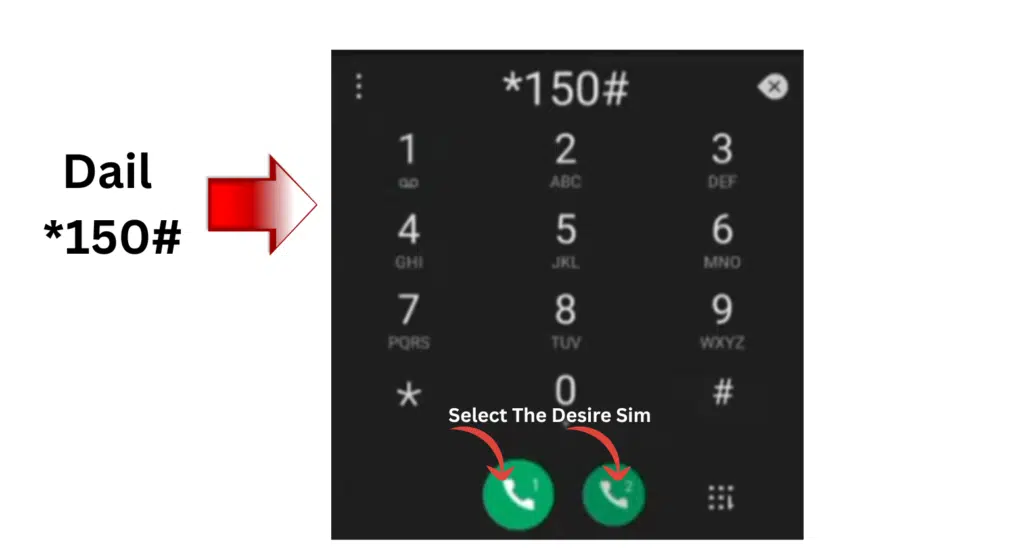
Step 2 – Dial *150#
Carefully type:
*150#
Then press the call button.
Step 3 – Wait for the Number to Appear on Screen
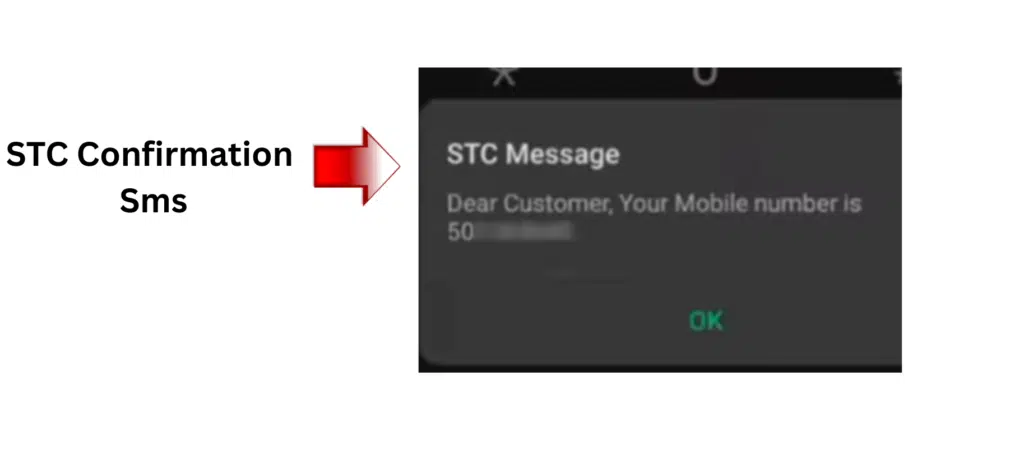
Within a few seconds, your STC mobile number will appear on your screen.
You may see:
- Your full mobile number
- A confirmation message with your number
This method works on:
- Android phones
- iPhones
- Basic keypad phones
It is the easiest and most recommended way to check your STC SIM number.
Why *150# Is the Best Method
Here is why this method is preferred:
- No internet required
- Works within seconds
- No login needed
- Free to use
- Official STC service
If this method does not work, use the second method below.
Using the CST (Formerly CITC) Portal
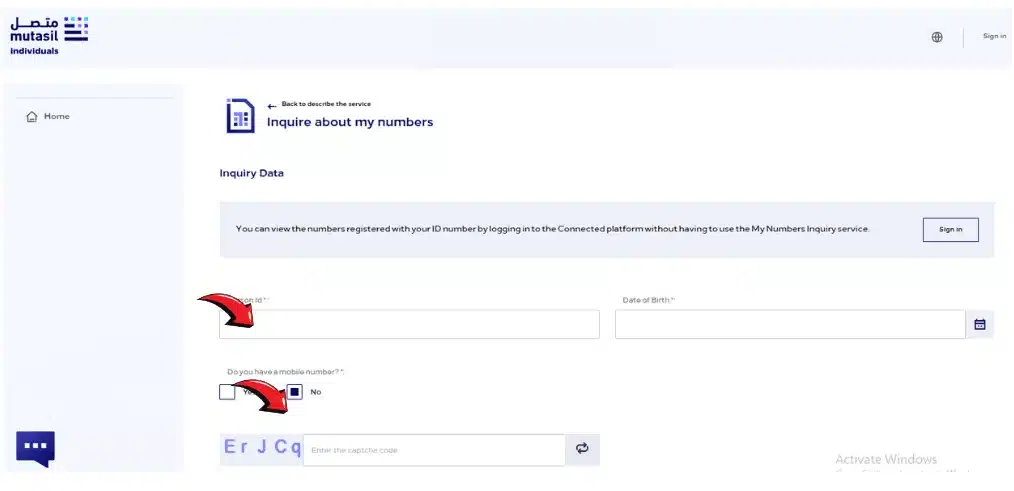
Step 1 – Visit the CST (Formerly CITC) Portal
Open your web browser and go to the official CST Portal website.

Step 2 – Login or Register Your Account
- In case you do have an account, you can use your registered email or phone number with the password to log in to your account.
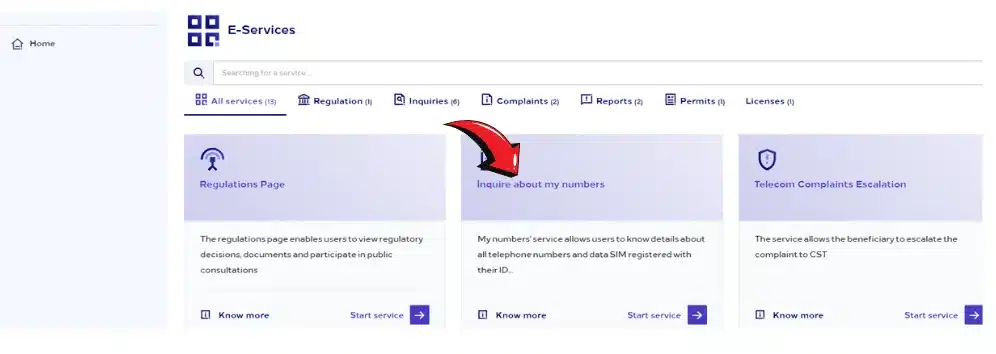
Step 3 – Navigate to the SIM Information Section
Once logged in, find the section labeled “SIM Information” or “My Numbers”. This is where all the SIM details linked to your identity will be displayed.
Step 4 – Verify Your Identity
To ensure security the portal can request that you enter your identity with your national ID, passport, or verification code that is sent to the registered phone number.
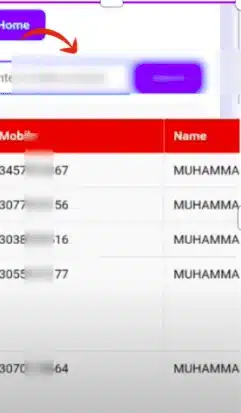
Step 5 – Find Your STC SIM Number
Upon verification, your STC SIM number(s) will be displayed in the screen.
Step 6 – Download or Save the Details
Some CST portal accounts allow you to download a PDF or save the details digitally. Doing this ensures you always have your SIM number handy.
Read Also: Kuwait Civil ID Inquiry: Check Validity Online in Minutes
Method 3 – Check STC SIM Number by Calling 900
If the USSD code does not respond or shows an error, you can contact STC customer support directly.
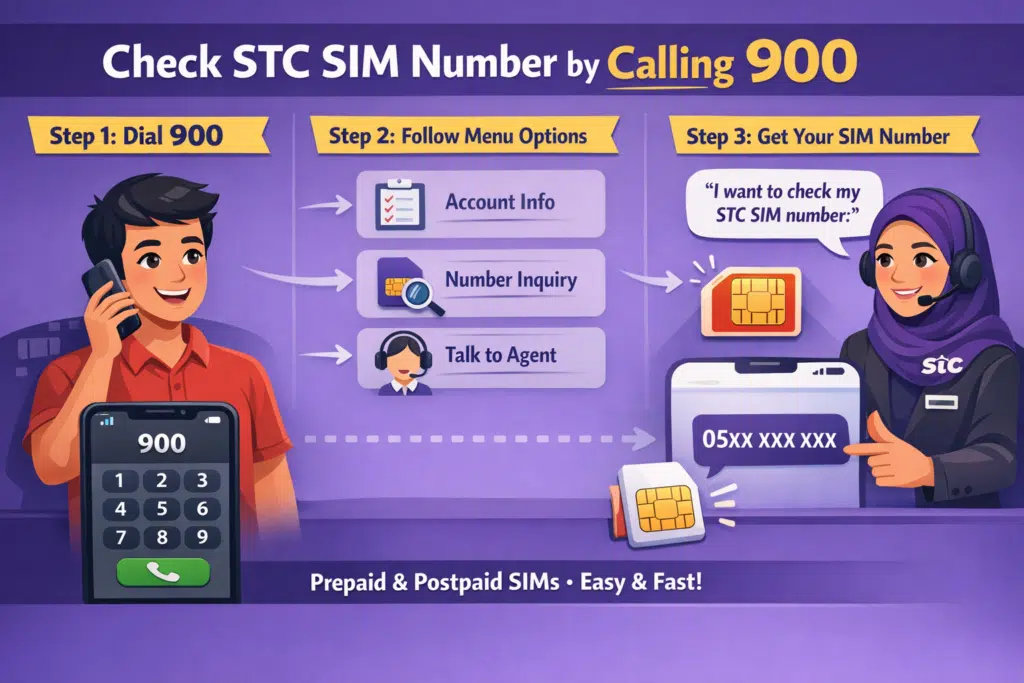
Step 1 – Dial 900 from Your STC SIM
Open your phone’s dial pad.
Dial:
900
Press the call button.
This connects you directly to STC customer care.
Step 2 – Follow the Automated Instructions
You will hear an automated voice system.
Follow the menu instructions carefully. Choose the option related to:
- Account information
- Mobile number inquiry
- Speaking to a customer service representative
Step 3 – Request Your SIM Number
If connected to an agent, simply say:
“I want to check my STC SIM number.”
The representative may verify your identity and then provide your number.
This method works for:
- Prepaid SIM users
- Postpaid users
- Business accounts
Which Method Should You Use?
If you want speed, use:
- ✔ *150# (Instant result)
- If you face issues, use:
- ✔ Call 900 (Direct assistance)
For most users, dialing *150# solves the issue immediately.
Common Problems and Solutions
Even simple processes sometimes face issues. Let me guide you.
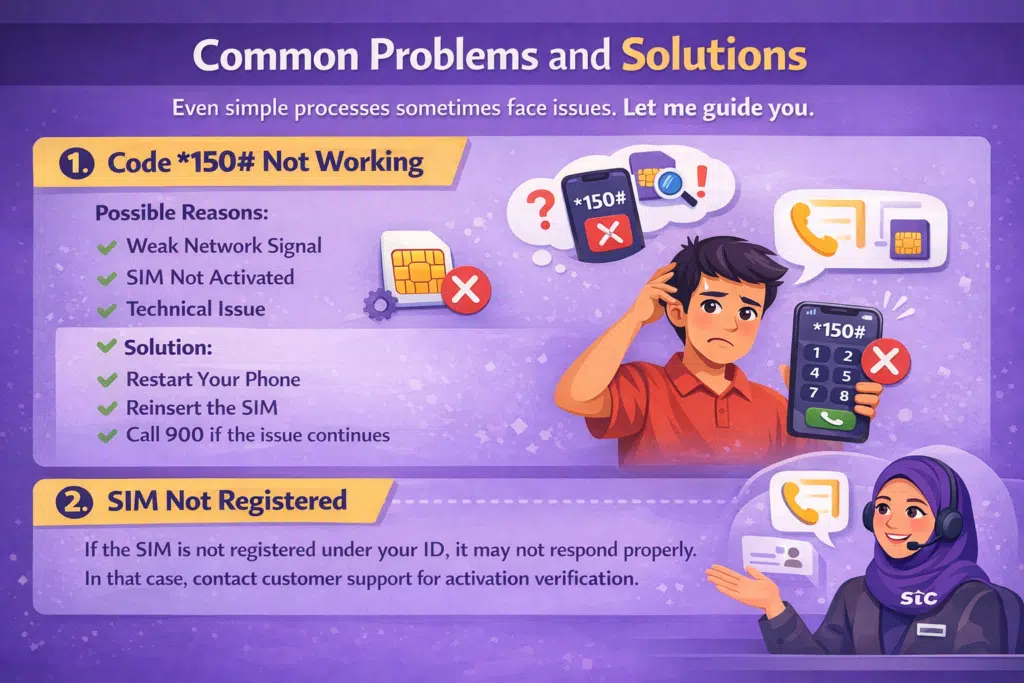
1. Code *150# Not Working
Possible reasons:
- Weak network signal
- SIM not activated
- Technical issue
Solution:
- Restart your phone
- Reinsert the SIM
- Try again
- Call 900 if the issue continues
2. SIM Not Registered
If the SIM is not registered under your ID, it may not respond properly.
In that case, contact customer support to verify activation.
Important Tips Before Checking Your STC Number
To avoid issues:
- Make sure your SIM is inserted correctly
- Ensure your phone has a signal
- Try checking in an area with strong network coverage
- Use the same SIM you want to check
Can I Check My STC Number Without Balance?
- Yes.
- The *150# code generally works even if you do not have a balance.
Calling 900 may require a minimal balance depending on your package, but in most cases, STC customer support calls are free when dialed from an STC SIM.
Is This Method Safe?
Yes. Both methods are:
- Official
- Secure
- Provided directly by stc
- Used by millions of users
There is no risk in using these methods.
Common Questions About STC SIM Numbers
Is it possible to verify my SIM number when I have a locked phone?
Yes! You may always dial USSD code *150# to get your sim number or dial 900 to get your sim number using any phone.
Will I get a fee to have my SIM number checked by using *150#?
No, it is completely free to apply the USSD code, *150#.
Can I share my SIM number safely?
Share it only with the services that can be trusted, such as STC support. To save your account, do not share it on a public platform.
What if my SIM card is lost?
In case of losing the SIM, get in touch with STC. They are able to issue a replacement and give your number securely.
Read Also: How to Check Visa Status in Bahrain (2026 Update)
Final Words
When you are aware of the appropriate techniques, it is easy and fast to find your STC SIM number. You can safely and easily obtain your SIM number either onscreen by dialing *150# and then, once you have the SIM number, resume the call by dialing the helpline, which is 900, or by calling an STC representative.
These steps will ensure that you always have your STC SIM number at your fingertips and never have to waste time recharging your account, activating services, or dealing with your account.