Last updated: September 2026 – authority names corrected (LMRA/NPRA) and processing times updated.
Waiting to know whether your Bahrain visa is approved or pending?
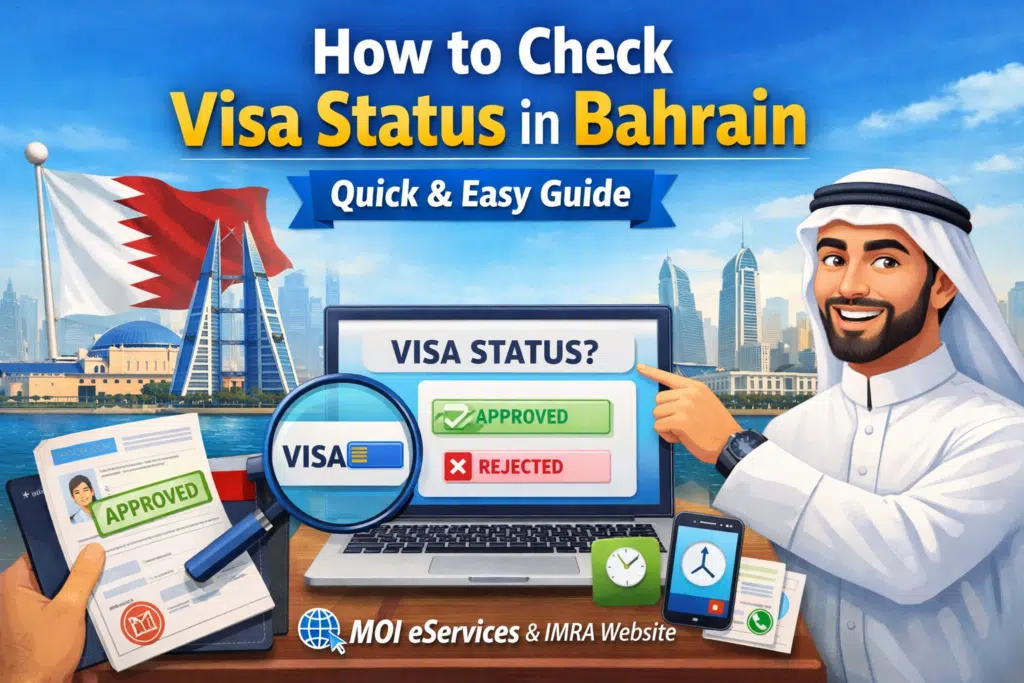
In case you have already applied for a visit, work, and residence visa and require immediate, fair answers, you are at the right place. There is nothing more annoying than visiting numerous websites and not knowing whether your visa has been granted or not. This is why I have managed to compile this simple-to-understand, current guide on how to ensure visa status in Bahrain by consulting only the official and reliable sources.
In this blog, I will show you the steps of checking the status of your Bahrain visa by using:
- Bahrain MOI eServices
- IMRA website
And describe what each status result means, and assist you in preventing the most frequent errors that may create delays.
What Does “Visa Status” Mean in Bahrain?
Simply, visa status informs you of the status of your application. It could be:
- Under Review
- Approved
- Rejected
- Expired
- Document Submission in Process.
It is important to know precisely what your status is to plan your travels, work, or residence.
Check via Bahrain MOI eServices
Visit and tourist eVisas are handled by Nationality, Passports and Residence Affairs (NPRA), part of the Ministry of Interior, through the official eVisa portal. Keep your application reference number handy, since the status check usually asks for it along with your passport details, and apply well before your travel date in case extra documents are requested.
This happens to be one of the most reliable methods of checking your visa online.
Step-by-Step Guide (MOI eServices)
- Go to the official Bahrain MOI eServices portal
- Open your browser and search “Bahrain MOI eServices.”
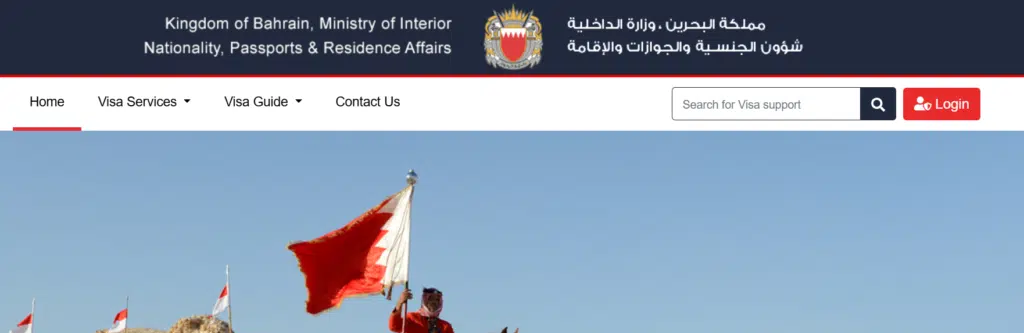
- Select “Visa Services”
- Look for options like: Visa Inquiry or Visa Status Check
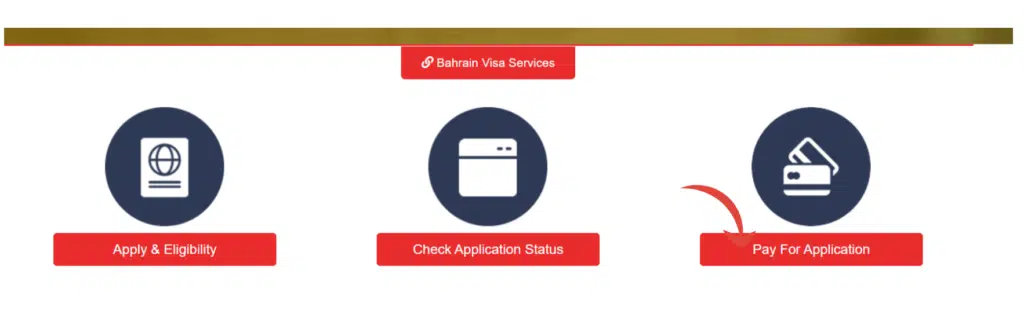
- Enter Necessary Details
- You will usually be asked for:
- Application Number
- Passport Number
- Or Visa Reference Number
- You will usually be asked for:
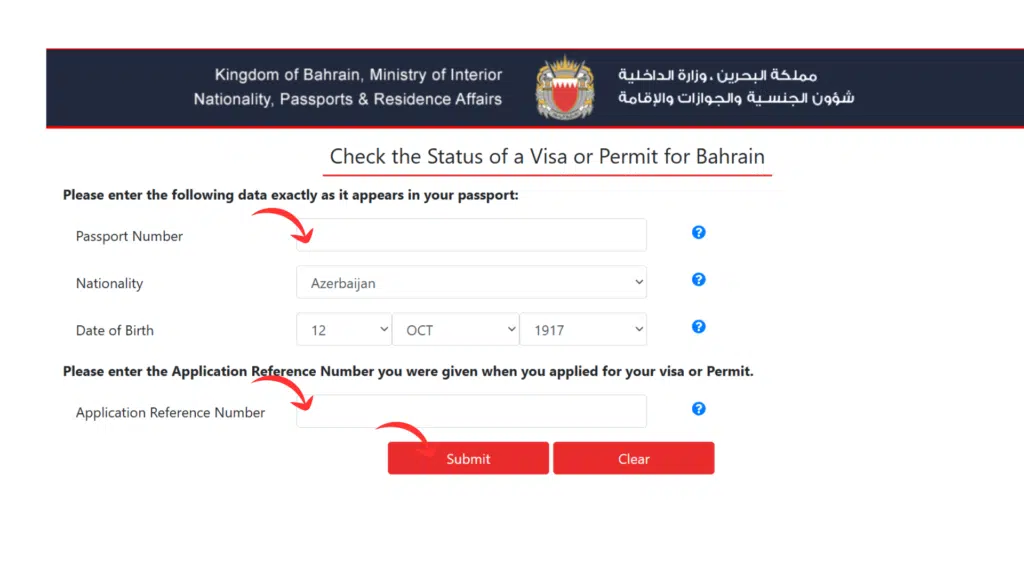
- Click “Search” or “Submit”
- After inputting the details, click the button to retrieve your status.
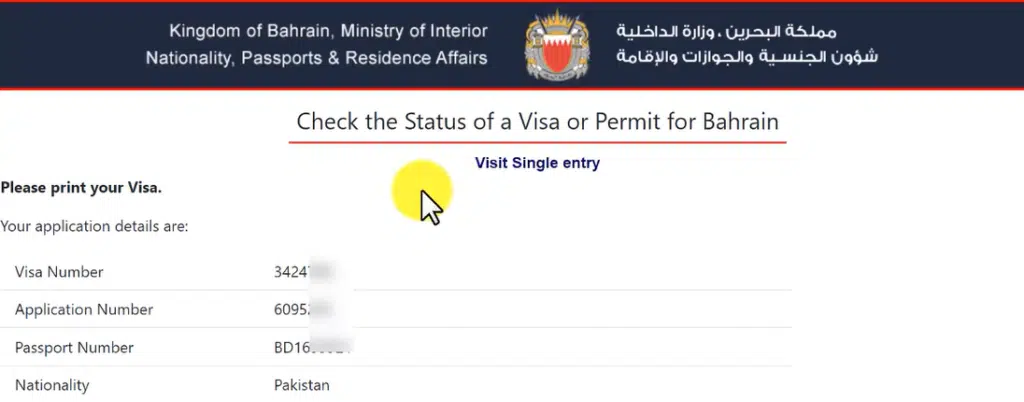
- View Your Visa Result
- You’ll see whether your visa is:
- Approved
- Under Process
- Rejected
- Expired
- You’ll see whether your visa is:
Tips for MOI eServices
✔ Use exact passport number (no spaces)
✔ Recheck application number.
✔ In case of no results, use other combinations of data.
How to Check Visa Status in Bahrain via the IMRA Website
An official status check is also available through the LMRA (Labour Market Regulatory Authority) website, whose expat e-services let you look up your work permit record.
Step-by-Step Guide (IMRA)
- Visit the IMRA Official website
- Search for “Bahrain IMRA visa check.”
- You will be taken to the official immigration page of immigration.
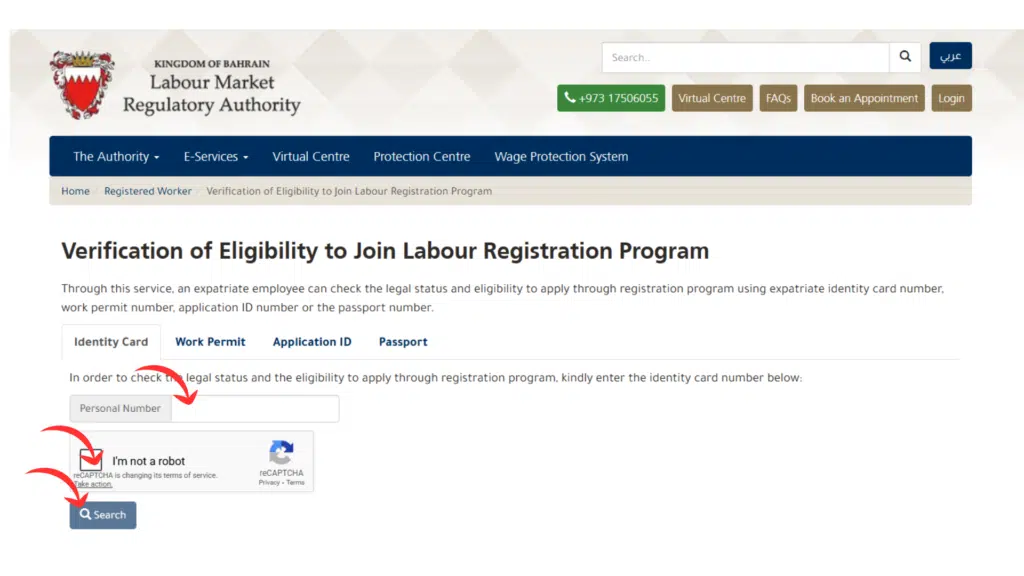
- Click on “Visa Enquiry”
- This could also be labelled as:
- Visa Status Inquiry
- Visa Validity Check
- This could also be labelled as:
- Enter Identifier Information
- Usually includes:
- Passport Number
- Visa File Number
- CPR number
- Usually includes:
- Submit the Form
- Once the right information has been entered, press Submit.
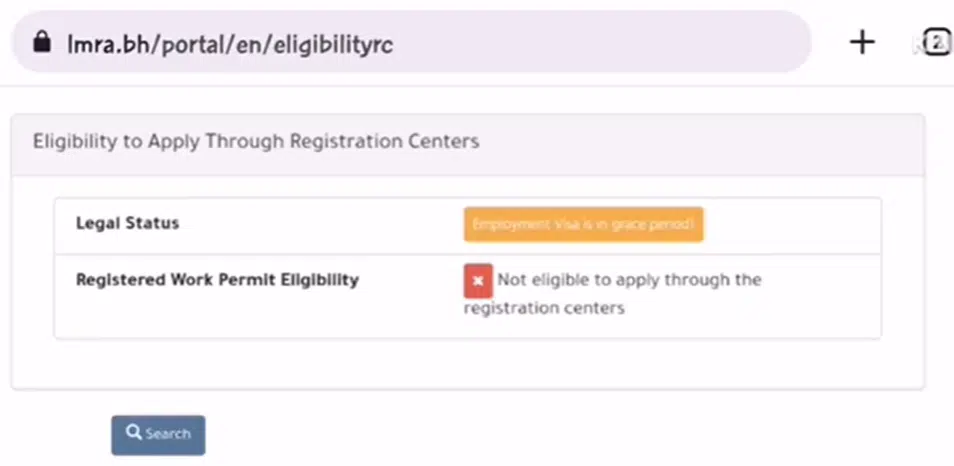
- Receive Your Visa Status
- IMRA displays:
- Visa type
- Validity
- Current processing stage
- IMRA displays:
Your Bahrain Visa Status Results
Once you see your result, here’s what common statuses mean:
Approved
Your visa has been issued and is ready.
What to do:
- Email or store the visa document.
- Plan to travel or to visit the local immigration office.
Under Review / Processing
The application is in the evaluation stage.
What to do:
- Wait a few days and check again
- Make sure that all the necessary documents were provided.
Rejected
Your application has been declined.
What to do:
- Consider the rejection reason (where it is given)
- Correct errors and reapply
Pending Documents
The authorities require additional information.
What to do:
- Provide any outstanding documents as soon as possible.
- Check the portal or contact support
Common Errors and What to Do When Checking Visa Status
Some users will still face some problems, even when using the official platforms:
1. “Visa Not Found” or “No Records.”
Common causes:
✔ Incorrect passport number
✔ Visa not yet issued
✔ The connection between the passport and the system is not updated.
Fix: Check what you typed, wait 24–48 hours, then try again.
2. System Timeouts or Errors
Portals are sometimes not maintained or are busy.
Fix: Try again later, use a different browser, or access during off-peak hours.
3. Incorrect Expiry Dates
This often happens if:
✔ The date was not uploaded properly.
✔ No renewals have been done yet.
Fix: Find your sponsor or Bahrain MOI support.
Frequently Asked Questions
How long does it take for a visa status update?
Most eVisa applications get a decision within about 3–5 working days of submission, but the complex cases can require even more time.
Can the status of the visa be checked using a passport number only?
Yes — the inquiry of the civil portal normally facilitates the search according to passport number; with the inclusion of the application or reference number, the search outcome would be finer.
What if the site does not give any results?
This often means:
- The data that was input was not correct.
- Your application hasn’t been registered in the system yet.
Is it possible to check the visa status outside Bahrain?
Yes – the two official portals can be accessed anywhere in the world so long as you are connected to the internet.
Read Also: How to Calculate a Loan in Kuwait (CBK Rules + 2026 Guide)
More for Bahrain: renew your CPR, book a driving test appointment, and find your Bahrain postal code.
Final Words
Not only a verification process but also a legal protection, checking your visa status in Bahrain helps to keep you out of fines, time wastage, and immigration problems. Through the formal Bahrain MOI eServices as well as LMRA websites, you will be assured of the best available information that will be up to date.
You have to follow the steps mentioned above and bookmark this article, and you can go back any time you require a check of the visa status.