
Would you like to know your border number in Saudi Arabia without any complications or time wastage? As a resident, expat, or traveller to Saudi Arabia, it would be crucial to know your border number to control your travel history, visa enforcement, and legal status. The positive side is that with the help of the Absher platform, one can easily check their border number online, either as a Non-Gulf citizen, a Family ID, or as a manager of the family members through Family Services.
In this comprehensive guide, I’ll walk you through all the step-by-step methods to check your border number on Absher, solve common issues, and make sure you have the correct information at your fingertips.
What is a Border Number in Saudi Arabia?
A border number is a special reference given to you by the Saudi immigration authorities to trace your entry as well as exit from the Kingdom. It assists in regulating residence operations, records of legal stays, and traveling in and out of Saudi Arabia.
Whenever one gets in or out of the country, he or she is captured in the Saudi Border Number system. It is important to have the right number on the border as:
- Renewing an iqama
- Checking travel history
- Resolving absence or exit re‑entry disputes
- Verifying legal status
Method 1: Border Number Check for Non-Gulf Citizens
In case you are not a Gulf citizen, you can check a border number directly using your personal Absher account. Follow these steps:
Step 1: Visit the Absher Website
- Go to https://www.absher.sa and then choose Individual Login.
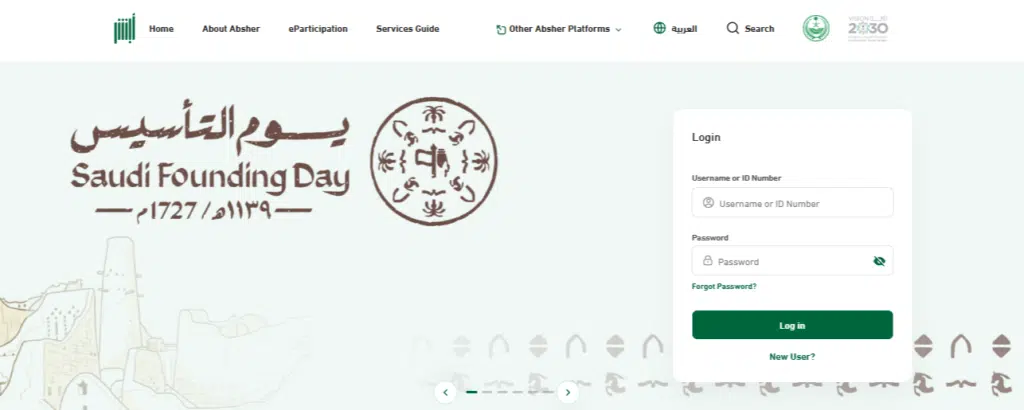
Step 2: Log In to Your Account
Firstly log-in to your abshere account using your username or Iqama number:
- Enter your password
- Verify using the OTP sent to your registered mobile/email.
Step 3: Navigate to Services
- On the dashboard, choose the Services menu.
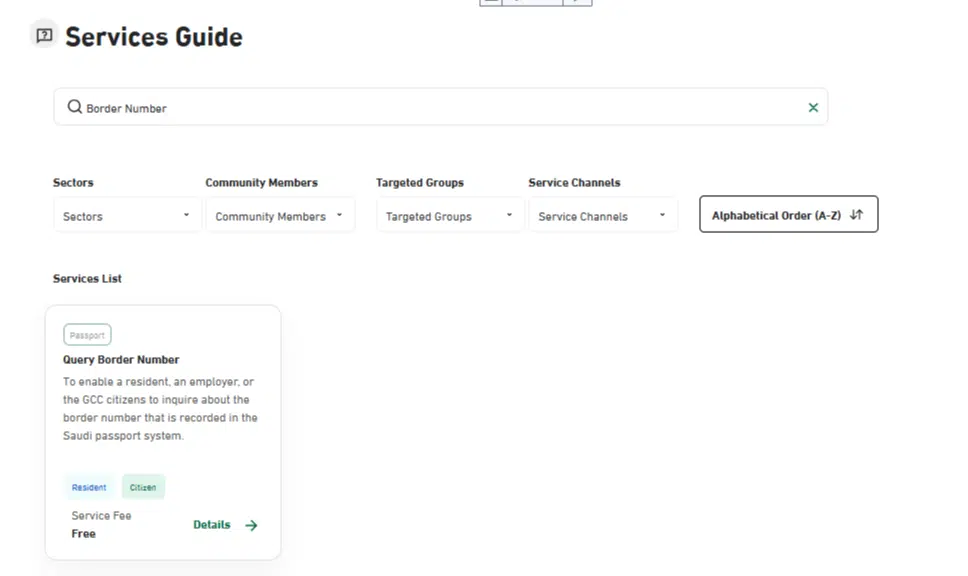
Step 4: Select “Border Number Services”
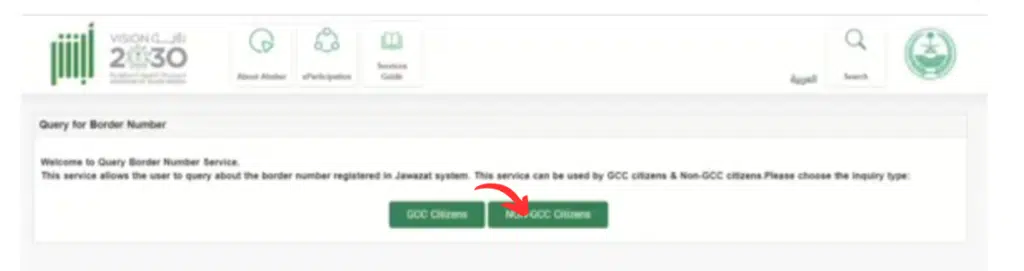
- Border Number Services under Click Query Border Number.
- Then, select non-GCC citizens here.
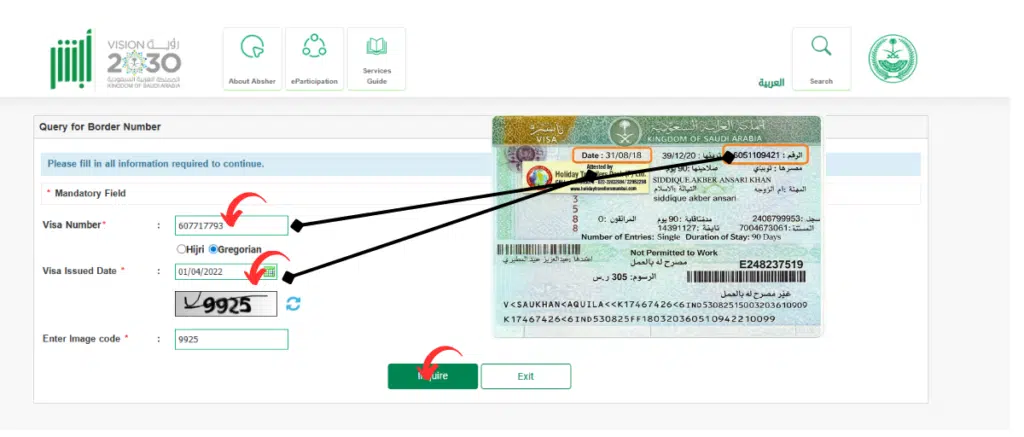
- Copy your visa number and the date on which you took your visa.
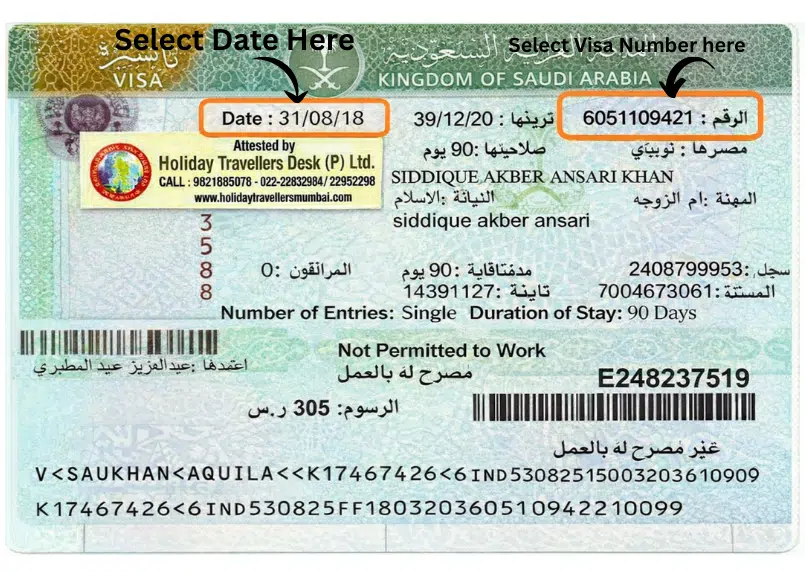
Step 5: Enter Required Details
- Enter the image code and click on inquire, but first enter your visa number, the date when you obtained your visa, and then enter the image code.
Step 6: Submit and View
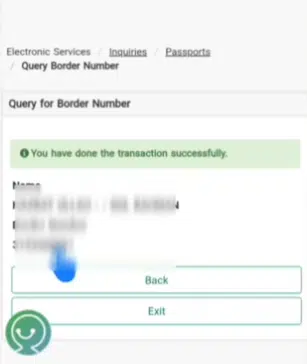
- Click Submit/Search.
- The details of your entry and exit will be shown, as well as your border number.
Read Also: Reissue Lost Driving License in Saudi Arabia (2026 Guide)
Method 2: Using Absher Family Services
Absher Family Services will also enable you to maintain easy access to your family members and their border numbers.
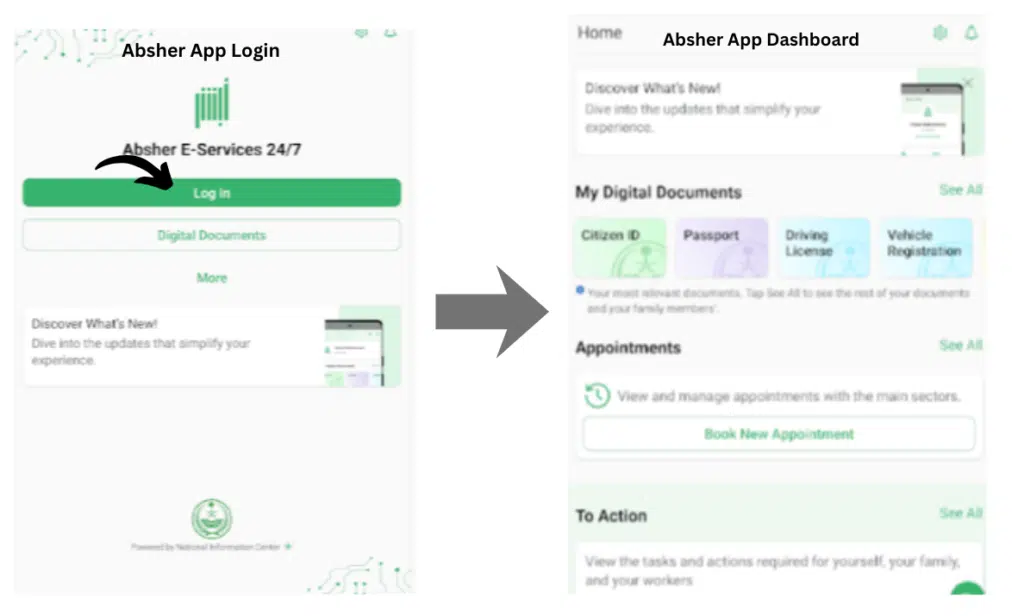
Step 1: Log in to Absher Family Services
Go to https://www.absher.sa and click family login.
Step 2: Enter Family ID and OTP
- Enter your Family ID username and password
- Confirm with OTP sent to your registered mobile/email
Step 3: Go to Family Services Menu
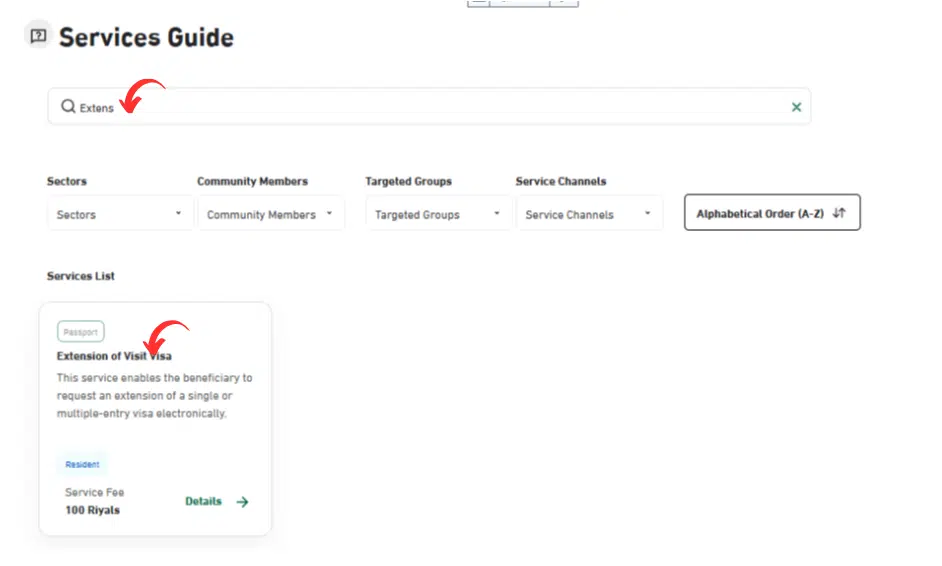
Click Family Services from the main menu.
Step 4: Select the Family Member
Select the border number of the particular member for which you want to check.
Step 5: Navigate to Border Number Section
Click Border Number Inquiry / Travel history under the profile of the member.
Step 6: Enter Necessary Details
Give any ID inquiry when needed, i.e., Civil ID or passport number.
Step 7: Submit and View Border Number
Click Submit to access the records of the border numbers and the records of exit/entry.
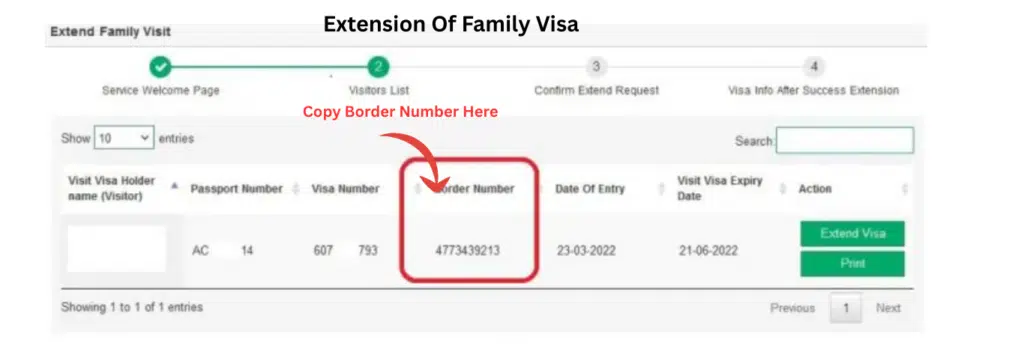
Where Is the Border Number Written?
In case you are unable to find Absher at once, you will find the number of the border in:
- Entry stamp inside the passport
- Visa document copy
- Employer immigration file
Nevertheless, it is always the most precise and up-to-date one via Absher.
Border Number Not Showing – What Should You Do?
At times, users become panicky when the number of the border is not displayed. As practice shows, this is most frequently occasioned by:
- System update delay
- Incorrect passport number entry
- Visa is not fully activated
- Entry at the airports is not properly processed.
Practical Solutions:
- Wait 24–72 hours
- Re-enter passport details carefully
- Reach out to the HR in your employer.
- Visit the Jawazat office if urgent
Saudi Arabia has its passport department under the General Directorate of Passports, also referred to as Jawazat.
Common Border Number Issues & How to Fix Them
Users are also faced with problems even with a simple system such as Absher. The most frequent ones and the solution to them are:
1. Border Number Not Found
Solution
- Ensure that you have the right Iqama/Passport number.
- Check spelling and date of birth.
- Wait 24 hours in case of entry or exit from Saudi Arabia.
2. Wrong Border Details
Solution
- Visit Jawazat or call the support center.
- Submit correction requests via Absher help.
3. Cannot log in to Absher
Solution
- Forgot password through the Absher option, Forgot Password.
- Contact Absher support:
📞 Saudi Call Center: 920020405
Frequently Asked Question
Is it possible to check my border number without Absher?
No. Border number check is not available unless it is the case with Absher under an individual or family account.
Does the border number expire?
A border number is a record and is not an expired record; however, travel records can change.
I don’t have an Absher account—what should I do?
Register one on the following website https://www.absher.sa and identify yourself with your iqama or resident details.
Is the border number the same as the passport number?
No. Border number is independent and is solely utilized in the emergency case of exit/entry in Saudi Arabia.
What is the duration that Absher spends showing new travel records?
Typically, immediately, but in others, it may take 24-48 hours after entry or exit.
Read Also: Police Clearance Certificate in Saudi Arabia (PCC Guide)
Final Thoughts
In case you are in Saudi Arabia and need to verify your border number, then the safest and most official way is with the Absher platform.
Whether you are:
- A non-Gulf citizen
- A sponsor checking the family ID
- Managing dependents via Family Services
The system is a secure and reliable method of inquiry of border number offered by Absher.