You want to know how to check your STC balance in Kuwait fast and without any inconvenience? The experience of the lack of mobile credit at any moment is annoying, more so when you need to make an urgent call, send an urgent message, or access mobile data. You can stay in control regardless of your STC prepaid or postpaid SIM because you are aware of the balance left to avoid cases where your service will be interrupted.
In this detailed guide, I’ll learn all working methods for STC check in Kuwait in this detail guide to ensure that you apply the best option that suits you.
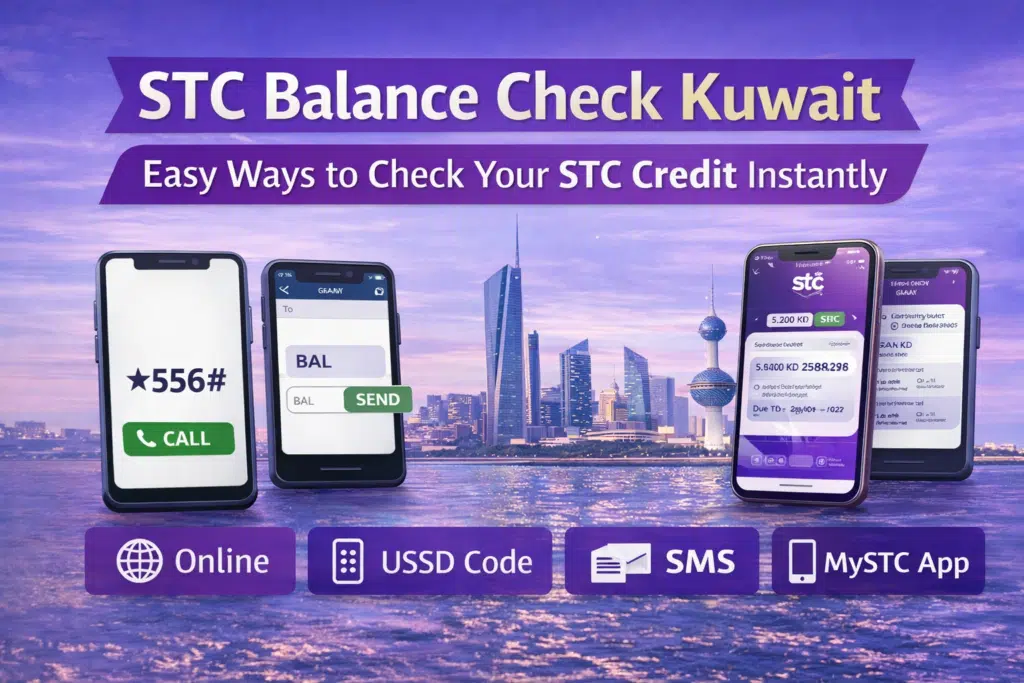
STC enables its users to monitor their balance through four key ways:
- STC official website
- USSD codes
- SMS service
- MySTC mobile app
All the methods are discussed below.
What Is STC Kuwait?
Saudi Telecom Company Kuwait (STC Kuwait) is one of the large telecommunication firms in the nation that offers mobile, internet, and digital services to both individuals and businesses. STC is a competitive operator with strong network coverage and packages, appealing to thousands of prepaid and postpaid customers in Kuwait.
STC Prepaid vs Postpaid Users
- Prepaid user should check their balance regularly so that they do not run out of credit to make telephone calls, SMS, and data.
- Postpaid users normally view the balance information to check usage, allowances remaining, or due bills.
Regardless of the nature of the SIM that you are using, STC offers convenient methods of staying up-to-date.
Method 1: via STC Official Website
It is also a good idea to check your STC balance on the official website; the option is particularly useful when youare on a laptop or desktop.
Steps to Check STC Balance Online
- Go to the official website of STC Kuwait using your web browser.

- Enter your STC account by clicking on your registered mobile number.
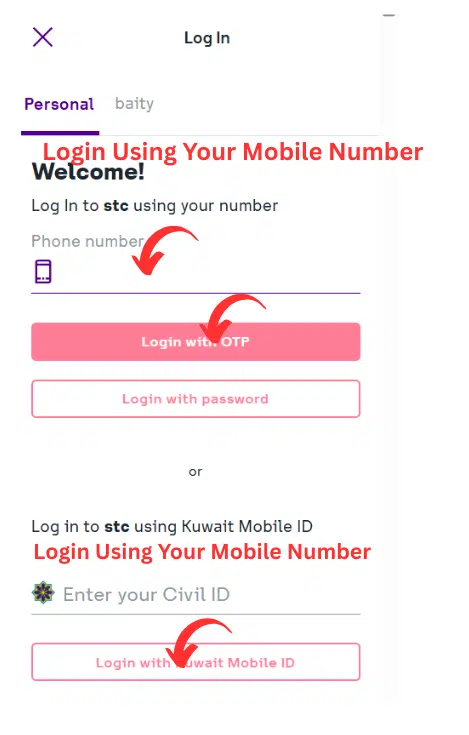
- Go to your account dashboard.
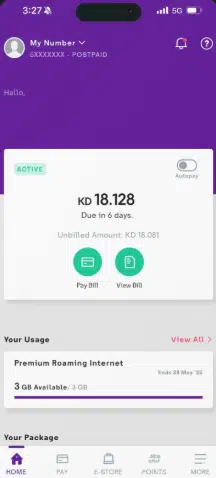
- The balance, usage, and credit left will be displayed on the screen.
Why Use This Method?
- Best for detailed account information
- Secure and official
- Both prepaid and postpaid users are acceptable.
Ensure that you are in the right STC account that is associated with your SIM number.
Method 2: Using the MySTC App
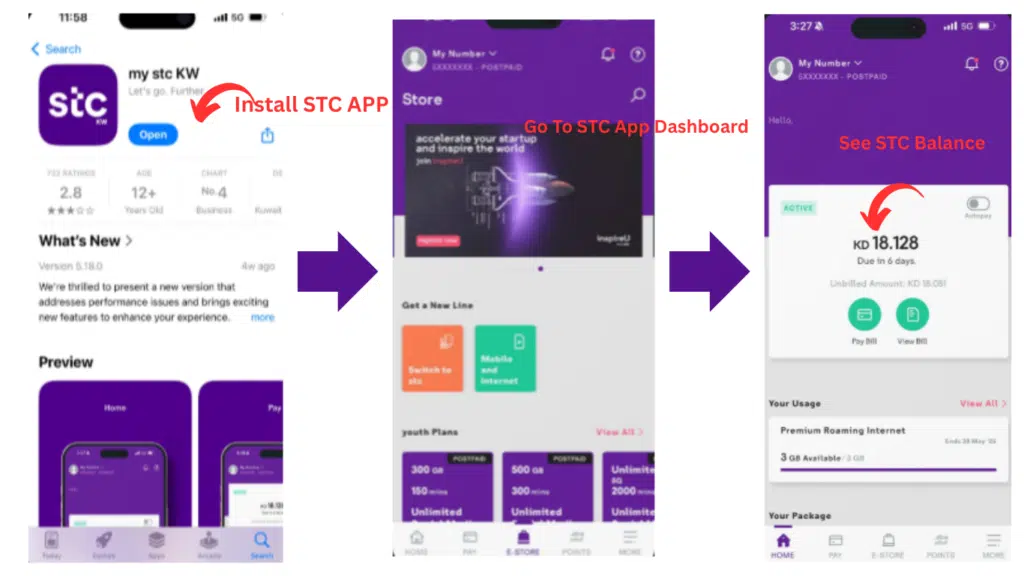
MySTC App is the most advanced one with the capability to check your balance and handle your account.
Steps to Check Balance Using the MySTC App
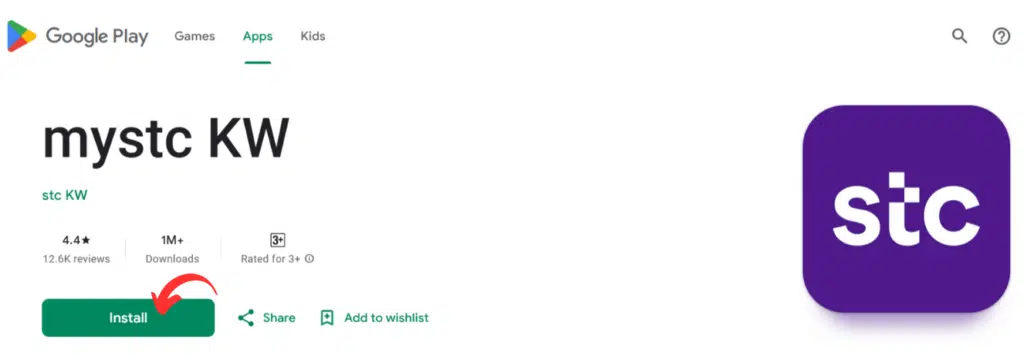
- Install the MySTC App at Google Play Store or the Apple App Store.
- Install and open the app
- Log in using your STC mobile number
- Verify your account using the OTP sent to your number
Why the MySTC App Is Highly Recommended
- Real-time balance updates
- Full control over your STC account
- Recharge and manage plans easily
- View data, calls, and SMS usage
It is advisable to update the app to use the newest features and eliminate errors.
Read Also: Fast Dubai Visa From Qatar Online – Step-by-Step Guide
Method 3: STC Balance Check Using USSD Code
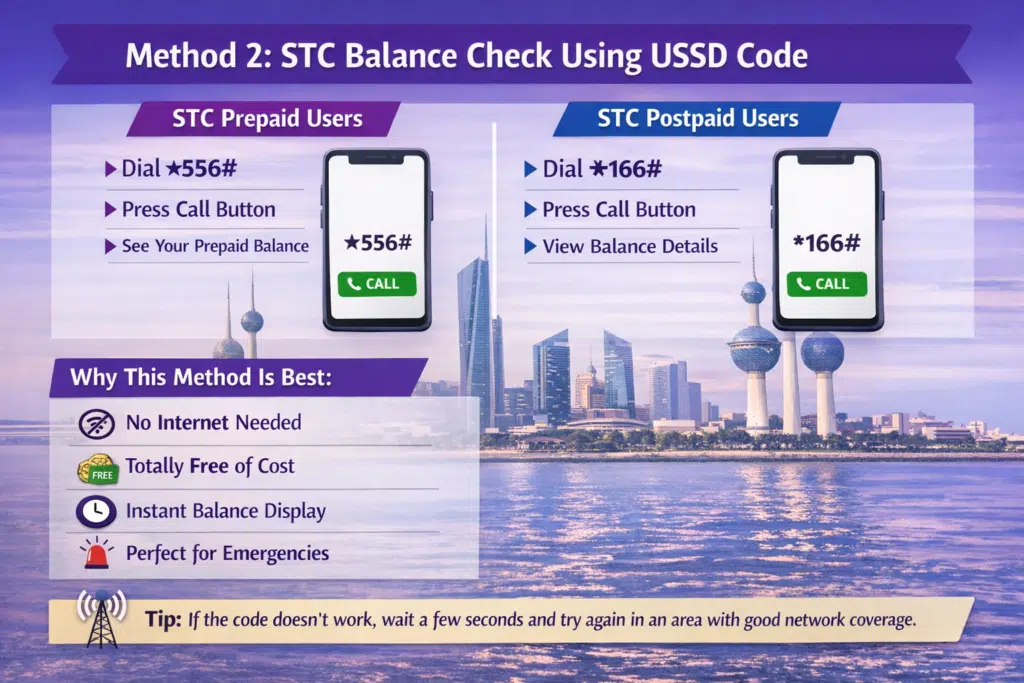
The most common and quickest method of checking the balance of the STC in Kuwait is by use of USSD. The technique is offline and gives immediate answers.
USSD Code for STC Prepaid Users
- Dial ★556#
- Press the call button
- Prepaid balance will be displayed on the screen.
USSD Code for STC Postpaid Users
- Dial *166#
- Press the call button
- Balance or usage information will be shown.
Why This Method Is Best
- Works without internet
- Free of cost
- Instant balance display
- Ideal for emergencies
In case the code does not work, then wait for a few seconds and repeat in a place that has proper network coverage.
Method 4: STC Balance Check via SMS
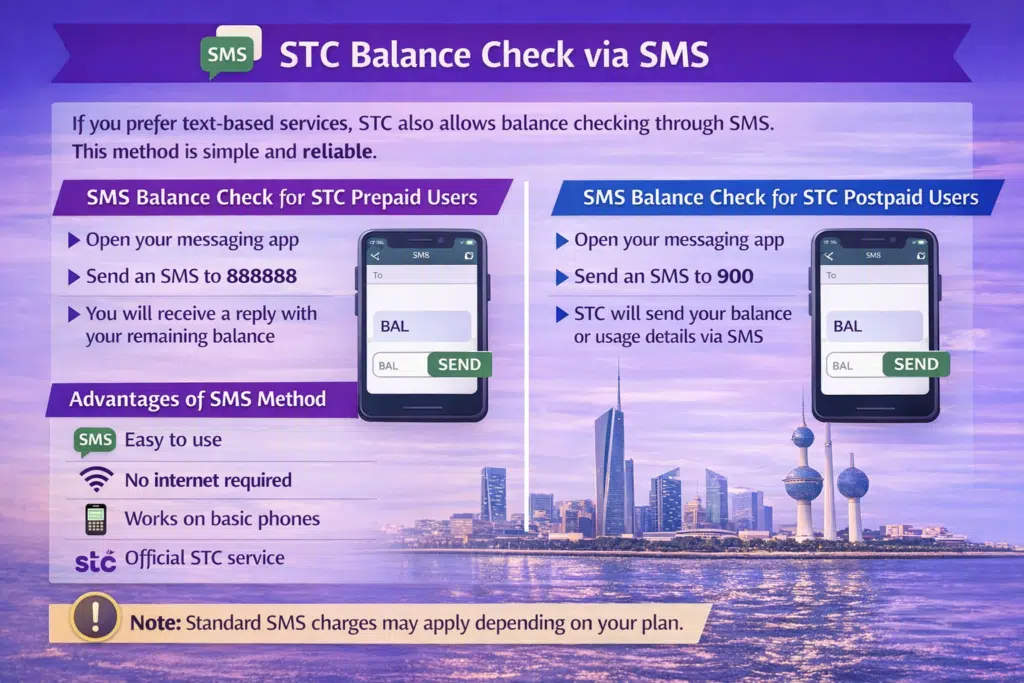
STC also gives the option of checking the balance via SMS in case you are a text-type customer. This is an easy and secure method.
SMS Balance Check for STC Prepaid Users
- Open your messaging app
- Send an SMS to 888888
- You will receive a reply with your remaining balance
SMS Balance Check for STC Postpaid Users
- Open your messaging app
- Send an SMS to 900
- STC will forward your balance or usage information using SMS.
Advantages of the SMS Method
- Easy to use
- No internet required
- Works on basic phones
- Official STC service
Regular SMS charges can be used based on your plan.
Which STC Balance Check Method Should You Use?
The following is a comparative analysis of how to make your choice:
- Need instant balance without internet? → Use USSD code
- Using a basic phone? → Use the SMS method.
- Want full account control? → Use MySTC App
- Checking from a computer? → Use the STC website
Each of the approaches is safe and approved by STC Kuwait.
Common Issues While Checking STC Balance
Balance Not Showing
- Make sure that you entered the right USSD code.
- Check the network signal
- Restart your phone and try again
SMS Not Received
- Wait a few minutes
- Ensure SMS service is active
- Try sending the message again
App Not Working
- Update the MySTC app
- Clear cache
- Reinstall if necessary
Frequently Asked Questions
What is the method of checking my STC balance in Kuwait?
STC balance can be checked via USSD codes, SMS, STC website, or MySTC app.
Is the STC balance check free?
USSD balance checks are free. Depending on your plan, SMS charges may apply.
Is the check of the USSD balance offline?
USSD codes are internet-free.
Is it possible to check the data balance of STC separately?
Yes, the MySTC app displays the detailed data usage and remaining balance.
What is the most appropriate strategy with prepaid users?
The fastest among the prepaid users is the USSD code ★556#.
Read Also: Kuwait Civil ID Inquiry: Check Validity Online in Minutes
Final Thoughts
The procedure of checking a balance in the STC in Kuwait is easy, fast, and open to all. Nobody knows whether you use USSD codes, SMS, the STC website, or the MySTC app, but you will never fail to remain in touch with your mobile credit and usage.
With the above-mentioned methods, you will be able to prevent the inconvenience of receiving unexpected service interruptions and take control of your STC account with a sense of security.