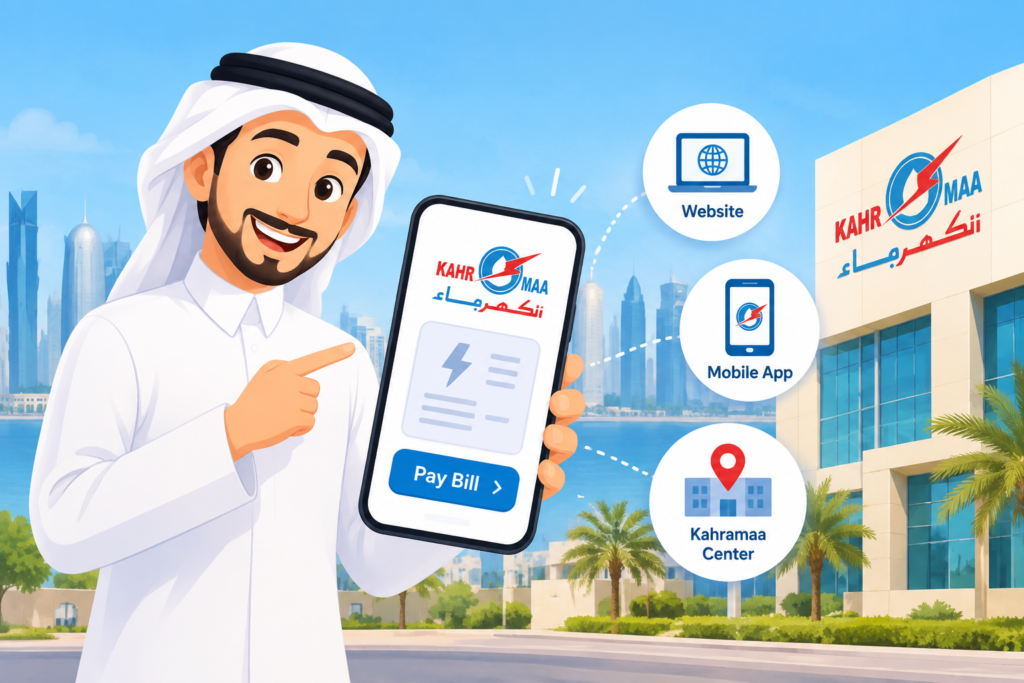
Looking to view your Kahramaa Qatari bill? The status of your payments, bills, and the ability to download and pay your Kahramaa electricity and water bills will be available on the official Kahramaa website, via the Kahramaa mobile app, or at the Kahramaa Customer Service Center.
You can use the online Kahramaa bill service to check the amount of your bill, the balance left, the due date, and the payment status. Registered Users will be able to select various user services, including bill history, payment history, receipts, and bill comparison. The article details the process of individual Kahramaa bill check and payment methods.
Kahramaa Bill Qatar Online
KAHRAMAA offers electricity and water billing via its official digital channels.. The online bill service allows customers to check due bills and payment information.
Currently, on the Kahramaa bill-payment web page, one needs to enter the QID, Electricity Number, and Customer Number (which is optional). Once the information is retrieved, the customer can view information such as the bill amount, outstanding amount, and due date.
How to Check Kahramaa Bill Through KM Website
One of the most convenient methods to verify and pay for your Kahramaa bill online is via its website. Official bills, once retrieved from the bill payment service, can then be paid.
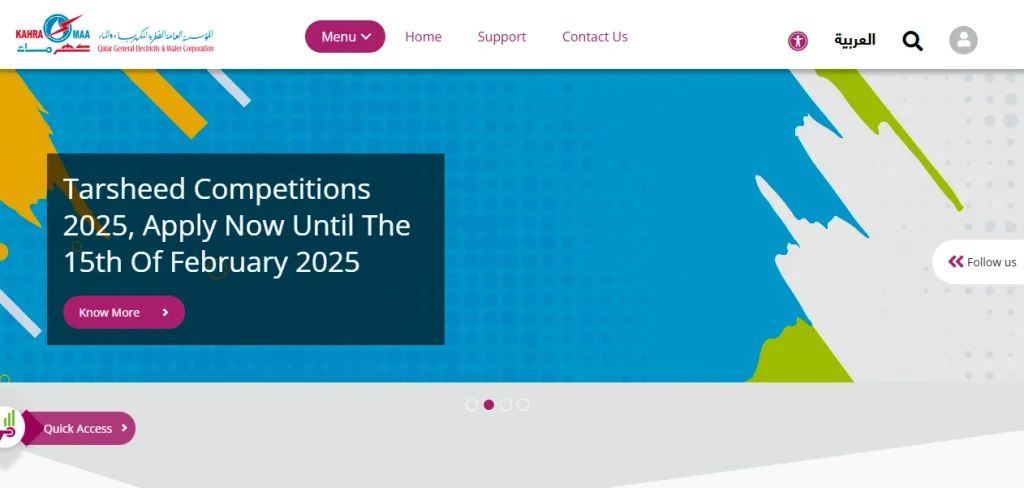
Step 1: Open the Official Kahramaa Website
Visit the official Website of Qatar General Electricity & Water Corporation.
Step 2: Open the Bill Payment Service
Go to the Bill Payment / View Bill service on the Kahramaa website.
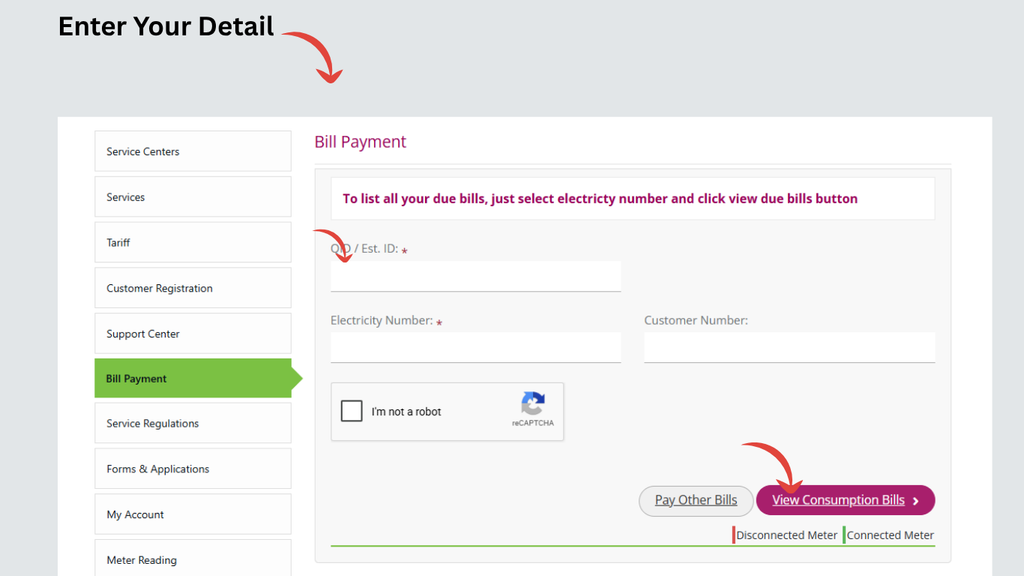
Step 3: Enter Your QID and Electricity Number
Enter your QID and electricity number in the required fields.
Ensure that the information is from the Kahramaa account you want to browse. At present, this field is marked as obligatory for the official service.
Step 4: Enter the Customer Number if Required
Enter the customer number.
Step 5: View Your Kahramaa Bill
Fill out the information to get your bill.
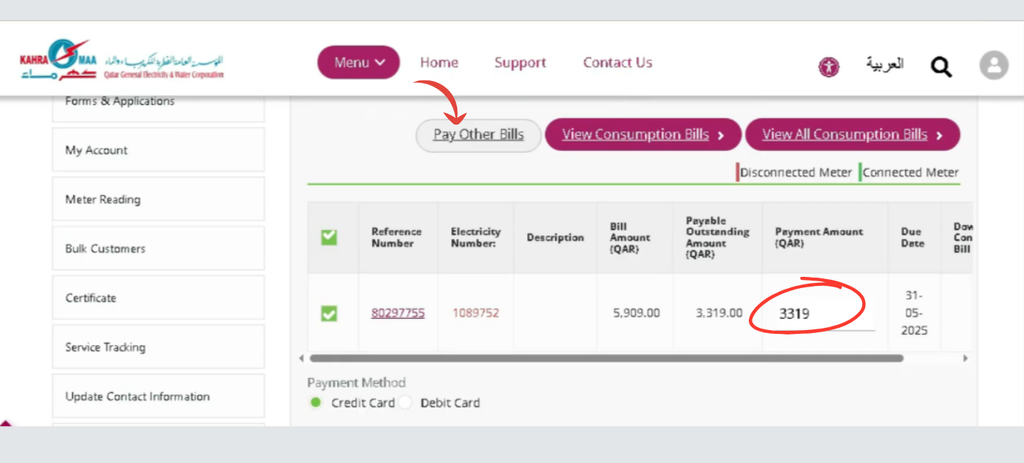
Step 6: Choose the Payment Method
Follow the payment instructions displayed by the official Kahramaa payment gateway.
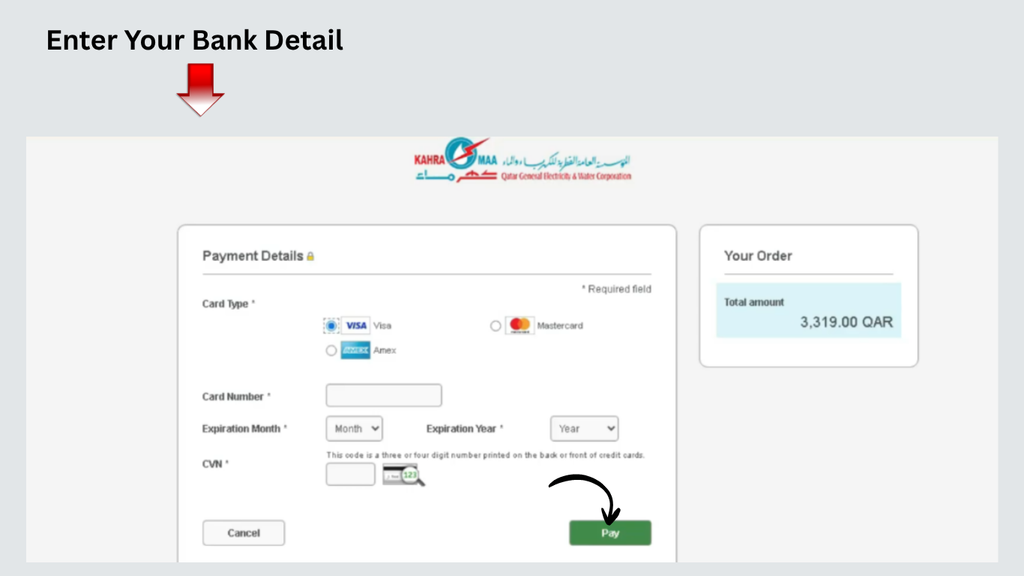
Step 7: Complete the Payment and Save the Receipt
Finish the payment and hold on to the quotation.
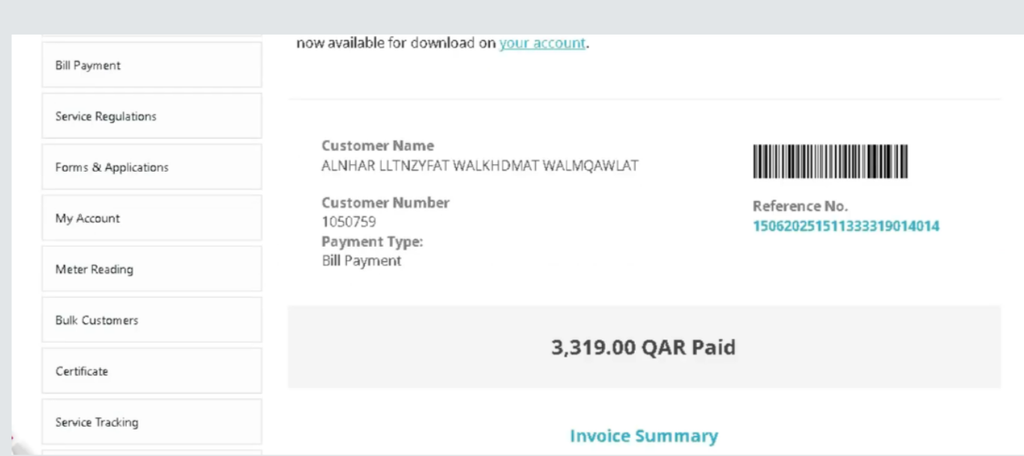
Through KM App
The KM App is another mobile service option that permits customers to access Kahramaa services.
Step 1: Download the Official KM App
Download the official Kahramaa Mobile App on your Smartphone.
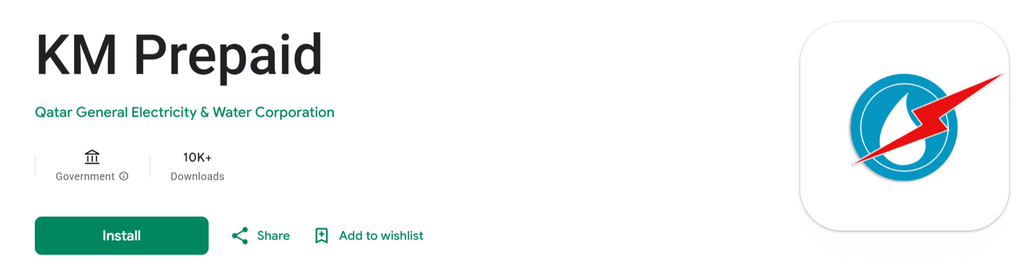
Download the official application, not an unofficial application provided by KAHRAMAA.
Step 2: Go to App Dashboard
Log in with your registered username/password and proceed to the Dashboard.
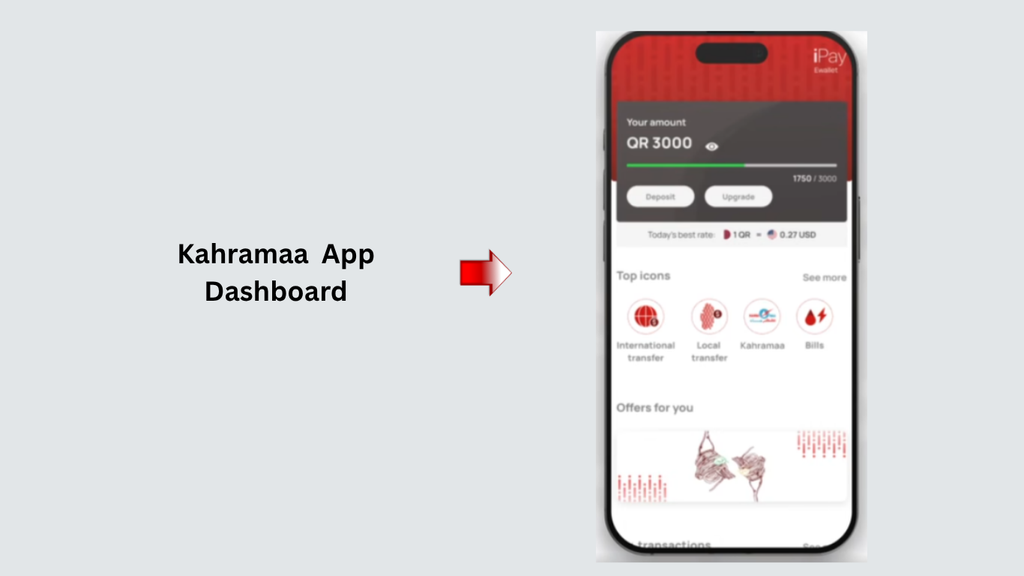
If you do not know the password, don’t open an unnecessary login account – use another way that is available to recover the password.
Step 3: Open the Bill Section
Once signed in, visit the bill/payment category in your Kahramaa account.
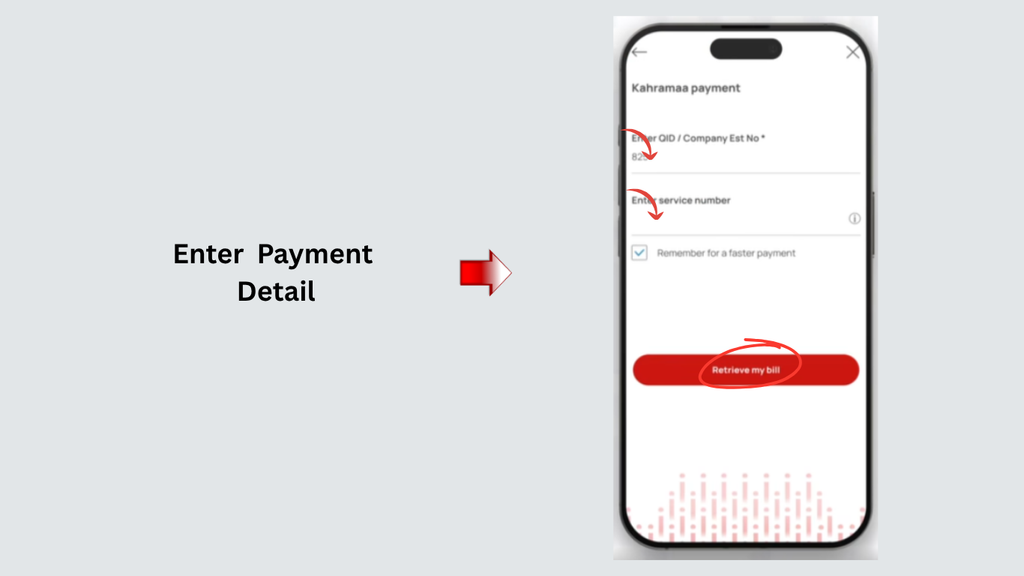
Look for the option related to viewing or paying bills.
Step 4: View Your Current Bill
Open the bill to see how much is still owed.
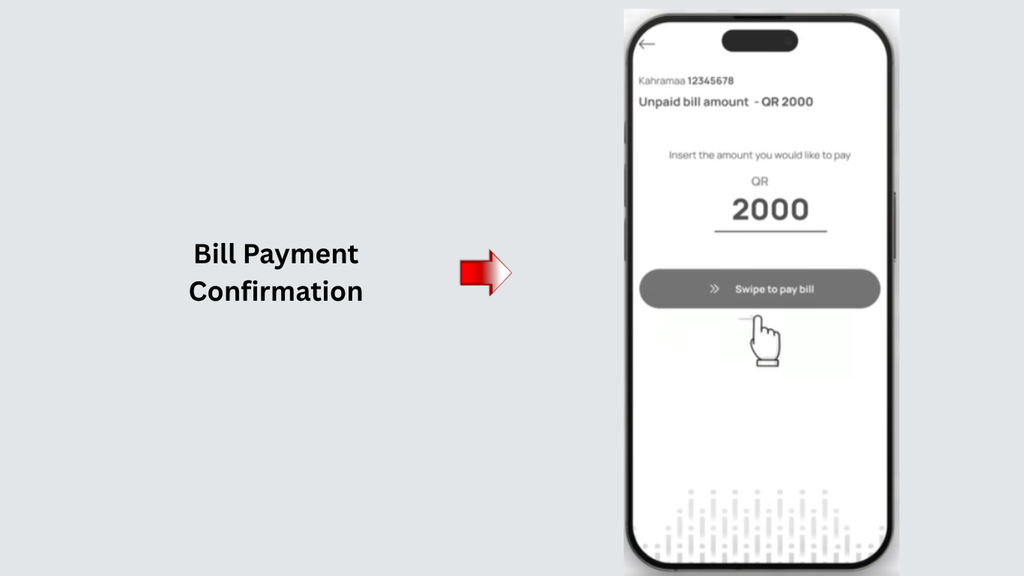
Always double-check the billing before paying.
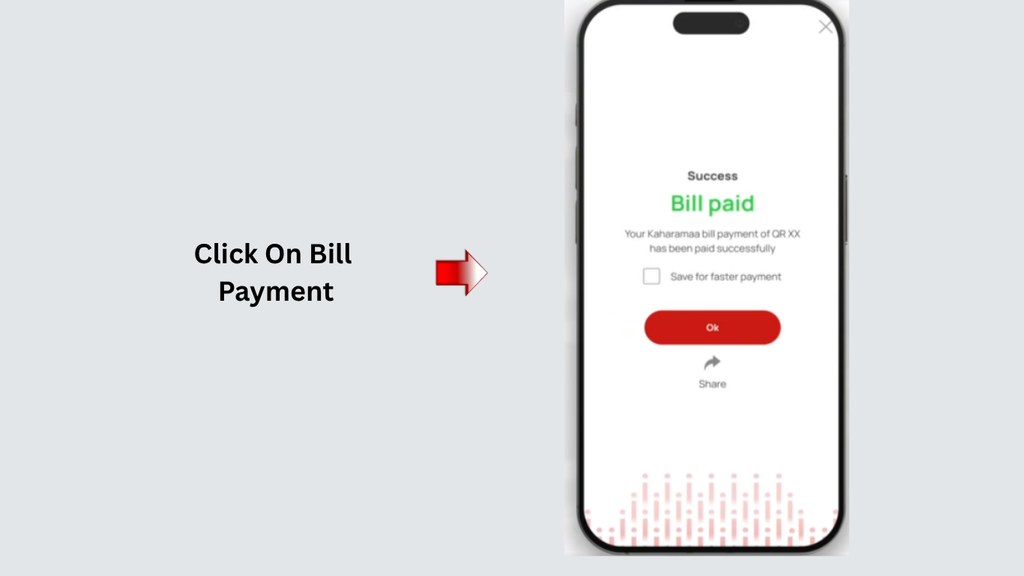
Step 5: Make the Payment
To pay the bill, choose the payment option in the app and proceed according to the instructions.
at a Kahramaa Customer Service Center
Step 1: Find a Kahramaa Customer Service Center
Identify an appropriate customer service center based on the official information provided by Kahramaa regarding the contact details and information of the customer service center.
Step 2: Check the Center Information Before Visiting
Check the center’s current opening hours and location before travelling.
Step 3: Take Your Identification Documents
Carry your relevant identification and Kahramaa account information.
Providing the QID and Electricity Number can help employees identify the account based on the requested service.
Step 4: Take Your Kahramaa Account Details
Have your Electricity Number and other pertinent customer information ready with you.
If you have a previous Kahramaa bill, taking a copy can also help the customer-service representative locate the correct account.
Step 5: Provide the Required Information
Give the customer-service representative the information required to locate your account.
Ensure that the information you enter matches that of the property and Electricity Number you wish to manage.
Step 6: Pay the Outstanding Amount
Refer to the payment guidelines provided by Kahramaa’s staff if you are paying the bill at the center.
Follow the directions of that particular service center for payment.
Can You Pay Kahramaa Bill Without Registration?
Yes. When an individual customer does not wish to register, KAHRAMAA presently offers an online payment alternative to customers. The corporation mentions in particular that they don’t need to be registered to pay bills online. It also suggests that non-registered customers save the payment receipt, which appears once a payment is completed.
However, registration provides additional features.
Registered Users can use the following services:
- Payment history
- Receipt history
- Bill comparison
- Billing history
- Meter-reading submission
- Other customer-account services
What Information Do You Need to Check Your Kahramaa Bill?
KAHRAMAA will show you several fields for the current online bill-payment service, such as:
- QID / Est. ID
- Electricity Number
- Customer Number
The registered account access will be given by customer’s account login details for him/her. Note that at the moment, QID and password are entered as login credentials when you go to the Kahramaa login page.
Make sure you have the following information available before you begin so that you don’t face any delays:
What Is Kahramaa Green Bill?
The Kahramaa Green Bill is the Electronic version of the paper bill.
KAHRAMAA reports that it will provide registered customers with a copy of the bill to their registered email address once the new bill is available.
This can facilitate a simple electronic copy of your electricity and water meter to be kept and accessed without the use of a paper copy.
Kahramaa Customer Service Number
You can contact KAHRAMAA should you have any issue with your Kahramaa bill or require support.
Inside Qatar
991
Regarding its Call Centre, KAHRAMAA says it has a Call Centre number 991, and it is available to deal with electricity and water emergencies and customer assistance 24/7, 365 days every year.
From Outside Qatar
+974 4449 4000
This is the number that KAHRAMAA provides to its customers who call the corporation from outside Qatar.
Furthermore, KAHRAMAA has its WhatsApp service featured on its contact page, that is:
+974 3030 3991
When calling customer support, also make sure to have your Electricity Number and related account information for a specific bill or issue that you have.
Kahramaa Bill Problems and What to Do
| Problem | What You Can Do |
|---|---|
| Bill is not showing | Check your QID/Est. ID and Electricity Number |
| You cannot log in | Check your credentials or use the password recovery option |
| Bill amount seems high | Compare your current and previous bills |
| Payment was completed | Keep your payment receipt |
| Bill was not received | Check Bill Preference and contact Kahramaa |
| Need an old bill | Use your registered account to access billing history |
| Need help in person | Visit a Kahramaa Customer Service Center |
| Online service is not working | Try again later or contact Kahramaa through 991 |
Frequently Asked Questions (FAQs)
How to check Kahramaa bill in Qatar?
You will be able to view the bill from Kahramaa via the Kahramaa website, app, and Kahramaa Customer Service Centres.
Is there an online service to pay my Kahramaa bill?
Yes. Kahramaa also offers online bill payment services via its official website and digital services.
Can I pay my Kahramaa bill without registration?
Yes. Kahramaa indicates that bill payment can be done by customers without the need to register online
What do I need to check my Kahramaa bill?
The online bill-payment service requires the QID/Est. ID and Electricity Number as required fields, and Customer Number is also available as a field.
Read more: QVC Appointment Qatar: Book It Now!
Final Thoughts
Go to a Kahramaa customer service center to check and pay an invoice. Customers can manage their bill by using the KM Website or KM App and the Kahramaa Customer Service Center, which also offers walk-in customer service to customers in need of in-person assistance.
The online service can help the client save time when it comes to managing regular bills, as they are able to see their bill, predict the remaining balance, and pay their bill from the comfort of their own home.