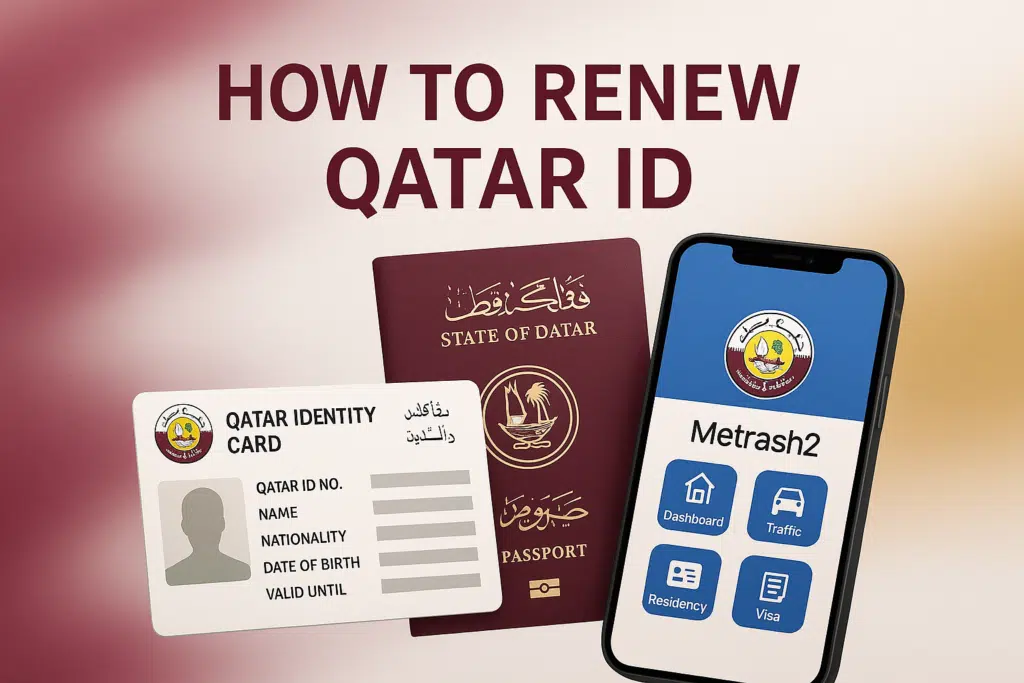
Would you like to renew your Qatar ID, but it has expired? The renewal of the Qatar ID can be considered a significant step that all Qatar residents must follow to stay legal and obtain the services they need in Qatar. Regardless of it being your first time renewing, or if you have an expired ID and must renew it, understanding what to do, what documentation and fees to provide can be a time and hassle saver.
Through these means, you can Renew Qatar ID:
- MOI website
- Metrash2 app
When to Renew Your Qatar ID
This is because you should initiate the process of renewing your ID before it runs out. As a rule, the Ministry of Interior (MOI) will give residents the right to renew their ID within three months before it expires.
Penalties for Late Renewal
Leaving to renew your Qatar ID late may lead to:
- Monetary fines
- Travel restrictions
- Problems with working permits or services.
How to Renew Qatar ID Online
The residents of Qatar can easily renew their ID through the MOI site or by using the Metrash2 application.
using the MOI Website
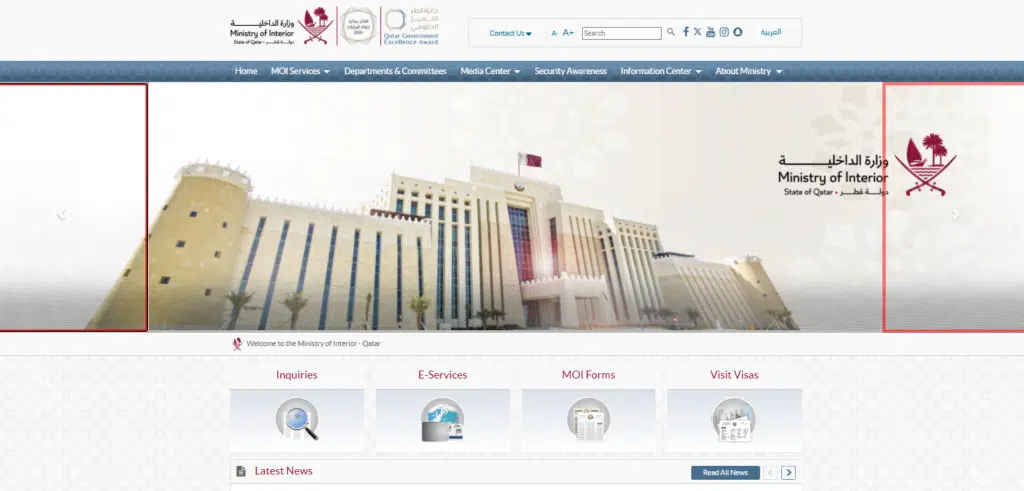
Step 1: Access MOI Services
- Visit the Ministry of Interior website.
- Use the QID number and password to log in.
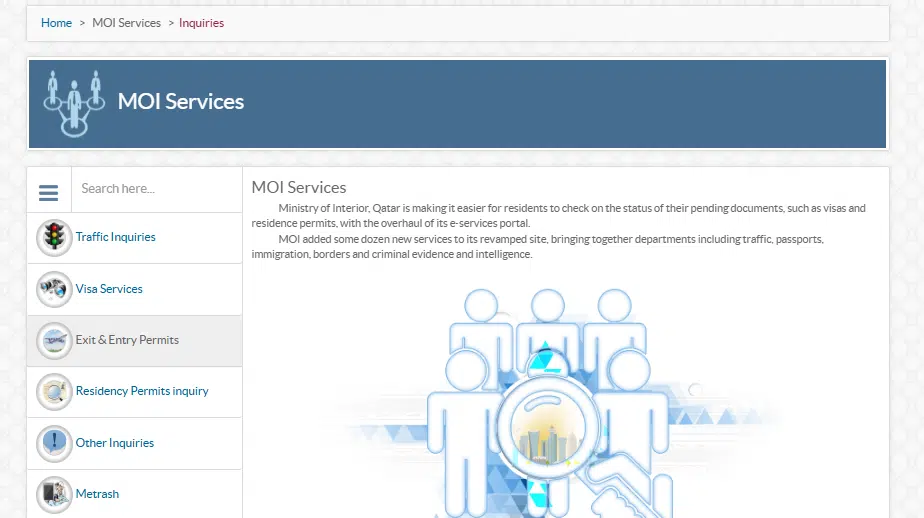
Step 2: Go to MOI Services
- Service in the MOI service and go to the inquiry.
Read Also: Renew Iqama in Saudi Arabia 2026: Avoid Fines Fast
Step 3: Go to Residential Permit Inquiry
Select the residential Permit, new renewal by going to the Residential Permit Inquiry.
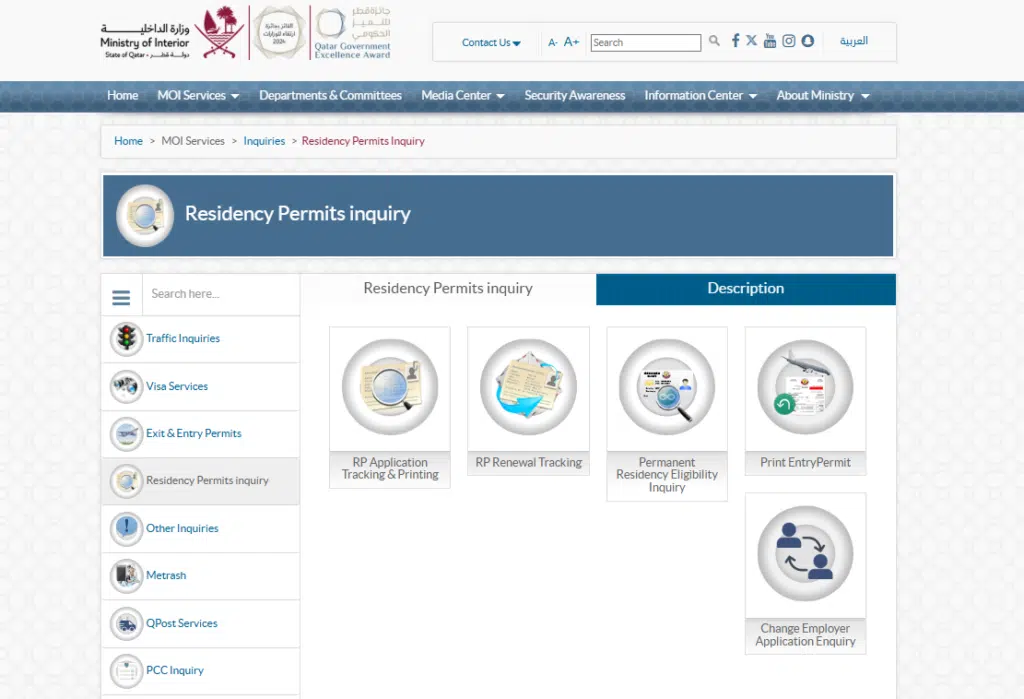
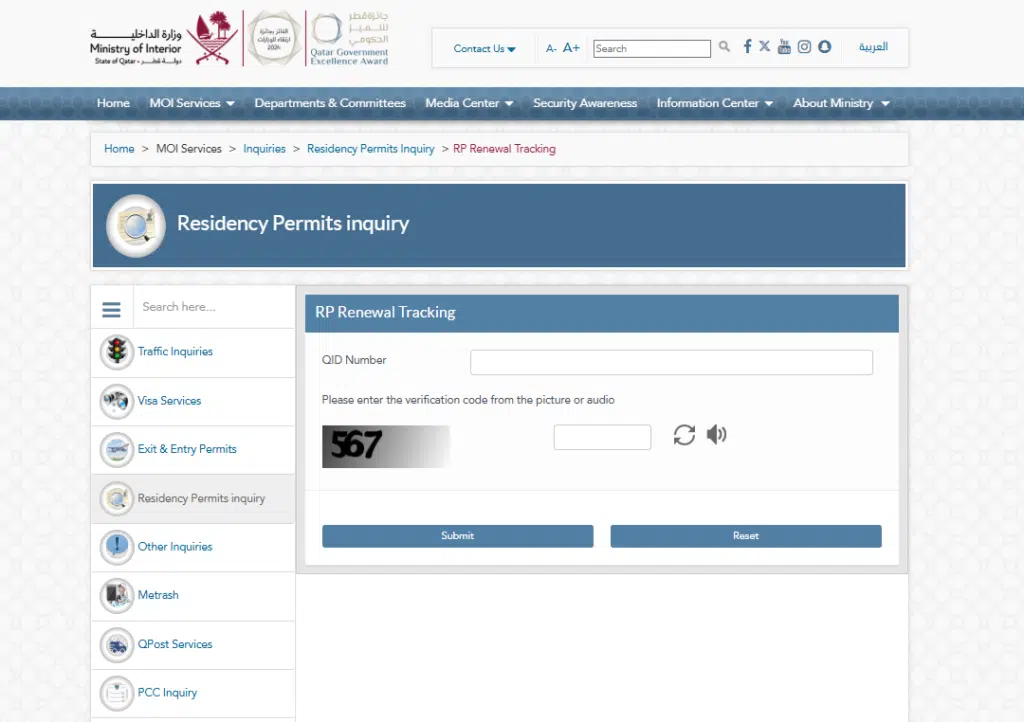
Step 4: Enter your details
- Go to Residential Permit Inquiry and choose the RP Renewal tracking QID number, and then click on the search button.
Step 5: Pay Fees Online
Qatar ID renewal fee depends on the type of residency and time:
| Type of Residency | Renewal Fee (QAR) | Duration |
|---|---|---|
| Expatriate Workers | QAR 500 | 1 year |
| Family Members | QAR 300 | 1 year |
| Domestic Workers | 100 QAR | 1 year |
- The renewal fee is paid in the form of a debit or credit card.
Step 6: Receive Confirmation
- The confirmation will come in as an SMS or email.
- This will be mailed to you or be available to pick up at your place of address as your new Qatar ID.
How to Renew a Qatar ID in Person
Should you want to visit the MOI service center, then here are the steps to follow:
Step 1: Visit the Nearest MOI Center
- Locate the nearest MOI service center
Step 2: Submit Your Documents
- Submit your native Qatar identity and the supporting documents.
- MOI staff will verify your information
Step 3: Pay Renewal Fees
- Make the necessary payments at the counter.
- Keep your payment receipt
Step 4: Collect Your New Qatar ID
- New ID can be provided at once or in a couple of working days.
- Be sure that you left nothing out.
FAQs
1. How much does a renewal of a Qatar ID cost?
The cost incurred is normally 100 QAR annually for individuals and dependents.
2. Is it possible to renew my QID outside of Qatar?
No, Qatar ID renewal should be undertaken in Qatar.
3. How many days to refill our Qatar ID?
The Qatar ID can be renewed within 3 months (90 days) before the expiry date.
4. Is it also possible to renew my family Qatar ID online?
There is yes, you can also renew the ID of your family members online via the MOI site or via the Metrash2 application.
5. What is the eventuality of Qatar ID expiring?
It can be fined, restricted from traveling, and experience service problems before it is renewed.
Read Also: How to Check Etisalat eLife Bill in UAE: 4 Easy Ways
FINAL WORDS
It is crucial to renew your Qatar ID promptly without paying fines, inconvenience in travelling, and service interruption. The process can be done in a very easy and fast way by using the right steps and making the needed documents.
Even when it comes to renewing your own ID or your family, it becomes simpler, more comfortable, and stress-free with the help of online services such as the MOI portal or Metrash2 app.