Wondering how you can check your Ooredoo Aamali balance in a few seconds?
It is irritating when one runs out of credit at the worst time. It is important to maintain your Ooredoo Aamali balance, whether calling, sending messages, or using data, in order to prevent interruptions. Checking your Ooredoo Aamali balance is instant by dialing and selecting the option of balances, through the Ooredoo App, a text message to the number 114, by accessing the Ooredoo site, or by calling 111 to get customer care.
In this guide, you’ll discover all the quickest and most convenient methods of checking your balance using USSD codes and the Ooredoo application, using SMS, online log-in, and customer support.
1. Check Ooredoo Aamali USSD Code
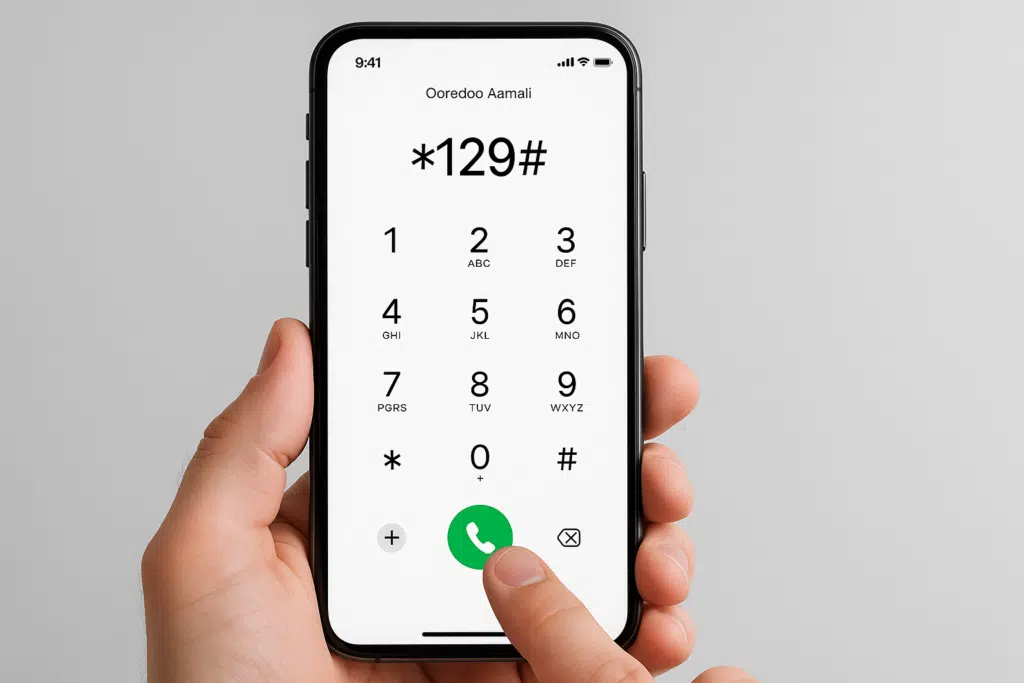
Among the fastest ways of logging your Ooredoo Aamali balance, the USSD code is used. I would also suggest this technique when you require quick results, and you are not online.
Checking Balance through USSD
- Click on the dialer on your cell phone.
- Dial
*129#. - Press the call button.
- Your remaining balance will appear on the screen immediately.
If you are near a computer or prefer the desktop look, you can check your balance on the Ooredoo site.
Checking Balance Online
- Access a browser and open the Ooredoo official website.

- Log in to the Ooredoo website and enter your details to log in.
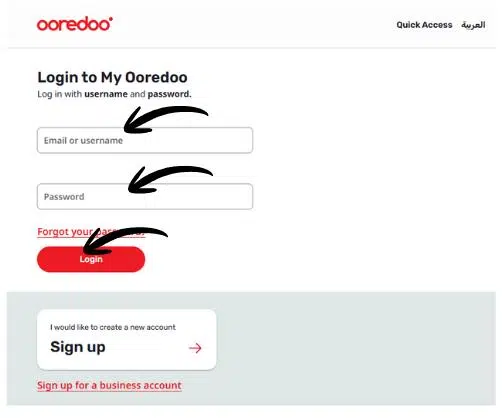
- Enter your mobile number and password.
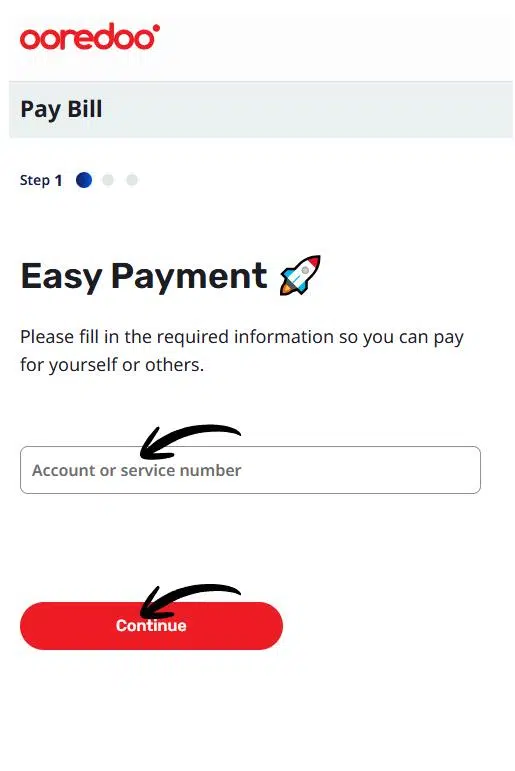
- Navigate to the Dashboard or My Account section.
- Balance and validity information will be shown.
Read Also: Extend Saudi Visit Visa in 2026 – Avoid Overstay Fines
3. By Ooredoo Mobile App
Steps to Check Balance via App
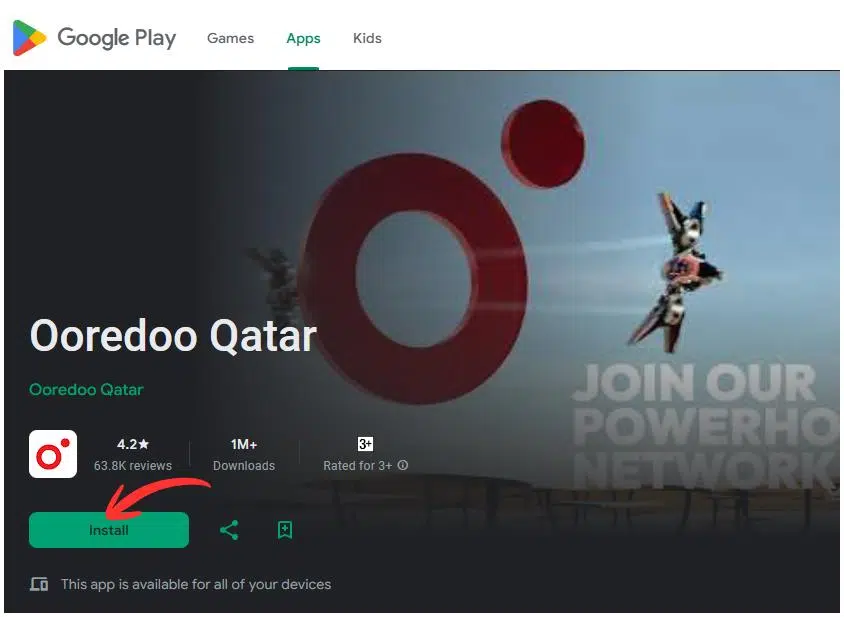
- Get the Ooredoo application from the Google Play Store or Apple App Store.
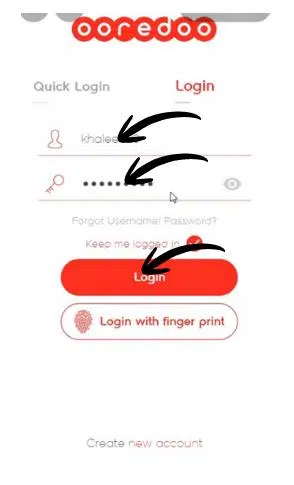
- Install the app and enter your mobile number or the registered email to log in.
- Go to “My Account.
- Click on the option of balance option to see the balance and validity left.
4. Check Balance Using SMS
The SMS balance checking is also very easy and convenient for me, particularly for users who do not have access to the internet.
Balance Checking Steps through SMS.
- Open the SMS app on your phone.
- Type
BAL. - Send it to 114.
- You will be sent an SMS response of your balance and validity.
Tip: This method is ideal when your phone has low connectivity but can still send text messages.
5. Check Balance Customer Care
Checking Balance through Customer Care.
- Dial 111 from your Ooredoo number.
- Read the voice instructions or address a customer care agent.
- Ask the agent to tell you your current balance, and he will give you the details.
6. Balance Checking in Ooredoo Shops / Kiosks.
Visiting an Ooredoo shop or kiosk is the surest method for those who would rather have face-to-face help.
Checking Balance in Shops.
- Go to your closest Ooredoo branch.
- Ask the members of staff to check your Aamali balance.
- Provide your mobile number or ID details.
- Receive your balance information instantly.
Tip: Some shops also provide printed receipts for your records, which is useful for businesses or multiple account management.
Balance Checking Summary Table
The following table is a summary of all the methods I have described:
| Method | How to Check |
|---|---|
| USSD Code | Dial *129# |
| Ooredoo App | Ooredoo App My account → Balance. |
| Website | Sign in → Dashboard |
| SMS | Send “BAL” to 114 |
| Customer Care | Call 111 |
| Ooredoo Outlet | Ooredoo Outlet: Go to the nearest shop. |
Tip: Choose the method that is most convenient for your situation.
FAQs
How can I check my Ooredoo Aamali balance quickly?
By dialing, you can check your balance at any time by dialing *129#. This USSD code is the quickest one to check the remaining credit.
Can I check my Ooredoo Aamali balance via the app?
Yes! Install the Ooredoo application, log in, and tap My Account balance to see the current credit and validity.
How do I check my Ooredoo balance using SMS?
Simply send BAL to 114. You will receive your remaining balance in a reply message.
Is it possible to check the Ooredoo balance online?
Absolutely! You can check your balance any time by going to the Ooredoo official site, logging in, and then going to the Dashboard.
What if I face issues checking my balance?
Contact Ooredoo Customer Care on 111 or come to the closest Ooredoo store. The employees can assist you in checking your balance and solving any problems instantly.
Read Also: How to Update Iqama in SNB Online (Avoid Frozen Accounts)
Final Words
I always urge readers to maintain their balance with Ooredoo Aamali. Regardless of the Urs-Sud-Din codes, Ooredoo application, SMS, the website, or customer support, these applications make it easy to manage your account from anywhere, at any time. It does not have to wait until your balance is depleted to use those simple steps today and have unlimited calls, messages, and data.
With the help of this guide, you will never have any more concerns about your Ooredoo balance. Have this blog with you, put these techniques into practice, and enjoy the comfort of checking your balance without any hassles!