Last updated: September 2026 – updated for the new Metrash app (Metrash2 was retired in March 2025).
Worried about the state of your driving licence in Qatar and need to check it urgently? You’re not alone as an expat. The majority of the drivers are in a hurry to find the answer to their query, whether their licence is still valid, whether it is up-to-date, and whether they need a renewal, but end up searching and reading archaic or illogical manuals.
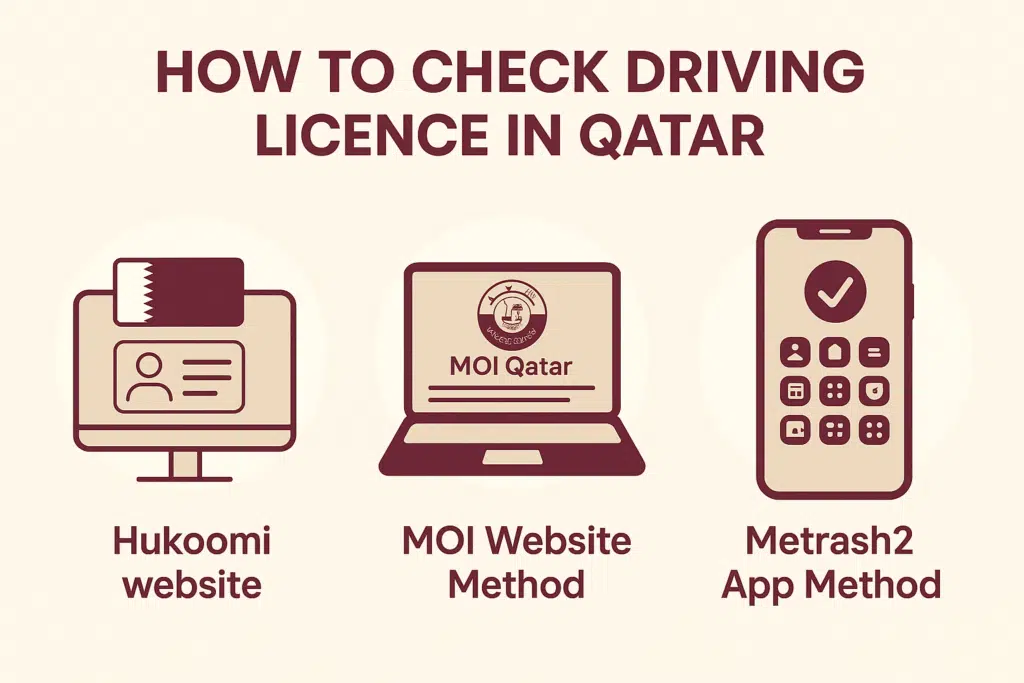
In this guide, I will demonstrate to you how you can most conveniently and most trustingly verify your driving licence in Qatar by:
- Hukoomi Website
- MOI e-portal
- Metrash2 app
Method 1: Through the MOI Website Qatar
The Ministry of Interior (MOI) is the most reliable and preferred location for verifying driving licence information in Qatar.
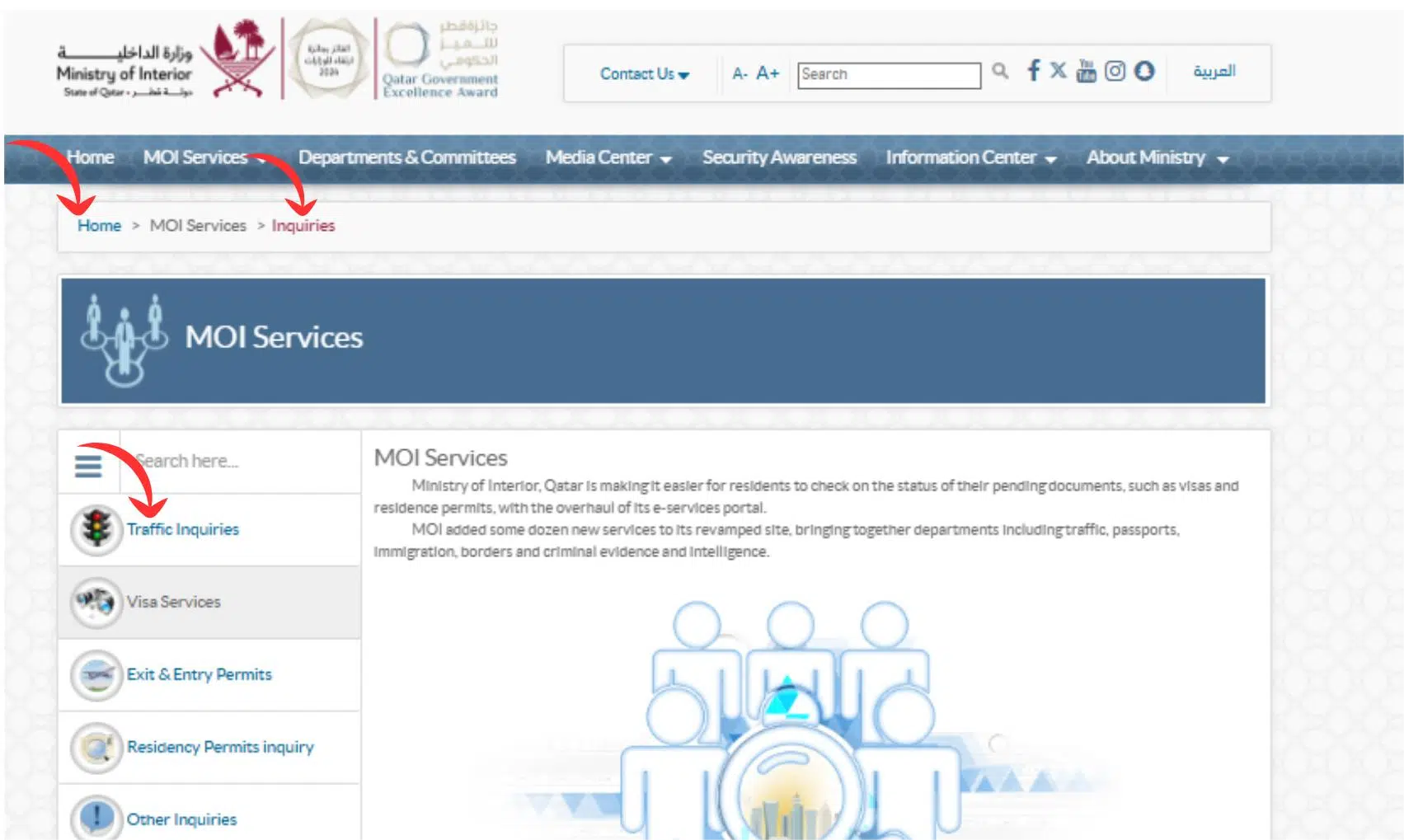
- Go to the official website of MOI Qatar
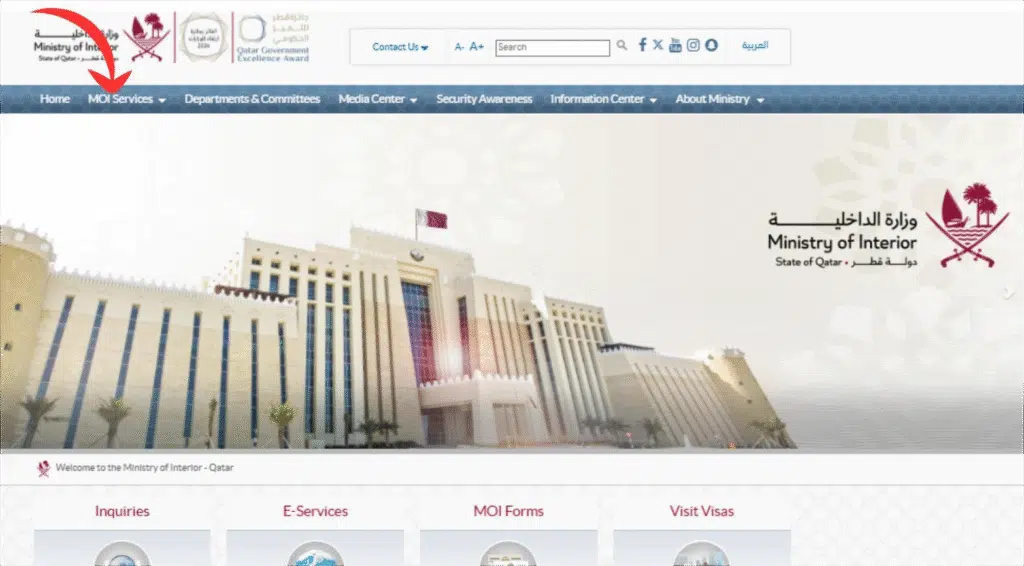
- Click Services Traffic inquiries.
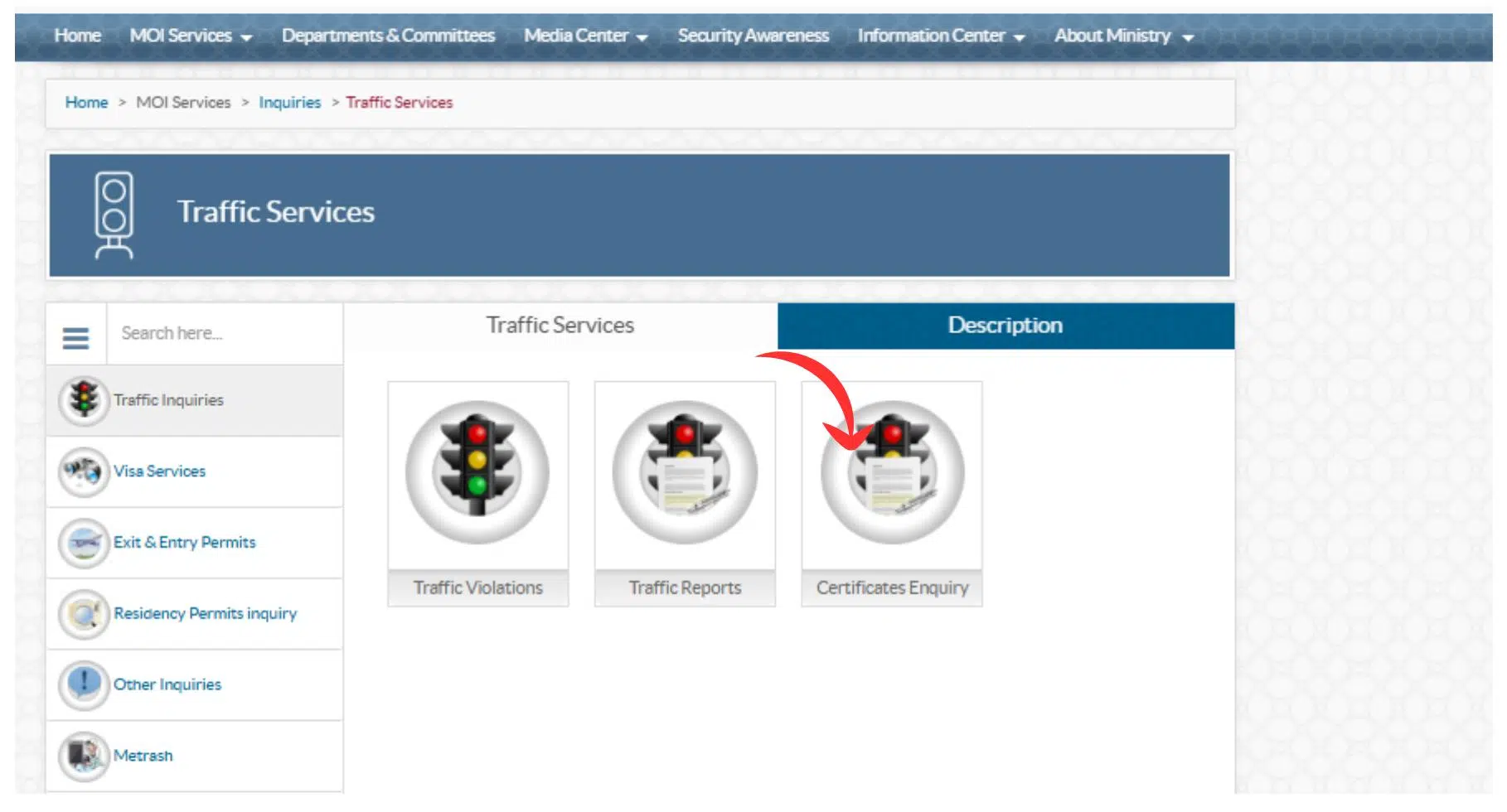
- Select Driving certificate Enquire.
- Click Check Driving licence validity.
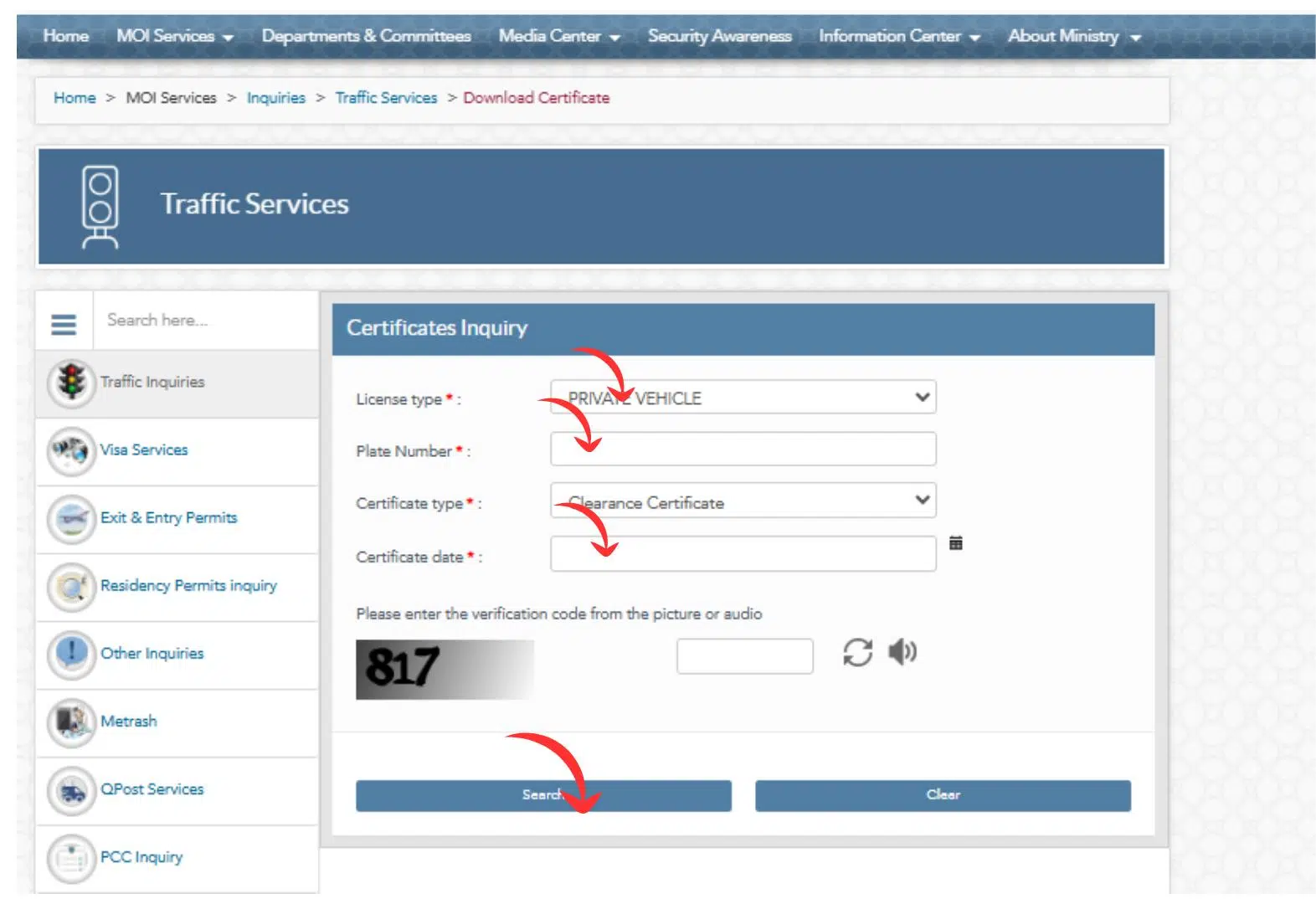
- Type in the Qatar ID (QID) or the Driving Licence Number.
- Submit the request.
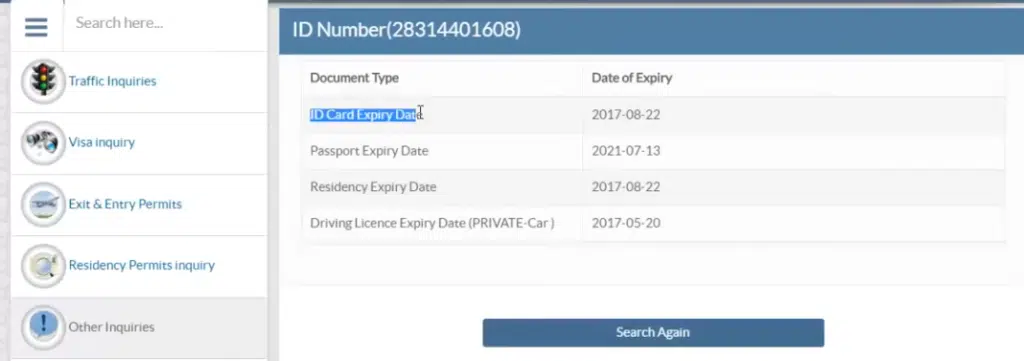
- You would see all your licence information instantly, including type, validity, restrictions, as well as expiry date.
Why I Recommend Using the MOI Website
- It is the official government portal.
- Real-time update of the information is done.
- It is secure and reliable.
- It will not require the installation of any additional applications.
To have the most appropriate and official information, the first and last resort is the MOI site.
Method 2: Using the Hukoomi Website
Follow these simple steps:
Step 1: Visit the Official Hukoomi Portal
Go to the Qatar Government Services website (Hukoomi) by searching “Hukoomi Qatar” in your browser.
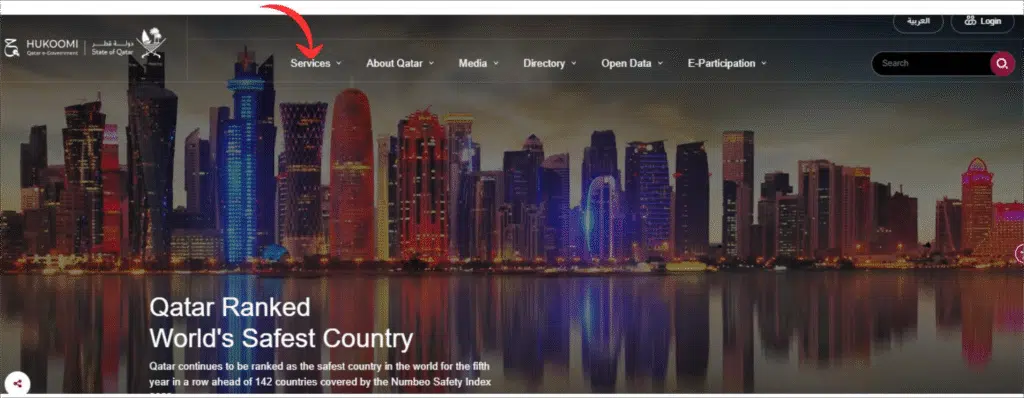
Step 2: Open the Driving Licence Services Section
Visit the home page, fill in the search box, and enter the name Driving licence.
Step 3: Search Driving License
After entering into a service page, one should search driving license and query for a driving license.
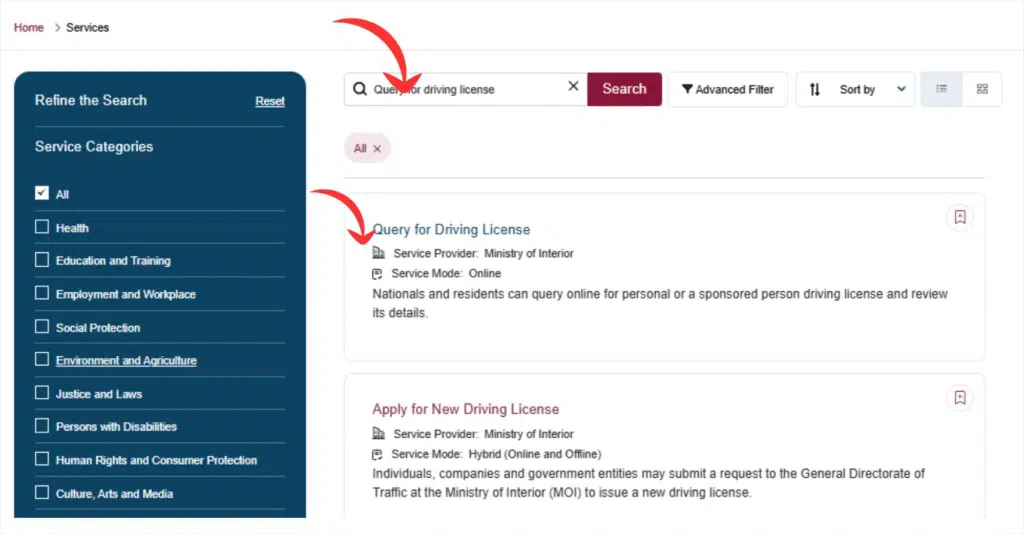
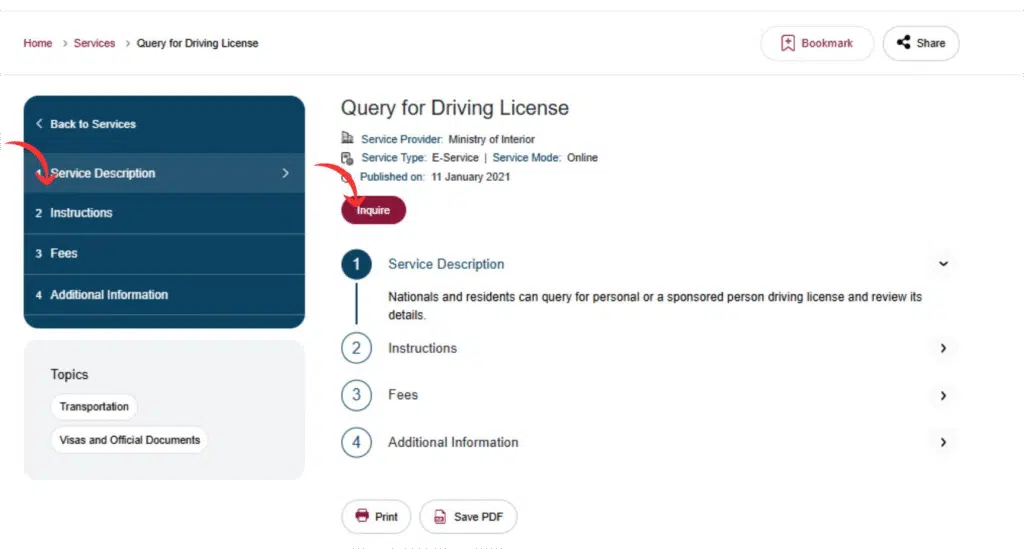
Step 4: Enter Your Required Details
You may be asked to enter:
- Your QID number
- Your licence number
- Captcha/security code
Enter the details correctly.
Step 5: Click on Submit
Click on Submit to submit your request.
Step 6: View Your Licence Status
Your screen will show:
- Licence validity
- Expiry date
- Licence status (valid/expired)
- Issuing authority
- Category and other details
Read Also: Extend Saudi Visit Visa in 2026 – Avoid Overstay Fines
Method 3: Using the Metrash App
Still have the old Metrash2 on your phone? The Ministry of Interior replaced it with a new app simply called Metrash in December 2024, and Metrash2 stopped working on 1 March 2025. Download the new version from the App Store or Google Play – it covers the same traffic services and adds payment options like Apple Pay.
For most residents, the Metrash app (the replacement for the old Metrash2) is the quickest way to check licence details.
Step-by-Step Guide to Check via Metrash2
- Install the Metrash2 software in the Google Play Store or the Apple App Store.
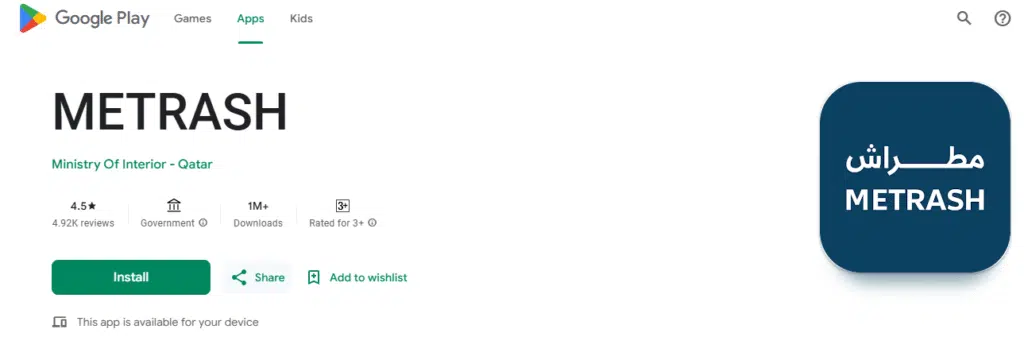
- Sign in to Metrash with your Qatar ID details
- Go to Traffic Services.
- Select the Driving licence status.
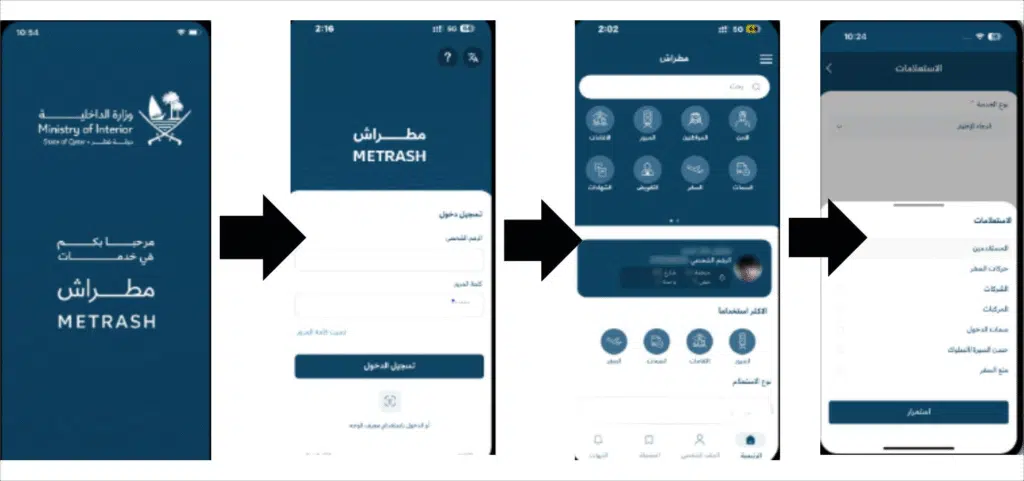
- The data regarding your licence will be shown instantly.
Benefits of Using the Metrash App
- The mobile access anywhere at any time.
- Shows real-time updates on validity
- You can also check fines and violations.
- Allows you to renew the licence online.
- You can pay fines in the app, too.
As somebody who values convenience, the Metrash app is probably the handiest option.
Frequently Asked Questions (FAQs)
How to check a Qatar Driving license online?
In Qatar, there is also an option of checking your driving license by typing your QID or the license number into the Metrash2 application or on the MOI website.
What is my Qatar ID? How do I check it?
Information about the Qatar ID is provided on the MOI Qatar site in Inquiries and subsequently Official Documents and QID Check.
Can I check my driving license details online?
Yes. The MOI website or the Metrash app will show your licence validity, expiry date, and your restriction date.
What is the way to locate a duplicate of my driving licence on the Internet?
Open the Metrash app and go to the traffic and driving licence services, and then under the print/Download licence copy option, a digital version is obtained.
Read Also: How to Update Iqama in SNB Online (Avoid Frozen Accounts)
Related Qatar guides: check and pay traffic violations online, the Qatar traffic fines list for 2026, and how to check your FAHES report.
Other Qatar ID and health admin: renew your Qatar ID online and renew your health card before it expires.
Final Words
Now you possess all the needed ways of checking your Qatar driving licence in a sound and fast way, either through the MOI website, the Metrash app or Hukoomi. Both of these options will enable you to have instant access to your licence status, its validity, and fines, as well as renewal options; hence, you should not be as worried about not receiving crucial updates.
With the help of the steps provided above, you will be able to control your driving licence quite easily and be aware of the Qatar traffic rules.