Worried about the state of your driving licence in Qatar and need to check it urgently? You’re not alone as an expat. The majority of the drivers are in a hurry to find the answer to their query, whether their licence is still valid, whether it is up-to-date, and whether they need a renewal, but end up searching and reading archaic or illogical manuals.
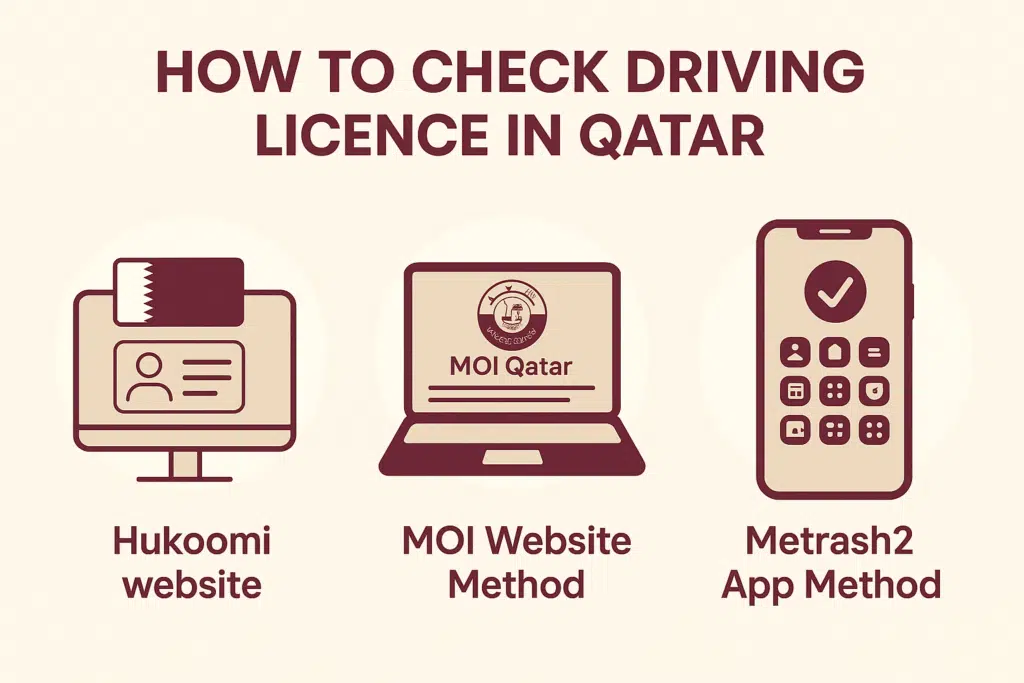
In this guide, I will demonstrate to you how you can most conveniently and most trustingly verify your driving licence in Qatar by:
- Hukoomi Website
- MOI e-portal
- Metrash2 app
Using the Hukoomi Website
Follow these simple steps:
Step 1: Visit the Official Hukoomi Portal
Go to the Qatar Government Services website (Hukoomi) by searching “Hukoomi Qatar” in your browser.
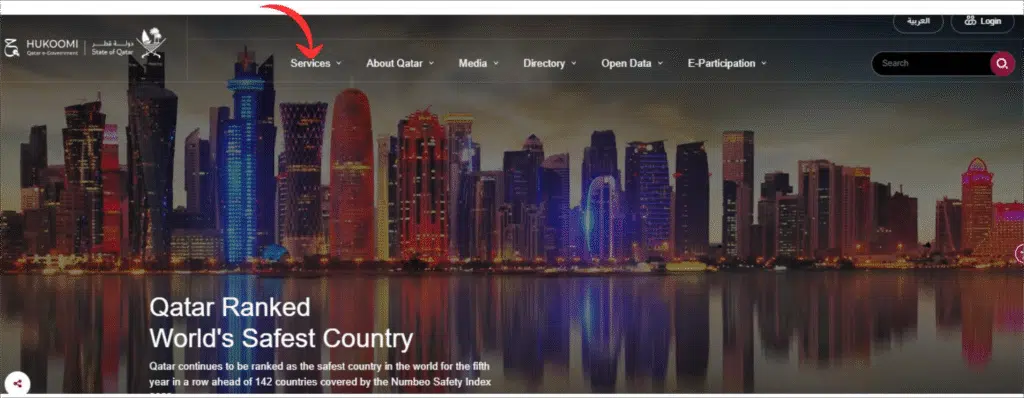
Step 2: Open the Driving Licence Services Section
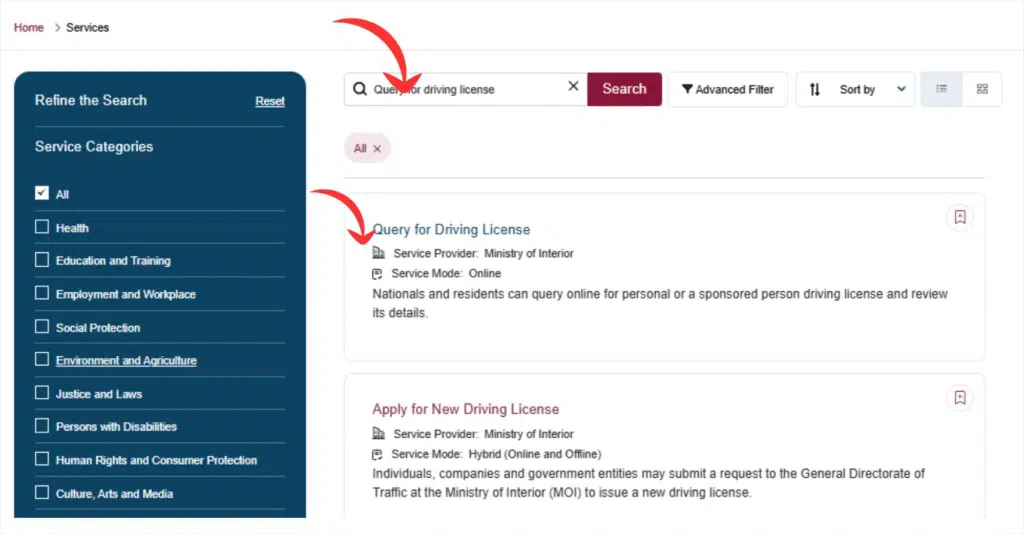
Visit the home page and fill in the search box, and enter the name Driving licence.
Step 3: Search Driving License
After entering into a service page, one should search driving license and query for a driving license.
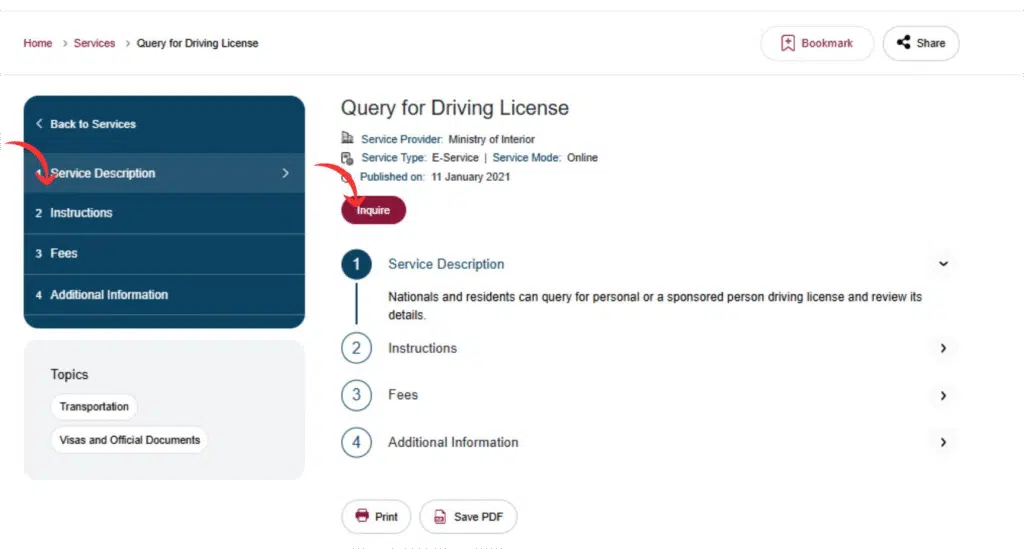
Step 4: Enter Your Required Details
You may be asked to enter:
- Your QID number
- Your licence number
- Captcha/security code
Enter the details correctly.
Step 5: Click on Submit
Click on Submit to submit your request.
Step 6: View Your Licence Status
Your screen will show:
- Licence validity
- Expiry date
- Licence status (valid/expired)
- Issuing authority
- Category and other details
Read Also: Extend Saudi Visit Visa in 2026 – Avoid Overstay Fines
Method 2: Through the MOI Website
The Ministry of Interior (MOI) is the most reliable and preferred location for verifying driving licence information in Qatar.
- Go to the official website of MOI Qatar
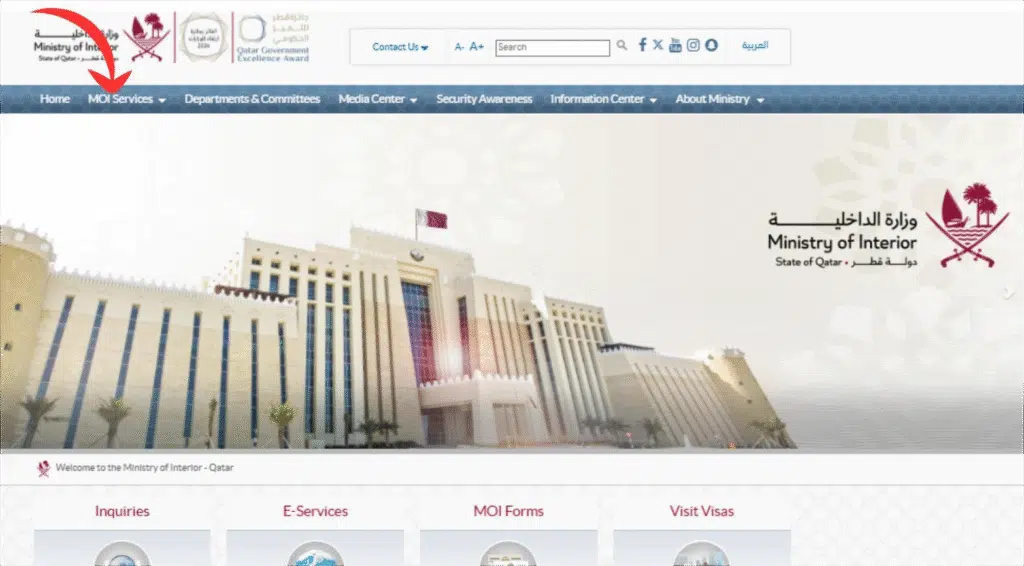
- Click Services Traffic inquiries.
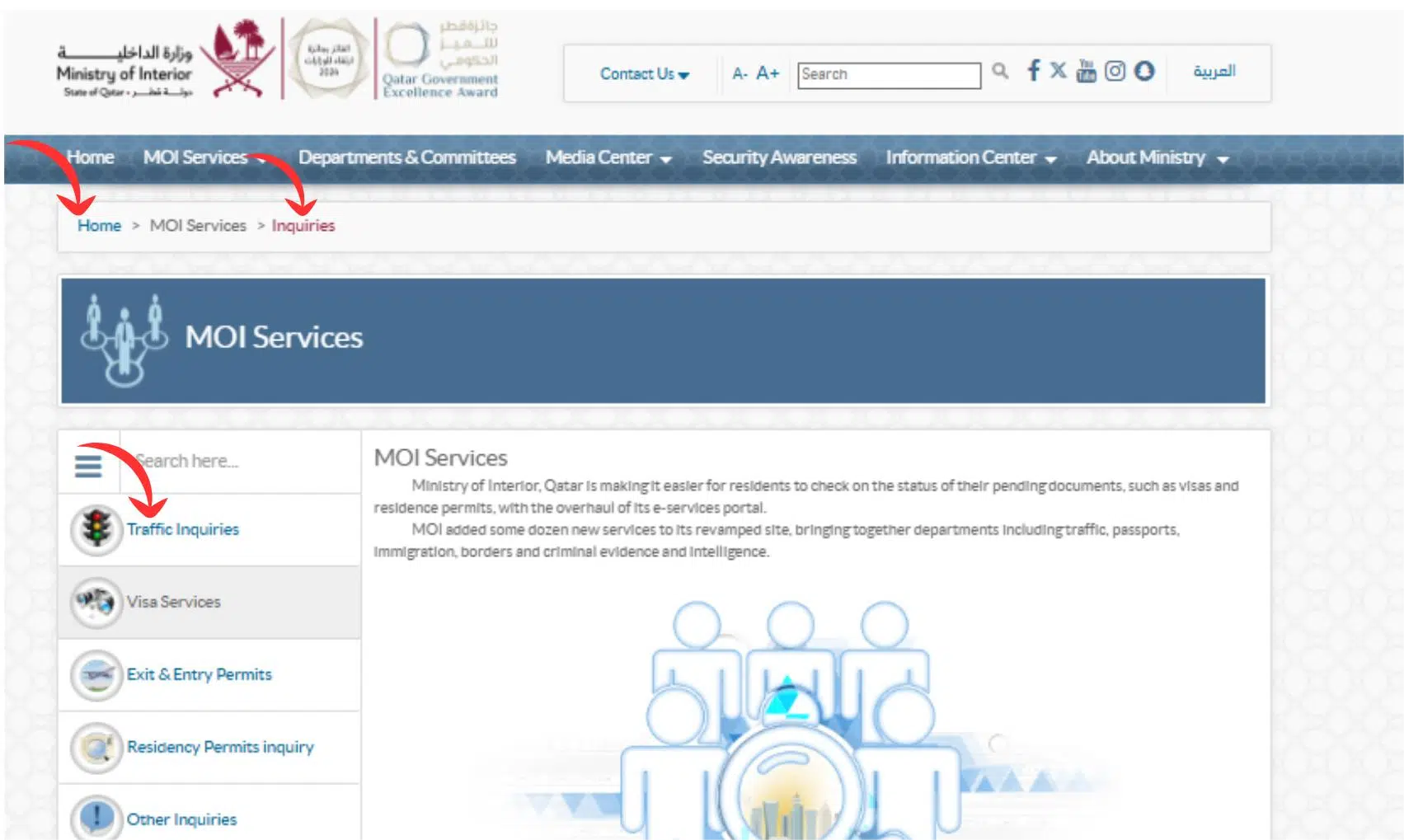
- Select Driving certificate Enquire.
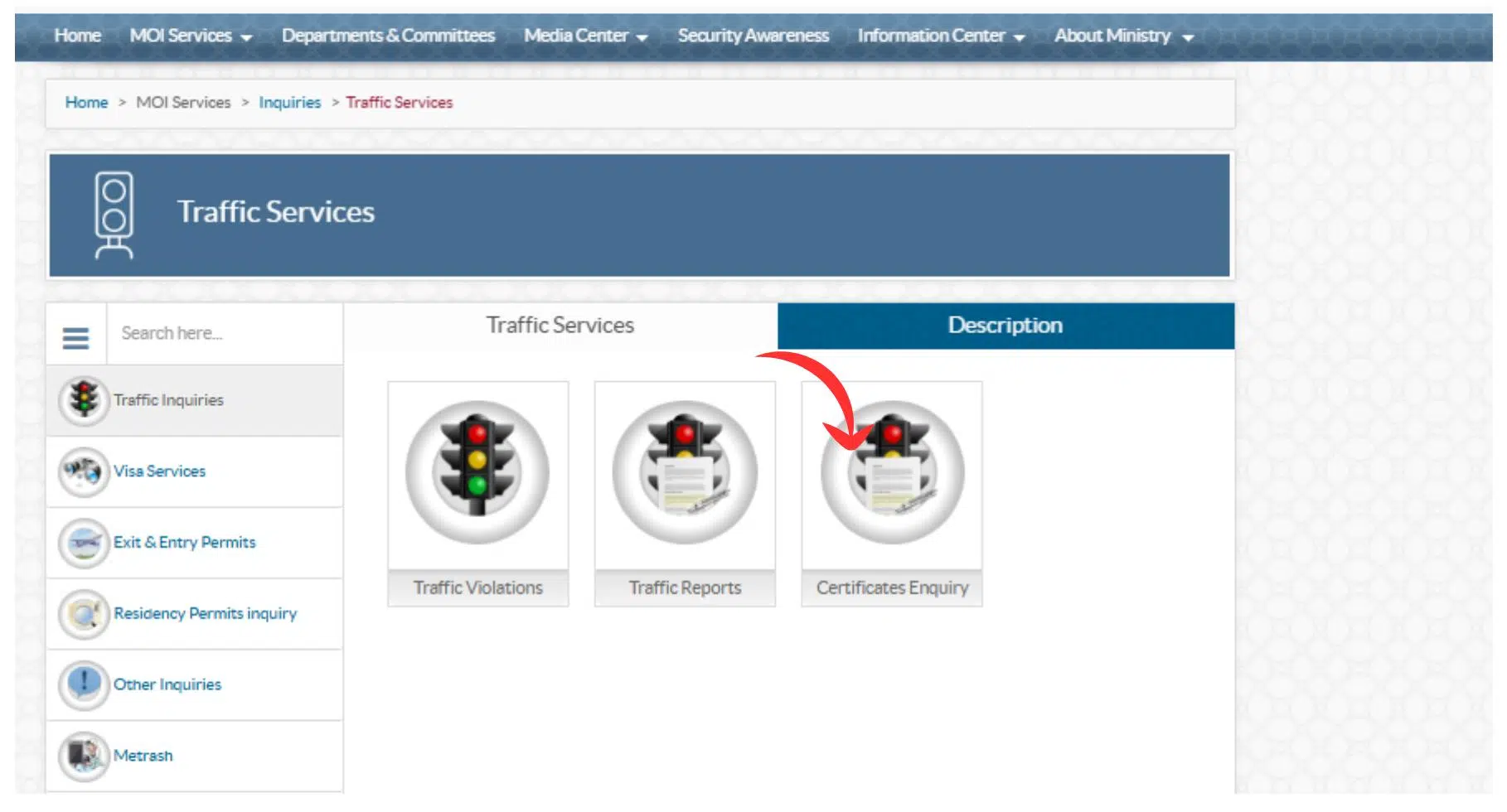
- Click Check Driving licence validity.
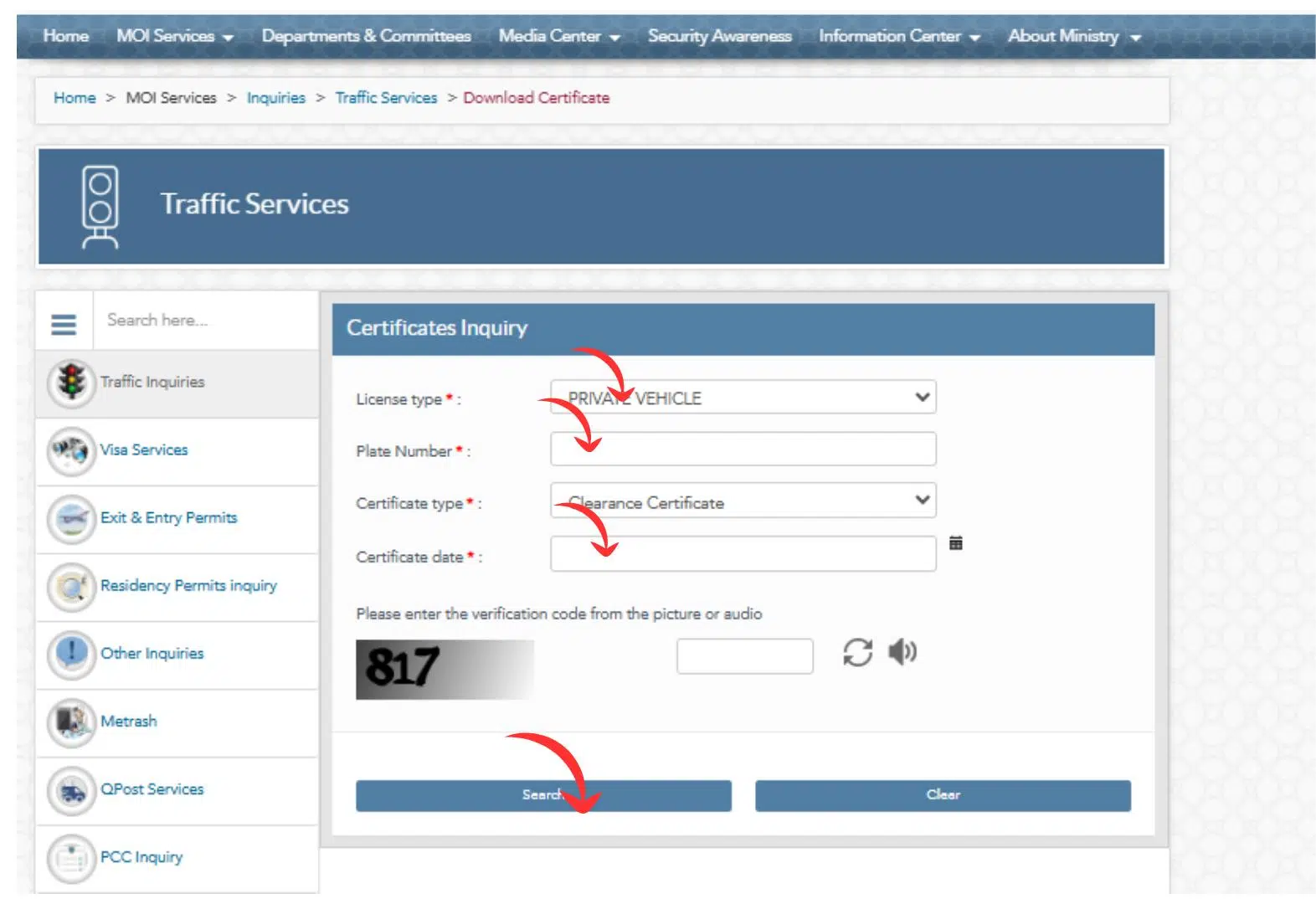
- Type in the Qatar ID (QID) or the Driving Licence Number.
- Submit the request.
- You would see all your licence information instantly, including type, validity, restrictions, as well as expiry date.
Why I Recommend Using the MOI Website
- It is the official government portal.
- Real-time update of the information is done.
- It is secure and reliable.
- It will not require the installation of any additional applications.
To have the most appropriate and official information, the first and last resort is the MOI site.
Method 3: Using the Metrash2 App
The Metrash2 application is much more convenient and faster for the majority of residents to check the licence details.
Step-by-Step Guide to Check via Metrash2
- Install the Metrash2 software in the Google Play Store or the Apple App Store.
- Log in using your QID and Metrash2 PIN
- Go to Traffic Services.
- Select the Driving licence status.
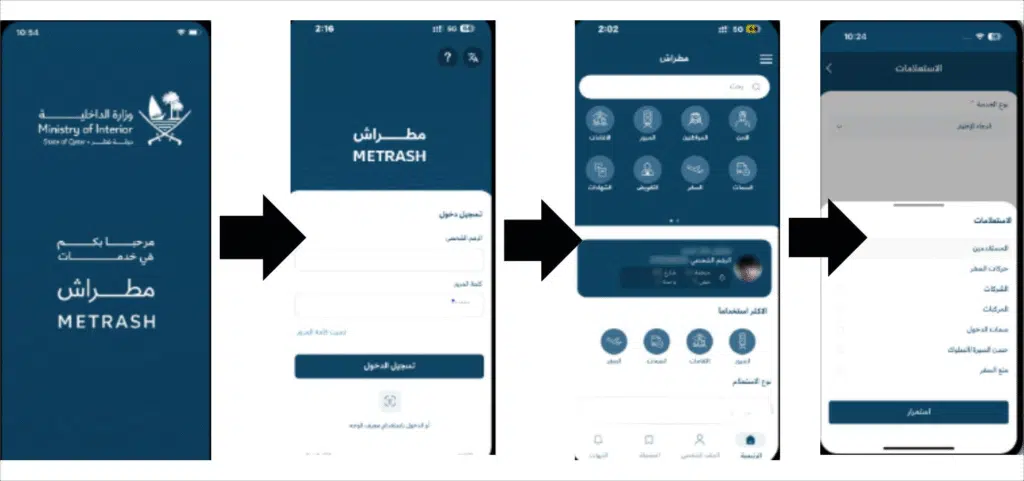
- The data regarding your licence will be shown instantly.
Benefits of Using the Metrash2 App
- The mobile access anywhere at any time.
- Shows real-time updates on validity
- You check fines and violations, huh?
- Allows you to renew the licence online.
- Let us pay you fines in the app.
As somebody who values convenience, Metrash2 may be the most convenient and time-saving to use.
FAQs
How to check a Qatar Driving license online?
In Qatar, there is also an option of checking your driving license by typing your QID or the license number into the Metrash2 application or on the MOI website.
What is my Qatar ID? How do I check it?
Information about the Qatar ID is provided on the MOI Qatar site in Inquiries and subsequently Official Documents and QID Check.
Can I check my driving license details online?
Yes. The MOI site, Metrash2 application, or the QVC portal will show your license validity, expiry date, and your restriction date.
What is the way to locate a duplicate of my driving licence on the Internet?
Open the Metrash2 application and proceed to Driving Licence Services, and then under the print/Download licence copy option, a digital version is obtained.
Read Also: How to Update Iqama in SNB Online (Avoid Frozen Accounts)
Final Words
Now you possess all the needed ways of checking your Qatar driving licence in a sound and fast way, either via the MOI site, Metrash2 application, QVC portal, or an embassy of Qatar embassy in a foreign country. Both of these options will enable you to have instant access to your licence status, its validity, and fines, as well as renewal options; hence, you should not be as worried about not receiving crucial updates.
With the help of the steps provided above, you will be able to control your driving licence quite easily and be aware of the Qatar traffic rules.