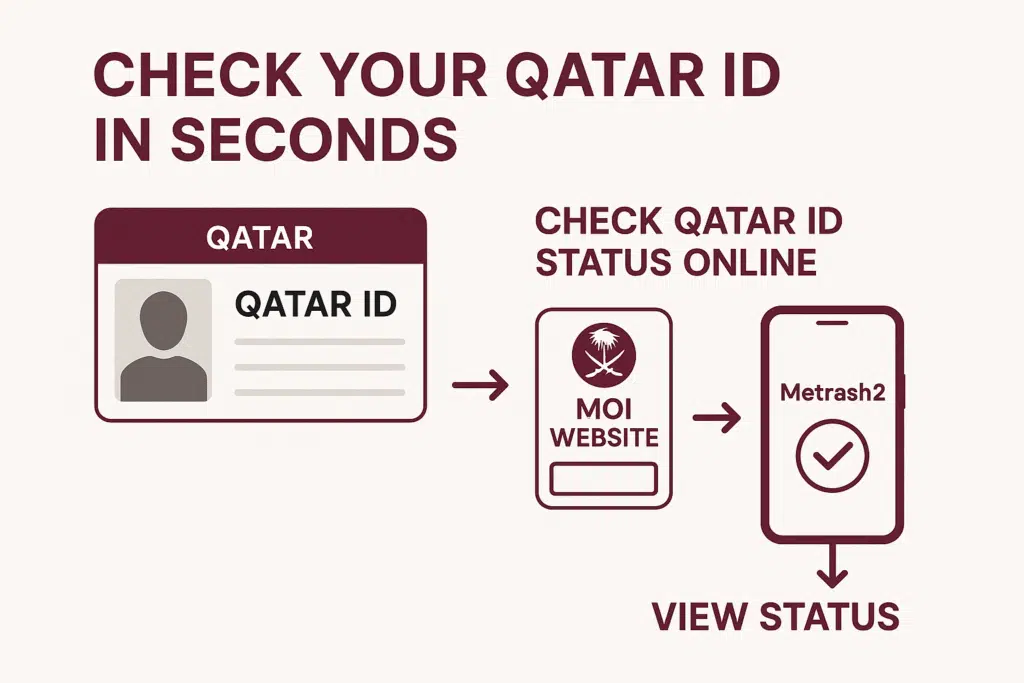
Your Qatar ID (QID) is one of the documents that you should always carry along in case you are living or working in Qatar. Your QID is your legal name in the country, whether you are accessing government services or banking. However, what about checking Qatar ID Status Online?
In this complete guide, I will show you all the reliable methods to check Qatar ID Status Online, including:
- Via the MOI website
- Using the Metrash2 mobile app
- Checking Qatar ID without a QID number
What is a Qatar ID?
The Qatar ID (QID) is a state-issued identification card provided to the entire population of Qatar, as well as expatriates. Your QID is used to demonstrate that you are a legal resident in the country, and you need to use it to:
- Employment and labor contract.
- Bank accounts Opening and running.
- Having to sign official documents and agreements.
- Accessing government services and benefits
Keeping your Qatar ID verified ensures that you can perform daily tasks without any problems.
Method 1 – Through the MOI Website
The Qatar ID online check is the official and safest one, and it is done by the MOI (Ministry of Interior) Qatar site. Follow these steps:
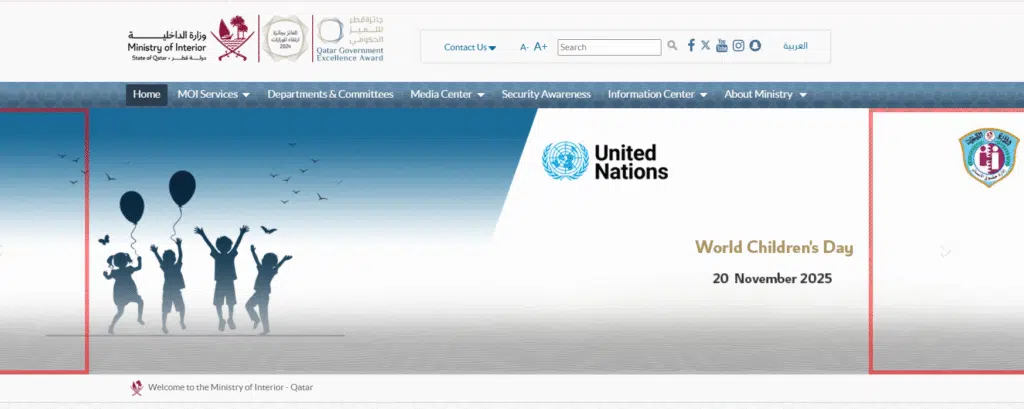
Step 1 – Visit the Official MOI Website
Go to the official MOI Qatar website to ensure security and accuracy.
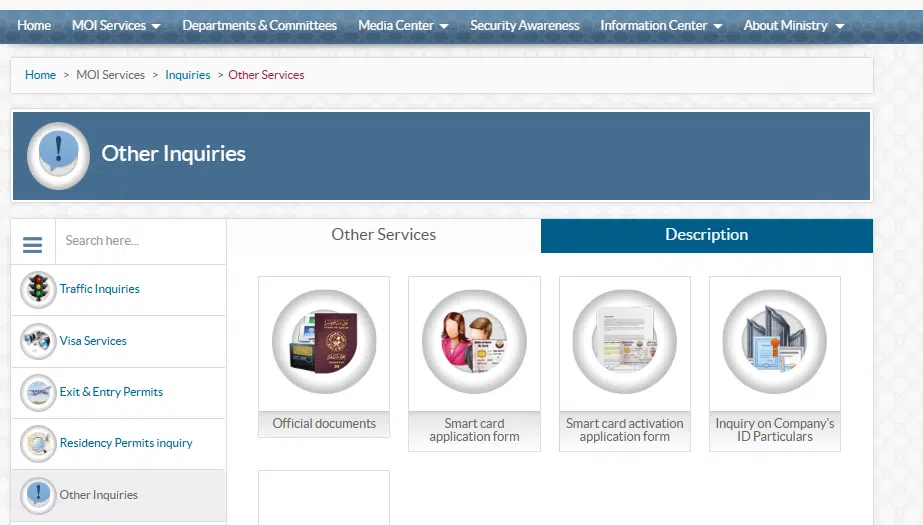
Step 2 – Navigate to the mOI Service Section
Follow this path: e-Services →MOI services. This section allows you to check the status of your Qatar ID quickly.
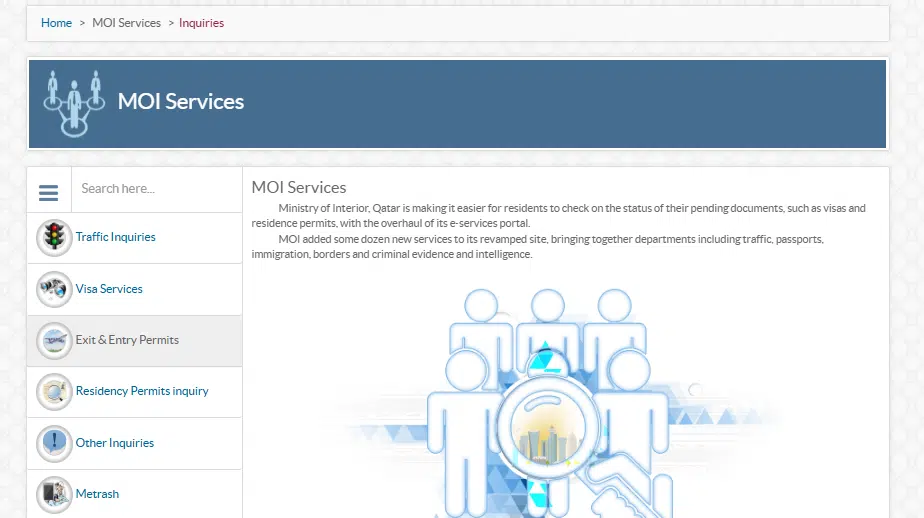
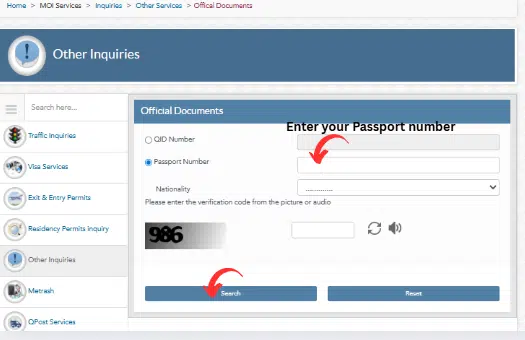
- Go to other services and select official documents.
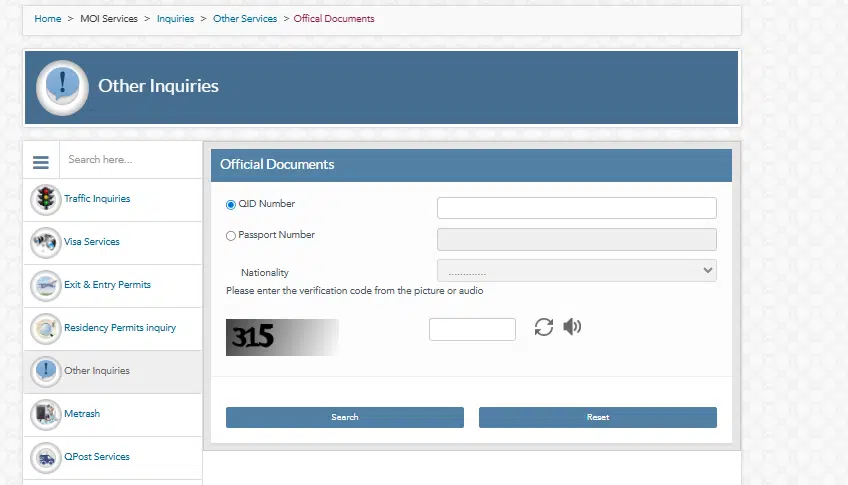
Step 3 – Enter Your Details
Give the information requested: your QID number, your nationality, and any other personal data. Make sure that you use all the information as it appears on your Qatar ID so that there can be no mistakes.
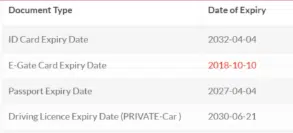
Step 4 – Submit and Check Qatar ID Status Online
Once you have entered your details, you will see the Qatar ID information on screen, which includes:
- ID status (valid/expired)
- Expiry date
- Personal details registered with MOI
Read Also: Change Iqama Profession in Saudi Arabia 2026 – Full Guide
Method 2 – Metrash2 Mobile App
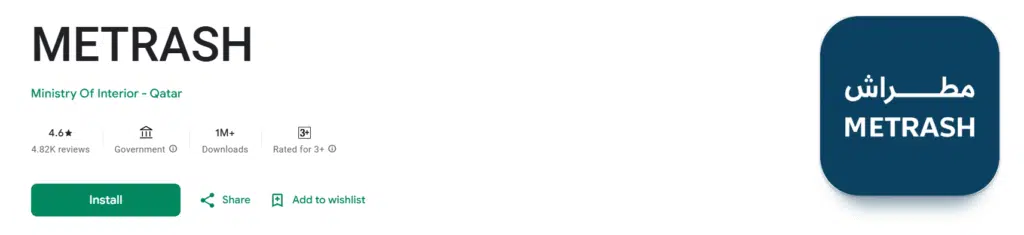
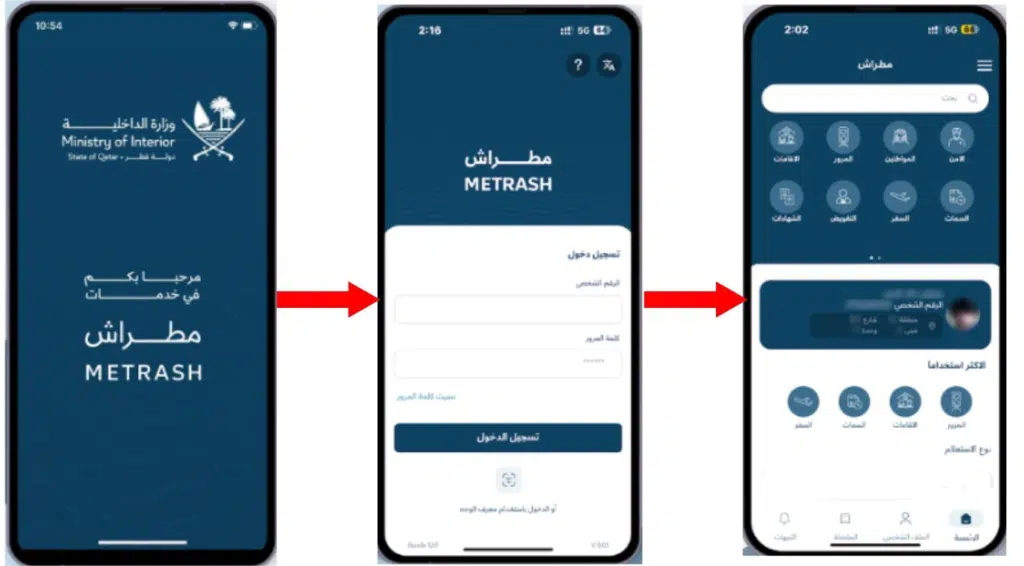
Another method to ensure that your Qatar ID is verified immediately is through the Metrash2 app, which is secure. It is quicker and more convenient for many residents.
1 – Download and Install Metrash2
- Android Users: Google Play Store
- iOS Users: App Store
2 – Register or Login
Install the app, create an account with your QID number and mobile number, and confirm with OTP.
3 – Access Qatar ID Verification
Navigate to: Home → ID Services → QID Verification. Your Qatar ID status will be displayed instantly, showing the card details and expiry date.
Method 3 – Check Qatar ID Status Online Without a QID Number
If you don’t have your QID number, you can still verify your Qatar ID using these alternative methods:
Step 1 – Use Your Passport or Other Official Info
Some MOI services and Metrash2 allow ID verification using your passport number or other registered personal information.
Step 2 – Contact MOI Customer Service
Reach out to MOI directly via:
- Phone: 109 (MOI Contact Center)
- Email: info@moi.gov.qa
To receive assistance in verification, give your full name, passport number, and date of birth.
Step 3 – Verify In Person if Needed
In case of online verification, go to the nearest service center of MOI with your passport, residency permit, and other documents that identify you. MOI personnel will assist you in checking your ID.
Step 4 – Tips for a Smooth Process
- When you are contacting MOI, you need to have all personal documents prepared.
- Do not use unofficial websites or applications that offer to check the Qatar ID.
Common Issues While Checking Qatar ID
Although official means are used, you can still come across:
- Website or App is not loading: Switch browser, refresh, or revisit.
- Incorrect Information: Double-check all details before submitting.
- Expired or Invalid QID: In case your QID has expired, then you are required to renew it via MOI services.
Knowing these things can enable you to solve problems fast and make the verification process a seamless one.
FAQs About Qatar ID Checking
Is it possible to check Qatar ID Online without the Metrash2 App?
Yes, there is the option of checking Qatar ID Status Online without the use of the app on the MOI official site or by calling the MOI customer service. Both methods are secure and reliable.
What is Qatar ID Verification Time?
- Online or Metrash2 App: Instant verification in a few seconds.
- Customer Service or Face-to-Face: Could require a few hours or days based on the verifications.
Does checking Qatar ID have no charges?
Yes, any formal system to check Qatar ID Status Online through MOI or Metrash2 is totally free. Do not use third-party websites that require payment.
What should I do if my Qatar ID portrays the wrong information?
In case of any wrong QID information, you are to address MOI as soon as possible, either via their website, app, or customer support, and insert the correct information so that it can be updated.
Am I able to check my Qatar ID with the help of my Passport?
Yes, where you do not have your QID number, MOI, and Metrash2 can be verified with your passport number or any other official information that is registered.
Read Also: Find Iqama Number by Passport in Saudi Arabia (2026)
Final Words
Authentication of your Qatar ID is essential to all residents and expats in Qatar. It controls the accuracy of your personal information and prevents the inconveniences of banks, government services, and jobs. And now, fortunately, it is possible to check your Qatar ID in official and safer ways than ever before.
You can verify your ID using:
- MOI Website: Check your ID online instantly and safely
- Metrash2 App: Quick mobile verification anytime, anywhere
Without a QID Number: Use your passport, or contact the MOI customer service