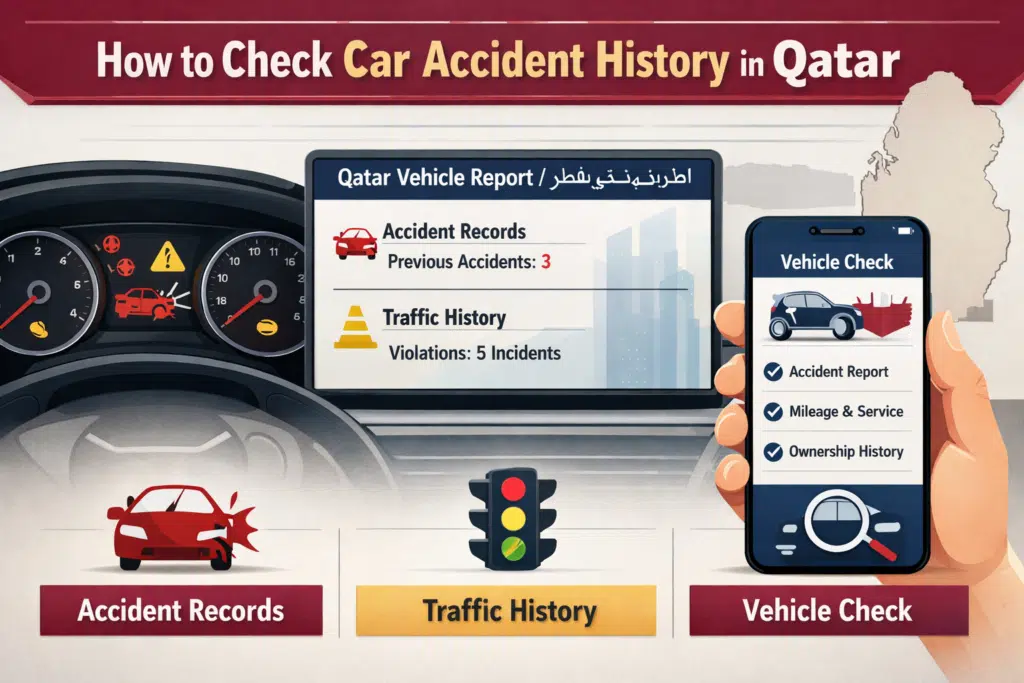
- What Is Metrash?
- Can you check the car accident history in Metrash?
- How to Check Accident History in Metrash (Step-by-Step)
- What Information Does Metrash Show About Accidents?
- What Do Minor and Major Accidents Mean?
- Can you check the accident history of Any Car in Qatar?
- Alternative Ways to Check Car Accident History in Qatar
- Common Problems
- Is Metrash Accident History Accurate and Reliable?
- Frequently Asked Questions (FAQs)
- Final Thoughts
Need to know how to check car accident history in Qatar by using Metrash? In case you have a vehicle or you are intending to purchase a used car, the knowledge of its accident history is essential to make safe, resale, and insurance choices. Qatar The Metrash app, which is presented by the Ministry of Interior (MOI), gives registered vehicle owners access to official accident history through their mobile phone.
The given guide will include the particular step-by-step instructions on how you can go about checking the history of a car accident in Qatar, the information that is shown there, interesting limitations that should not be overlooked, and other mechanisms that you can employ to check a car accident history in Metrash.
What Is Metrash?
Yes, in Qatar, it is possible to check the history of accidents of the vehicle with the help of the Metrash app, and the vehicle should be attached to your account or be authorized to check the information.
Using Metrash, users can:
- Check vehicle details
- View traffic violations
- Access accident records
- Manage vehicle and license services
Since the data is obtained directly by MOI, the data presented in Metrash is official, correct, and reliable.
Can you check the car accident history in Metrash?
Yes.
Checking the accident history of a vehicle in Qatar is possible by using the Metrash app, and the vehicle must be connected to your account or authorized to check the information.
This feature is especially useful for:
- Vehicle owners
- Used car buyers
- Insurance verification
- Legal or documentation purposes
How to Check Accident History in Metrash (Step-by-Step)
To check the history of accidents with the help of the Metrash application, follow these easy steps:
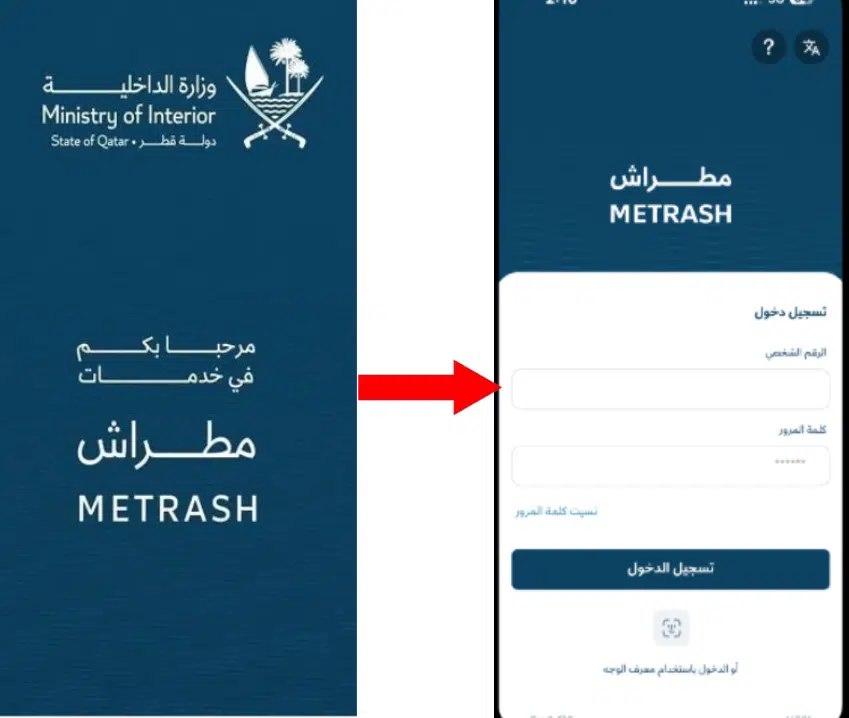
Step 1: Open the Metrash App
Launch the Metrash app on your mobile phone.
Step 2: Log In to Your Account
Sign in using your Qatar ID and Metrash PIN.
Step 3: Go to “Traffic Services”
From the home screen, select Traffic Services.
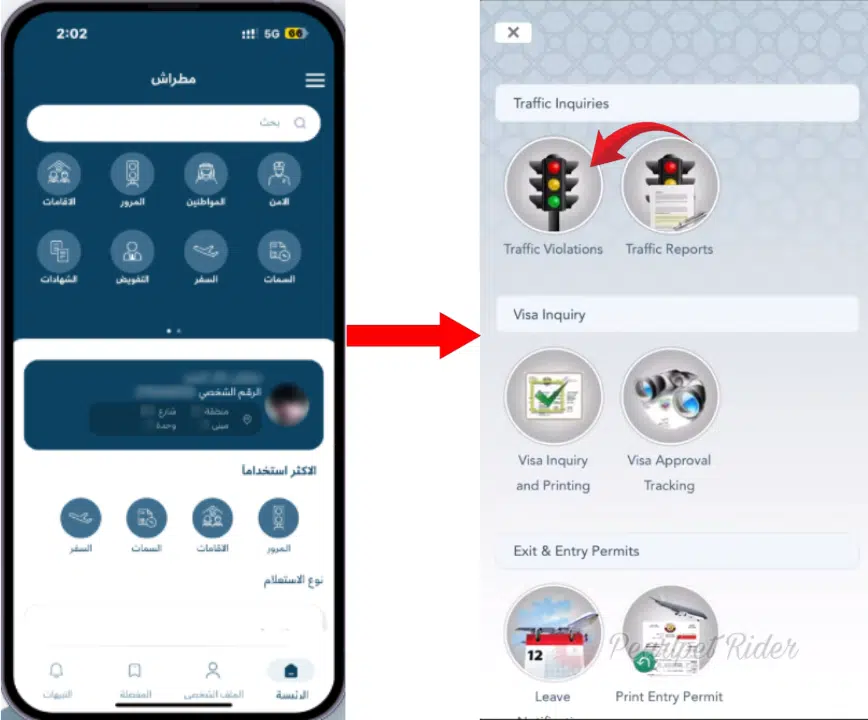
Step 4: Select “Vehicle Services”
Choose Vehicle Services to view registered vehicles.
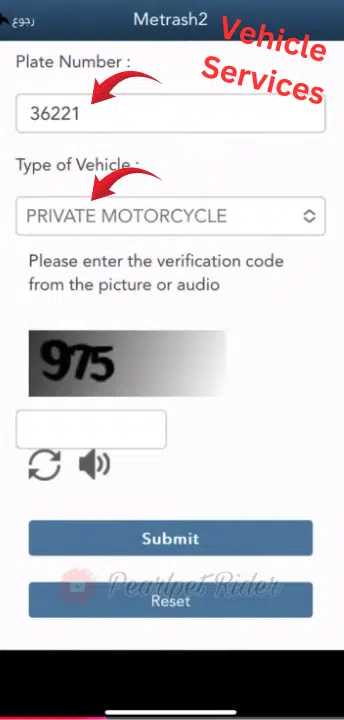
Step 5: Choose the Vehicle
Select the vehicle for which you want to check the accident history.
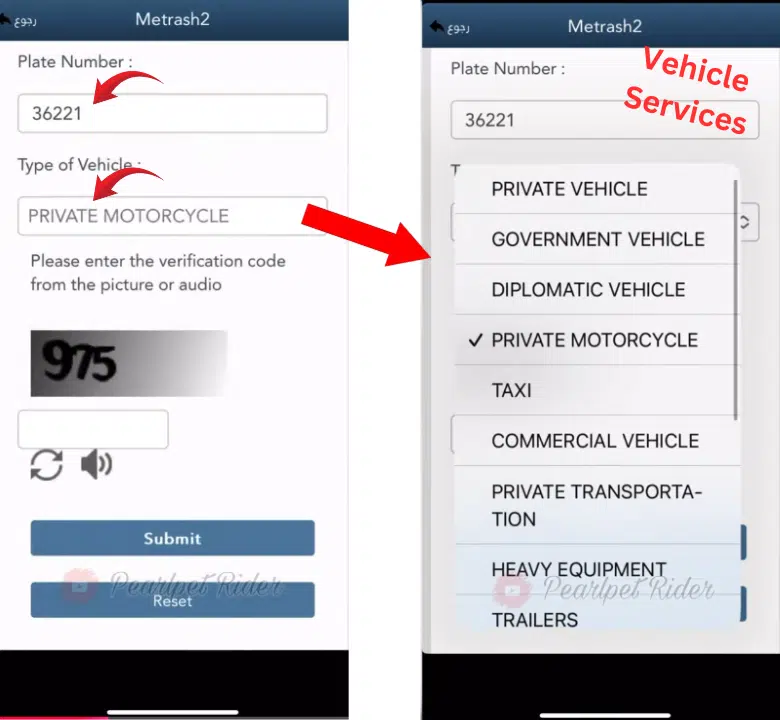
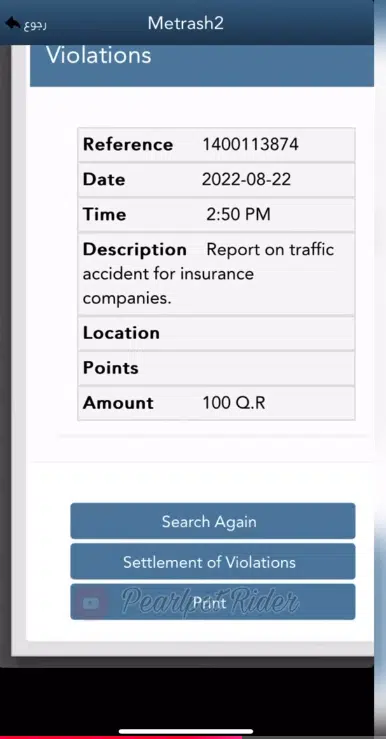
Step 6: View Accident History / Accident Records
Look for the accident history or accident record option.
The app will display any officially registered traffic accidents linked to that vehicle.
What Information Does Metrash Show About Accidents?
The accident history available in Metrash may include:
- Date of the accident
- Vehicle involved
- Accident reference number
- Status of the accident (reported/resolved)
Note:
Minor accidents that were not officially registered may not appear in the system.
Read Also: Renew Iqama in Saudi Arabia 2026: Avoid Fines Fast
What Do Minor and Major Accidents Mean?
Understanding accident types helps you interpret the data correctly:
- Minor Accident:
Damage caused by light, i.e., scratches, bumper dents, or cosmetic repairs. - Major Accident:
Traffic authorities are notified about structural damage, airbag deployment, or serious collisions.
Knowing this distinction is important when evaluating resale value, insurance premiums, or safety concerns.
Can you check the accident history of Any Car in Qatar?
In the majority of cases, only the history of accidents of vehicles connected to your Metrash account is available, or those vehicles for which you are entitled to read.
If you are buying a used car:
- Ask the seller to show the accident history from their Metrash app
- Or verify through official traffic or insurance channels
This limitation helps protect user privacy and data security.
Alternative Ways to Check Car Accident History in Qatar
Although Metrash offers an official history of accidents that any vehicle registered under your QID has, there are numerous other methods to confirm the history of a car. It is accurate with the usage of more than one source, and it creates a sense of confidence, especially in the case of making a purchase of a used car.
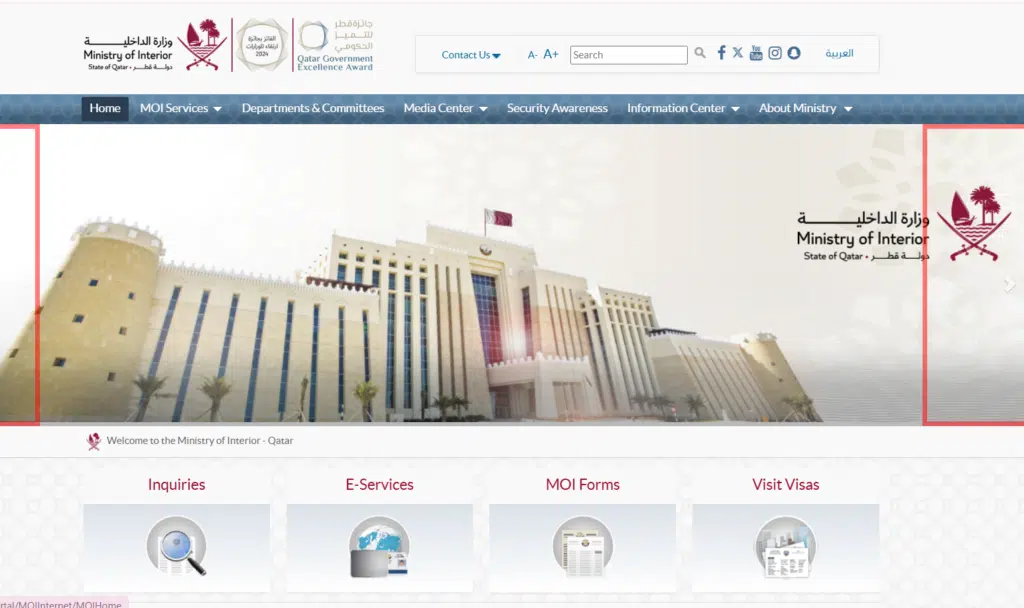
1. MOI Traffic Services (Web Portal)
The e-service portal of the Ministry of Interior helps the registered users to have access to information related to the vehicle online. Through the portal, you can:
- Check traffic violations linked to your car
- Request official accident reports (if available)
- Download verified documents for insurance or resale purposes
How to use it:
- Log in to the MOI portal using your QID credentials.
- Navigate to the Vehicle Services or Traffic Reports section.
- Search for the car using its plate number or registration details.
- If accident history is available, download or view the official report.
Pro Tip: Keep a digital copy of these reports for future reference or resale purposes.
Common Problems
Accident History Not Showing?
Possible reasons include:
- Vehicle not linked to your Metrash account
- The accident was never officially registered
- Temporary MOI system update
- App cache or login issue
Solution:
Log out and log back in, update the app, or contact MOI support if the issue continues.
Is Metrash Accident History Accurate and Reliable?
Yes.
Metrash sources are among the most valid sources of verifying the history of vehicle accidents in Qatar because the data on accidents in the country is provided by the Ministry of Interior.
Metrash is an official reference, legally, in terms of insurance and ownership.
Frequently Asked Questions (FAQs)
Is checking accident history in Metrash free?
Yes, checking accident history through Metrash is completely free.
Can expatriates use Metrash to check accident history?
Yes, Metrash may be used by both the citizens and residents of Qatar.
Does Metrash show minor accidents?
Only officially reported and registered accidents appear in the system.
Can I check accident history without Metrash?
Yes, via MOI offices, insurance companies, or inspection centers.
What is the history of Metrash accidents in the past?
The application tends to display the officially documented incidents involving the car in the records of the MOI.
Read Also: Check Iqama Transfer Status Online (Absher & MHRSD 2026)
Final Thoughts
The three areas most effective to confirm the history of the vehicle in Qatar are checking accident history in Metrash, which is the safest, fastest, and most reliable. Nobody wants to have any issues with their cars in the future, so no matter whether you have your own one or are going to purchase a used one, you can check the records of accidents to make a proper choice and prevent the emergence of problems.
To achieve optimal results, Metrash data should always be supplemented with insurance and inspection, particularly when buying a second-hand car.